

Acemate tennis robot S10 review: As close as it gets to a real hitting partner

The Acemate tennis robot S10 is the closest I have come to rallying with a ball machine that reacts like another player. Its built-in cameras follow the action, the robot moves around the court and the next ball arrives at a believable moment. That combination makes solo practice feel far less mechanical.
It is also much more versatile than a conventional ball machine. You can use it for reactive rallies, targeted drills or stationary feeds, with plenty of control over placement, speed, spin and height. The app adds useful shot maps and training data, including pace, accuracy and net clearance.
The catching net does a solid job. In my testing it collected somewhere between 30% and 50% of my returns, depending heavily on the drill and where I was hitting. But I see that as a useful extra rather than the main reason to buy the S10. The AI analysis could also be better, and stronger tournament players may want more top-end pace and spin.
As an intermediate player, though, I have really enjoyed using it. The S10 makes solo practice more varied, more realistic and, most importantly, much more fun. There are cheaper ways to have balls fired across a tennis court, but very few machines offer this kind of interactive training experience.
View on Acemate’s website. At checkout use code “G&W01” for $50 discount.
You can also check out my video review of the Acemate S10. It might give you a better feel of what this tennis robot is all about.
Jump to
Design and setup
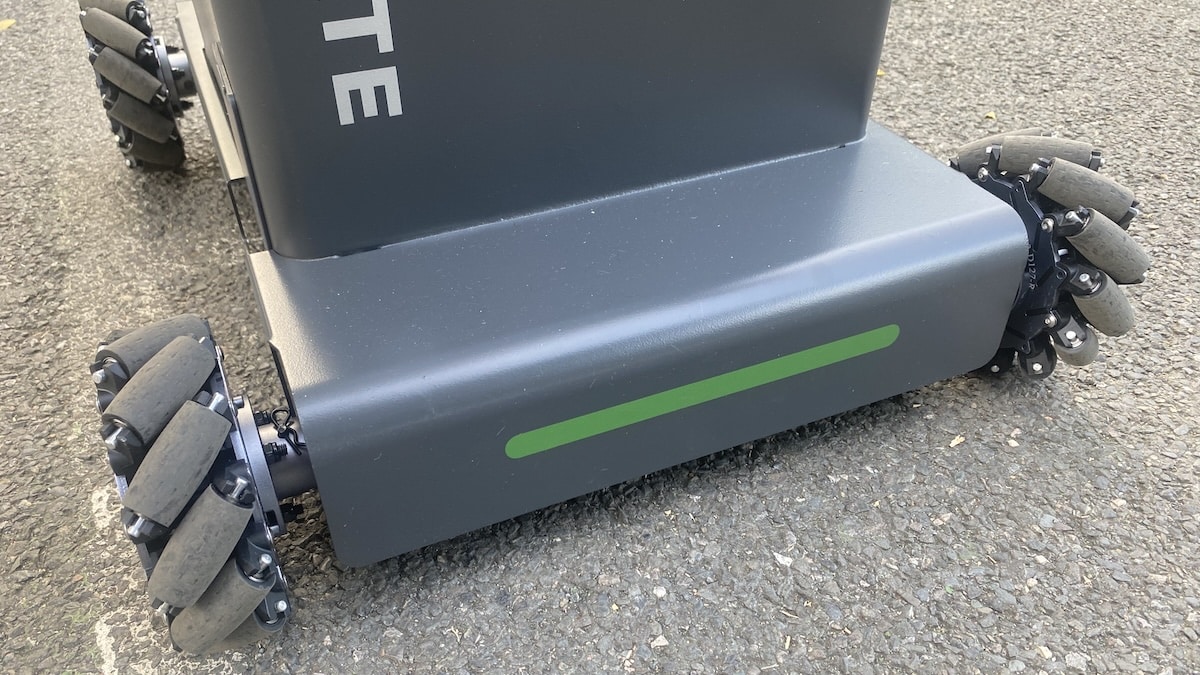
The Acemate S10 does not look like a normal ball machine. It looks more like a small tennis robot, complete with two camera “eyes” at the front and four chunky wheels underneath. The frog comparison is hard to avoid, although the design makes more sense once you see it sliding sideways across the court.
I have used quite a few ball machines over the years, including the Slinger Bag for a couple of years and, more recently, the PongBot Pace S Pro. The S10 is easily the most ambitious of them in terms of what it tries to do on court.

At 17.8 kg, the S10 is actually lighter than many other ball machines. If you are taking it to the court by car or another mode of transport, it will be an easy job. It is compact enough to lift in and out without too much trouble.
Where it gets a little awkward is moving it any real distance on foot. There is no telescopic handle, so I usually extend the poles slightly and pull it along that way. It works, but a proper suitcase-style handle would make life easier. You can also drive it using the app, although that is more useful for moving it around the court than getting it from A to B.

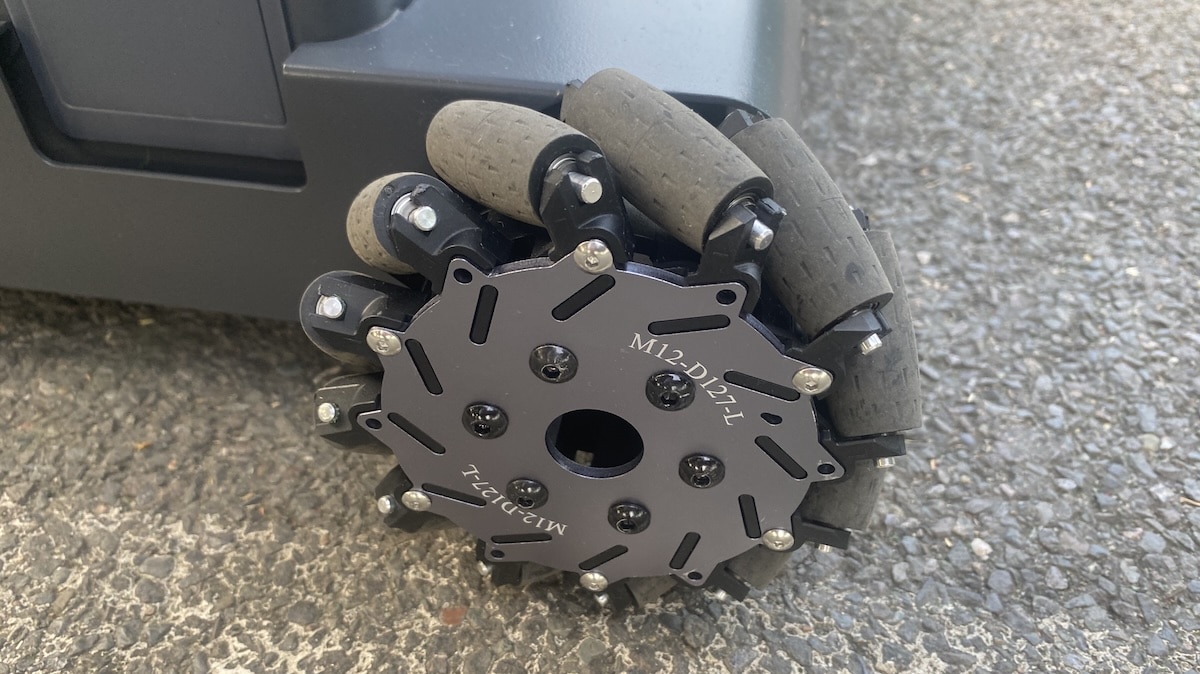
Once it is on court, the four Mecanum wheels come into their own. The S10 can move sideways, diagonally and forwards without first turning its body. Watching it in action for the first time is slightly surreal, particularly when it starts tracking a return and positioning itself behind the incoming ball.
The main unit feels very solid, although a few areas are less convincing. The removable hopper clips onto the sides and is easy enough to fit, but it does not feel quite as robust as the rest of the machine.

Then there is the optional catching net. Putting it together for the first time takes some patience. The telescopic poles also feel noticeably more delicate than the main machine, and this is one part of the S10 I would be careful with. I quickly learned to hold each section near the bottom while extending or collapsing it rather than simply pulling from the top.
The good news is that you do not need to dismantle the entire structure after every session. The poles retract, and the frame folds down into something much easier to transport. Once I had done it a couple of times, setting up the net took less than a minute.
With the net extended, the S10 becomes a fairly substantial presence on court. It also attracts attention. I have had people on neighbouring courts looking over to see what it is doing, which is hardly surprising when a tennis robot suddenly starts racing sideways across the baseline. I have even seen passers-by stop to take photos. People tend to look slightly mesmerised by it.
That said, you can use the S10 without the net. In that configuration it is much more low-key and looks closer to a conventional ball machine.
As far as the device itself – there are very few built-in controls. There’s a power-on button, LED indicator and below it a little display that shows the battery life. That’s pretty much it. So you need the smartphone app while on court in order to communicate with the device.

The software setup is straightforward. You need to download the Acemate app, connect it to the robot and install any available firmware updates before getting started. That was pretty seamless for me.
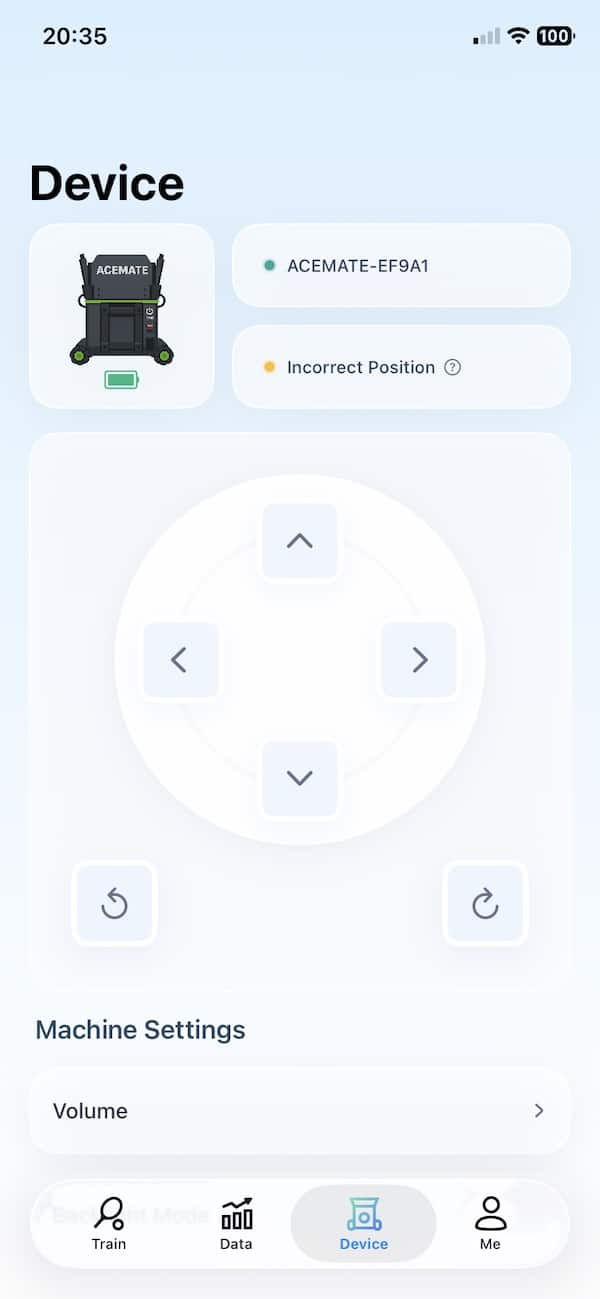
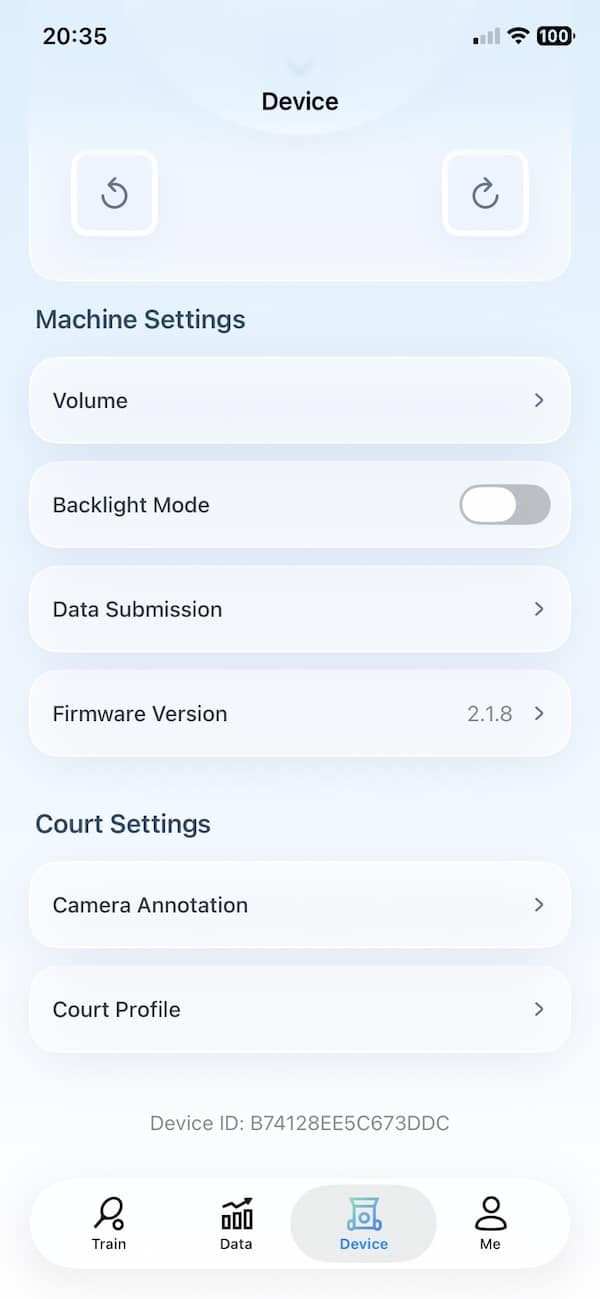
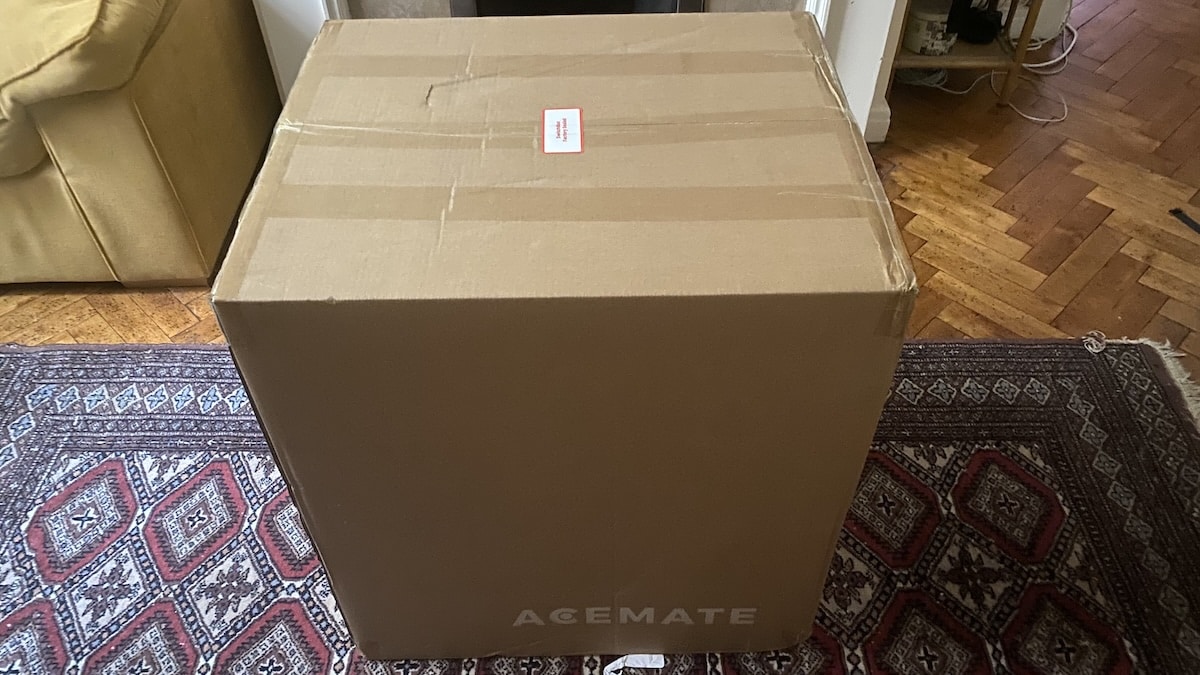
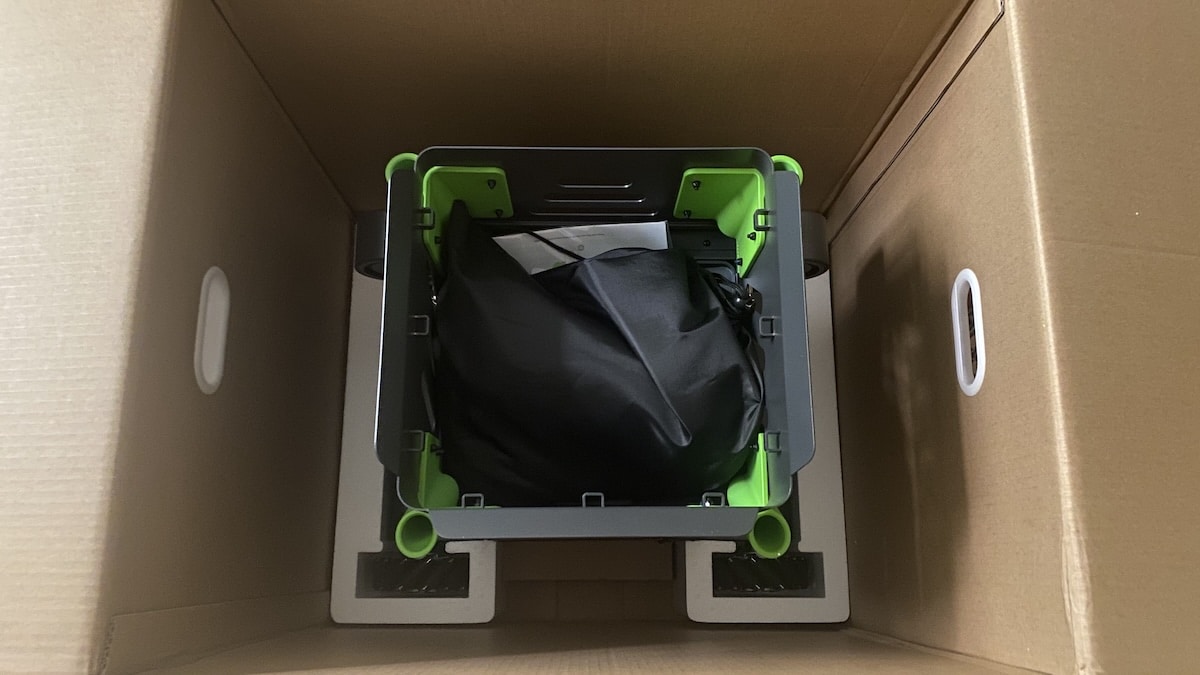
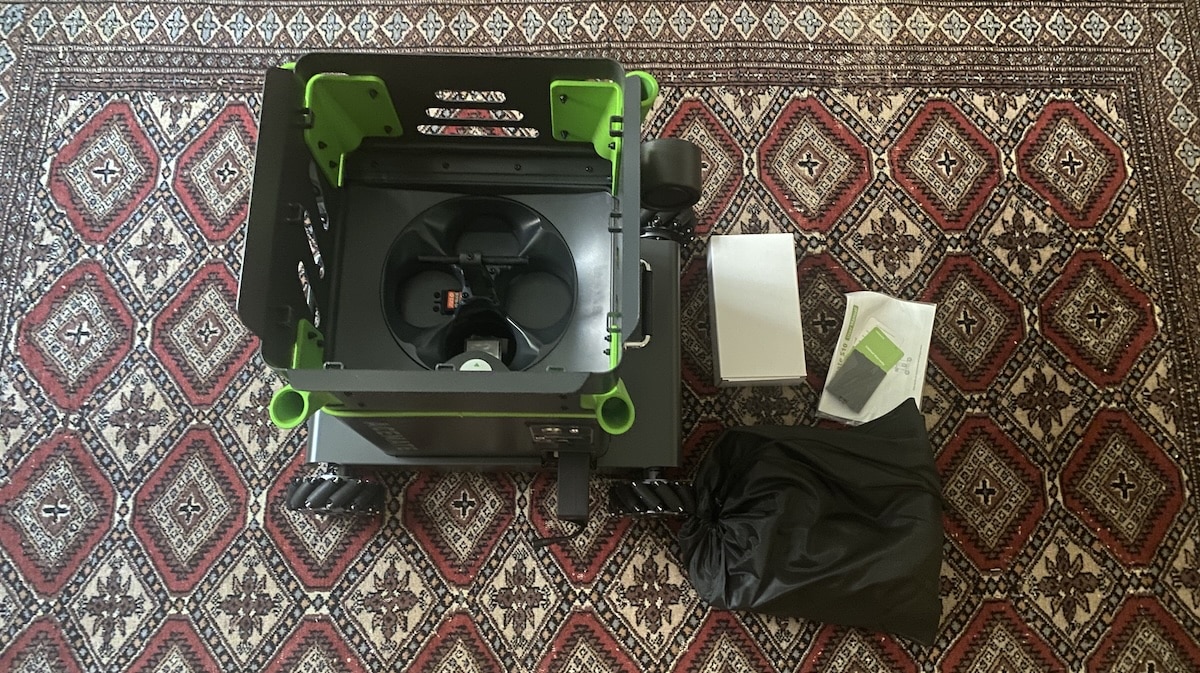
Unboxing and attaching everything for the first time takes a bit of effort, especially if you try to work it out without help. The official Acemate setup video on YouTube makes the process much easier. With that playing beside me, I had the S10 assembled, connected and ready to use in around 15 minutes.
Battery life, noise
Official specs rate battery life at around 90 minutes in rally mode and up to two hours when the S10 is used more like a conventional ball machine. Which does not sound like very much.
But in practice I found the S10 used roughly 40% of its battery per hour. That is because you are not hitting continuously. There are pauses to collect stray balls, change drills, adjust settings and take a breather.
Based on my testing, I think you could get around two and a half hours of practice without much trouble. Which is plenty. In the month or so that I have been testing the robot, I never felt constrained by battery life.
Charging can be done by plugging the charging cord into the port in the machine. The other option is to open the hatch and remove the battery and plug it into the charging cord. Once refuelled, simply return the battery to its home.


When you power it on, one of the first things you notice is how quiet the S10 is. The motor makes almost no noise, and I could barely hear it while it was feeding balls. You mainly hear a slight whooshing sound as the balls come out, which is far less intrusive than I expected from something this large and mechanically complex.
The wheels are a little louder once the S10 starts moving around the court. The sound is similar to pulling a suitcase on wheels, especially when it slides sideways or accelerates towards a return. Even then, though, it is not particularly loud. I would have no concerns using it on a court next to other players.
How the Acemate S10 works
So what makes the Acemate S10 different from other machines? Plenty.
The basic idea is quite simple. Instead of standing in one place and firing balls at fixed intervals, the S10 watches where the ball goes, moves across the court and sends the next one back at a more natural moment.
There are two 4K cameras on the front of the robot. These track the ball, recognise the court and work out where your shots are heading. The four Mecanum wheels then allow the S10 to slide sideways or diagonally, and it is surprisingly quick once it is moving.
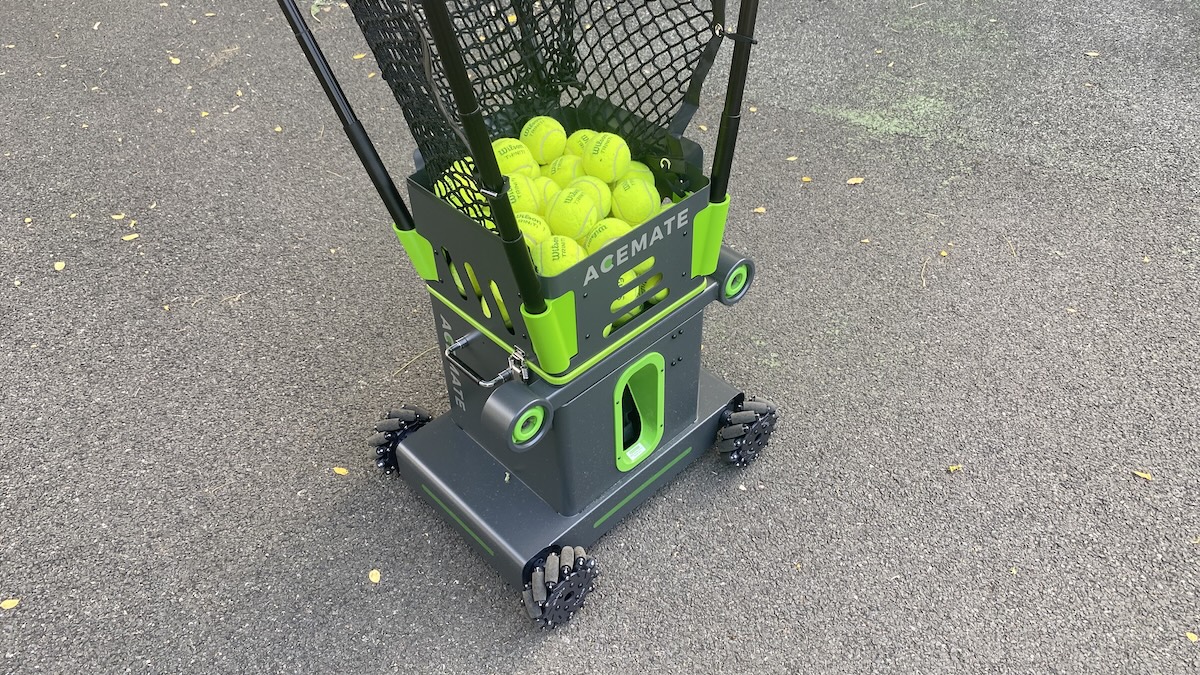
Before starting a session, you place it around the middle of the opposite baseline and let the app check its position. This only takes a few moments, and I found the cameras are very quick to recognise the court and confirm that everything is lined up correctly.
The clever part is the timing. The robot does not immediately fire another ball as soon as yours crosses the net. It waits until roughly the point where another player would make contact. A slower return gives you more time, while a harder shot brings the next ball back sooner.
That might sound like a small detail, but it changes the whole feel of the session. With a normal ball machine, you quickly fall into a fixed rhythm because you know when the next ball is coming and exactly where it is coming from. It can get repetitive pretty quickly.
With the S10, I found myself recovering, split-stepping and preparing for the next shot in a much more natural way. And because the device itself moves, the next ball is not always coming from exactly the same position on the other side of the court.
Most importantly, with stationary tennis machines it feels like work after a while. Here it feels like fun. And that is perhaps the most important difference.
As an added bonus, when the catching net is attached and the feature is enabled in the app, the robot tries to collect your return and feed it back into the system. Which is interesting in itself.
It still does not feel exactly like playing another person. The shots are generated by software, and there is no disguise or improvisation. Even so, the combination of movement and reactive timing makes it feel far less mechanical than what you get with a traditional ball machine.
Training modes and custom drills
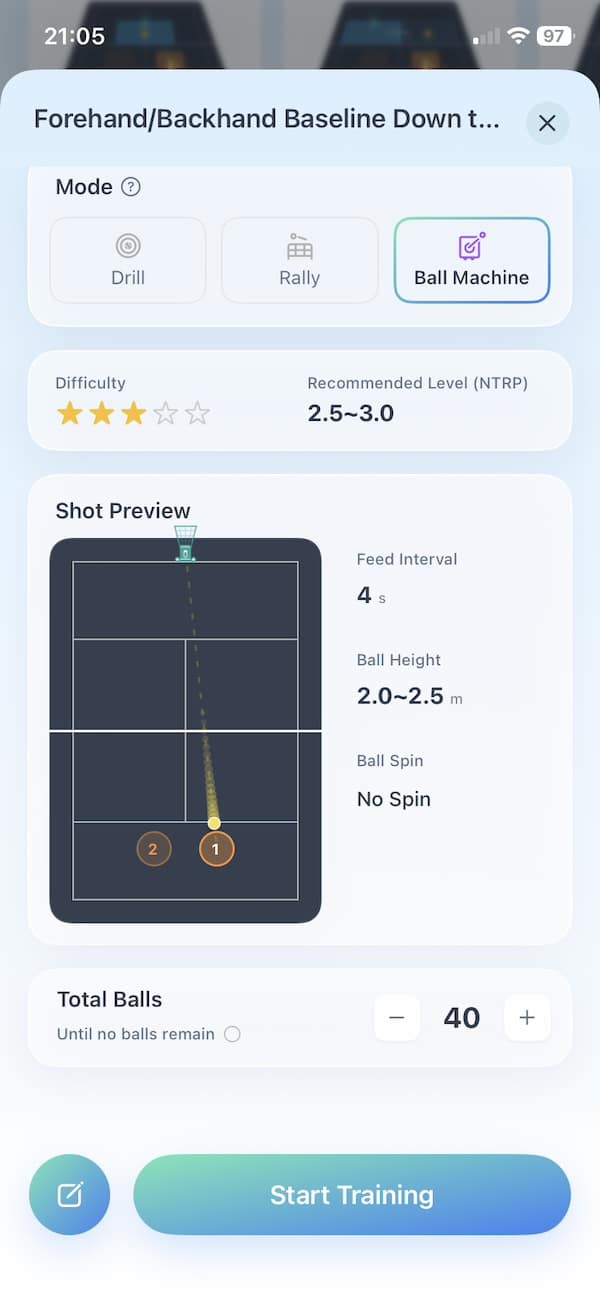
The S10 gives you three main ways to train. There is a drill mode for working on specific shot patterns, a rally mode where the robot tries to keep the point going, and a conventional ball-machine mode where it stays in one place and feeds balls at fixed intervals.
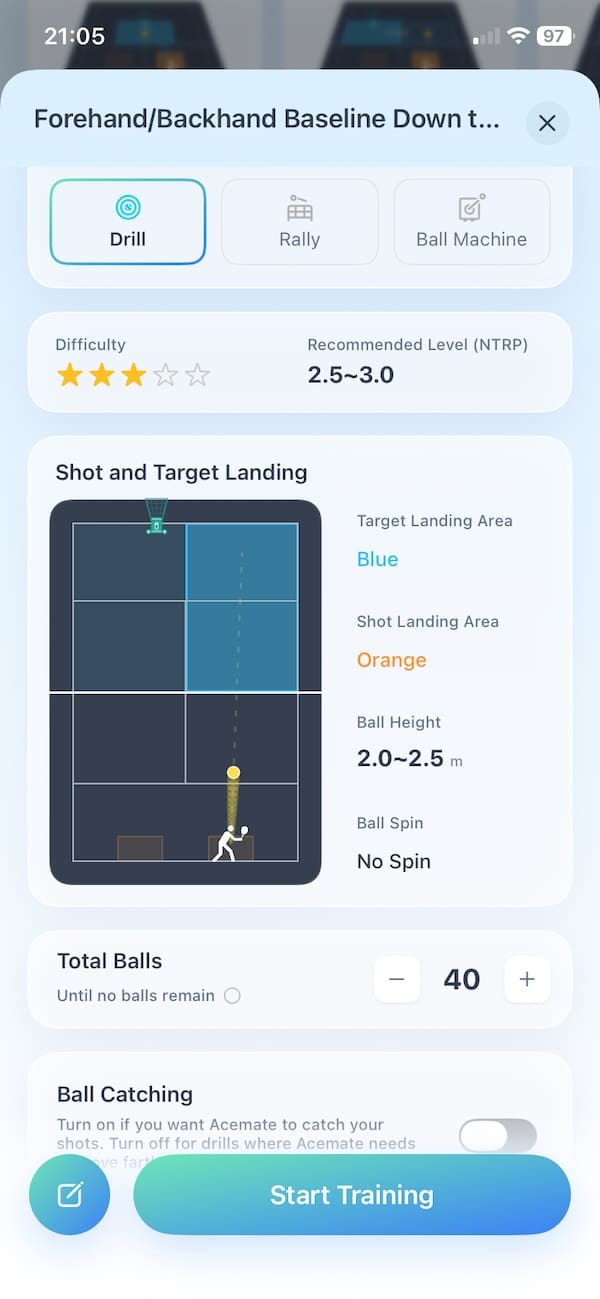
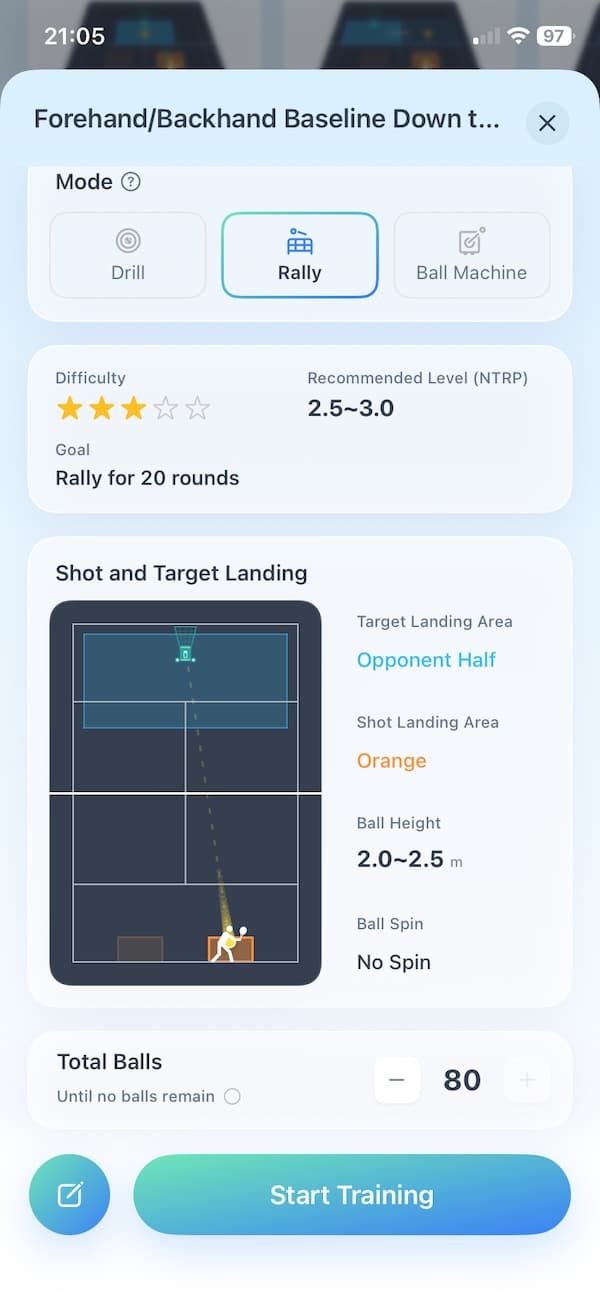
I spent most of my time in drill and rally modes because those are what separate the S10 from a normal ball machine. In drill mode, I could choose where the robot sent the ball and define the area I was supposed to hit in return. The app then scored the session based on how accurately I found that target. This was particularly addictive. I found it pushed me to repeat the same drill in order to try and improve the score.
Rally mode feels less structured. Instead of repeating a fixed pattern, the S10 moves around its selected area and reacts to where I hit the ball. It tries to keep the rally going.
The standard ball-machine mode is more familiar. The S10 stays in one position, and you can set the direction, pace, spin, height and time between feeds. It is useful for working on one stroke repeatedly, and it also gives the robot a fallback role when I do not need the cameras or movement.
There are around 50 pre-installed drills in the app, covering forehands, backhands, volleys, baseline patterns and changes of depth. They are fine for getting started. The default feeds are also mostly flat, so I quickly moved on to creating my own drills.
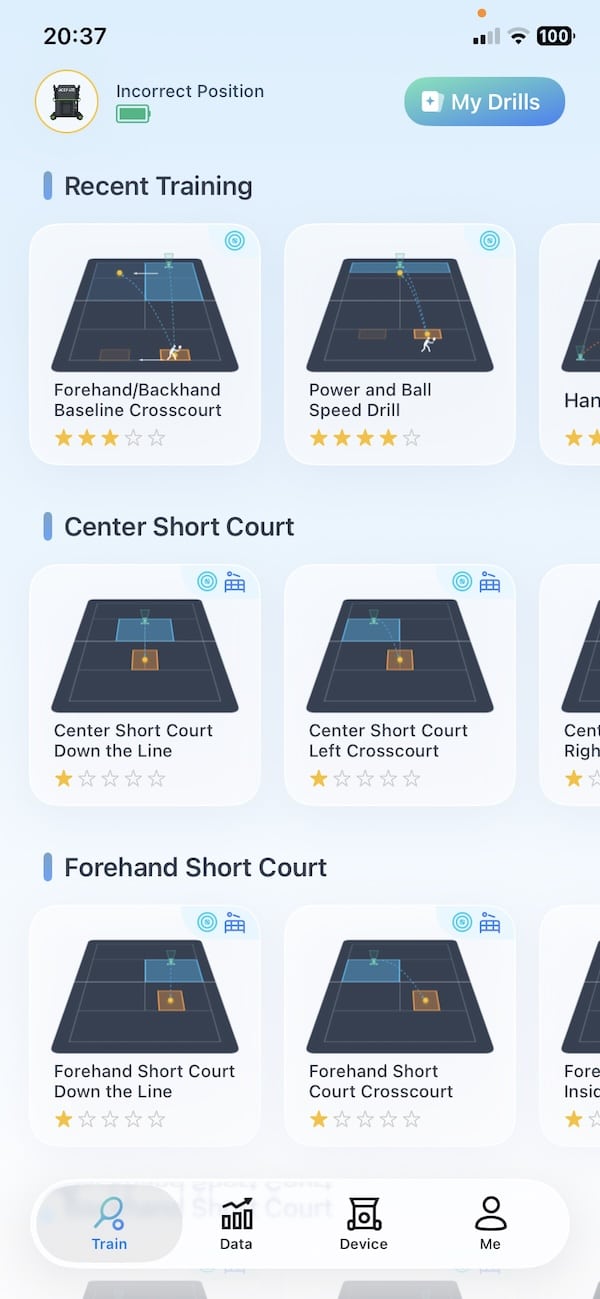
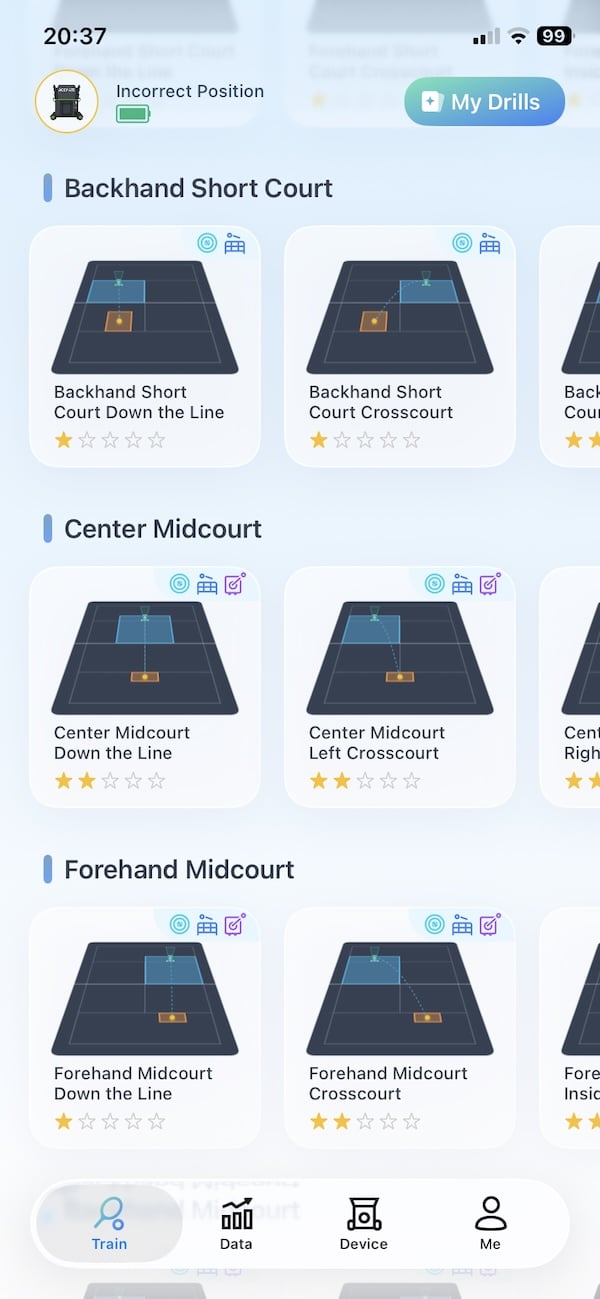
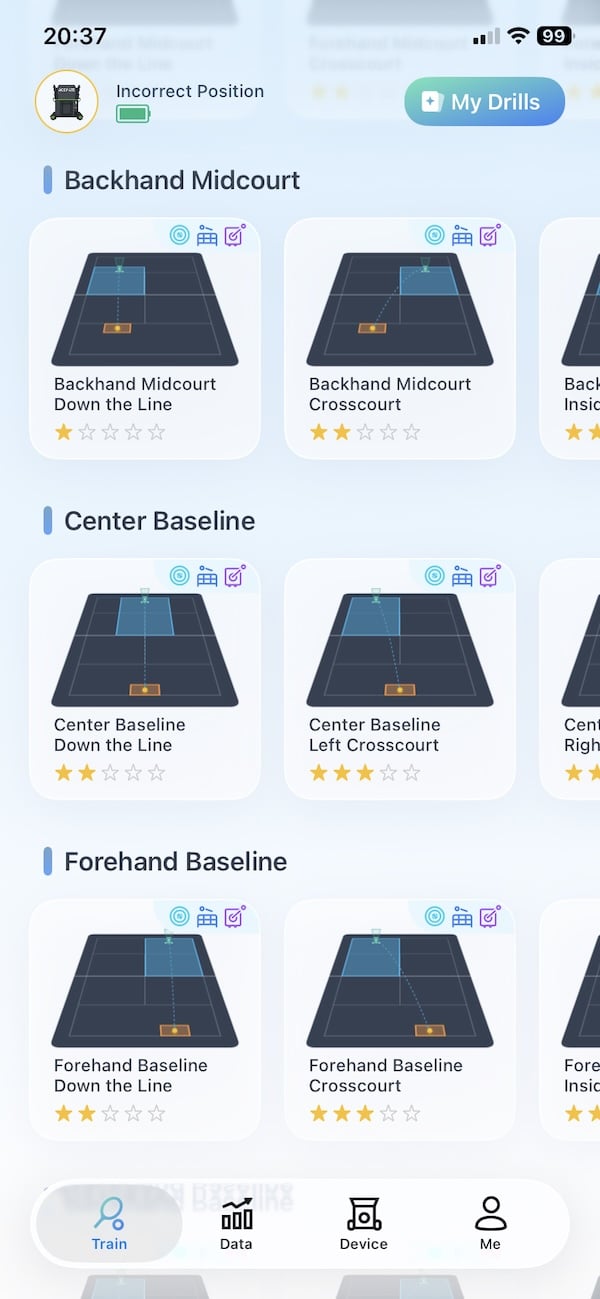
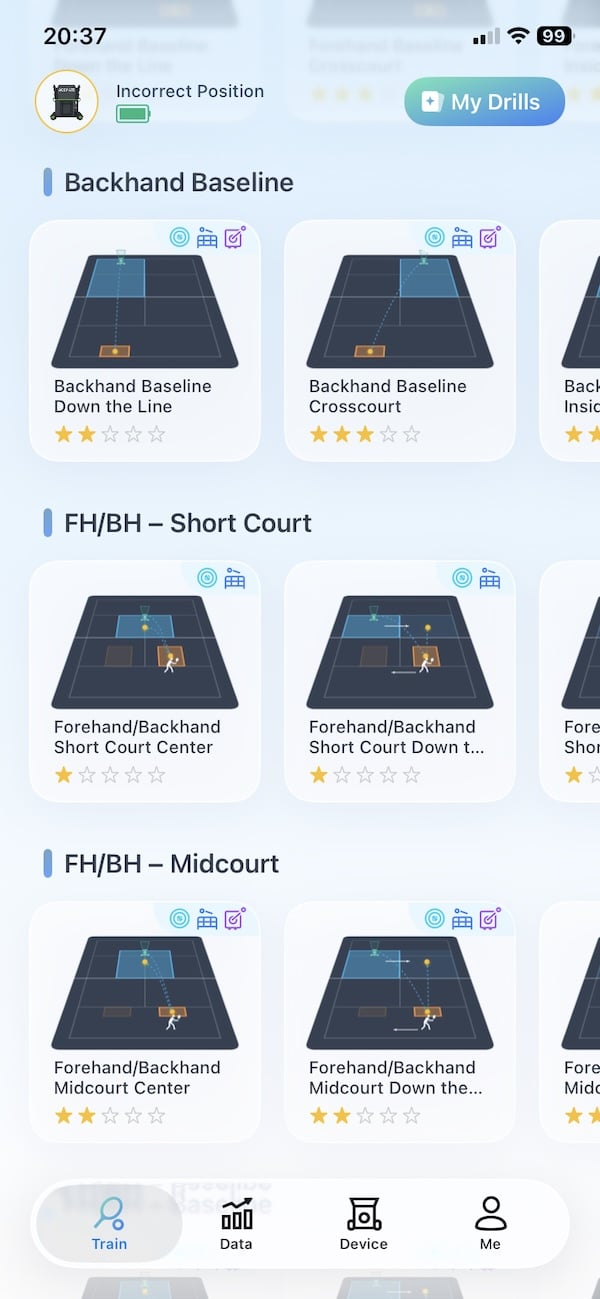
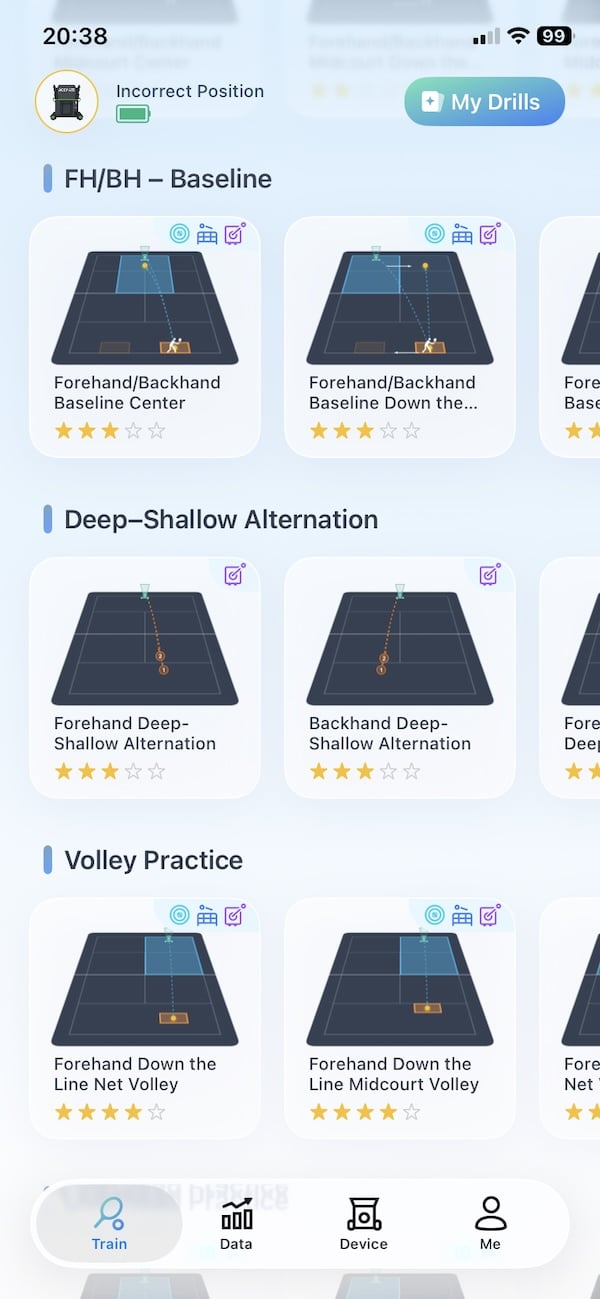
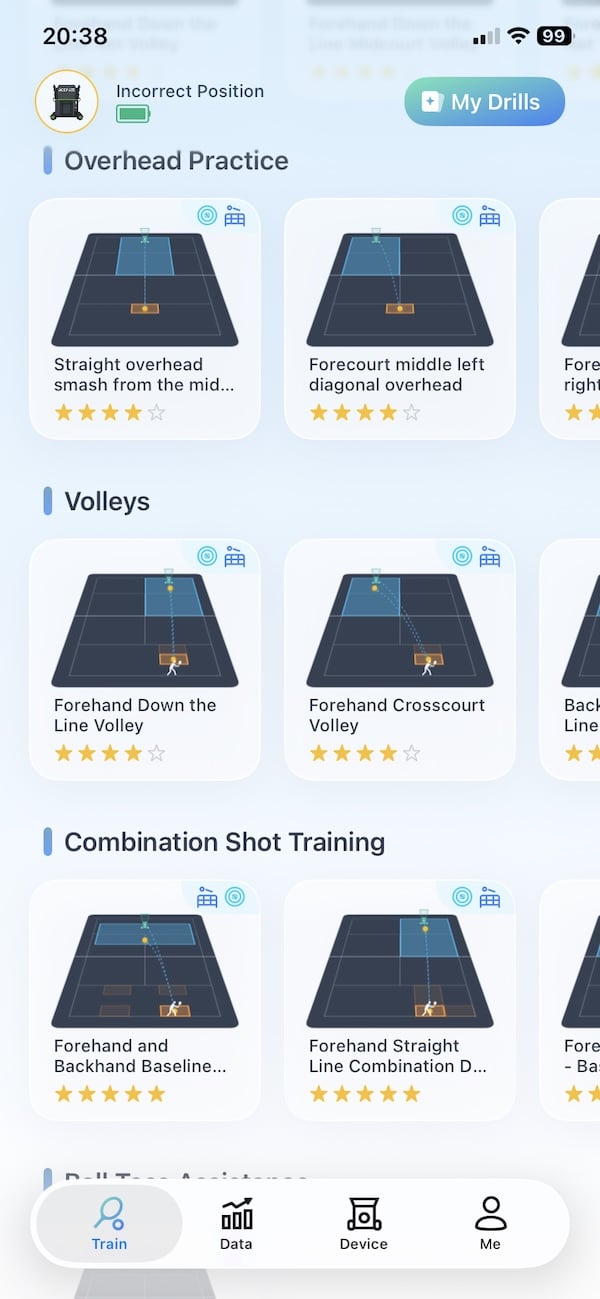

The customisation is one of the stronger parts of the S10. You can build a sequence of up to 10 different balls, then adjust the landing position, speed, spin and height for each one. It takes a little trial and error because a setting that looks right in the app does not always produce the exact ball you expect on court.
You might find it easier to create the basic drill at home, then fine-tune it once you are actually playing. A ball might arrive too high, land too short or carry more than expected, so you can stop the session, adjust the individual feed and try again. Once saved, the drill is ready for future sessions.
The on-court experience
What surprised me most was how quickly the S10 stopped feeling like a gadget I was testing. After a few minutes, I was simply playing tennis and trying to keep the rally going.
The timing makes a bigger difference than I expected. Because the next feed reacts to my return rather than following a fixed interval, I had time to recover, split-step and prepare properly. With a conventional ball machine, it is easy to fall into an artificial rhythm. The S10 felt much closer to the timing of hitting with another player.
Once the novelty wore off, I found myself concentrating less on the robot and more on my footwork, recovery and shot placement. That is probably the biggest compliment I can give it. The S10 soon felt like part of the session rather than a device sitting at the other end of the court.
As a mid-intermediate player, I found the pace more than adequate. It could give me comfortable warm-up balls and then make things much harder once I increased the speed, depth and spin. The heaviest settings still do not reproduce the weight of shot from a strong tournament player, and the differences between some spin levels are not always dramatic, but there was more than enough variety for my level.
The sessions were also far more engaging than working through a hopper of identical feeds. I spent more time trying to build longer rallies, recover into position and find specific areas of the court. The target zones and scores added a competitive element, which is hard to get when training with a traditional ball machine.
Another thing I noticed is that I did not experience a single ball jam with the S10. That has happened occasionally with other machines I have used, so it was good to see.
What did happen, perhaps once an hour, was the S10 stopping because it thought there was an obstacle on the court. I play in the middle of a park where leaves regularly fall onto the surface, so my guess is that these occasionally triggered the warning. Fortunately, it did not happen often and was more of a minor interruption than a real problem.

Does the ball-catching system work?
What about the ball catching system? I think you should look at it as a bonus rather than the reason to buy this robot.
It works, but don’t buy this device expecting it will capture 100% of your returns. When the feature is enabled in the app, the S10 moves towards the incoming ball and tries to collect it in the net before feeding it back into the hopper.
The success rate of this depends heavily on the pace, height and direction of returns, as well as the type of drill you are using. For me it was anywhere between 30% and 50%, depending on the training mode and playing conditions.
Alternating between backhand and forehand crosscourt shots resulted in very few balls being caught because the robot had much more ground to cover. It performed better when I was hitting repeatedly towards one area, such as a forehand or backhand target near the centre. Wider shots, deep topspin balls and harder returns often passed beside the S10, bounced into its body or flew over the net.
If you start off with 80 balls in the hopper, you should get the equivalent of more than 100 balls when you factor in the caught balls. Which means you will spend a bit less time walking around the court collecting balls. Which is always a good thing.
Make no mistake, you will still need to pick up plenty of balls – just not quite as often. For me, the big selling point of the robot is that it moves around the court and has the built-in cameras which follow the ball, react to where you are hitting and help create a much more natural rally. The catching net is useful, but it is really just a bonus on top of that.
App and training analysis
As mentioned, there are almost no controls on the robot itself. Which means you need to use the Acemate smartphone app. Which is easy enough, and the connection to the S10 was stable during my sessions. The main screens cover training, saved data, device settings and firmware updates without burying everything in complicated menus.
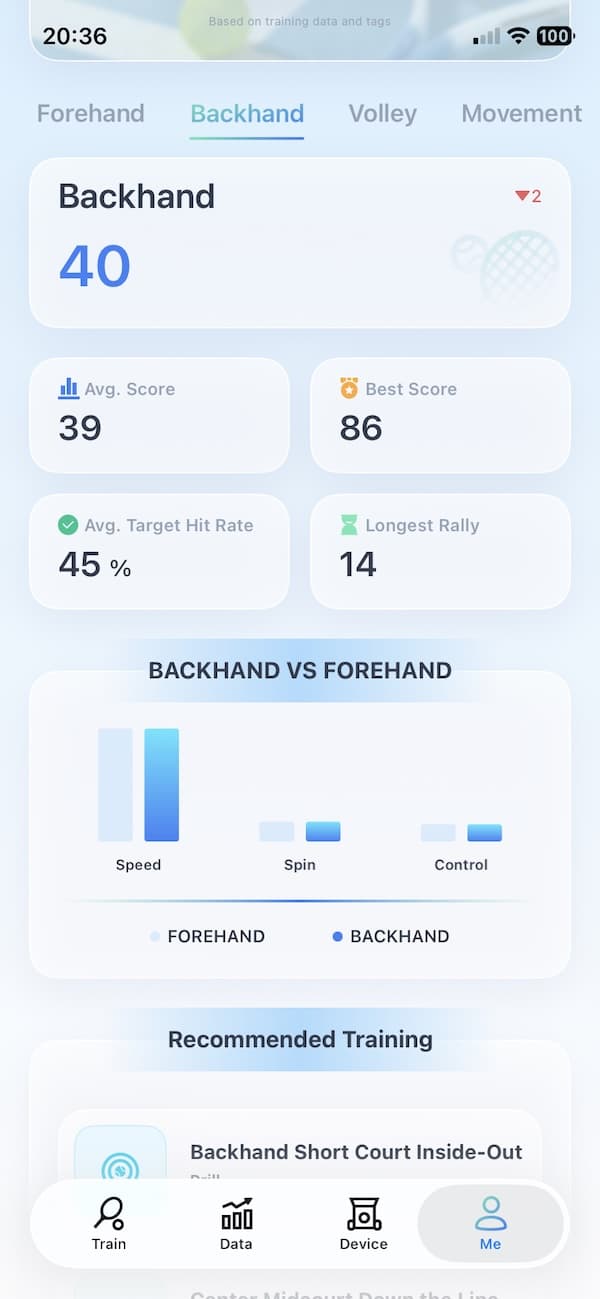
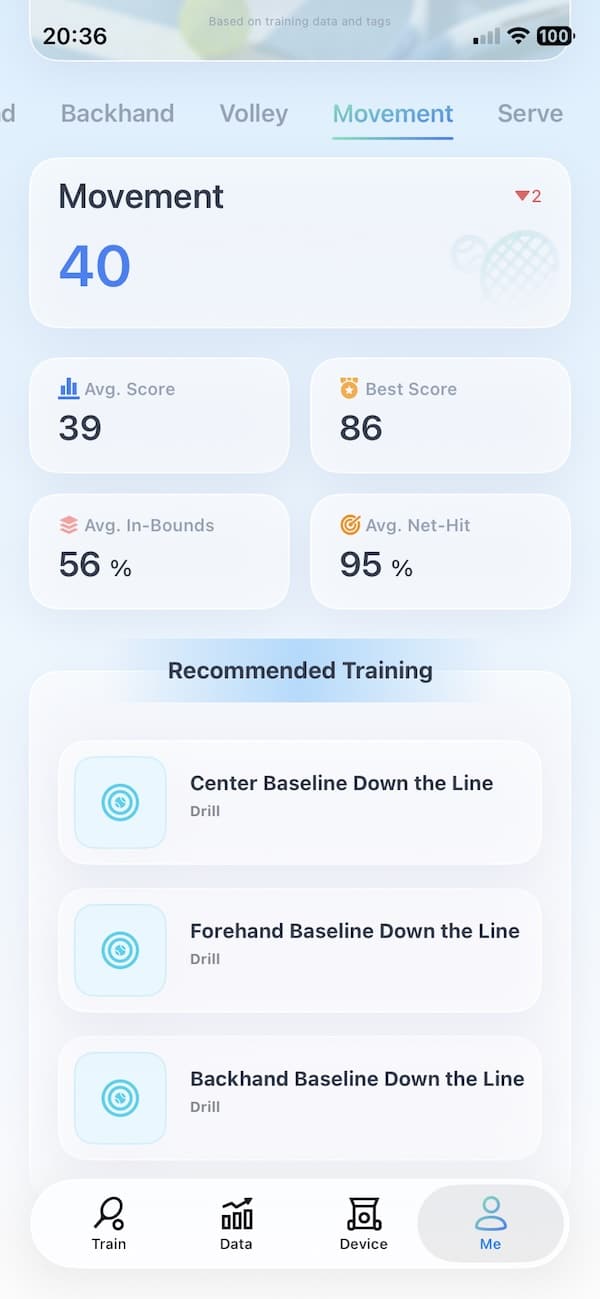
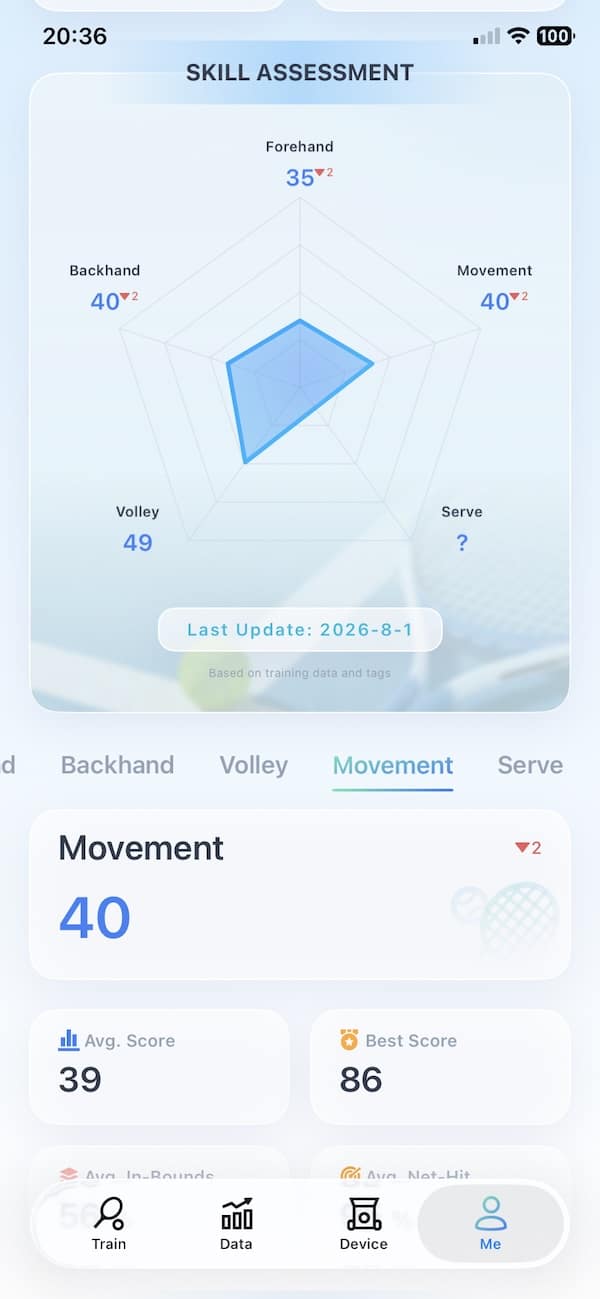
After each drill, the app saves a surprisingly detailed breakdown of what happened. I could see where my shots landed, how many stayed in bounds, my longest streak, average and maximum ball speed, and how high the ball cleared the net. There is also an overall score out of 100, which gave me something simple to compare between sessions.


The court map was the part I found most useful. It quickly showed whether I was consistently finding the intended area or spraying balls across the court. I would not treat every plotted position as perfectly precise, but it was accurate enough to reveal obvious patterns in my play.
AI analysis is also there. It produces a long assessment of the session, along with recommendations and suggested follow-up drills, but much of it feels fairly generic. Running the analysis again can also produce slightly different conclusions, which makes it slightly difficult to take the player-level assessment too seriously. But it is useful in providing a direction of what needs work in your game.
For me, most of the analysis value lies in the recorded numbers and shot map rather than the AI coaching. The app gives me useful evidence of how a session went, but I still trust my own feel, and the view of an actual coach, more than its automated conclusions.
One feature I would like to see added in a future firmware update is session recording. The S10 already has two cameras watching the court. Being able to download the footage after a session would make it much easier to review technique alongside the shot data. Perhaps an idea for the next version of this robot?
Who is the Acemate S10 for?
I think the S10 makes the most sense for recreational and intermediate players who want solo practice to feel less repetitive. That is where its movement, reactive timing and scoring features add the most value. As an intermediate player, I found it challenging enough without feeling overwhelming.
Beginners should also get plenty from it, especially through the simpler drills and target-based sessions. The app makes practice feel more structured, and the scoring adds a useful sense of progress even when there is no coach on court.
It could also work well for coaches who want to add something different to individual lessons. The S10 is engaging, easy to customise and gives students immediate feedback after a drill. I would be less convinced about using it for back-to-back sessions all day, mainly because of the setup, transport and battery demands.
Advanced tournament players may find the maximum pace and spin less demanding than they need. Anyone who only wants repeatable feeds from one position can also spend less on a conventional ball machine. The S10 is for players who value realistic rally timing and a more interactive training experience, rather than raw speed alone.
Price and value
The S10 has an MSRP of $2,499 in the US, although Acemate normally sells it for $2,199 rather than at full list price. The current promotion takes another $200 off, bringing it down to $1,999. At checkout, you can then use code “G&W01” for an additional $50 discount, reducing the final price to $1,949.
Slinger Bag typically costs $749, while the Pongbot Pace S Pro comes in at around $2,270. Granted, these are full prices and the Pongbot can often be purchased with discounts. Proton sells for $1,695.
Then you have the Lobster Elite Grand Four which is currently $1,999, while the Grand Five costs $2,249 and the Grand Five LE reaches $2,499. Those machines offer more raw speed, larger ball capacities and longer quoted battery life, but they remain stationary feeders.
That is why I do not think the S10 should be judged purely against a feature checklist. You are paying for a tennis robot that reacts to your shots, moves around the court, catches some of your balls, keeps rallies going and records what happened afterwards. None of the conventional alternatives offer that same experience.
You can find more detail on how it stacks up against the competition in my Slinger vs Tero vs Pongbot vs Acemate comparison.
FAQ
Does the Acemate S10 return the same ball?
No. Its cameras track your return, while the launcher sends a different ball from the hopper. With the catching net enabled, it attempts to collect your return and recycle it into the machine.
How often does the Acemate S10 catch the ball?
As an intermediate player, I found that it caught somewhere between 30% and 50% of my returns. The success rate depends heavily on the speed, height and placement of the shot. Sometimes it was more than that range, sometimes less.
Can the Acemate S10 work like a normal ball machine?
Yes. Its standard ball-machine mode keeps it in one position and feeds balls at fixed intervals. You can adjust the speed, spin, height and landing position.
How long does the Acemate S10 battery last?
During my testing, it used roughly 40% of its battery during an hour of normal practice. Allowing for stops to change drills and collect balls, around two and a half hours should be realistic.
Is the Acemate S10 suitable for advanced players?
It is best suited to recreational and intermediate players. Very advanced players can still use its custom drills, but some may want greater top-end pace and heavier spin.
Don’t miss the latest from Gadgets & Wearables
Subscribe to our monthly newsletter and check out our YouTube channel.
You can also follow Gadgets & Wearables on Google News and add us as a preferred source in Google Search.

