

Lumistar Tero review: The no-fuss tennis ball machine
The Lumistar Tero is very simple to use for a full-size tennis ball machine. It is surprisingly light, easy to pull to the courts, takes about a minute to set up and has a very small learning curve. Most of the time, you just switch it on, pick what you want to practise and start hitting.
On court, it has been equally hassle-free. Ball feeds are consistent, I have had zero jams, there is plenty of pace and the machine stays firmly planted even when pushed harder. Spin is not especially heavy, but there is enough adjustment for topspin, slice and different types of drills.
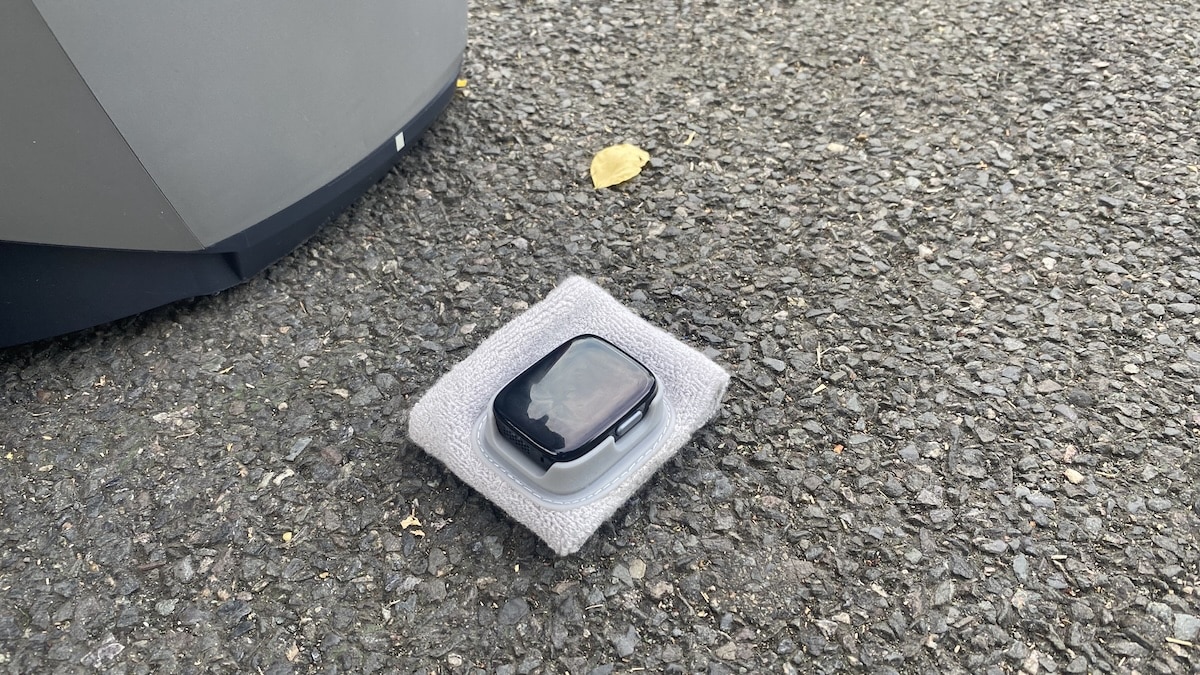
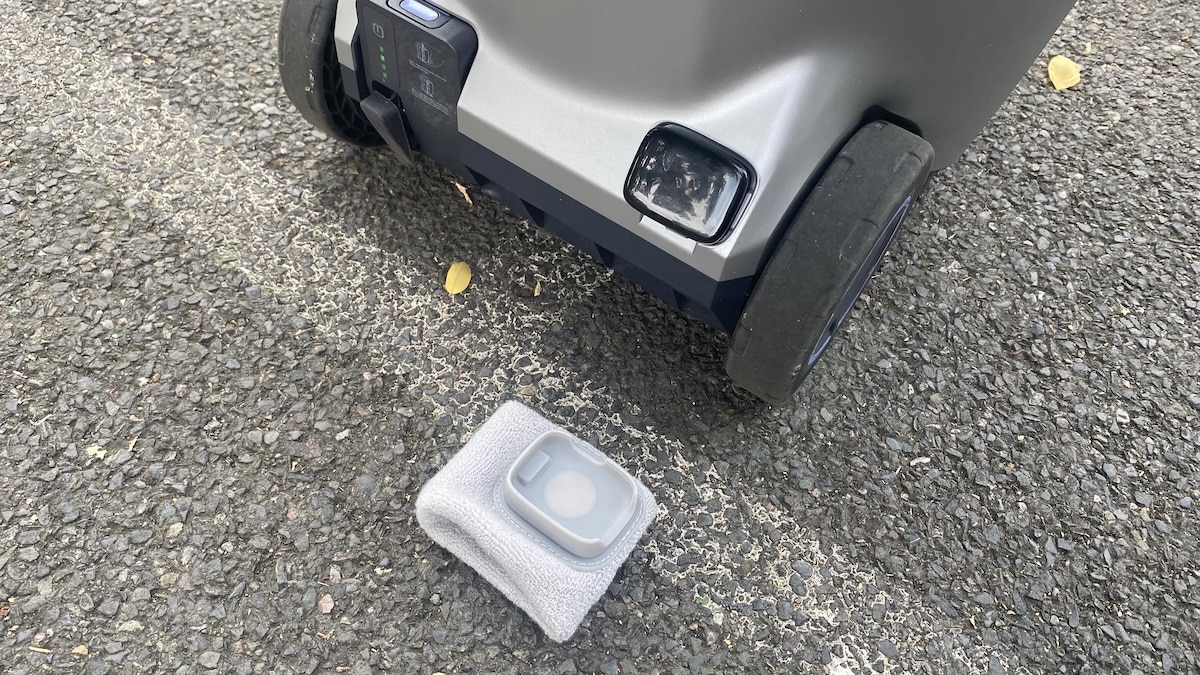
The wristband is one of Tero’s best features. Voice commands let you start and stop feeds or change settings without constantly reaching for your phone, and recognition works well most of the time. You just need to memorise the commands. Battery life has also been excellent, with the main unit using only around 20% during one of my 90-minute sessions.
Tero does not have the cameras or reactive training features of Tero Pro, but I do not think that is necessarily a weakness. This version offers excellent value for money with its mix of portability, customisation and straightforward operation. If you want a no-fuss machine for regular solo practice rather than a tennis robot packed with extra technology, Tero is an easy one to recommend.
View the Lumistar Tero on the official website and get 10% off at checkout. The discount is available worldwide.
You can also watch my Lumistar Tero video review to see the machine in action on court.
Jump to
Design and setup
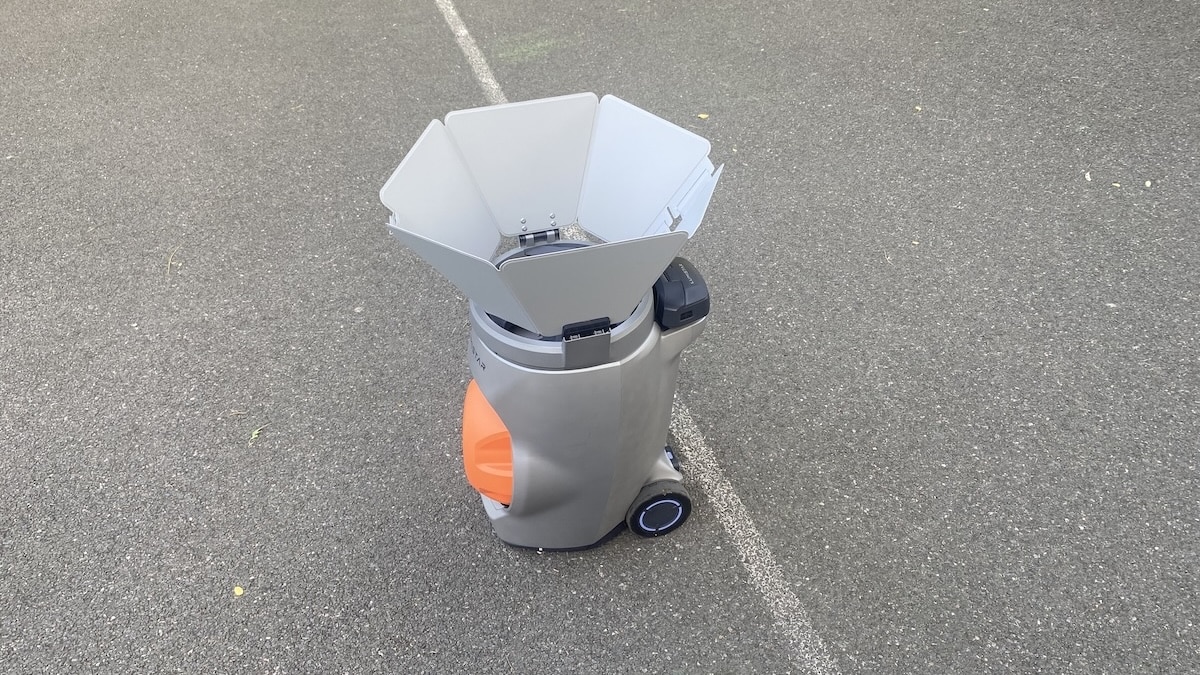
The first thing that surprised me about the Lumistar Tero was how light it felt. I have used the Slinger Bag, PongBot Pace S Pro and Acemate tennis robot S10, and Tero is comfortably the lightest of the lot. It is still a proper ball machine, so you are not exactly swinging it around with one hand, but it is easily the most portable one I have tested.

That makes a real difference if you have to walk to the court. I live about 2 km away from mine and taking Tero there on foot has been no problem at all. Once folded, you just pull it behind you on the wheels. It feels much more like dragging a lightweight suitcase than hauling a tennis machine.
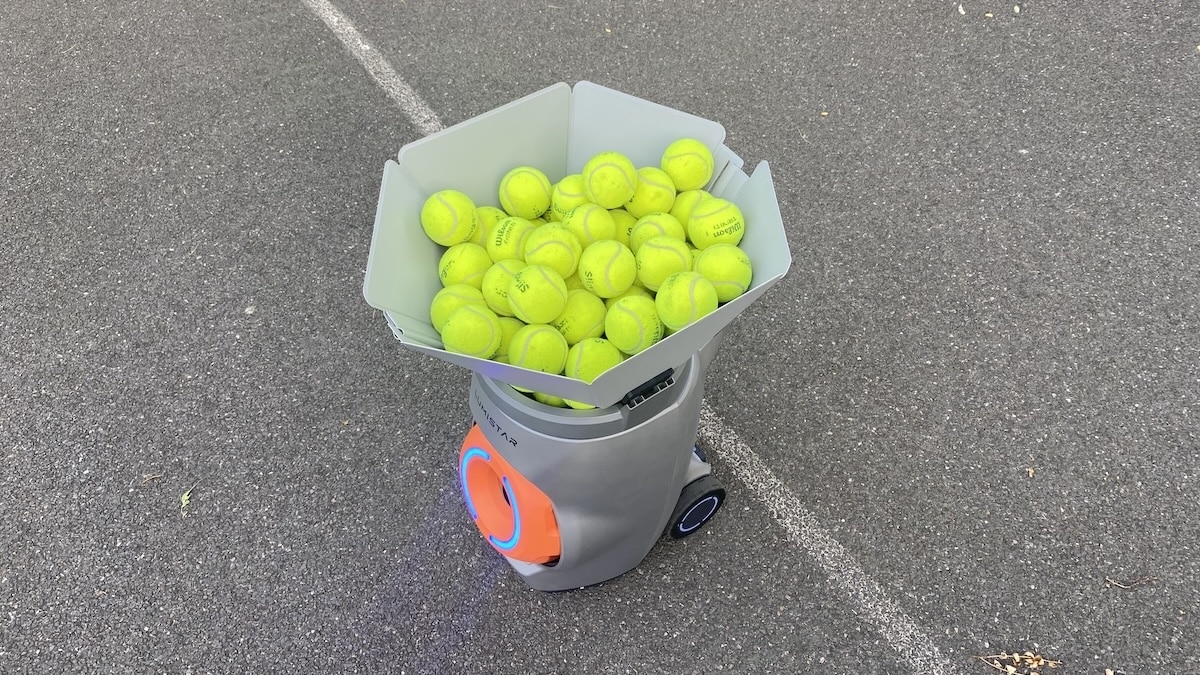
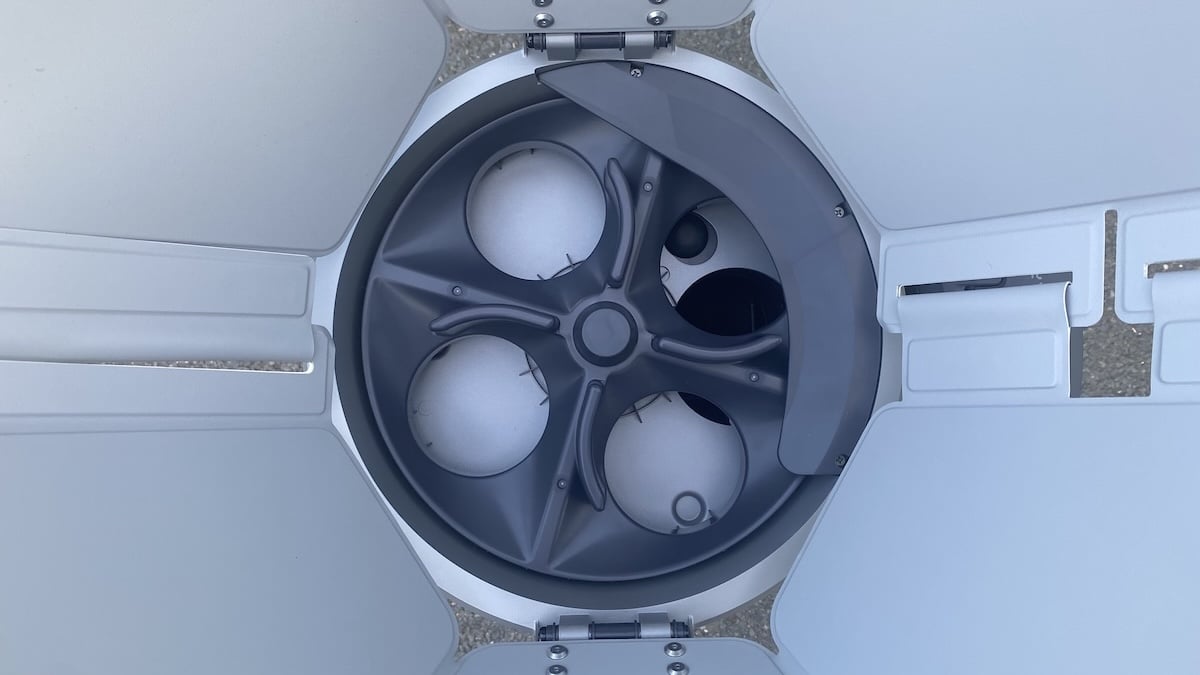
The folding design is clever too. The hopper collapses down neatly, so the whole thing does not take up much space. Open it up, though, and it holds a surprising number of balls. I put around 80 in and there was still room for more.
Setup on court is just as easy. Apart from opening the hopper, there is really nothing to assemble. From arriving at the court to being ready to hit takes me about a minute.

It is probably not the most premium-looking machine I have used, but I actually trust the build more than the styling might suggest. It feels solid, there are no obviously flimsy bits hanging off it, and nothing looks like it is waiting to snap if you knock it the wrong way. It also keeps a very low profile. Nobody really pays attention to it, which is actually quite nice.

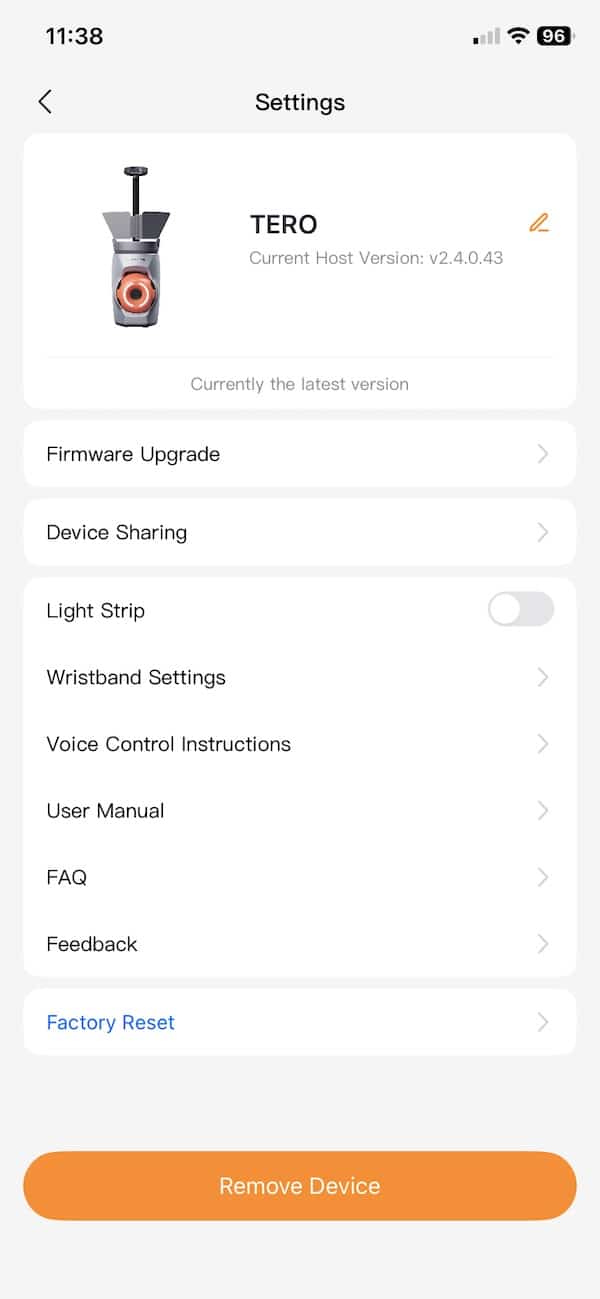
The same simple approach carries over to the controls. The only physical control on the machine itself is the power button. Everything else is done through the Lumistar app or the little wristband controller that comes with Tero. In practice, I ended up using the wristband most of the time because it is just much easier than reaching for your phone between drills.
There is hardly any setup with the wristband. It pairs quickly and that is pretty much it. The only thing you need to learn is the voice commands. For the first few sessions I kept checking the app because it takes a while to remember the exact wording.
After a while it starts to feel quite natural. You tell it you want to work on backhands, hit for a bit, then tell it to switch to something else. It is obviously not the same as talking to a real hitting partner, but the interaction gets pretty close to that kind of back-and-forth.

The initial software setup was also pretty painless. I did have to update the firmware on both Tero and the wristband before getting started, and that was the one place where I hit a small glitch. The update failed a couple of times before finally going through.
After that, though, everything was simple. And that is probably one of the things I like most about Tero. There is very little hassle between deciding you want to hit and actually starting the session.
Battery life and noise
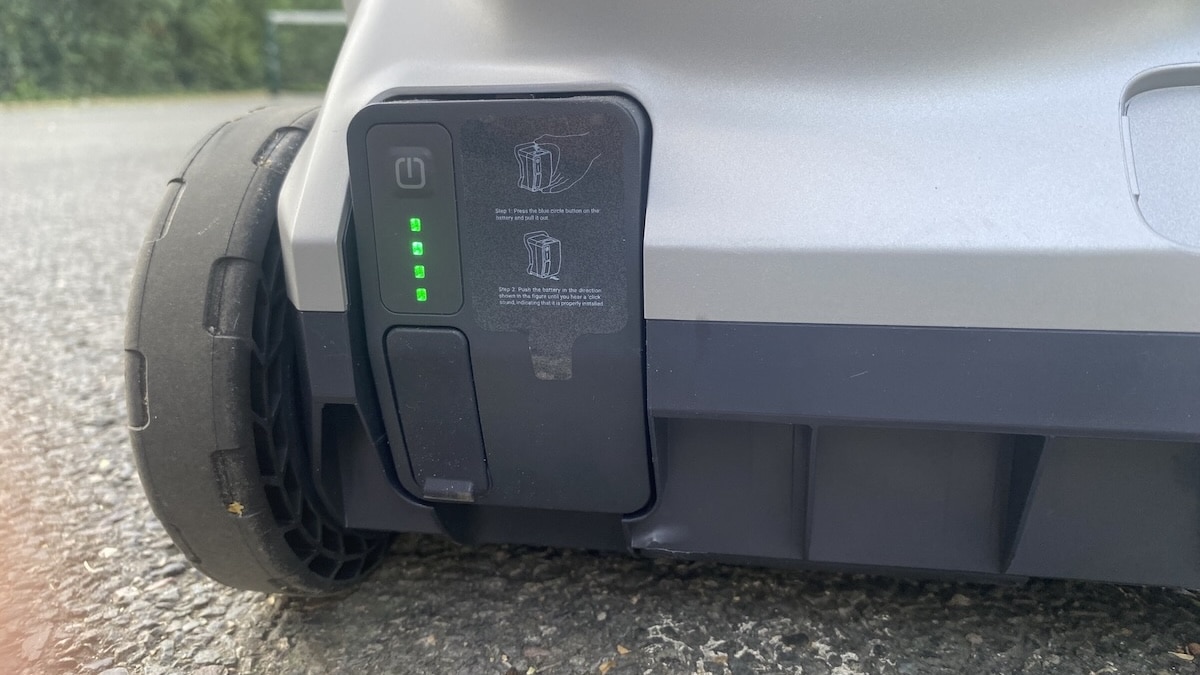
Battery life has been another strong point in my testing. Lumistar rates Tero for up to four hours, and based on what I have seen so far that figure looks realistic.
After around an hour and a half on court, the main unit uses only about 20% of its battery. Admittedly, that was not 90 minutes of continuous ball feeding because there are always pauses to collect balls, change drills and take a break, but even allowing for that, battery life looks really excellent.
The wristband, however, drains more quickly. After the same session mine was sitting at around 50%, but that has not caused any problems because you can place it on the Tero itself to recharge while you are collecting balls. Even a few minutes makes a noticeable difference, with roughly 10% added during a short ball-collection break.
In practical terms, I cannot see battery life being a limitation for a normal training session. You could spend several hours on court without worrying about the main machine running flat, and the ability to top up the wristband as you go makes its shorter battery life largely irrelevant.
Tero is also surprisingly quiet. There is very little mechanical noise while it is operating, and it never feels intrusive when you are standing on the other side of the court.
You mostly hear the ball being launched rather than the machine itself. I would have no hesitation using Tero next to other players.
How the Lumistar Tero works
Like everything else about it, Tero is pretty simple to operate. You put it in the middle of the baseline, switch it on and then control everything from either the app or the wristband. There is no need for messing around before you can start hitting.
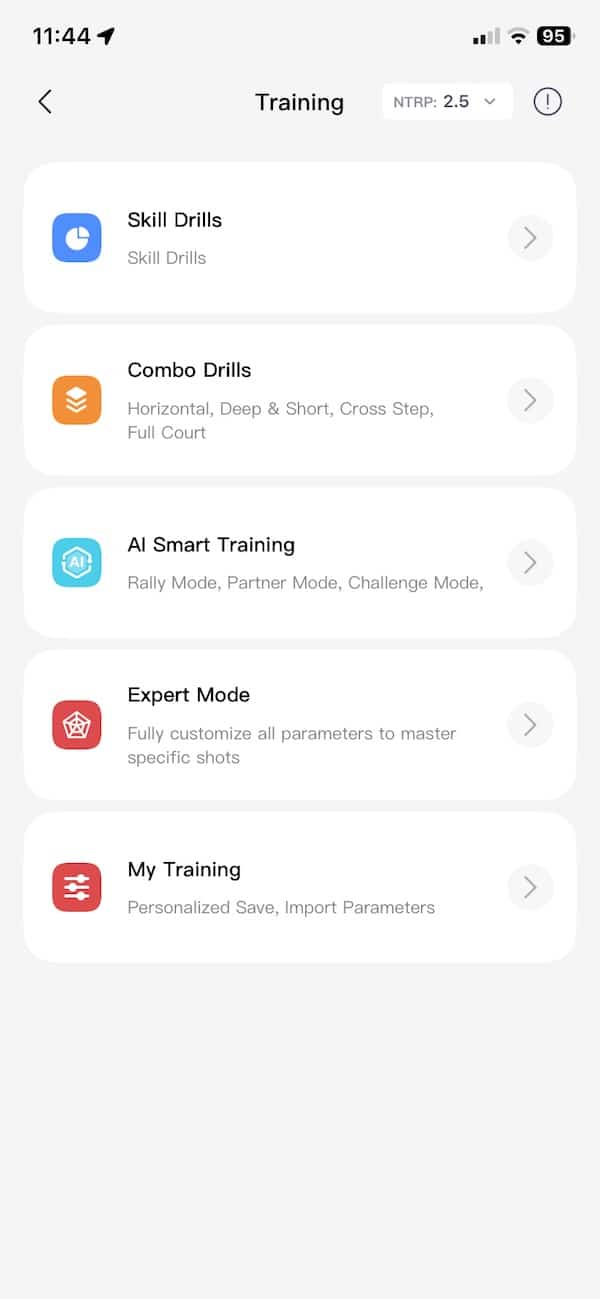
From there, you can change the usual stuff such as speed, spin, placement and feed pattern. You can also pick one of the preset drills or build your own sequence, which is what I ended up doing most of the time.
The app gives you loads of options and lets you fine-tune drills in quite a bit of detail. But once I was actually on court, I barely wanted to touch my phone. The wristband is simply much easier.
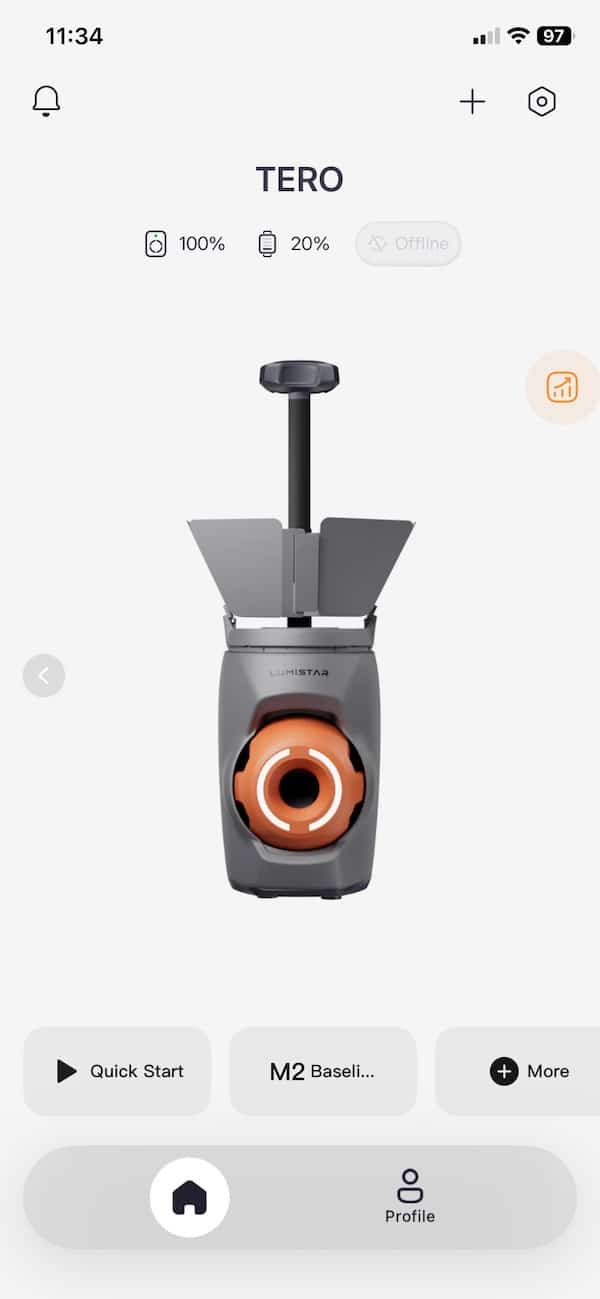
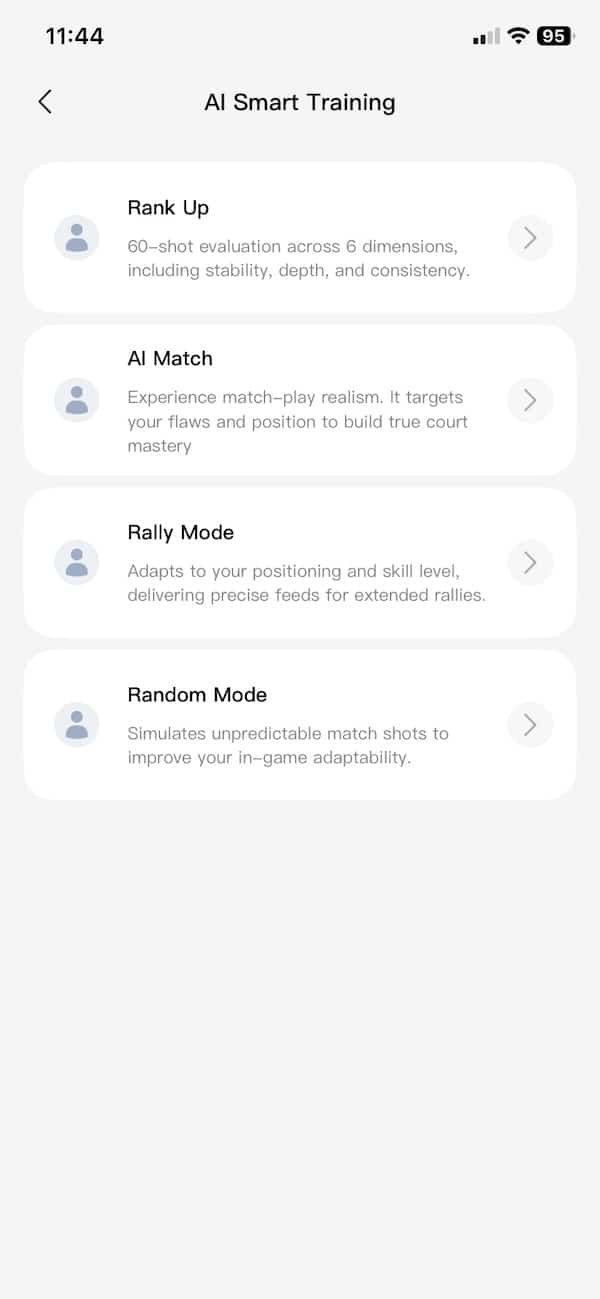
You can stand on the other side of the net and tell Tero what you want to do. Start a drill, stop it, change something, then carry on. There is no need to keep walking back to the machine or digging your phone out between points.
The voice control worked better than I expected. Most of the time it understood me straight away. Occasionally I had to repeat myself or speak a little more slowly, but it never became annoying.
Some of the commands are a bit odd. To start and stop a session, for example, you say “start serve” and “end serve”. Once you learn the wording, though, it becomes second nature. And if you forget, the app has a list of commands you can quickly check.
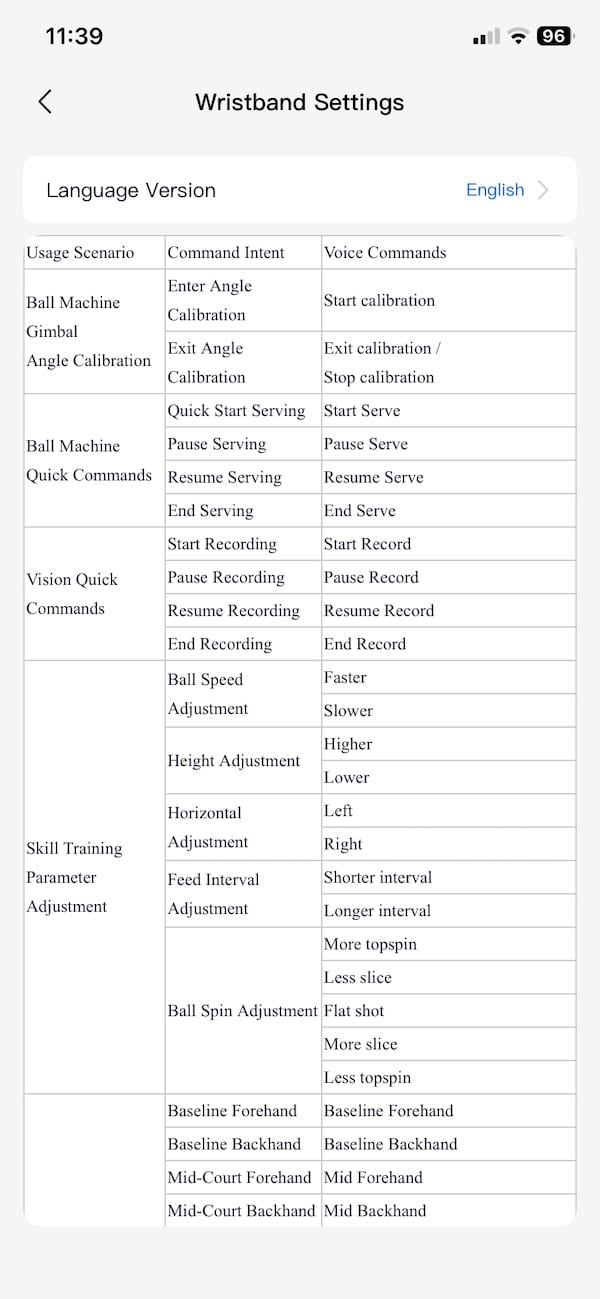
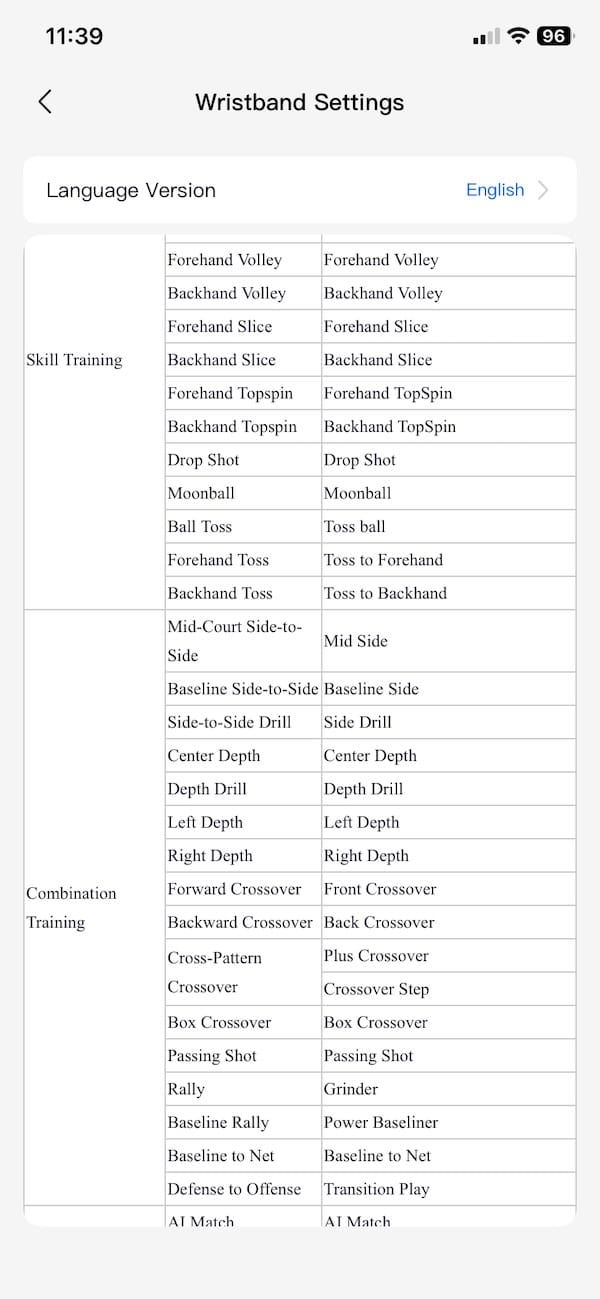
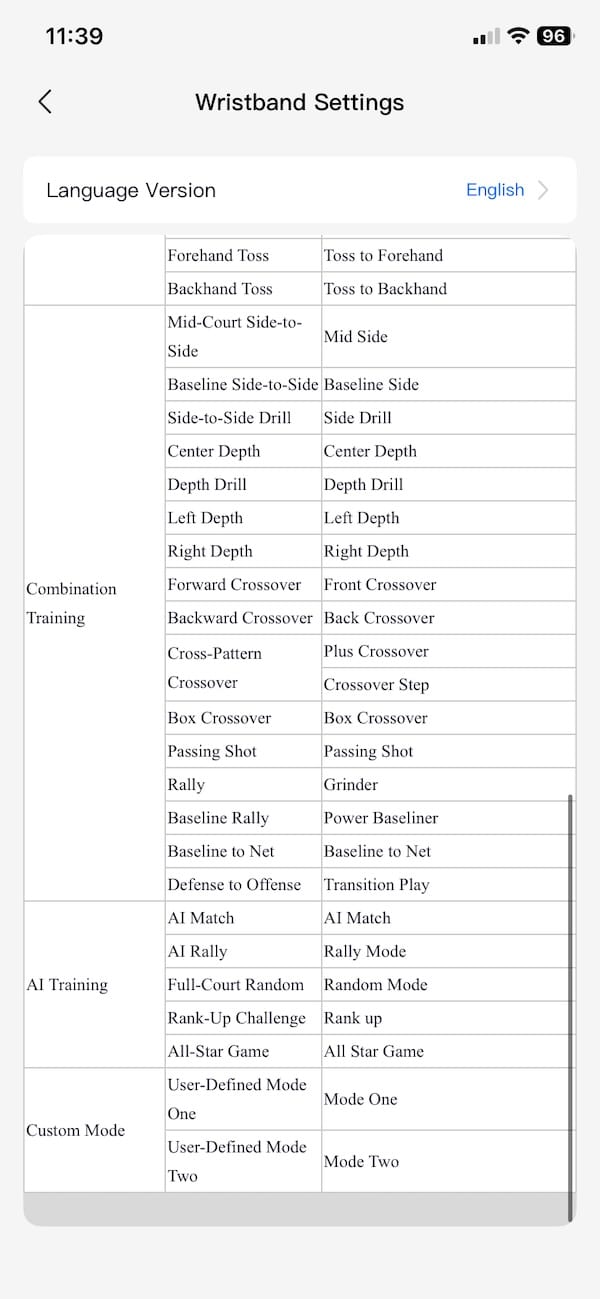
Tero is also very quick to react. Change the speed, placement or drill and it responds almost immediately. That is important because the whole idea falls apart if you spend half the session waiting for the machine to catch up.
There is plenty of control over the feeds too. Pace is strong, and you can dial in topspin or slice, although I did not find the maximum spin especially heavy. You definitely get some, but players looking for really aggressive topspin may want more.
What I like most is that you stop thinking about the machine pretty quickly. Tell it what you want, hit some balls, change things when you feel like it and carry on. There is very little getting in the way.
That really sums up Tero for me. It takes the normal ball-machine idea and makes it easier to control, easier to customise and much less of a hassle to use.
Training modes & custom drills
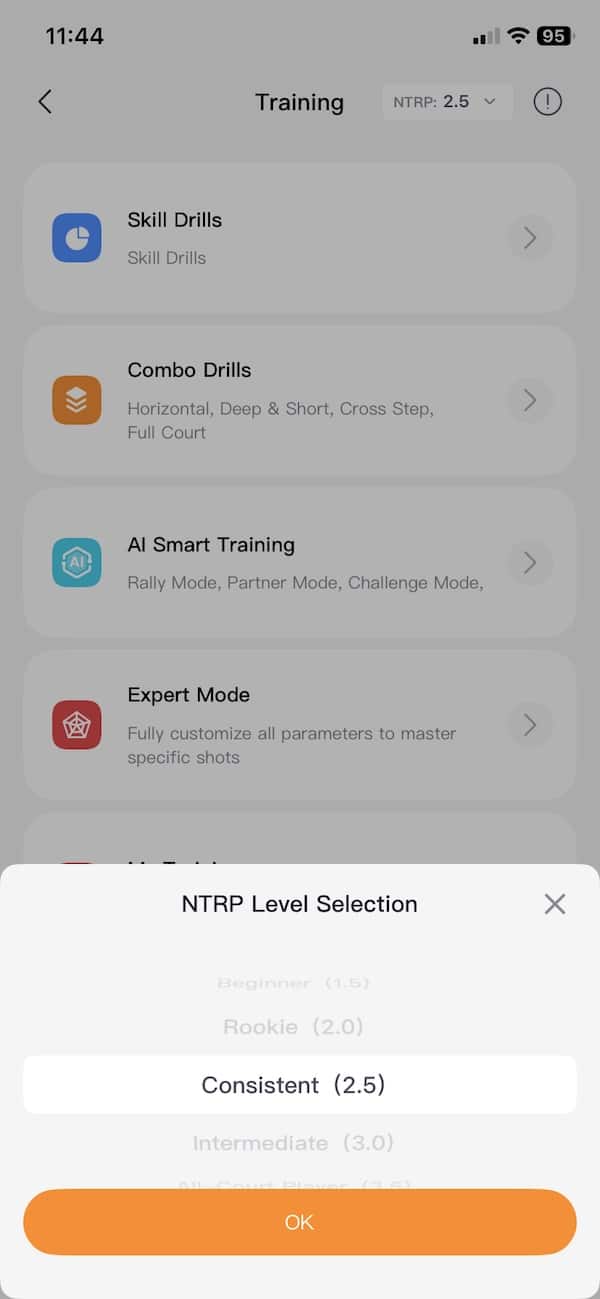
Tero gives you plenty to work with before you ever need to start building your own drills. There is a big library of presets covering forehands, backhands, movement patterns and combinations, with different difficulty levels on top. For probably 95% of players, that will be more than enough.
You are not stuck with those presets, though. Pretty much everything can be tweaked, including speed, spin, placement, feed interval and repetitions. So if you like a drill but want it faster, wider or a little less predictable, it only takes a few changes.
You can also build your own shot sequences from scratch. That is useful if there is something specific in your game you want to work on. You might want two deep balls, then a short one, then something wide. Set it up in the app, save it, and it is there the next time you go to the court.
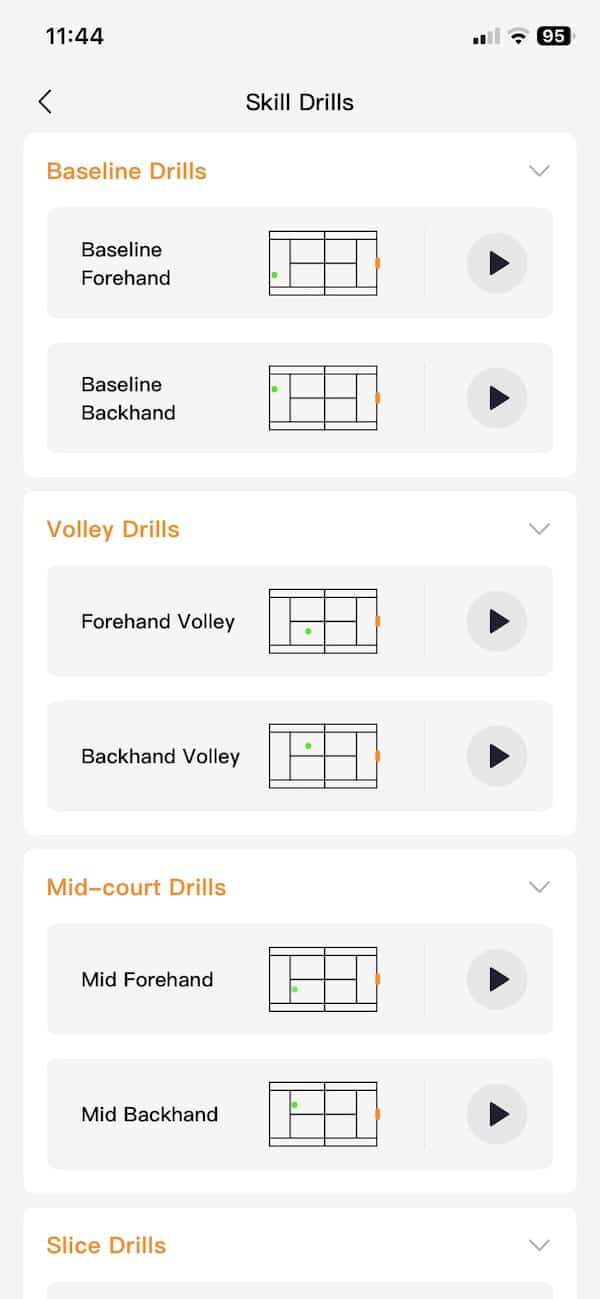
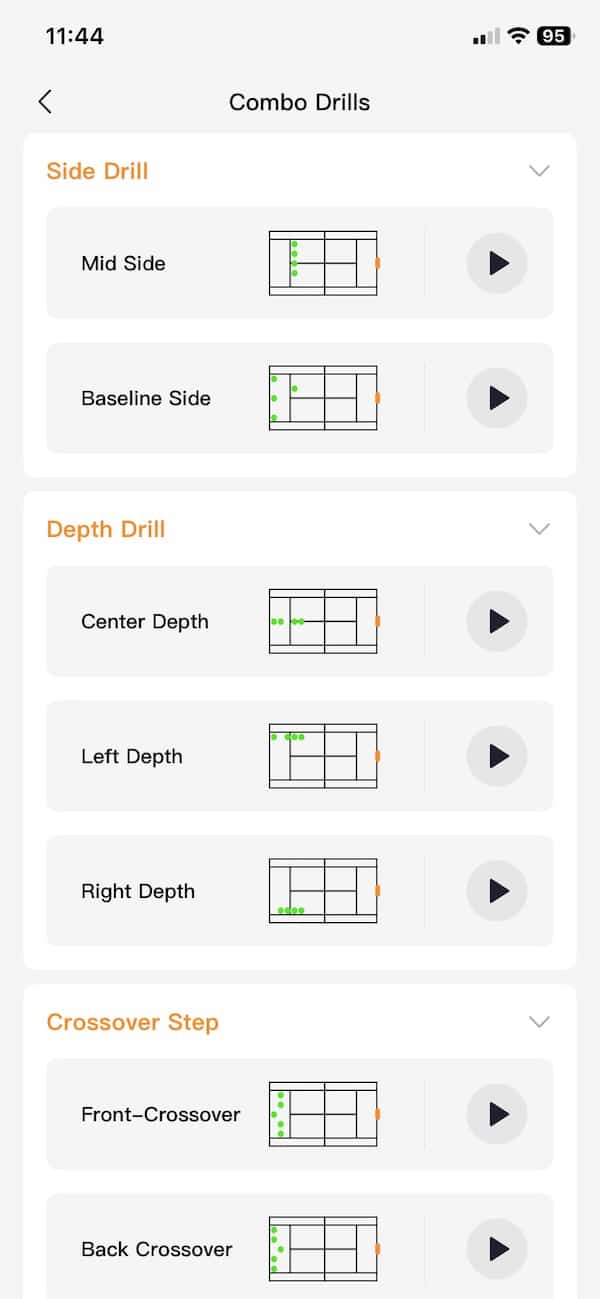
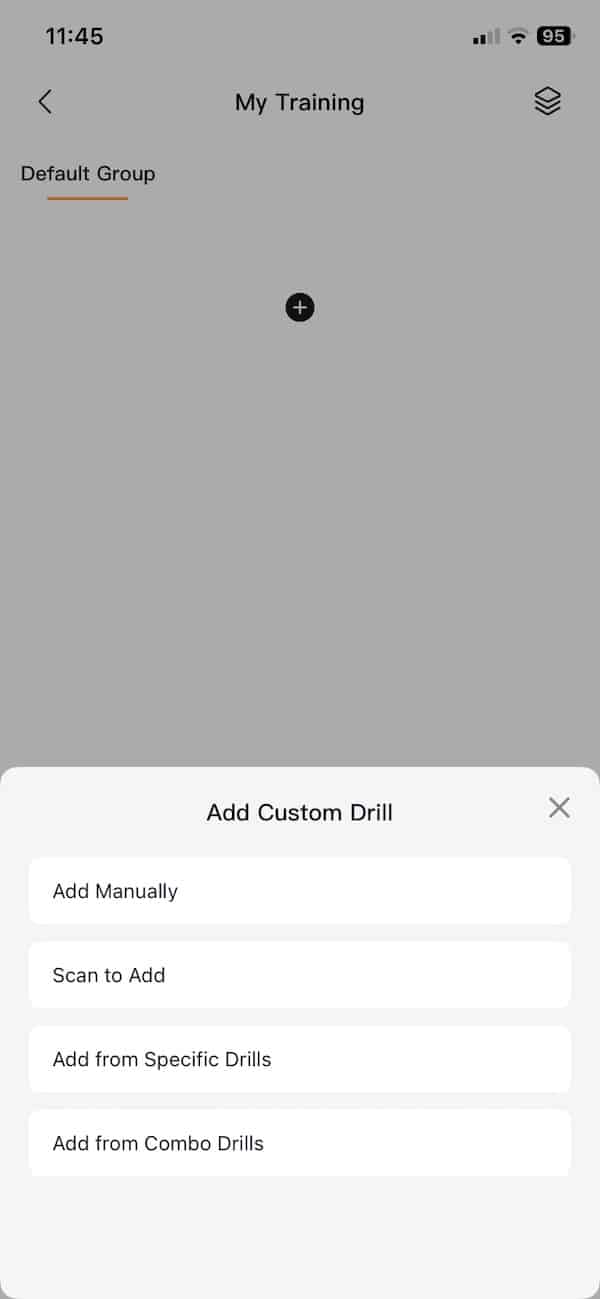
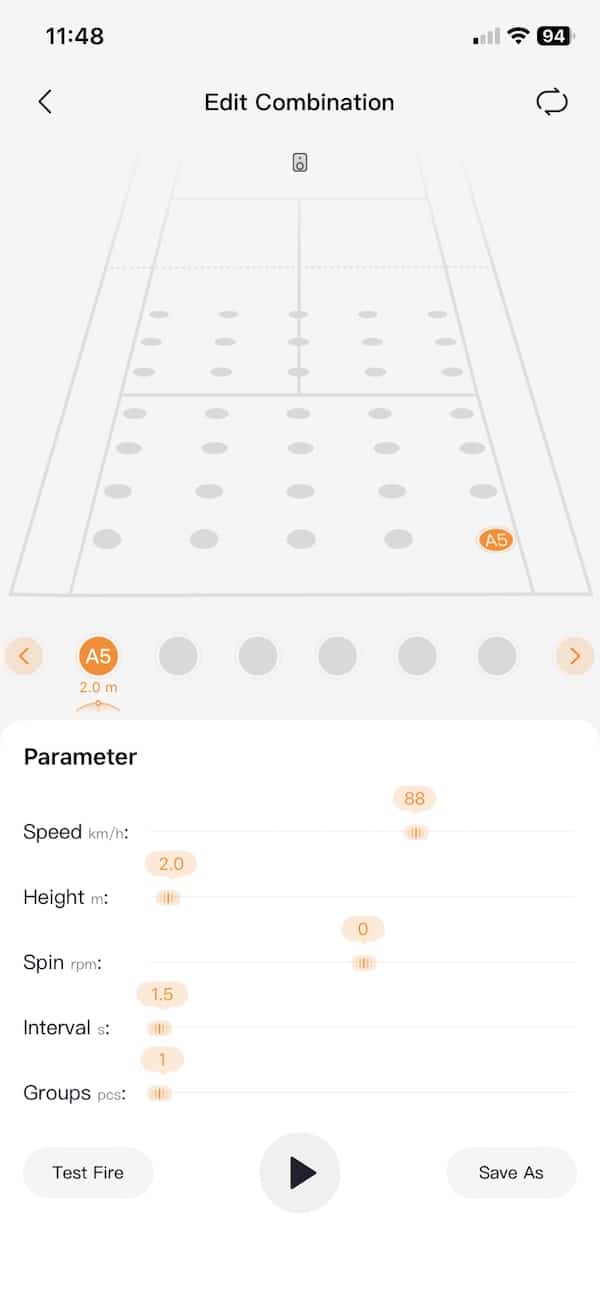
I actually like the balance here. You can completely ignore all the customisation and just pick a drill in a few seconds. Or, if you want to play around with things, there is enough control to make the session very specific.
There are also some smarter training modes, although I would not pay too much attention to the AI label. Regular Tero does not have cameras watching your returns, so it is not analysing every shot and deciding what to send back. The machine is still working from programmed patterns and the information available through the wristband.
After a while, I stopped caring about the huge number of drill combinations Lumistar advertises. What counts is that there is enough variety to stop things getting boring, and enough control to change things when you want to work on something specific.
You can also use Tero like a normal ball machine. Keep it in one position, choose the direction, pace, spin and time between feeds, and just hammer away at the same stroke. Sometimes that is all you need, and it is nice that Tero does the simple stuff just as easily as the more elaborate drills.
The on-court experience
After a few minutes with Tero, I pretty much stopped thinking about the machine. The feeds are consistent, changes happen quickly and there is very little standing around messing with settings. Pick a drill, start hitting and you can just get on with it.
Feed reliability has been excellent too. I have put a lot of balls through Tero and have not had a single jam. The rhythm stays steady and I have not noticed it becoming less consistent as a session goes on.
There was one strange moment when it suddenly started firing balls one after another at very short intervals. I may have accidentally triggered something with a voice command, I am not really sure. Either way, it happened once and I could not get it to happen again.
Tero is also quick to react when you change something. Ask for more pace, move the placement or switch drills and it responds almost straight away. There is very little lag, which helps keep the session flowing.
There is plenty of speed available, too. I have not measured whether it genuinely reaches Lumistar’s quoted 87 mph maximum, but it can definitely send balls across the court quickly enough to make things uncomfortable. For most recreational and intermediate players, I think there is more than enough pace here.
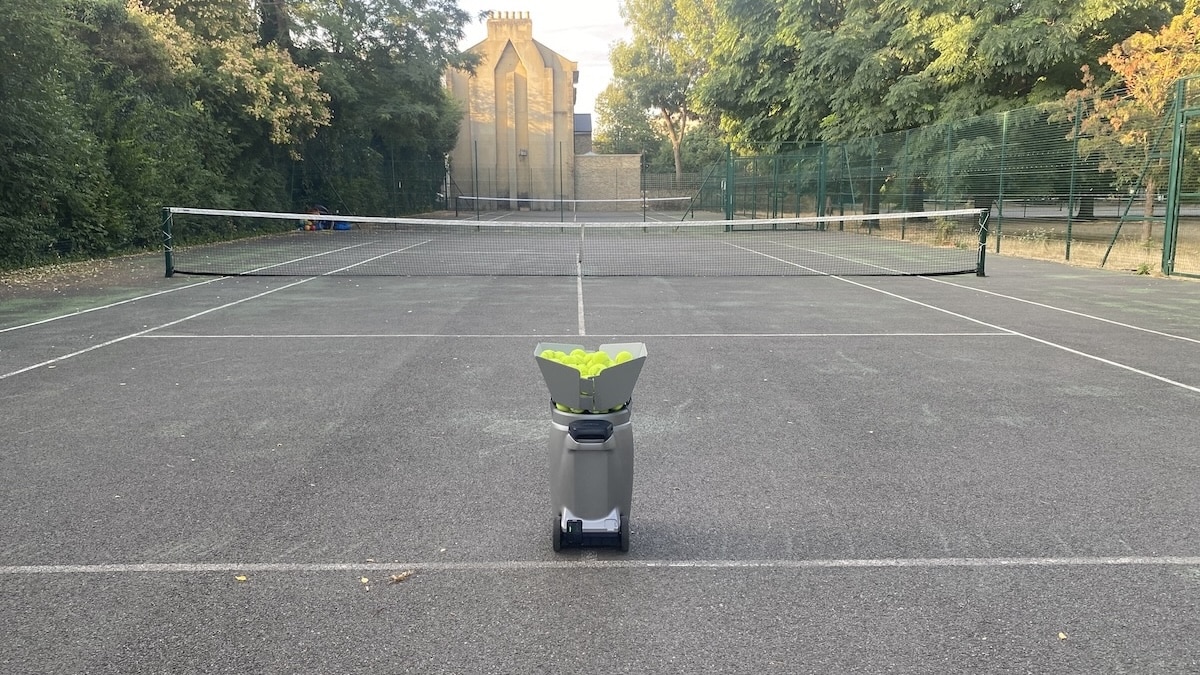
As mentioned, spin is a bit less impressive. You can add topspin or slice and you can definitely feel the difference, but I would not call it heavy. If you want to practise against really aggressive topspin or a nasty kick, Tero does not quite get there. Pace is much more convincing than the spin.
Placement has been dependable as well. Set up a repeating drill and Tero does a good job of putting the ball back into the same general area rather than slowly wandering all over the court. That sounds basic, but it is pretty important when you are trying to groove a particular shot.
It is also easy to change the whole feel of a session. One minute you can be hitting comfortable balls down the middle, then a few seconds later you are doing a faster side-to-side drill or something that has you moving forwards and backwards. With the voice controls, those changes take hardly any effort.
Tero is still a ball machine, and it feels like one. It is not watching your return, judging how well you hit it or trying to catch you out. But I do not really see that as a problem. You tell it what you want to work on, it sends the balls, and it generally stays out of the way.
After several sessions, “no hassle” is still the phrase that fits best. There are more sophisticated machines out there, but Tero is very easy to live with. It feeds reliably, reacts quickly and lets you spend most of your time actually hitting balls rather than dealing with the machine.

App & training analysis
The app keeps a record of your sessions, with things like duration, total hits, calories, movement distance and a few charts showing swing counts, movement speed and ball placement. There is also a weekly activity view, so you can quickly see how much time you have spent using Tero.
I did not find this part especially useful, though. Regular Tero does not have cameras, so it is not actually watching your shots or seeing where the ball goes after you hit it. The wristband tracks your position and movement, while some of the other stats appear to be based on the machine’s own feeds and software estimates.


That means some of the charts look more impressive than they really are. They can give you a rough idea of what sort of session you had, but I would not use them as serious tennis analysis.
Price and value, comparison vs Tero Pro
If you are choosing between Tero and Tero Pro, the actual ball-feeding hardware is very similar. The jump with the Pro is everything happening around it.
The Pro’s dual 4K 60 fps cameras can watch your returns, track the ball and player, and adjust the next ball based on what is actually happening on court. It also adds automatic court calibration, gesture control and extra training modes such as Rank Up and All-star Game.
The stats are much more useful too. Pro can track ball speed, trajectory and landing position, keep a much better record of your swings and movement, and save 4K video locally. Lumistar is also promising AI coaching reports with suggestions on what to work on, although that bit is still listed as coming soon.
Regular Tero skips all of that, but you still get the same basic serving power, plenty of drills, custom workouts, app control and the wristband voice commands. For me, that simpler setup is part of the appeal. It is quick to get going and there is very little fuss.
Price is a big part of the decision. Tero costs $1,099, which I think is excellent value for a machine this portable and capable. Tero Pro costs $700 more.
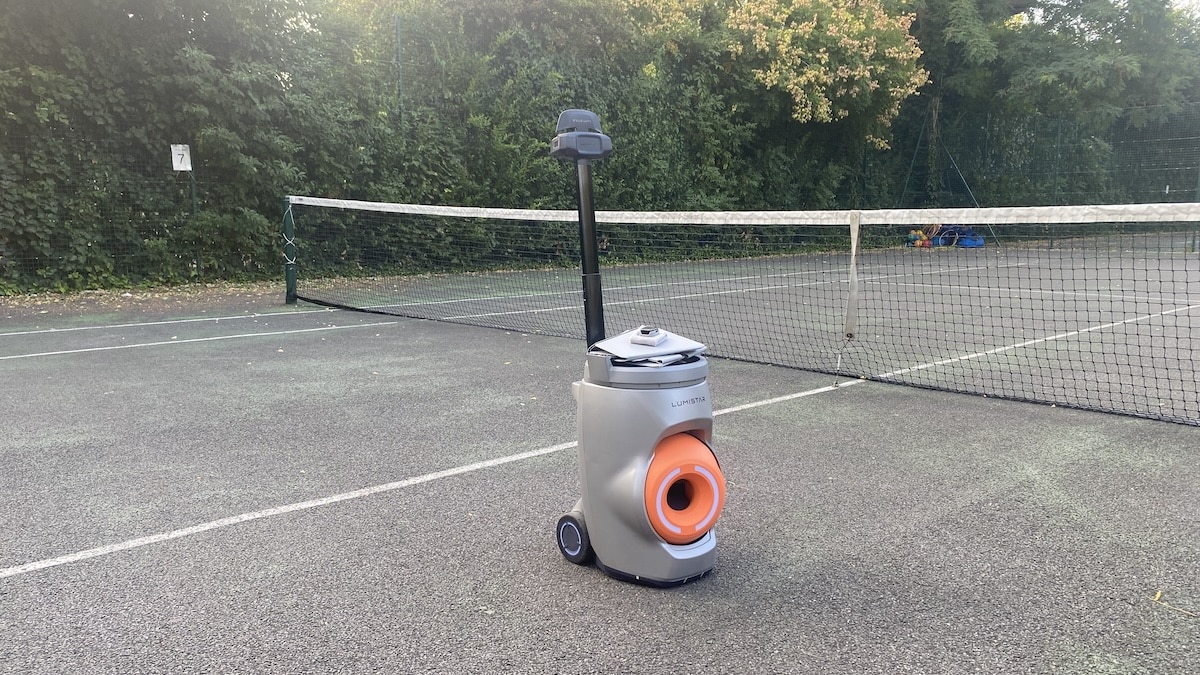
If you want proper shot tracking, more reactive sessions and much better training data, the Pro starts to make sense. If you mainly want a very good ball machine that is easy to live with, I still think regular Tero is the better value.
Who is Lumistar Tero for?
Tero makes the most sense for players who want a serious ball machine without turning every session into a technology project. It is easy to carry, quick to set up and simple enough that you can get onto court and start hitting within a couple of minutes.
I think it is particularly well suited to intermediate players who train on their own regularly. There is enough pace to make drills demanding, plenty of control over placement and timing, and enough customisation to work on specific patterns rather than just hitting the same ball over and over again.
It is also a very good option if portability matters. If you have to walk to the courts, carry the machine up stairs or fit it into a smaller car, Tero has a clear advantage over some of the heavier machines out there. That sounds like a small thing until you are doing it several times a week.
The wristband will appeal to anyone who hates constantly reaching for a phone between drills. Once you remember the commands, changing things by voice becomes second nature. It keeps the session moving and is one of those features that feels more useful in practice than it sounds on a spec sheet.
More advanced competitive players may want heavier spin or the reactive camera-based features you get with more sophisticated machines. If your main goal is to recreate unpredictable rallies or analyse every shot, Tero is probably not the obvious choice.
But if you want something reliable, flexible and easy to live with, Tero gets a lot right. It is less about showing off what a tennis robot can do and more about making solo practice simple enough that you actually use it regularly.
If you are weighing up the alternatives, I have also put together a full tennis ball machine comparison covering the Slinger, Tero, Pongbot Pace S Pro and Acemate S10.
Don’t miss the latest from Gadgets & Wearables
Subscribe to our monthly newsletter and check out our YouTube channel.
You can also follow Gadgets & Wearables on Google News and add us as a preferred source in Google Search.

