

I added the AI Vision Module to my Lumistar Tero, here’s my review
I reviewed the Lumistar Tero a while ago and came away pretty impressed. I liked how simple it is to use, the voice control, the fact that the device is very easy to transport around. But there’s more to this machine. Lumistar also sells a AI Vision Module that adds two cameras and a bunch of extra training features. I’ve now got my hands on one and have been trying it out on the court.
Now its worth noting – you can also buy the Tero Pro, which comes with the Vision system already included. In my case, I’ve simply upgraded the regular Tero. So there’s no point going over everything I covered in the review. This time I’m concentrating on what the cameras add and how well the new features work.
I was already pretty happy with the regular Lumistar Tero, but adding the Vision Module takes things up a notch. And the nice thing is that you don’t need to buy another machine to get this.
The biggest change is what Tero can now do with the balls you hit back. Instead of just following a preset drill, the Vision modes can use your returns to decide what happens next. And you still have all the usual drills for those days when you just want to work on your forehand or backhand.
I also like having the option to record my sessions without bringing along another camera. Getting the videos onto my phone took a little figuring out, and the app could do with some tidying up. But those are things Lumistar can improve with software updates, and they don’t take away from the extra features you’re getting.
The catch, of course, is the price. At $699, the Vision Module is hardly an impulse purchase. If you’re happy with the regular Tero and mainly use it for repetitive drills, there’s no pressing reason to spend more. But if you want to try camera-based training and get more out of the machine you’ve already bought, it’s an upgrade worth looking at.
View on Lumistar’s website: US link / EU link (these links will give you 8% off the price at checkout).
You can also watch my Youtube video review of the device.
Jump to
Design & setup
I like how simple the Lumistar Tero is to use. So I was hoping that adding the cameras wouldn’t make things unnecessarily complicated.
And thankfully, it doesn’t. Fitting the Vision Module is about as easy as it gets. It’s a small attachment with two 4K cameras that clips onto the Tero’s handle. You line it up, push it into place and you’re done. No messing around with cables, tripods or extra equipment.
The module gets its power straight from the Tero, so there’s no separate battery to charge either. It also adds very little bulk to the machine. I like that there’s nothing extra to carry around or set up once you get to the court. It’s all very straightforward, which is exactly how I want it.
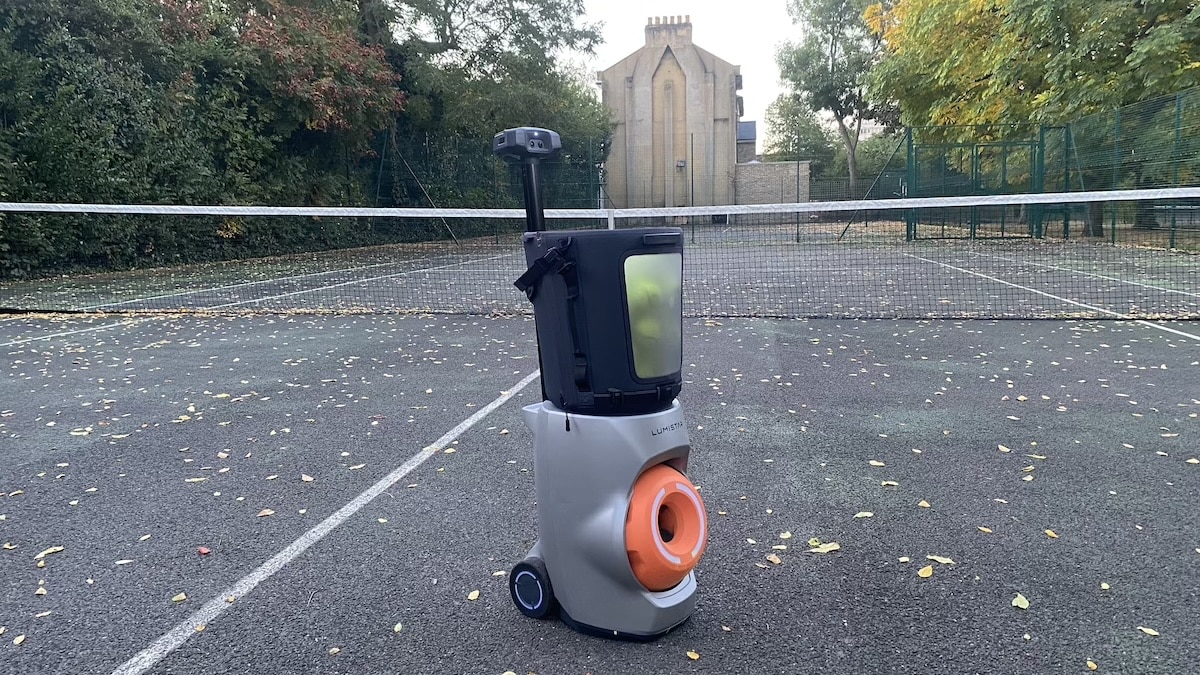
I also got to try Lumistar’s alternative Ball Storage Bag this time around. Instead of the original folding hopper, this is a soft-sided bag that holds more than 80 balls. It has a transparent window, a mesh cover and a carrying strap, so you can take it off the machine.
I can see why some people might prefer this arrangement. But having used both, I actually prefer the original hopper. It folds away much more neatly, which makes the whole thing easier to pack up and take home. The newer bag is perfectly usable and it looks better. But it’s a bit less convenient when you’re trying to keep everything compact. Fortunately, the bag is optional, so you can stick with the original hopper if you prefer.
Here are images of the standard Lumistar Tero – and what it looks with the AI Vision Module installed and the new ball hopper.
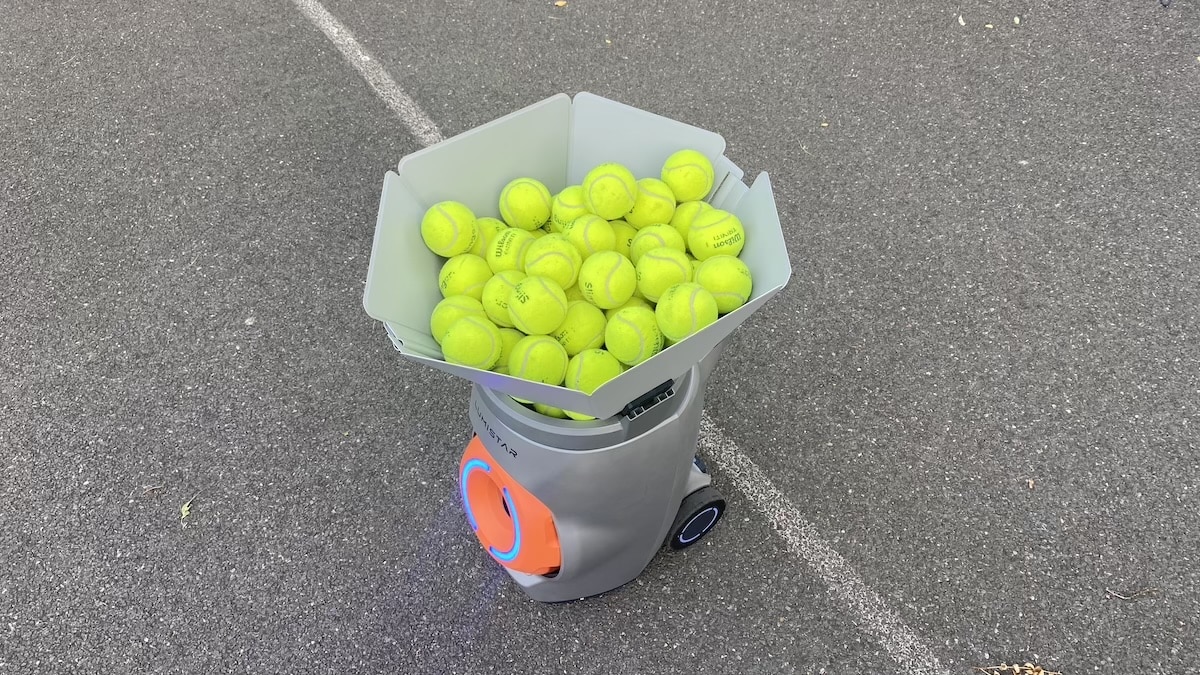
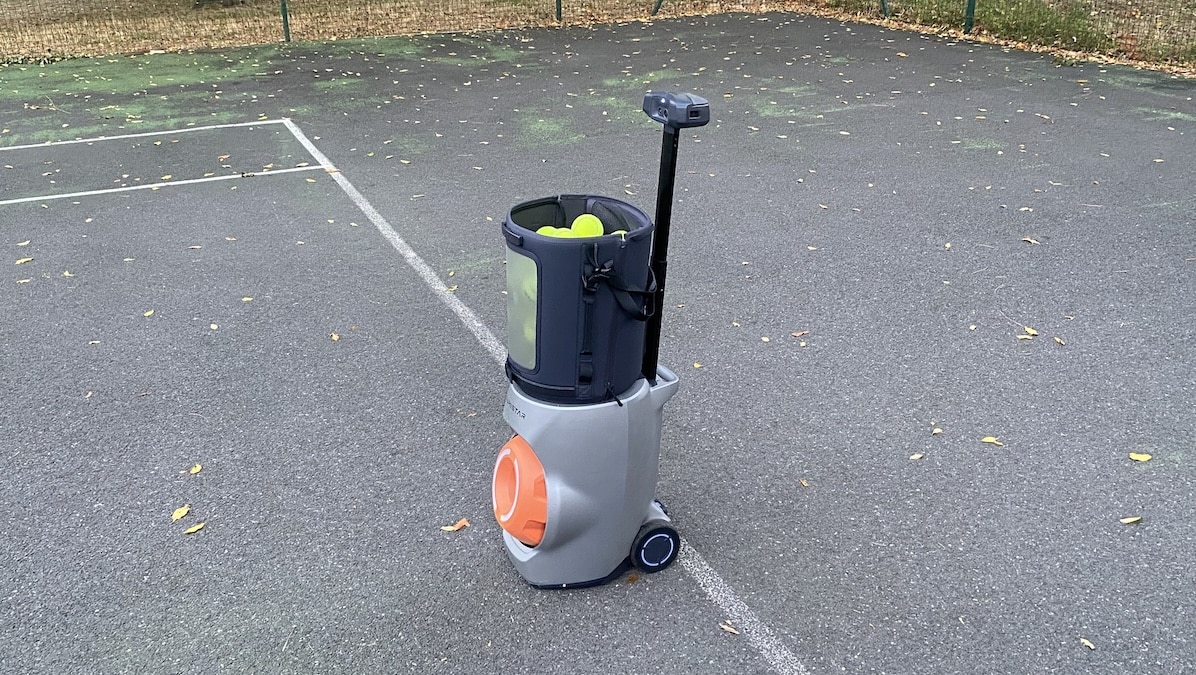
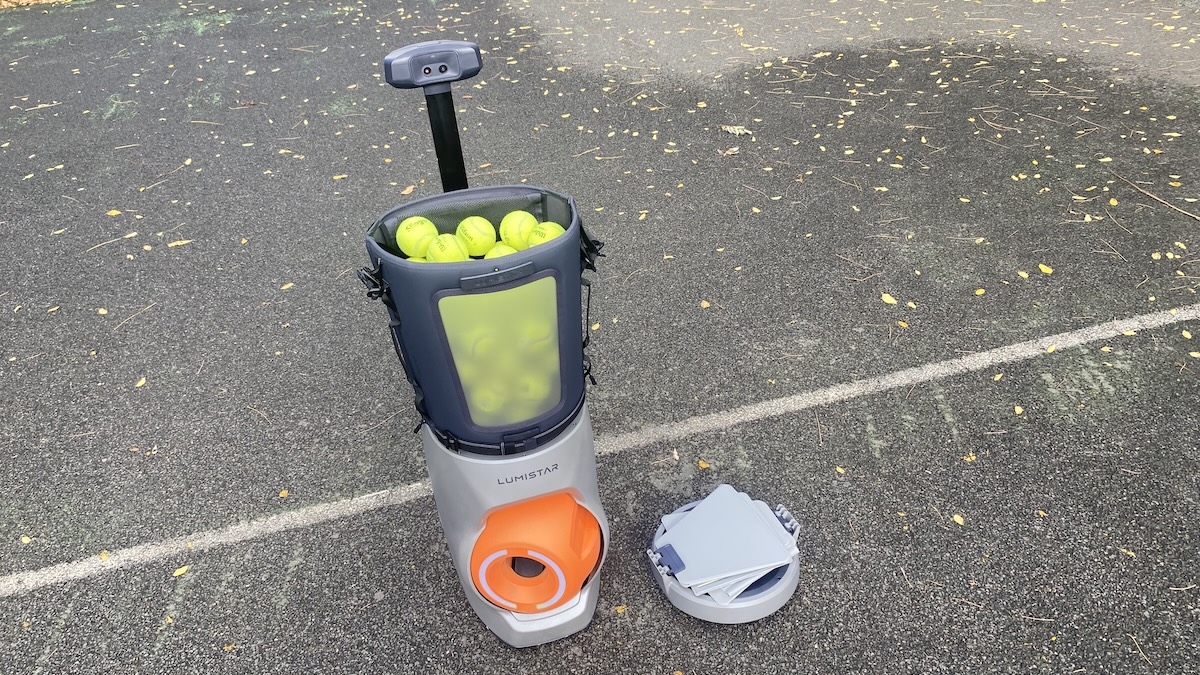
Apart from that, it’s the same Tero I tested previously. The wheels, battery, wristband controller and ball-launching mechanism are all unchanged. As mentioned, I’ve covered those in detail in my original Lumistar Tero review.

There is one extra thing to think about once you get to the court, though. With the regular Tero, you mainly worry about where the machine is pointing and where the balls are going to land. With the Vision Module attached, you also need to make sure the cameras have a clear view of the court. After all, the whole point of this upgrade is that the machine can see what’s happening on the other side of the net.
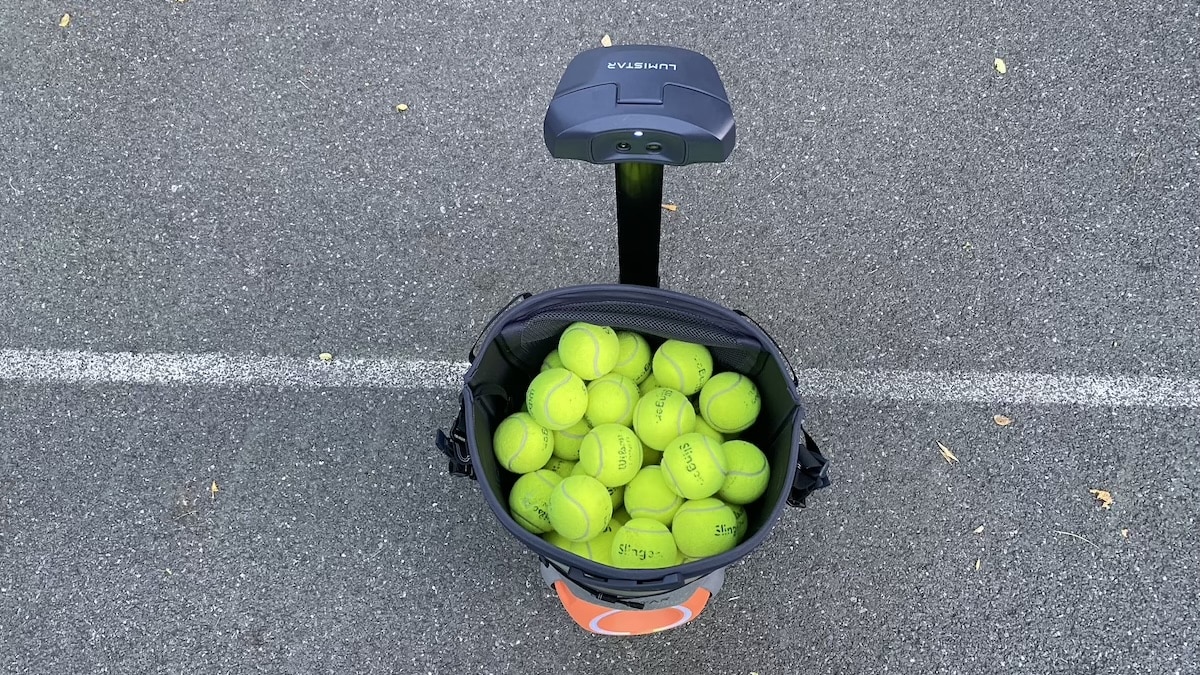
I also like that Lumistar hasn’t forced existing owners to buy another machine. You can simply add the Vision Module to the Tero you already have, and take it off whenever you want. As far as the physical upgrade goes, it’s all very straightforward. The more complicated part, of course, is what those two cameras actually do once you start hitting balls.
How the vision system works
A limitation of the regular Tero is that it doesn’t actually see the balls you hit back. It can track your position using the wristband and adjust its feeds, but it doesn’t know where your shots are going. The Vision Module changes that.

The two 4K cameras track your returns, work out their direction and estimate where they’re going to land. That information then feeds into the machine’s decision about what ball to send next.
This makes the training a more interactive. Instead of simply working through a sequence of shots, Tero can respond to what you’re doing on the other side of the net. Hit a return deep or send it towards a corner, and the system can take that into account when planning the next feed. What’s more, I didnt notice any mechanical delay while the machine adjusts its position. It all feels natural – close to a real-world rally.
Lumistar claims the system can analyse a shot and plan a response in just 0.1 seconds. That’s impressively quick. Especially when you take into consideration that the cameras need to identify the ball against different backgrounds and deal with changes in lighting.

There’s quite a bit happening behind the scenes, but you don’t really need to think about any of it while playing. You’re still hitting against the same machine and that’s a good thing. The difference is that now your returns can influence the session.
Training modes and AI features
The regular Tero already had more than enough training options for me. There are several dozen preset drills, different difficulty levels and the option to create your own sequences. With Vision, Lumistar takes things a bit further.


Rally Mode is probably the easiest one to understand. The idea is to have a hitting partner that adjusts to your level, keeping the ball in play but gradually throwing in more challenging shots. So it’s like playing against an opponent, who is slightly better than you.
AI Match takes a different approach. Rather than simply keeping the rally going, it’s designed to identify the areas where you’re struggling and send more balls your way that expose those weaknesses. So if your backhand is letting you down, the idea is that you end up having to deal with more of them.
Then there’s Rank Up, which adds a bit of a gaming element to training. You enter your NTRP rating, and Tero challenges you at a level 0.5 higher. Do well enough and you move up to the next level.
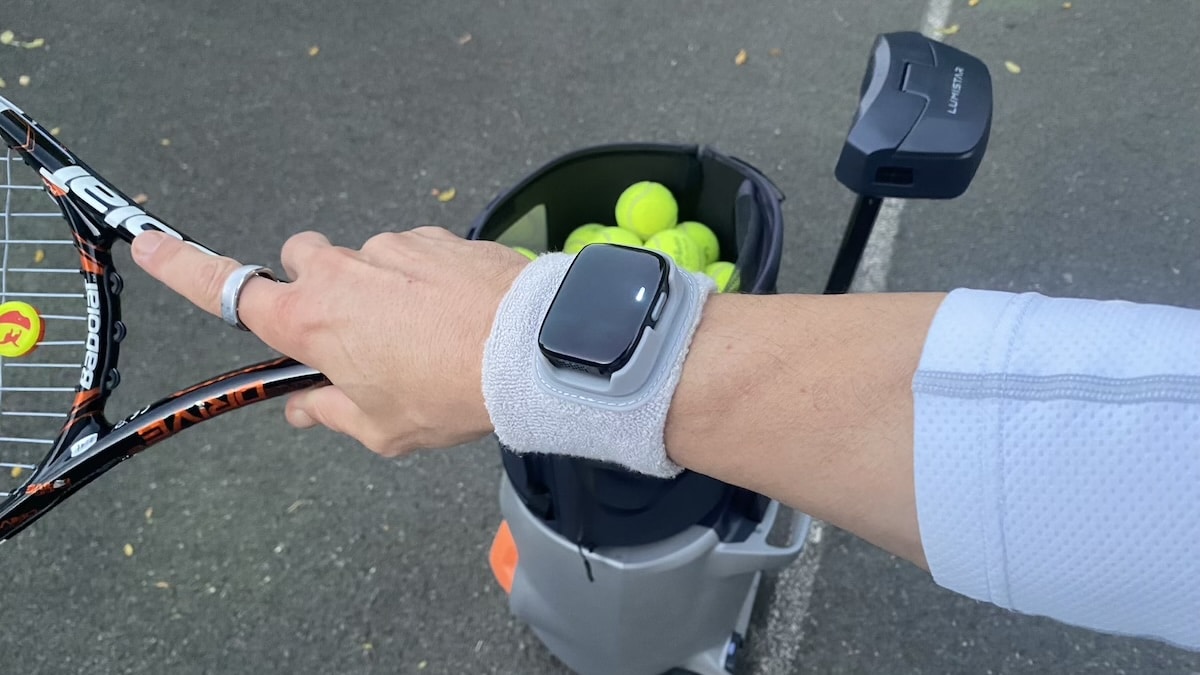
Random Mode is more straightforward. Instead of repeating a programmed sequence, the machine varies the shots so you have no idea what’s coming next. What makes this particularly challenging – with a real-world opponent you can read their body language when they prepare their shot. Here you can’t. So you really need to stay on your toes.
And finally, there’s All-star Game. It attempts to recreate the playing patterns of professional tennis players.
As mentioned, you still have all the regular training options, including the ability to adjust speed, spin, placement and feed intervals. If I’m working on my backhand, for example, I might just want 50 balls delivered to roughly the same spot. The regular Tero was already very good at that, and there’s no reason to abandon those simpler drills.
And you still get the wrist module control. Simply speak into it and the ball machine reacts instantly. It’s many times easier than fiddling around with the app – which, of course, remains another option. As do gesture controls.
App, video recording and training analysis
The Lumistar app is familiar territory for me by now. I’ve been using it since I started using the regular Tero, and for the most part, it works well enough. The interface is fairly easy to get around. Adding Vision brings a few more options into the mix.
My favourite is being able to record my tennis sessions without messing around with a phone or separate camera. The Vision Module takes care of that, and a little LED light on the camera turns from white to red when it starts recording.
It’s particularly handy for seeing how you’re actually playing. Although, fair warning, watching yourself on video can be a humbling experience. In my head, I’m playing like Novak Djokovic. On camera, not so much.
Getting the videos onto your phone takes a little figuring out, though. You need to open the Vision section of the app, connect to Lumistar’s Wi-Fi network and download the recordings from there.
Once you know how it works, it’s straightforward enough. I just wish Lumistar explained some of these things better. The instructions are pretty limited, and you sometimes have to explore the menus yourself to work out where everything is.
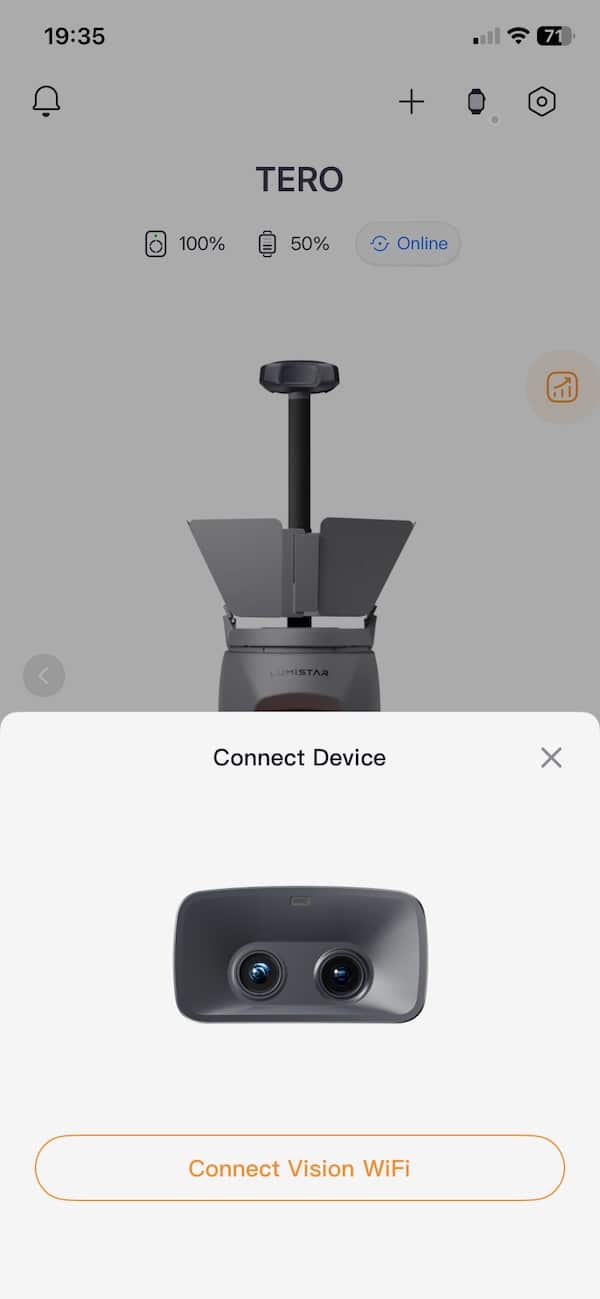
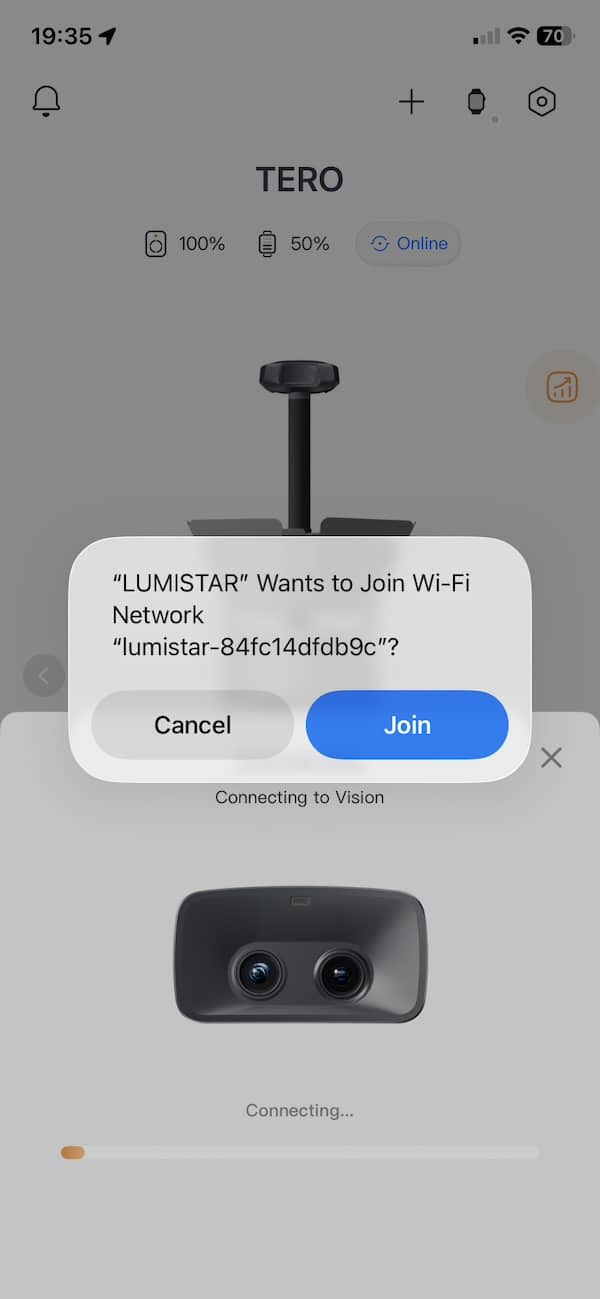
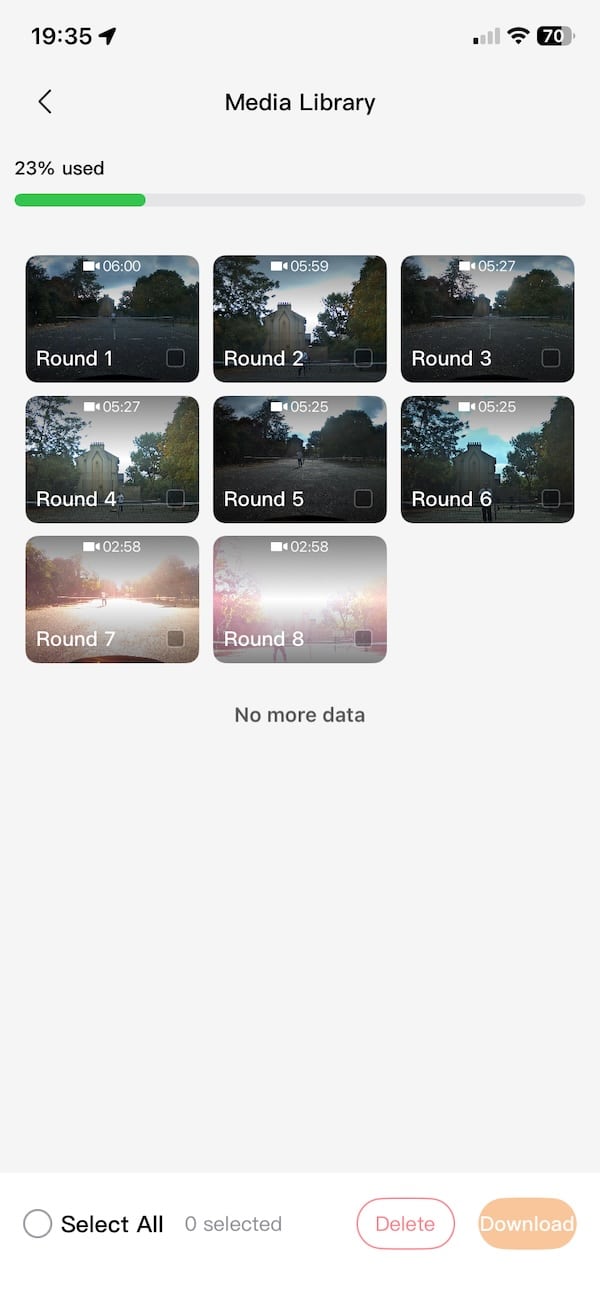
The videos themselves are decent. The recording is in 4K. There’s no audio, and the picture moves slightly whenever the machine fires a ball. No surprise there, as the camera is sitting on the machine. Still, having a recording of your practice session is useful, particularly if you want to check your positioning, footwork or technique afterwards.
And recording is easy. Just speak into the wrist module and say “Start Recording”, “Stop Recording”. It’s as simple as that.

Beyond the limited instructions, the app could also do with a bit more polishing. Some of the English translations aren’t great, and bits of Chinese appears in places. These are small issues that could easily be rectified, and I’m sure they will in time.
Another improvement with the Vision Module is improved shot analysis. Tero can now collect more precise information about your returns. That gives you a better idea of what you’re doing with the ball, rather than just how the machine is feeding it to you.
The original Tero already kept track of things like session duration, movement distance, swing counts and estimated calories. I found those reports a bit basic.
With the cameras, Lumistar can now collect information about your actual shots, including their speed and placement. Which is much more relevant if you’re trying to improve your tennis.
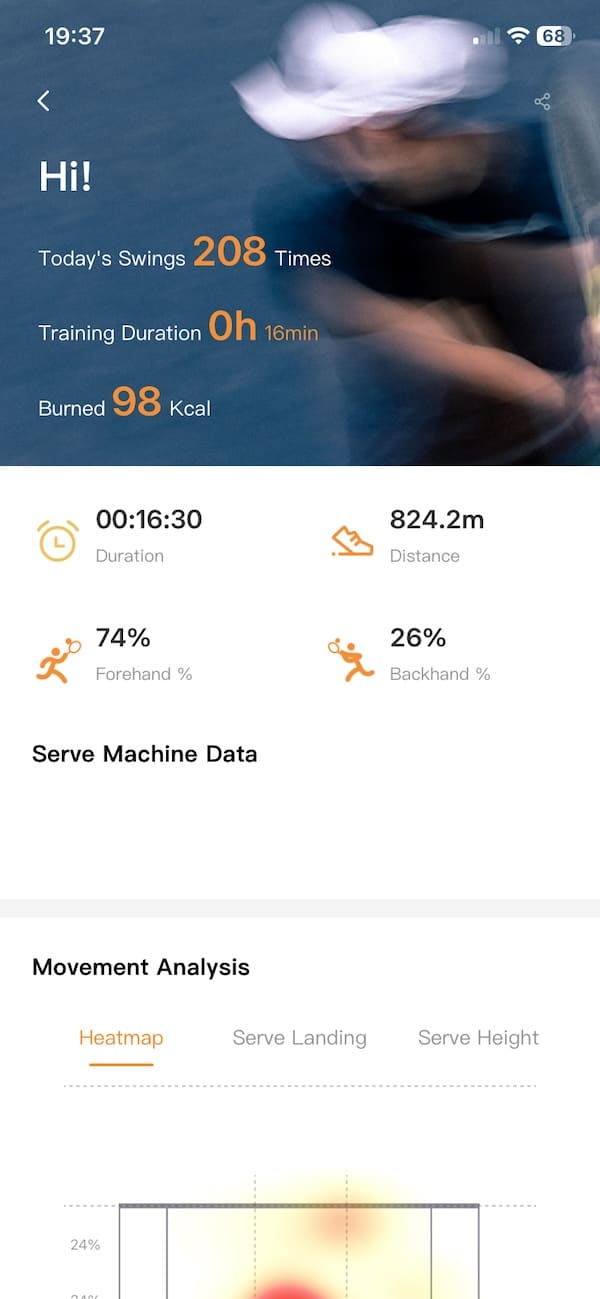
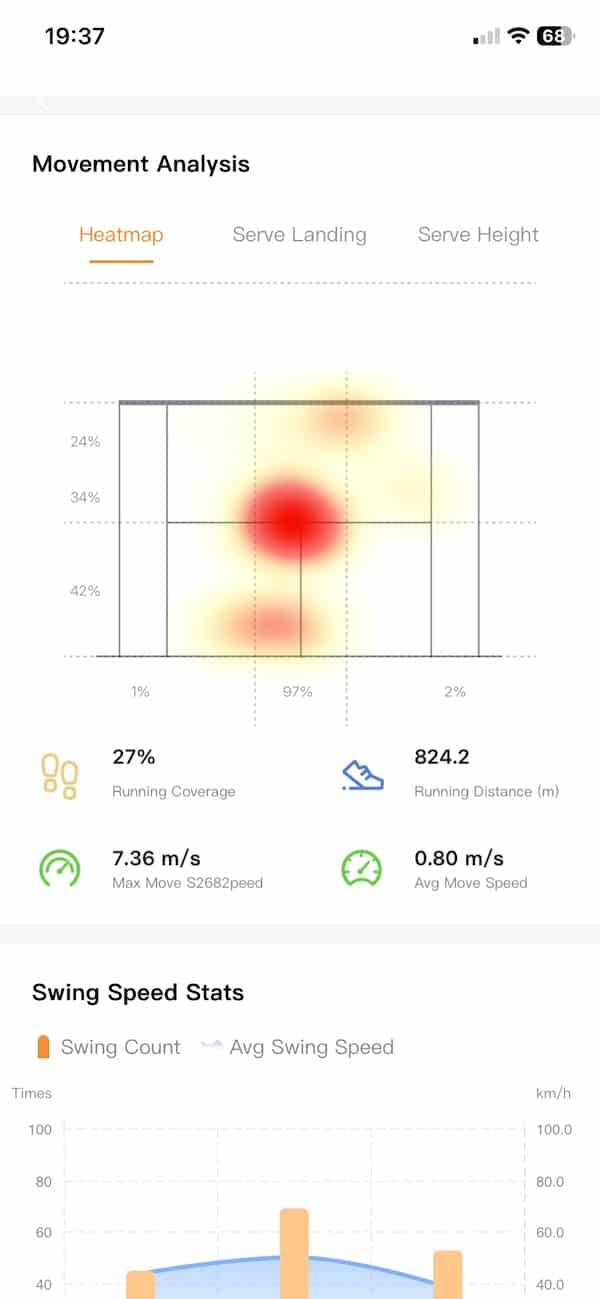
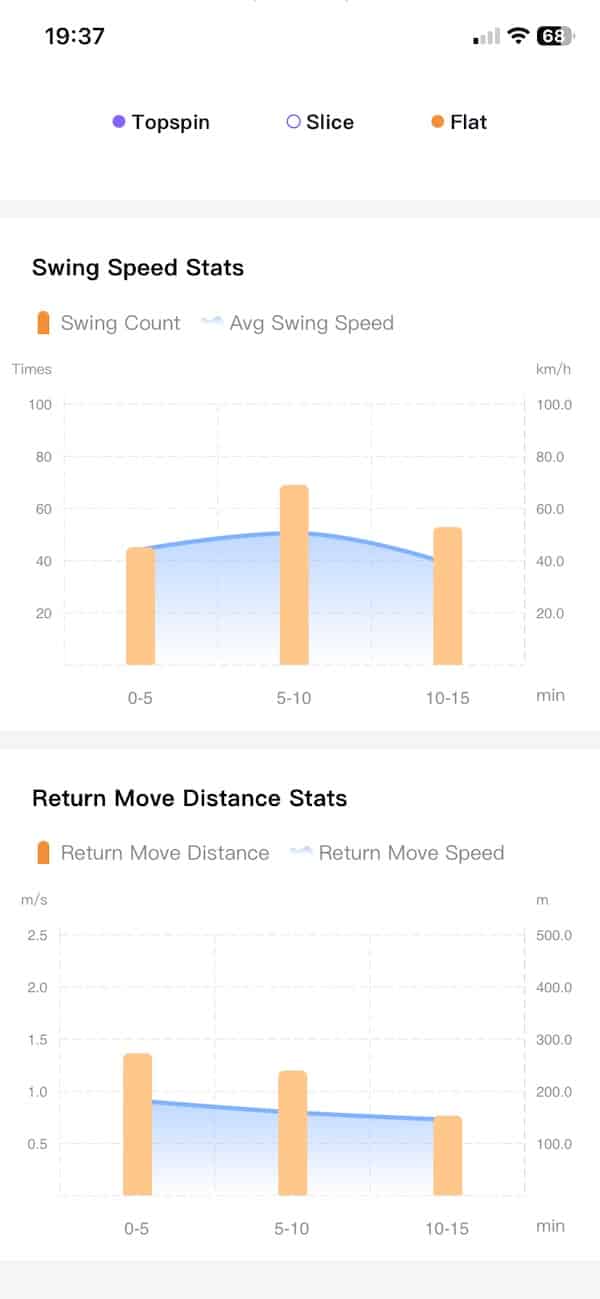
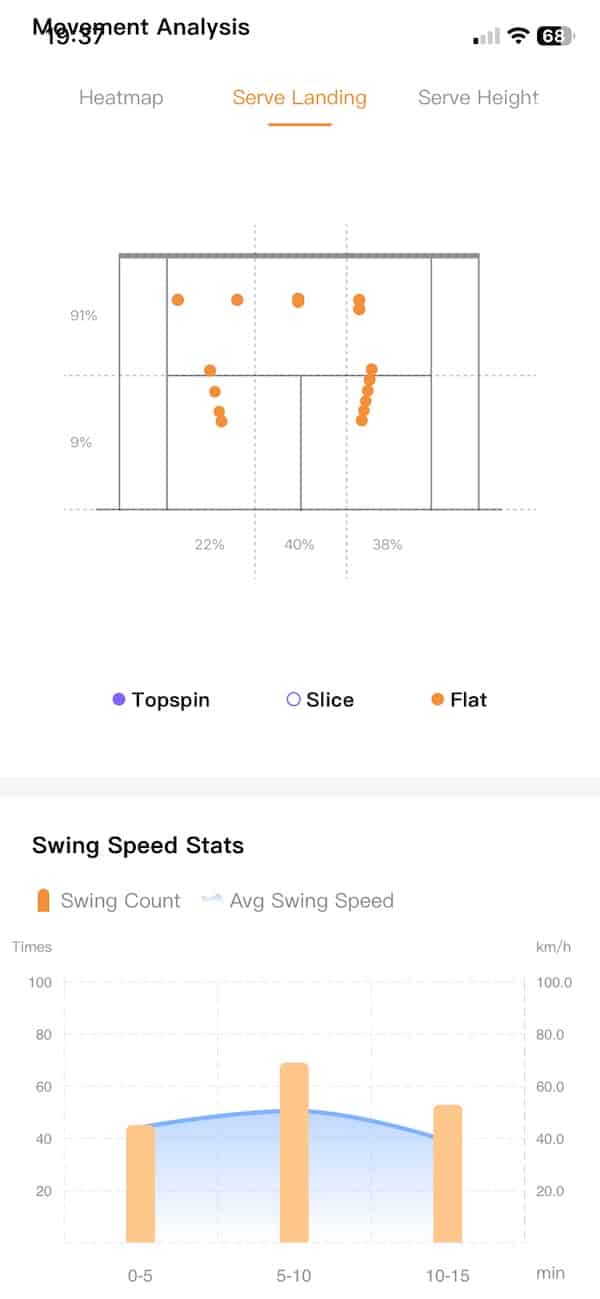
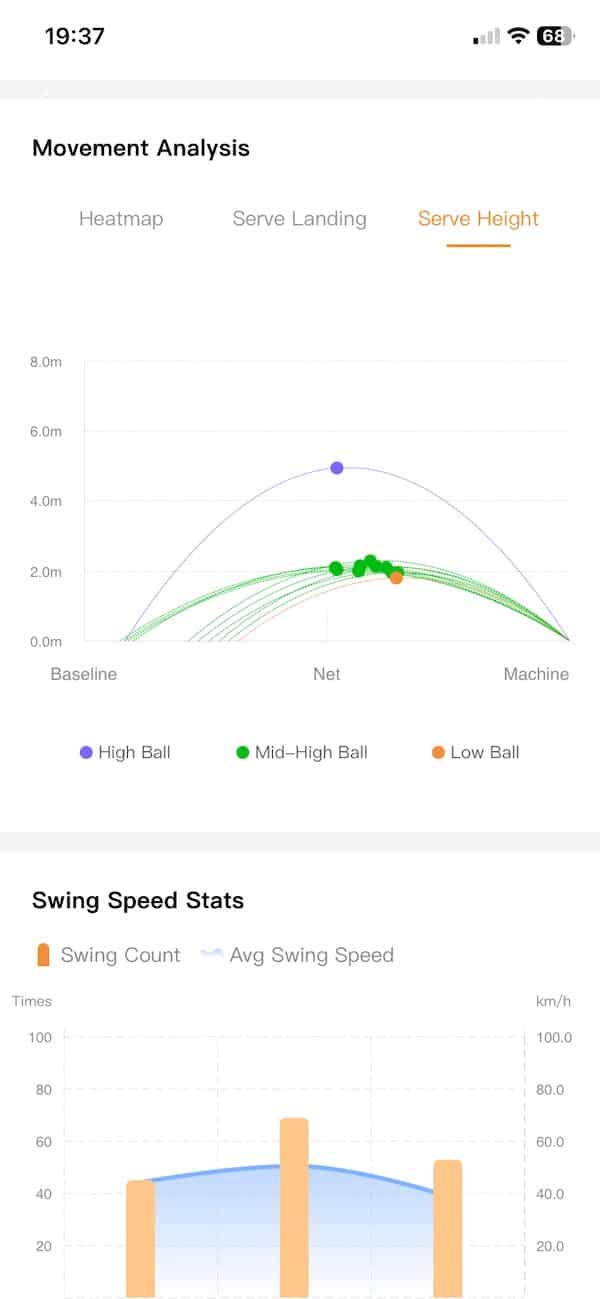
There’s also a more advanced AI coaching feature in development, which is supposed to analyse your sessions and suggest areas to work on. That’s not fully available yet, so there’s more to come on the software side.
Battery life and reliability
Battery life was excellent on the original Tero, and that’s something I really appreciated. During a typical 90-minute sessions, I use only about 20% of the battery, although that does include breaks to collect balls. Lumistar quotes up to four hours, so there’s plenty of juice for a decent afternoon on the court.
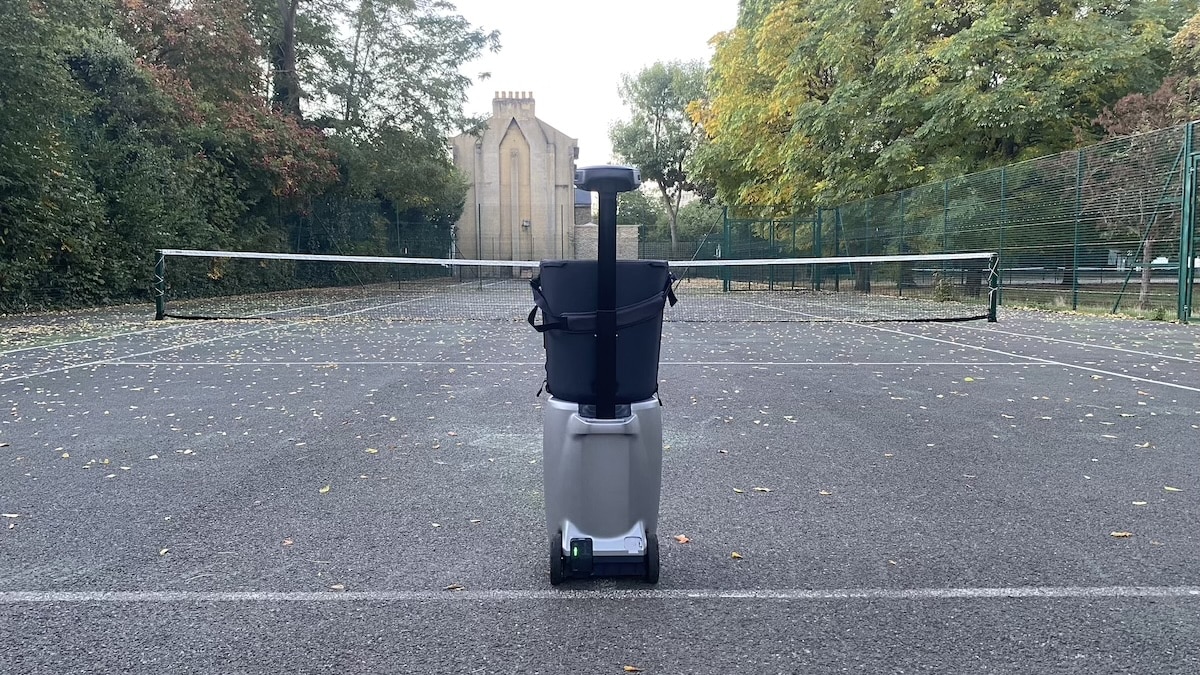
As mentioned, the Vision Module doesn’t have its own battery. It gets all its power from the Tero, which is handy because there’s nothing extra to charge.
Of course, running two cameras and processing all that footage uses additional power. But I haven’t really noticed a big drain on the battery. Maybe a few percentage points above what I usually get in a typical session.
As for the machine itself, reliability has been very good throughout my testing. I’ve yet to experience a single ball jam in the several months of testing. The only issue I’ve encountered previously was with firmware updates, which initially needed a couple of attempts to install. But this seems to have been fixed now.
All in all, Tero has been a pretty dependable bit of kit. A no-fuss ball machine that simply works.
Price and value, Tero Pro vs Tero
The regular Lumistar Tero currently sells for $1,099, while the Vision Module costs another $699. So if you’re starting from scratch, buying both separately will set you back $1,798. Alternatively, you can go straight for the Tero Pro at $1,899, which comes with the cameras already included. You can also get an extra 8% off at checkout using our buying links, which helps bring the cost down a bit.
For existing Tero owners, it’s still a fairly substantial extra investment. And if you’re happy working through preset drills and practising individual shots, there’s really no need to upgrade. The regular Tero already does that job very well.
The Vision Module makes more sense if you want more variety in your training, particularly the interactive modes and video recording. I like that Lumistar gives existing owners the option to upgrade rather than forcing them to replace the whole machine.
FAQ
Can I add the Vision Module to my existing Lumistar Tero?
Yes. You don’t need to replace your machine, just purchase the $699 Vision Module and attach it to your existing Tero.
Is the upgraded Tero the same as the Tero Pro?
They’re very similar in what they’re designed to do, but the Pro comes with its camera system already included. The separate module lets existing Tero owners add Vision features without buying another machine, although I wouldn’t assume every feature is identical.
Does the Vision Module need its own battery?
No, it gets its power directly from the Tero. That’s one less thing to charge, although running the cameras will use some of the machine’s battery.
Can I still use all the regular training drills?
Absolutely. All the usual drills, custom settings and ball-launching features are still there, so you can switch between traditional practice and the newer Vision features whenever you like.
Can I record my tennis sessions with the Vision Module?
Yes, and it’s one of the more useful additions. The recordings are stored on the module, and you can transfer them to your phone through the Lumistar app using the machine’s Wi-Fi connection.
Does the Vision Module make the Tero hit faster balls?
No, the actual ball-launching hardware hasn’t changed. You still get the same maximum speed of 87mph (140km/h), with Vision adding camera tracking and more interactive training options.
Don’t miss the latest from Gadgets & Wearables
Subscribe to our monthly newsletter and check out our YouTube channel.
You can also follow Gadgets & Wearables on Google News and add us as a preferred source in Google Search.

