

Wellue Checkme O2 Max review: For serious overnight SpO2 tracking

The Wellue Checkme O2 Max keeps things pretty simple. It is not trying to be a smartwatch or track everything under the sun. Its main job is to keep a close eye on your blood oxygen, especially overnight, using a wrist unit connected to a soft sensor on your finger.
The big advantage is the amount of data you get. It takes readings roughly once per second, so you get a much better look at what your oxygen levels are doing through the night, including shorter drops that a watch or ring might miss. You can also set vibration or sound alerts if your SpO2 or pulse rate goes outside the limits you choose.
It does look a bit awkward at first with the cable running from your wrist to your finger, but it is less annoying in bed than I expected. The finger sensor is soft, the wrist unit is light, and after a while you stop thinking about it. This is definitely something I would wear at home or overnight, though, not something I would walk around with all day.
The ViHealth app gives you oxygen and pulse graphs, reports and export options. It is not especially pretty, but it gives you lots of detail.
This is really for someone who wants to keep a much closer eye on overnight blood oxygen than a normal smartwatch or smart ring allows. If you only want the odd SpO2 number for general wellness, it is probably overkill. But if oxygen levels are something you specifically want to track in detail, the Checkme O2 Max gives you a lot more to work with.
Buy from Wellue.
Jump to
Design and comfort
The Checkme O2 Max looks a bit odd when you first put it on. The main unit sits on your wrist, with a thin cable running down to a soft sensor on your finger. It is obviously nowhere near as tidy as wearing a smartwatch or smart ring, but after a while you stop noticing it.
This is not really something I would wear out and about, though. It is not very discreet. I cannot imagine going shopping with it strapped to my wrist and finger. It makes much more sense as something you put on at home, particularly in the evening or when you are heading to bed.
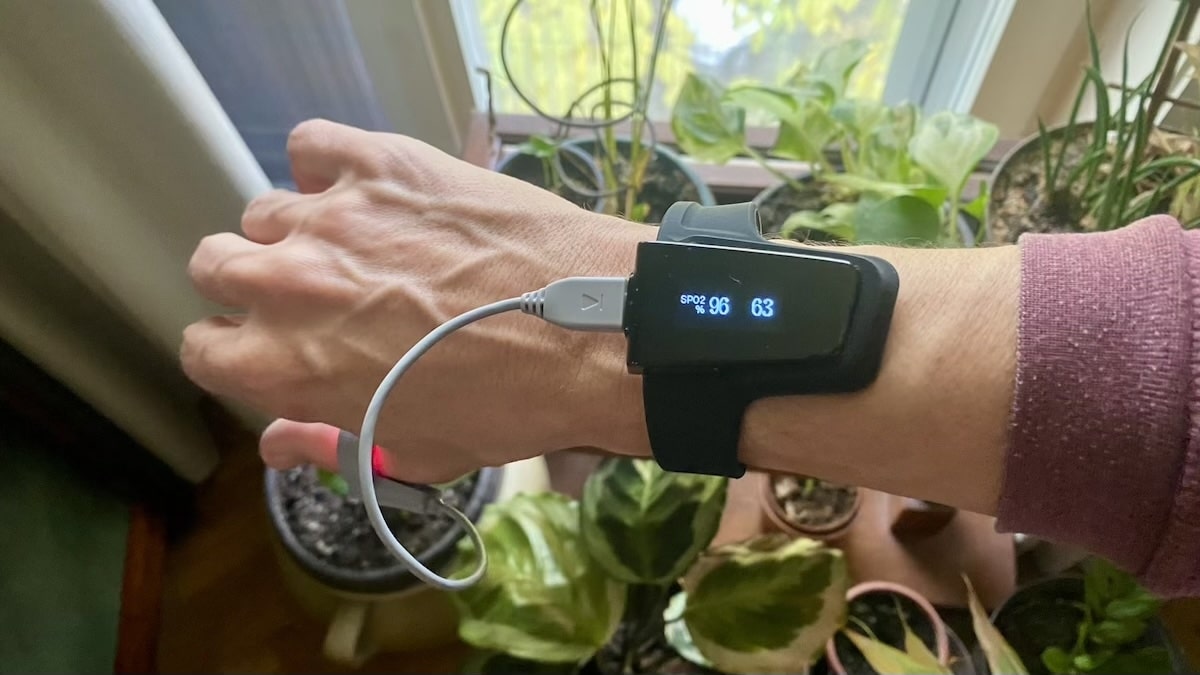
The wrist unit itself is very light, so there is not much pulling on the strap. The finger sensor is more noticeable simply because you have something wrapped around your finger, but it is soft and flexible rather than the hard plastic clip you get with a conventional fingertip pulse oximeter.
It did feel slightly odd the first night I wore it, and I was a bit concerned about the cable getting tangled. However it has not been a problem. It is thin enough that it does not feel restrictive. You do not even have to think about it when turning over in bed.
It’s worth noting, the red light that is shining from the sensor is noticeable at night. But it was not strong enough to distract me in any way.
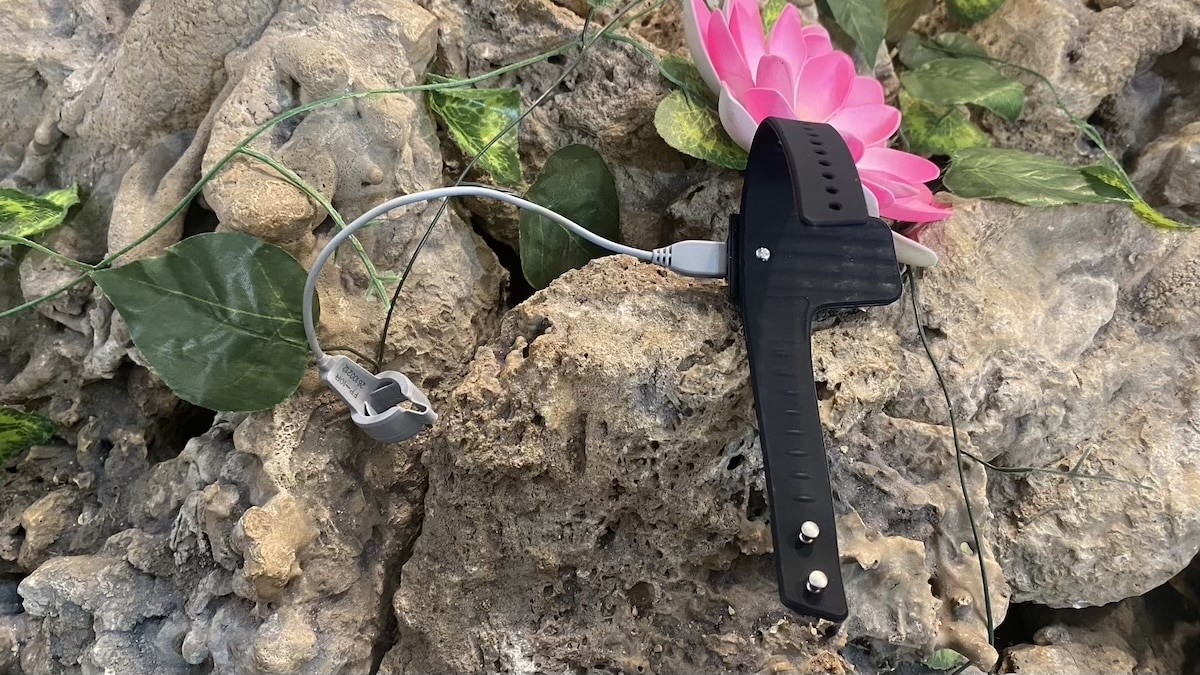
Build quality feels perfectly fine. The screen is small, but it is really handy for quickly checking your SpO2 without having to reach for your phone. The controls are simple too, so there is not much to figure out.
I am less keen on the strap. It uses one of those pin-and-hole closures where you have to push the little metal pin through the hole, and I always find those a bit fiddly. The good news is that once it is on, it stays put really well.
The one thing worth keeping in mind is the IP22 rating. This is not a device I would wear anywhere near a shower, and it is definitely not built for workouts or general daytime use. It is mainly built for overnight SpO2 monitoring and in that sense the design works well.
Setup and everyday use
There really is not much to setting this thing up. You install the ViHealth app, which is also used for other Wellue devices, connect the Checkme O2 Max over Bluetooth and you are pretty much ready to go. I had it up and running within a few minutes as I’ve had the app installed before.
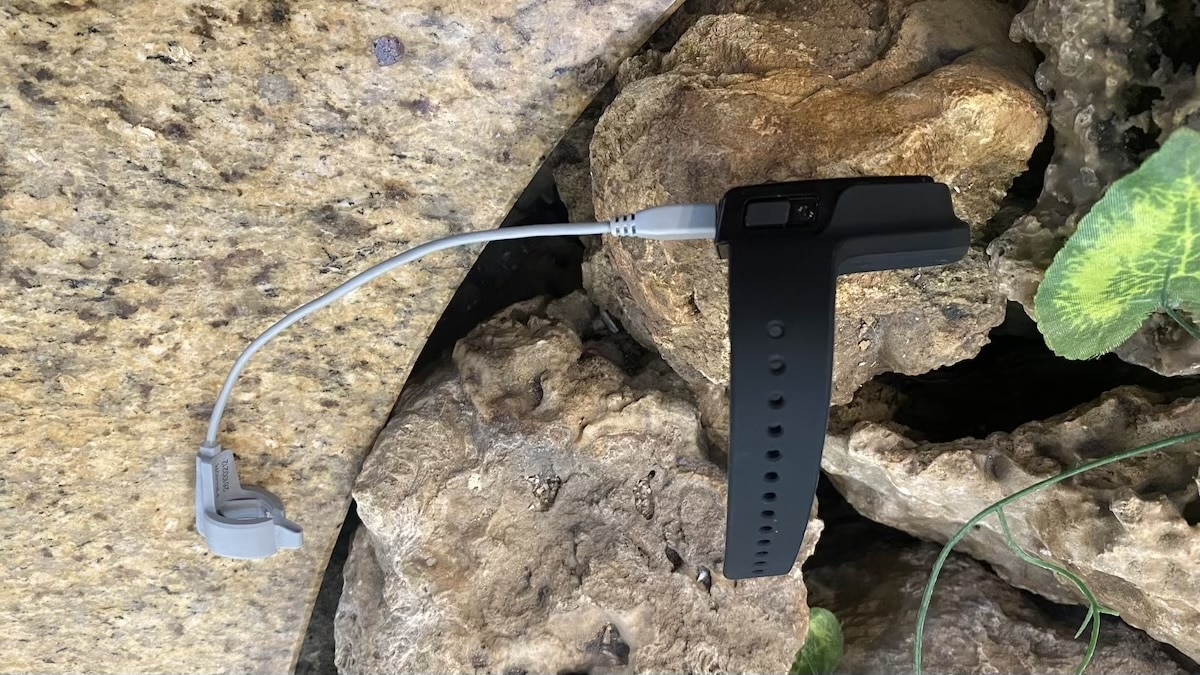
Using it is just as simple. Strap the main unit to your wrist, slide the sensor over your finger and start a recording – there’s a physical button on the side which wakes up the display and allows you to turn the device on and off. You can wear the sensor on your index finger or thumb. I prefer the thumb as I wear a smart ring on my index finger.
As far as wrists, you can wear it on either one. A setting in the app allows you to flip the display depending on which wrist you have chosen. So you do have a bit of flexibility.

Most of the settings are in the app. That is where you can change the oxygen and pulse-rate alert levels, adjust the vibration and look through previous recordings. Once I had all that set up, I barely touched the settings again.
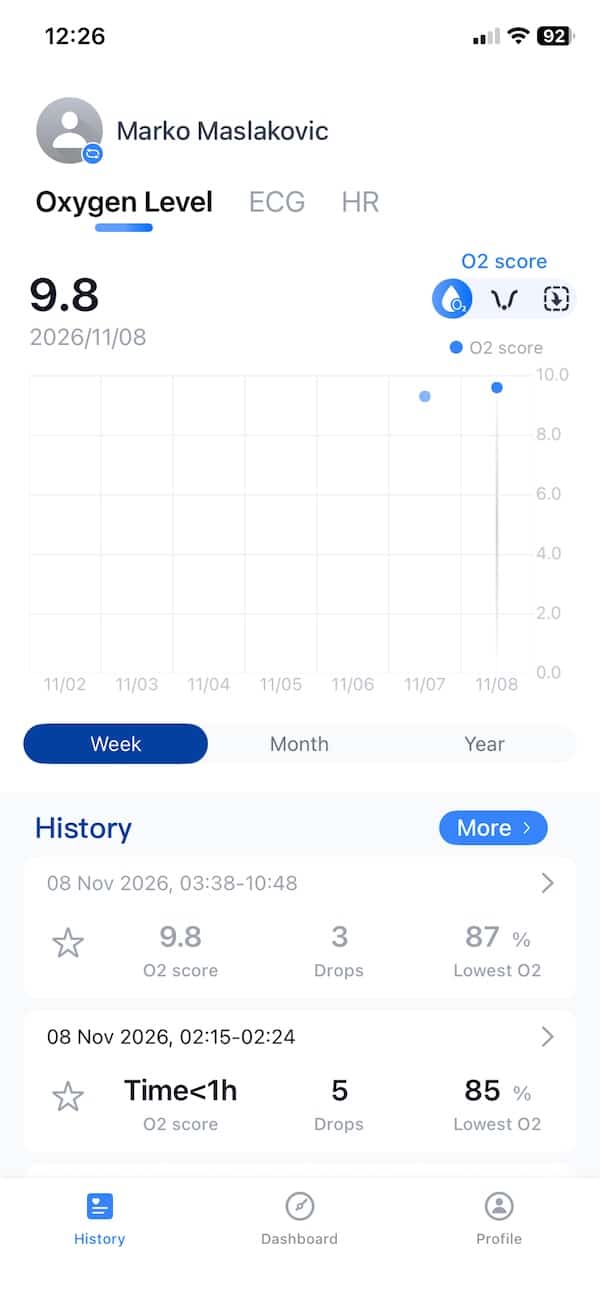
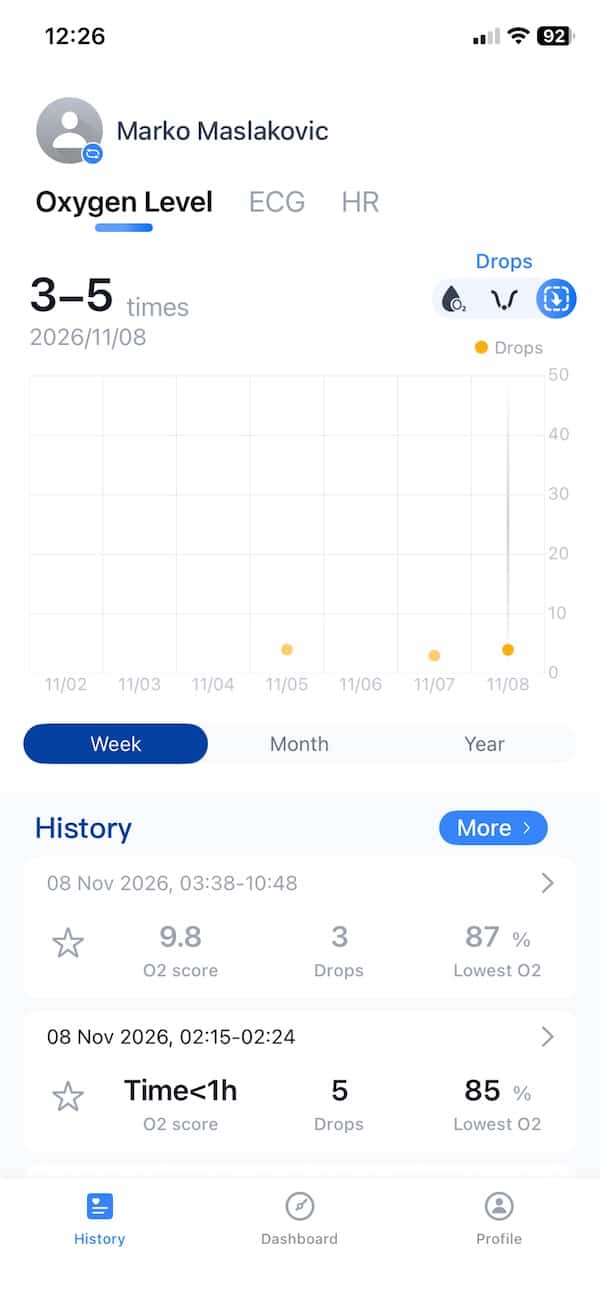
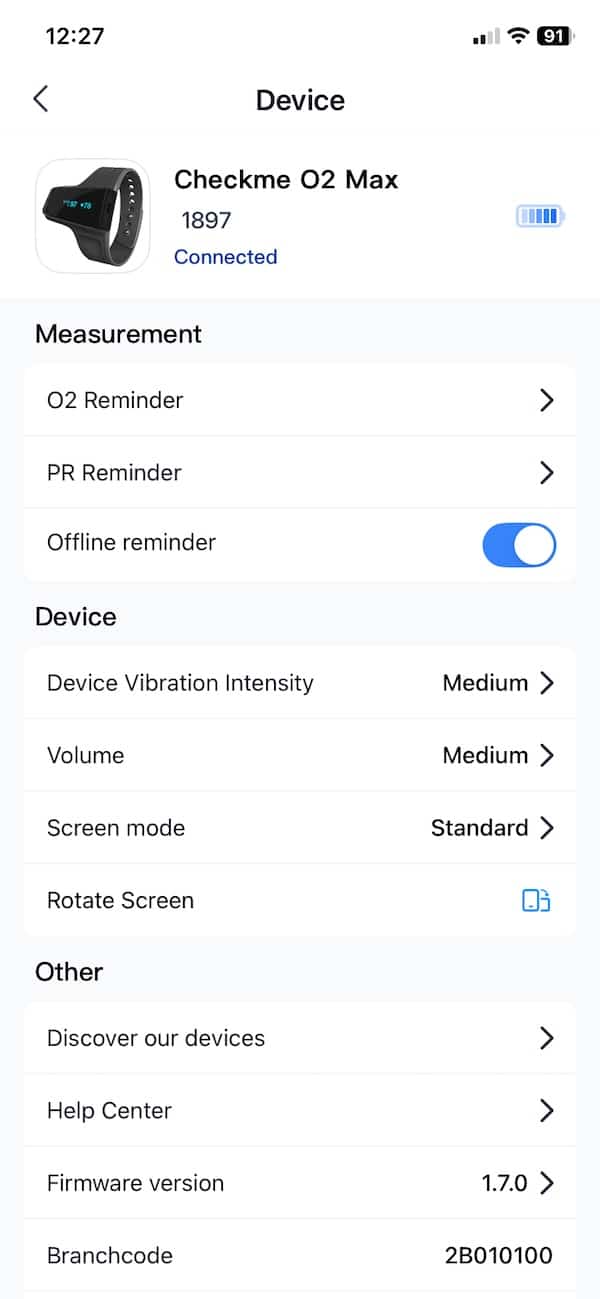
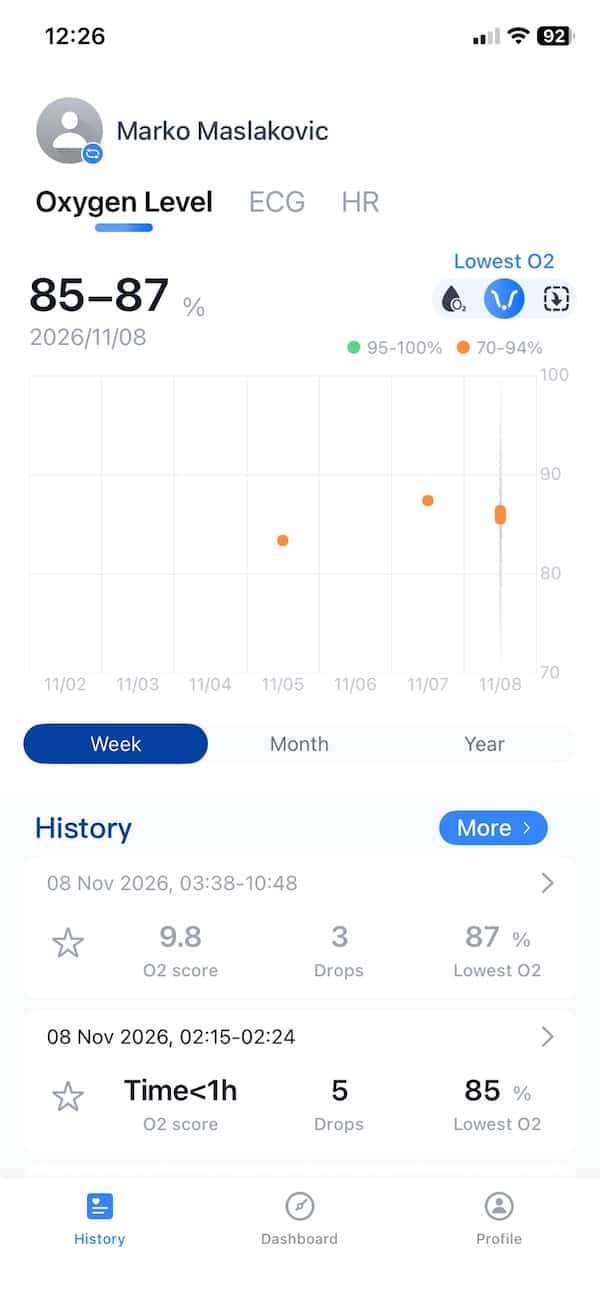
Syncing has been fine for me too. I open ViHealth after a session and the data comes across over Bluetooth instantly. The app itself is nothing special to look at, but it does the job. Your overnight graph, average SpO2, lowest reading, pulse rate and oxygen drops are all easy enough to find.
And that is really how I have been using it. Put it on before bed, check that the finger sensor is sitting properly, then forget about it until the morning. There is very little messing around involved.
Overnight SpO2 tracking
Overnight tracking is where the Checkme O2 Max is most useful. Put it on before bed, leave it running through the night and in the morning you get a pretty detailed picture of what happened to your oxygen levels while you were asleep.
There is a lot of detail here. The O2 Max takes readings very frequently, so shorter drops are much easier to spot. You can see when a dip happened, how low it went and whether things returned to normal straight away or stayed lower for a while.
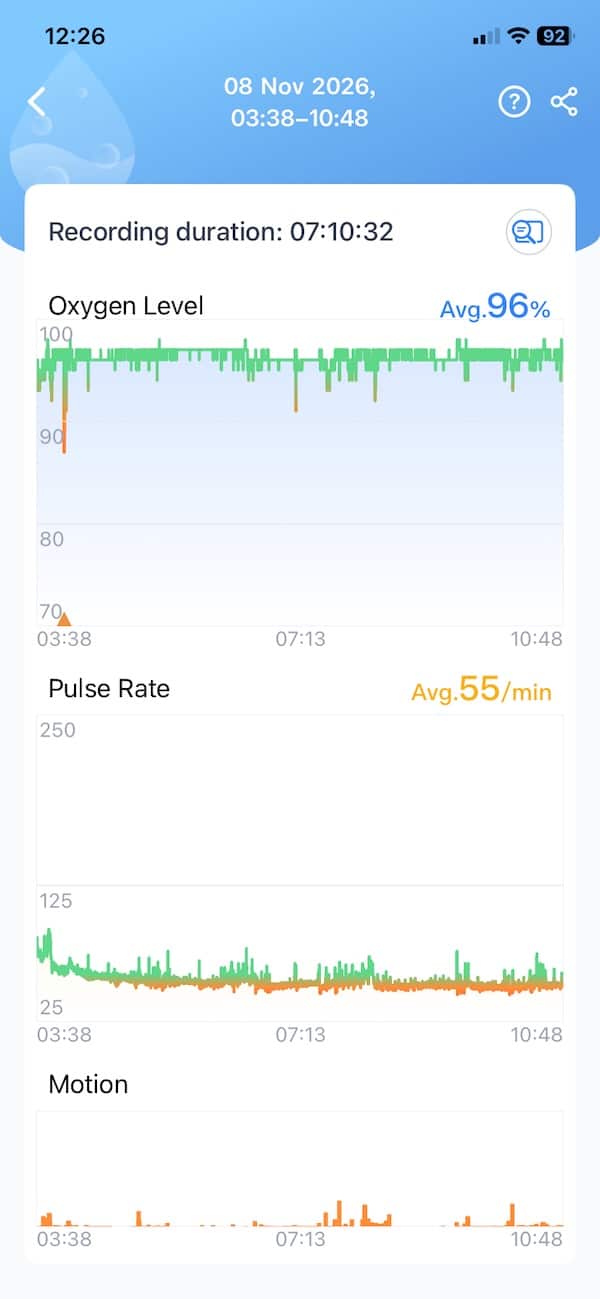
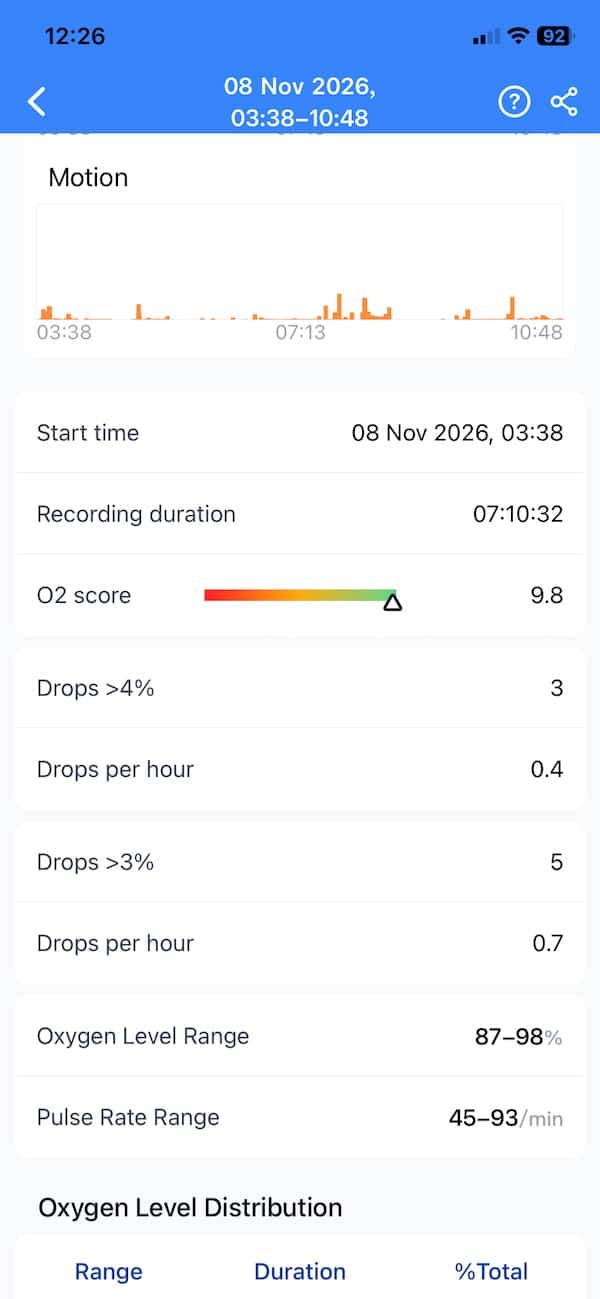
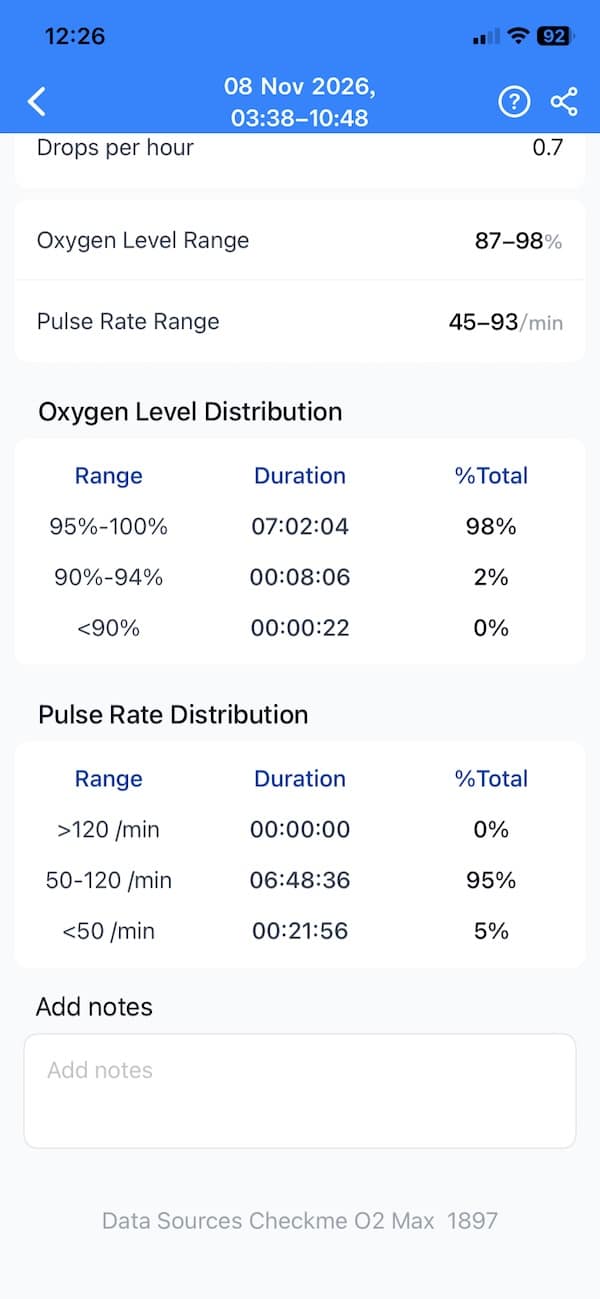
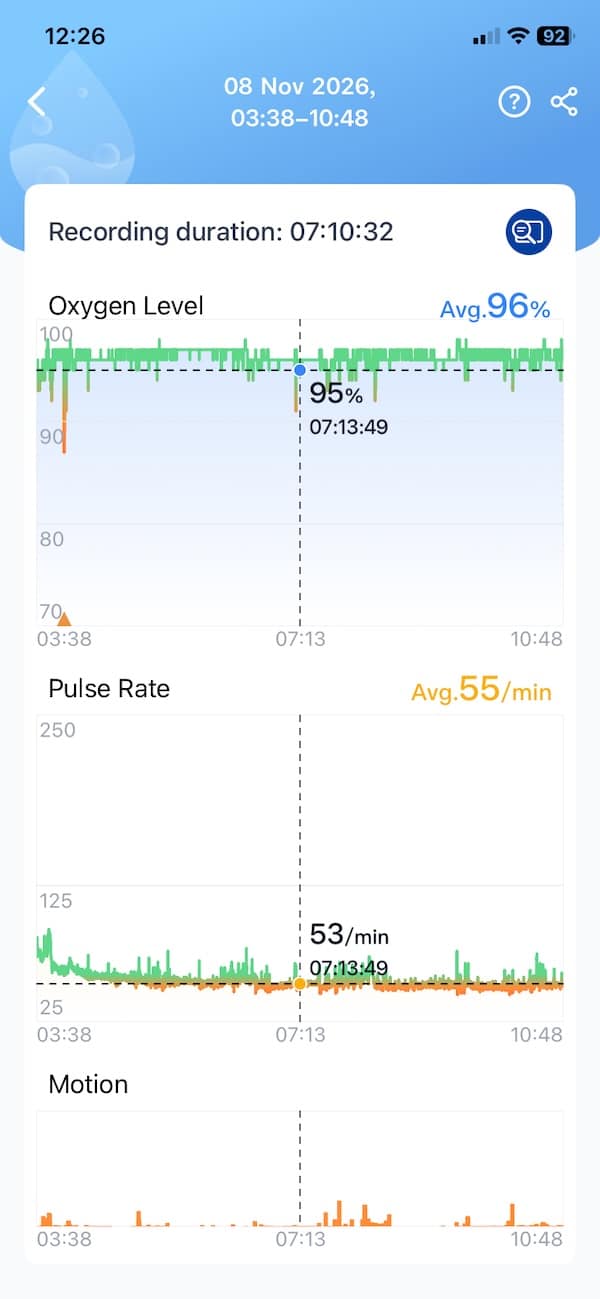
The app also does a decent job of pulling out the main numbers. You get average SpO2, lowest SpO2, pulse rate and the number of oxygen drops, then you can dig into the graph if something catches your eye.
Oxygen and pulse are shown together too, which helps add a bit of context. If there is an odd-looking section in the graph, it is easy to check whether pulse rate changed at around the same time.
That is really the appeal here. You get enough detail to properly look through what happened overnight, but without making the whole thing feel overly complicated.
There is also an O2 Score, although I found the raw data more interesting than the score itself. With something like this, I would rather see what actually happened overnight than have the app boil everything down to a single number.
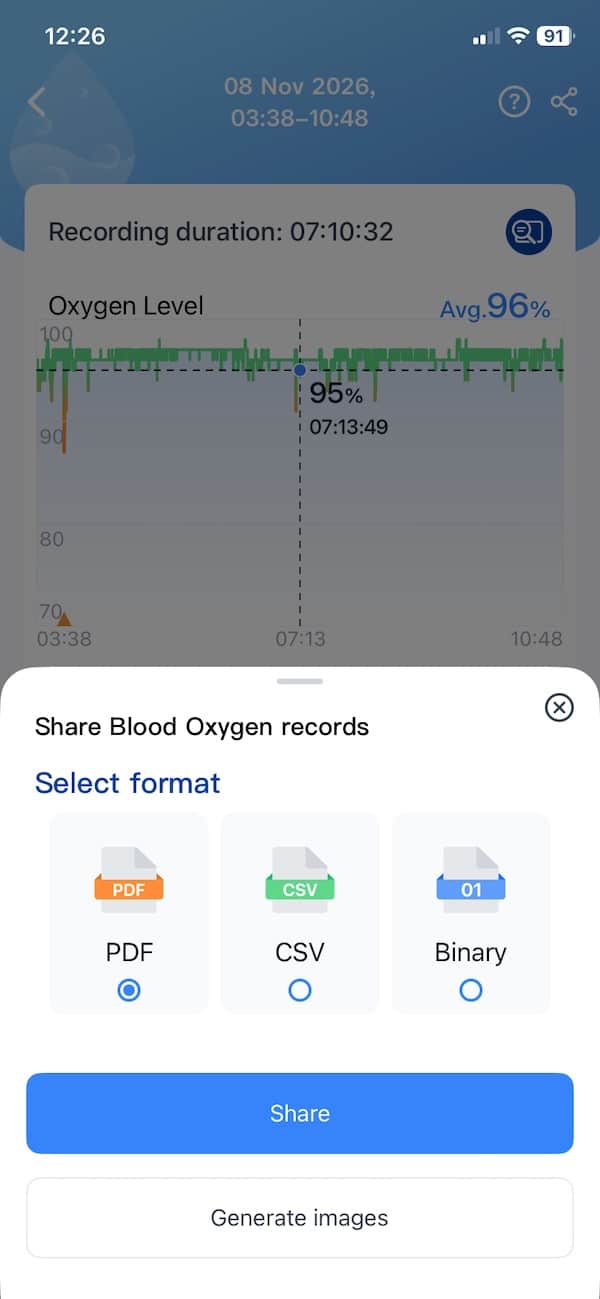
Reports are handled quite well too. You can generate a PDF with the main readings and graphs, which is useful if you want to keep a record or share the results. Data can also be exported, so you are not completely locked into the app.
As far as accuracy, the device looks accurate enough for what it is designed to do. Wellue quotes SpO2 accuracy of ±2 percentage points between 80% and 100%, and ±3 points between 70% and 79%. Its documentation says that accuracy was checked against arterial blood samples measured with a CO-oximeter, and the device meets the ISO standard used for pulse oximeters.
That does not mean every single reading will be spot on. Movement, poor circulation and a loose sensor can all throw things off, especially overnight. But for tracking trends and seeing whether oxygen levels are dropping repeatedly during sleep, the O2 Max looks like a pretty solid option rather than just another rough wellness estimate.
Alerts and vibration
The alerts are one of the things that separate the Checkme O2 Max from a normal watch or ring. You can set your own SpO2 and pulse-rate limits, then have the device vibrate or make a sound if you go outside them.
That is useful because the device is not just sitting there collecting data for you to look at the next morning. It can actually let you know while something is happening. The vibration level can be adjusted too, so you are not stuck with one setting.
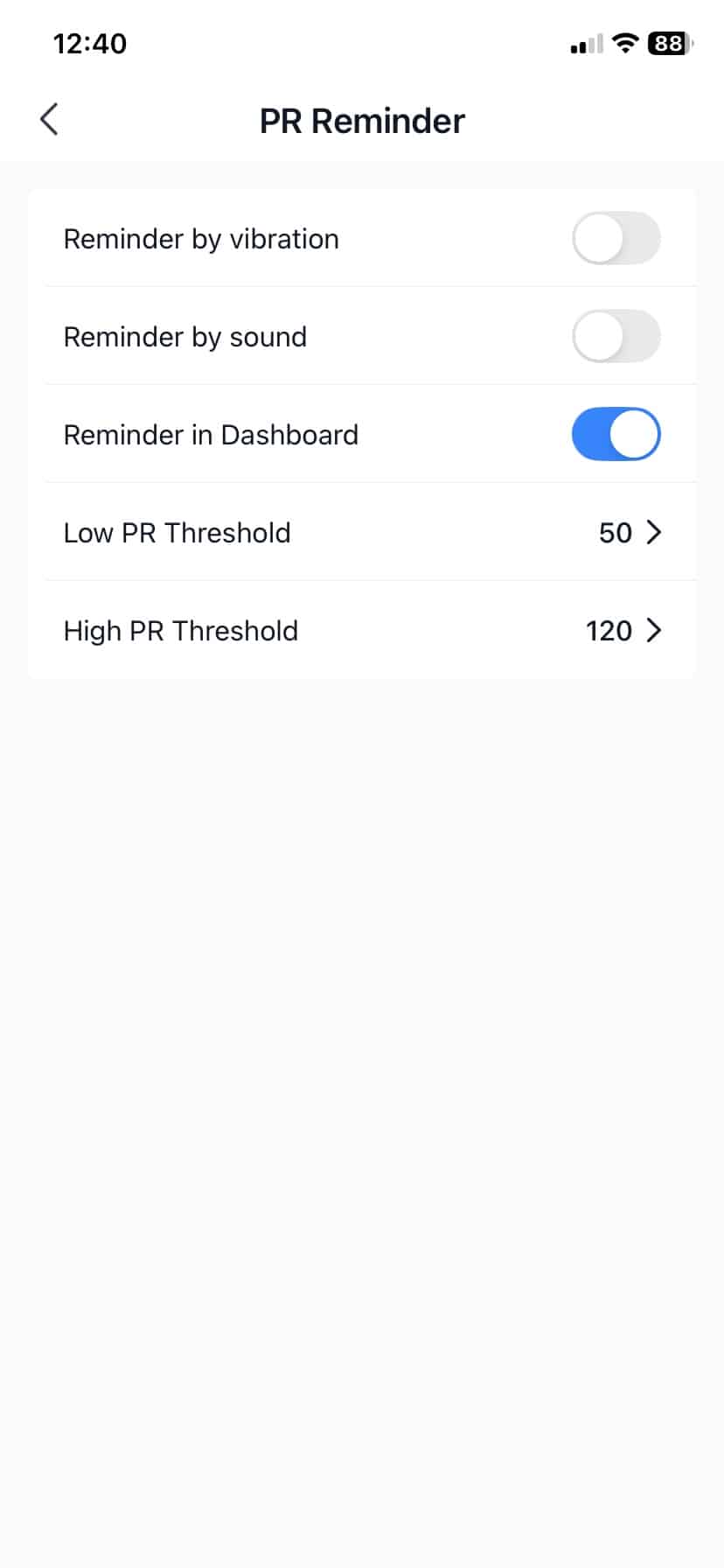
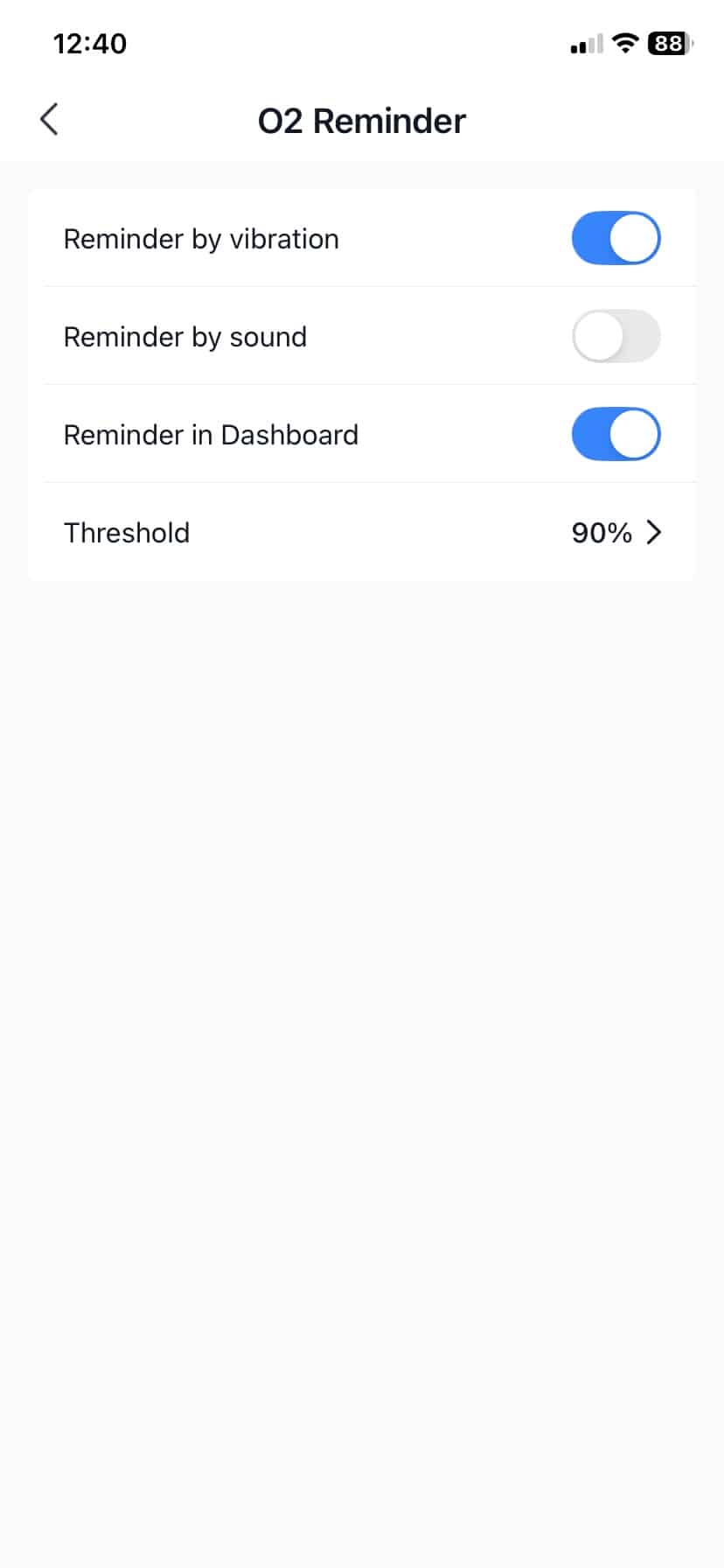
In use, the vibration is pretty noticeable without being ridiculous. Whether it is enough to wake you will obviously depend on how heavily you sleep, but it is certainly stronger than the sort of gentle notification buzz you get from some watches.
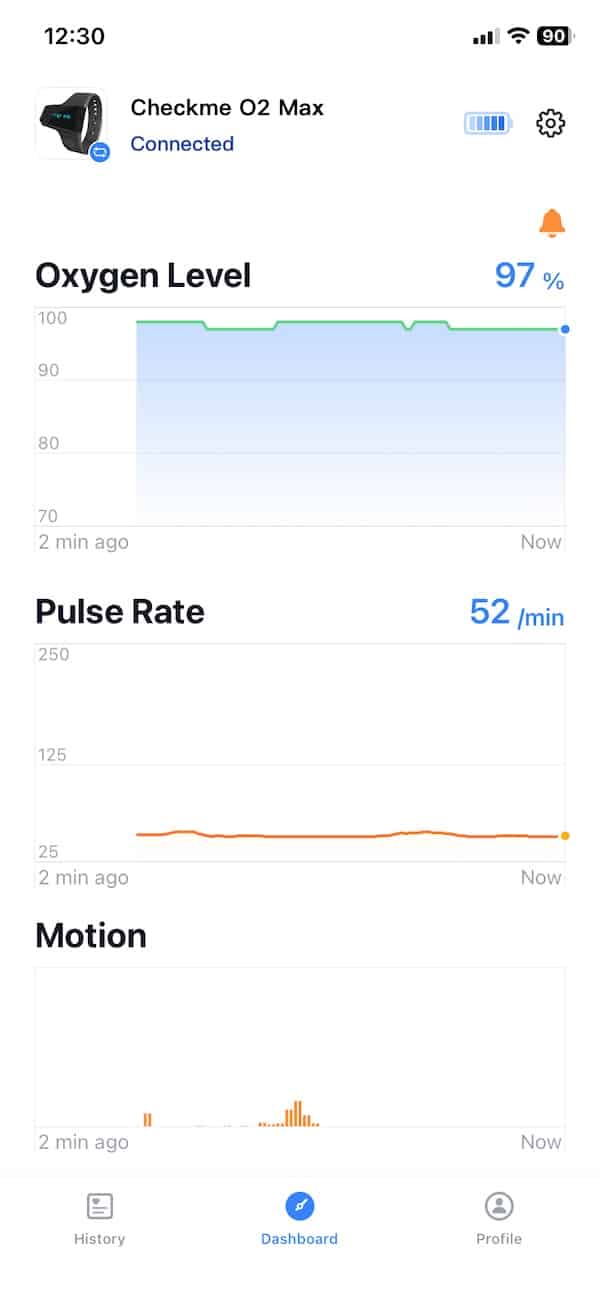
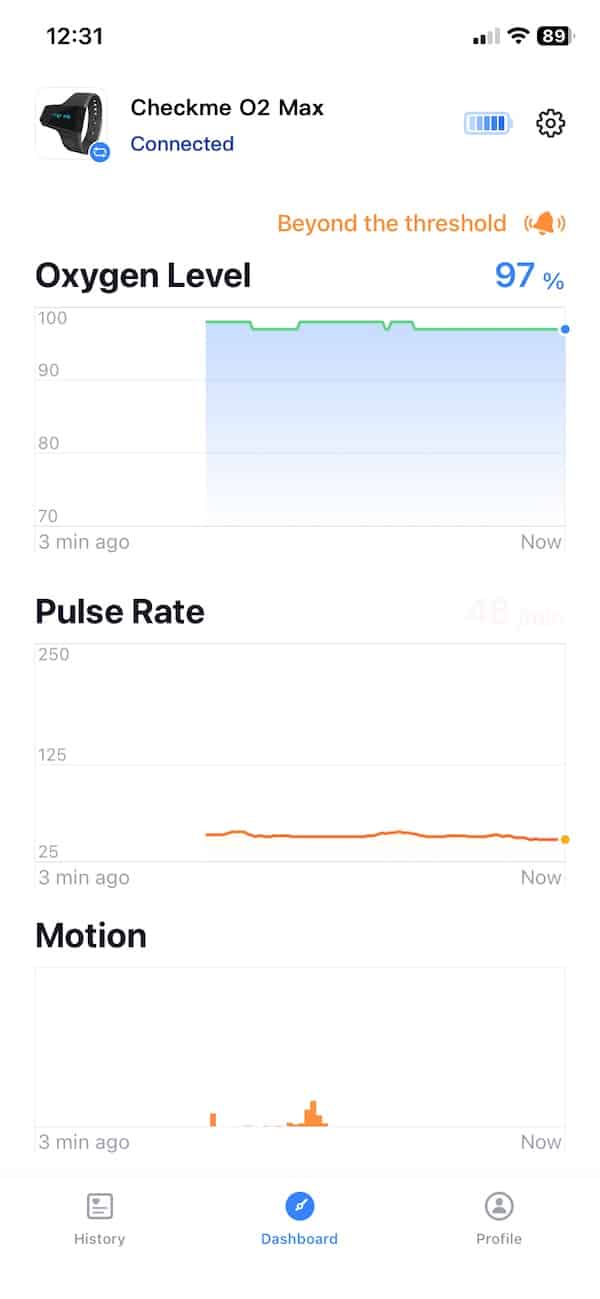
The main thing is to get the thresholds right. Set them too aggressively and you could end up being disturbed by short dips that do not mean much. Set them too low and you may miss the point of having the alert in the first place.
For me, this is more useful than another score or summary in the app. If you are buying a dedicated oxygen monitor, having it react in real time makes a lot more sense than simply collecting another pile of overnight data.
Battery life
Battery life is pretty decent. You can get up to 72 hours, which is more than enough for the way I have been using it. This is not something I am wearing all day, so in real terms it means several nights of monitoring before I need to charge it.
The charging setup is a bit odd, though. There is no USB-C port anywhere on the unit. Instead, the same socket used for the finger sensor also doubles as the charging port. You unplug the sensor, then plug in the supplied cable. That cable has USB-A on one end and Wellue’s proprietary D-type connector on the other, so it is probably one worth keeping somewhere safe.
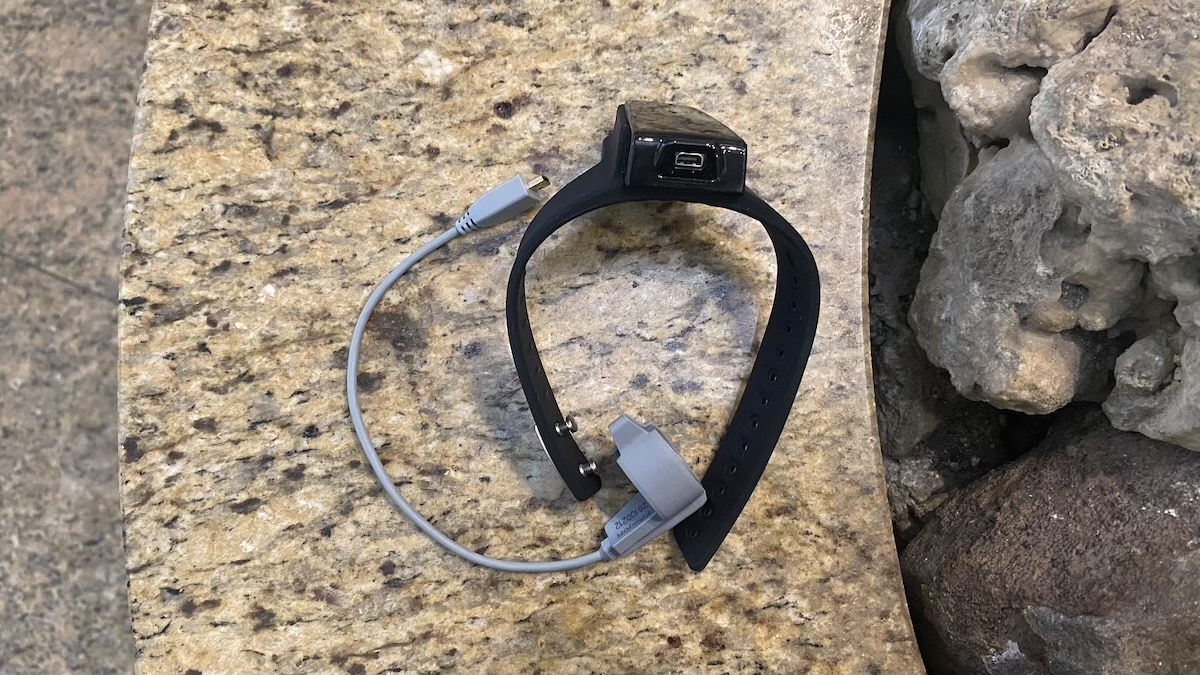
A full charge takes around two to three hours. That is hardly a problem with this kind of device. I just charge it during the day and it is ready again by the time I go to bed.
How it compares with a smartwatch or smart ring
If you already wear a Garmin, Apple Watch, Oura Ring or something along those lines, you are probably wondering why you would need this as well. After all, most decent watches and rings already track blood oxygen while you sleep, and they are a lot less awkward to wear.
The difference is that the Checkme O2 Max is much more serious about SpO2. With a watch or ring, blood oxygen is usually just one metric among many. You get a nightly average, maybe a range and a fairly basic graph. That is fine if you just want a rough idea of what is going on.
The O2 Max gives you a lot more to look at. It records far more frequently, so you can see shorter drops and get a much clearer picture of how your oxygen levels moved during the night. If something looks odd, you can actually go back through the graph and see when it happened rather than just staring at one average number.
The alerts are useful too. You can set a limit and have the device vibrate or make a sound if your oxygen level or pulse rate goes outside it. That is not something I normally get from the watches and rings I test, and it is probably one of the biggest reasons to choose something like this.
I still would not swap my watch or ring for the Checkme O2 Max for normal sleep tracking. It is bulkier, there is a cable involved and it is really something I would only wear at home. But if blood oxygen is the main thing you are interested in, this gives you much more useful information than the usual SpO2 feature on a smartwatch or smart ring.
Don’t miss the latest from Gadgets & Wearables
Subscribe to our monthly newsletter and check out our YouTube channel.
You can also follow Gadgets & Wearables on Google News and add us as a preferred source in Google Search.

