

Speediance Strap Pro review: A fresh take on temperature and recovery
The Speediance Strap Pro gets the hardware side mostly right. It is extremely light, comfortable enough to forget about and, worn on the upper arm, it has stayed firmly in place without gaps in the data. Heart-rate accuracy has also been very good in my testing.
The more unusual temperature features are probably the bit I like most. Speediance goes beyond skin temperature with an estimated core body temperature reading, then uses that for Peak Window, Warm-Up Readiness and Heat Load. It is a different take on recovery and training, and so far I like what Speediance is trying to do with it.
The weak point is the software. Sleep can be wrong by an hour or two, naps are sometimes missed, syncing can be slow and there is no way to edit bad sleep data afterwards. GPS accuracy also needs work, while VO2 max estimates have moved around more than I would expect. The sensors look solid, but parts of the app still feel very first generation.
Still, there is quite a lot to like. Battery life is strong, the app packs in plenty of useful data and there is no mandatory subscription for the core features. Speediance already seems to have a really good piece of hardware here. The software is in a pretty good place too, it just needs a bit more tweaking.
View on Speediance websiteJump to
The regular Strap and Strap Pro are pretty much the same thing day to day. They track the identical health, sleep, recovery, workouts and estimated core body temperature.
The Pro just feels like the nicer version. You get titanium instead of steel, it is noticeably lighter at 21g, it adds the EDA sensor and you get the upper-arm band in the box.
Design and comfort
The Speediance Strap Pro is basically a put-it-on-and-forget-about-it kind of wearable. I have been testing it on my upper arm rather than my wrist, so that is what this review is based on. And in that position, it has been very easy to live with.

The whole thing feels really light. The Pro weighs 21g with the band, and on the upper arm I barely notice it is there. It sits flat against the skin, stays firmly in place and does not bounce around during exercise. I have not had any gaps in the data from poor skin contact either, which is always one of the things I watch for with this kind of device.
Sleep has been just as easy. No pressure points or digging in and no need to loosen it before bed. I can wear it all night without thinking about it, which is exactly what you want from something that is supposed to collect recovery and sleep data around the clock.
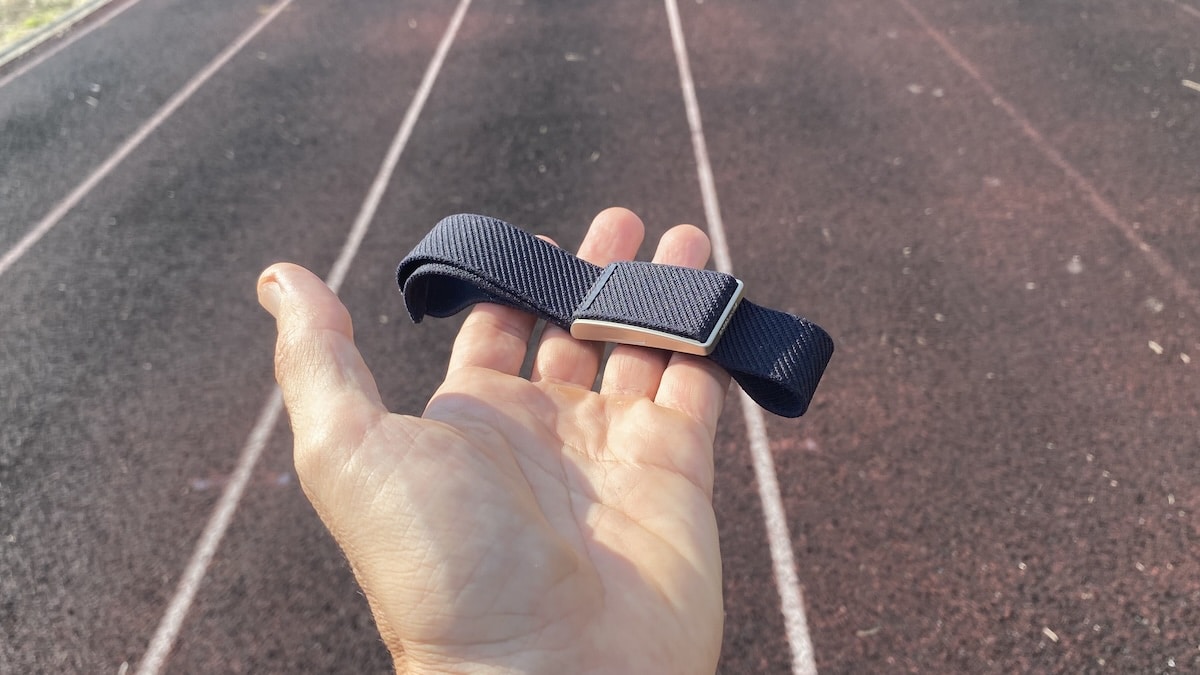
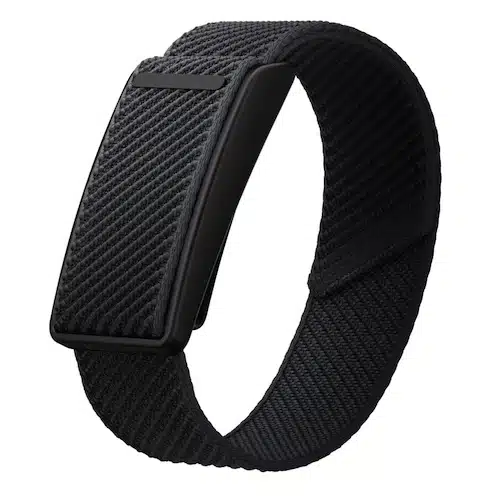
The general design is quite similar to WHOOP. There is no screen, buttons or LEDs flashing away at you. I have worn WHOOP for years, and more recently Fitbit Air, so this feels very familiar. You put it on and leave it alone.
The titanium body helps give the Pro a more premium feel than you might expect from a screenless band. I’d say, the whole thing feels nicely put together.

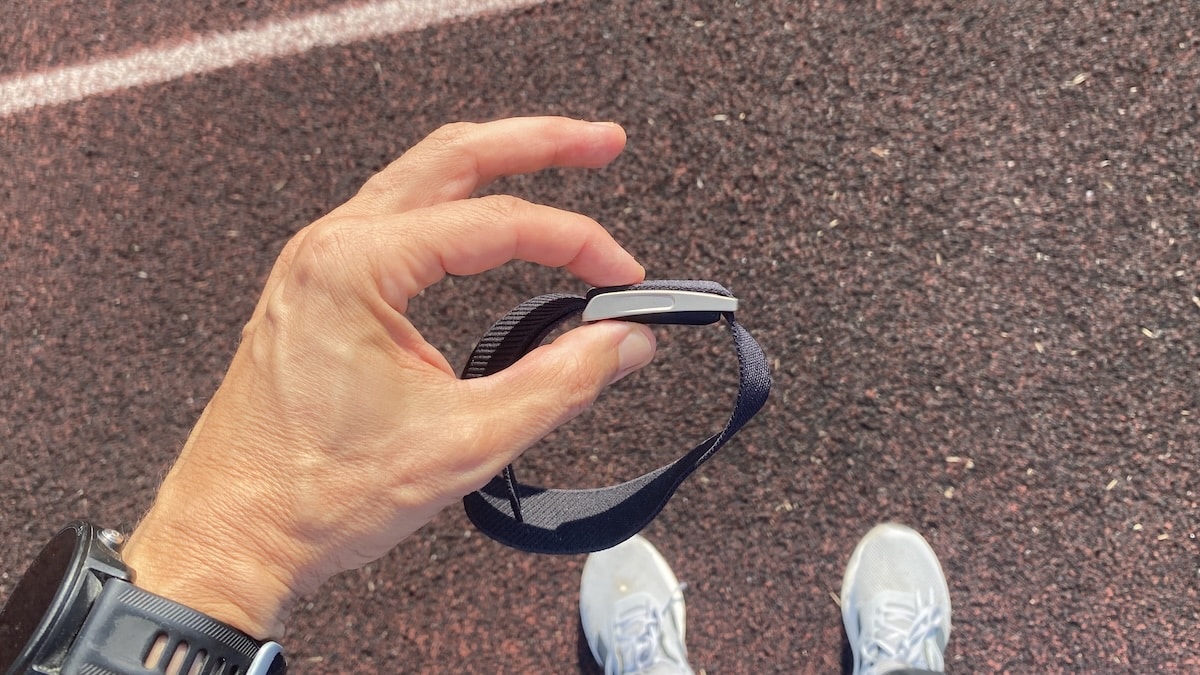
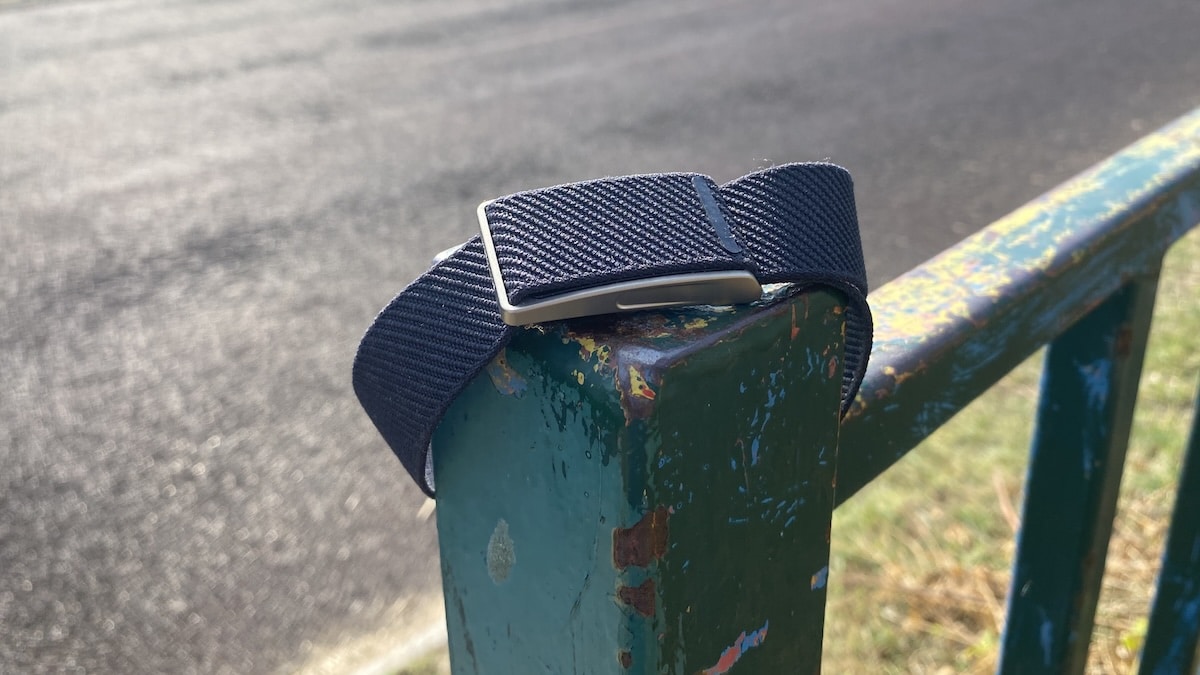
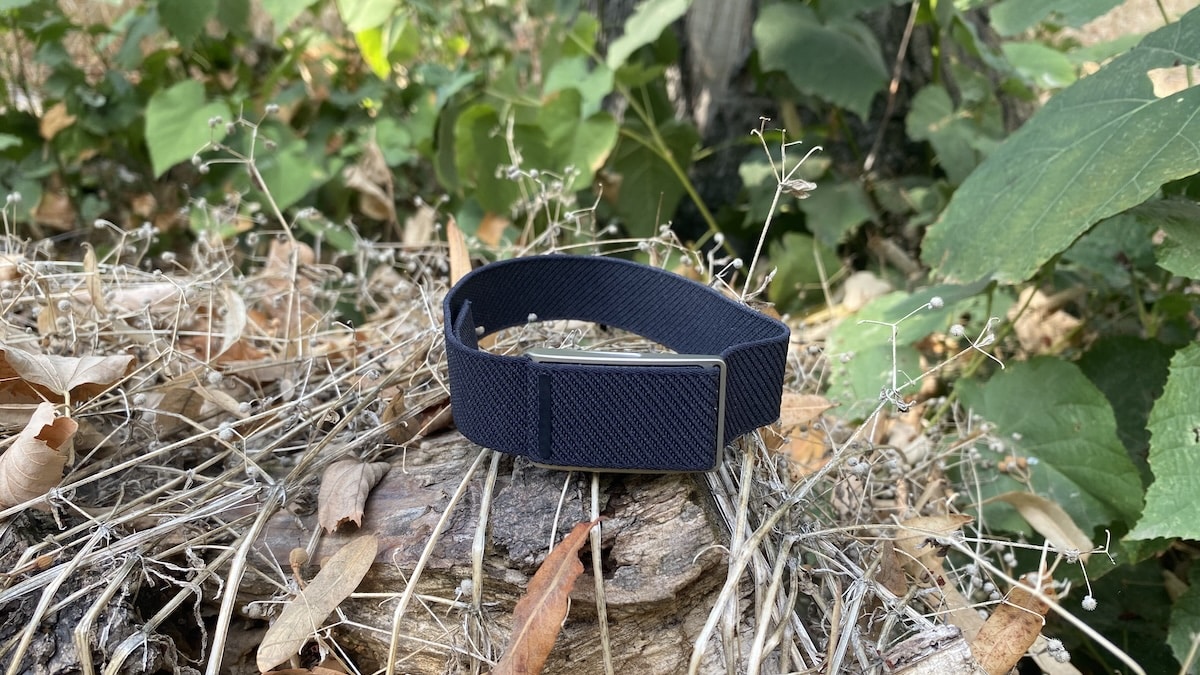
The strap itself also feels good. With the Pro you get both a wrist and upper arm band. The only difference between them is the length. But the quality of the strap is good. It handles sweat well, feels secure and is easy to put on and take off.
So what you get essentially is your run-of-the-mill screenless band. A perfectly nice design. The look and feel is slightly different than the other options I have tried. But the idea is the same. Wear it, forget about it, check the app later.
The Speediance app and everyday use
The Speediance Strap has only just launched, so this is very much first-generation software. At first glance, though, the app does not really feel that way. It looks polished and there is a lot going on. Spend more time with it and a few rough edges start to show, but most of these feel like the sort of things Speediance should be able to sort out with updates.
First off, the app itself is nicely designed. You get all the usual stuff, heart rate, resting heart rate, HRV, SpO2, respiratory rate, stress, steps, sleep, recovery and more. There are also a few less common metrics thrown in that I have not really come across elsewhere. But more about these alter.
The good news is that the sensor side seems solid. The readings I have been getting look very much in line with my other devices, and nothing has jumped out as obviously wrong with heart rate, HRV or steps. There are small differences, of course, but nothing wildly different from the WHOOP and Fitbit Air I have also been wearing.
The home screen gives you the big-picture scores, while the Wellness Monitor lets you dig into the individual readings. There is plenty of data here, but it is laid out well and does not feel overwhelming. You can open the app and pretty quickly see if something looks out of whack.


There is also a Wellness Age, which estimates whether your fitness age is older or younger than your actual age. It takes things like VO2 max, sleep, resting heart rate and activity data into account, and there is also a pace-of-aging chart. It is nice to be told I am nine years younger than my actual age. But I have seen enough of these metrics over the years to take them with a fairly large pinch of salt.
Recovery is handled in a pretty familiar way. You get a daily score built around sleep, HRV, resting heart rate, stress and recent training load. Cardio Load sits alongside that to show how much strain you have been putting on yourself, and there is also a Load Balance view comparing your 7-day and 28-day cardio load. So Speediance gives you quite a bit more than just a single green or red number each morning.
Sleep is where I have had more problems. On some nights, the Strap has decided I went to sleep an hour or two before I actually did. That would not be a huge problem if you could simply correct it afterwards, but right now there is no option to edit the sleep start or wake time. It also does not always pick up naps, so once the algorithm gets something wrong, you are basically stuck with it.
To be fair, I do run into similar sleep issues with WHOOP from time to time. The difference is that WHOOP lets you edit the data afterwards. A simple edit option in the Speediance app would fix a lot of this.
Syncing can also be pretty slow at times. Sometimes you open the app and just have to wait while everything catches up. It is not a deal-breaker, but it does add to the feeling that some parts of the software are still a little early.
Now don’t get me wrong. The hardware and sensors seem good, and Speediance is collecting a lot of useful data. The app is ambitious too, with recovery, stress, cardio load, sleep scoring, Wellness Age and plenty more packed in. But it still needs a bit more polish.
I would much rather have a wearable that occasionally gets sleep wrong but lets me fix it than one that simply locks the result in place. Speediance already seems to have the harder part sorted, which is a solid sensor package and plenty of useful metrics. Now the software just needs to catch up a little.
Core temperature and thermal features
As mentioned, there are a few more unusual metrics that can be found here. And this is probably my favourite part of the Speediance experience.
The Strap does not just track skin temperature and leave it at that. It also estimates core body temperature by combining skin temperature with heat-flow sensing, ambient conditions and physiological modelling. That extra heat-flow sensor is the key difference, because skin temperature alone is too easily affected by things like room temperature, sweat and blood flow to reliably estimate what is happening deeper inside the body.
The number itself is less interesting than what Speediance does with it. You can see how your core temperature is moving relative to your normal range, and the app also folds that data into things like sleep timing and daily guidance. I like that approach because it feels like the temperature sensor is there for a reason, rather than just adding another graph to scroll through.
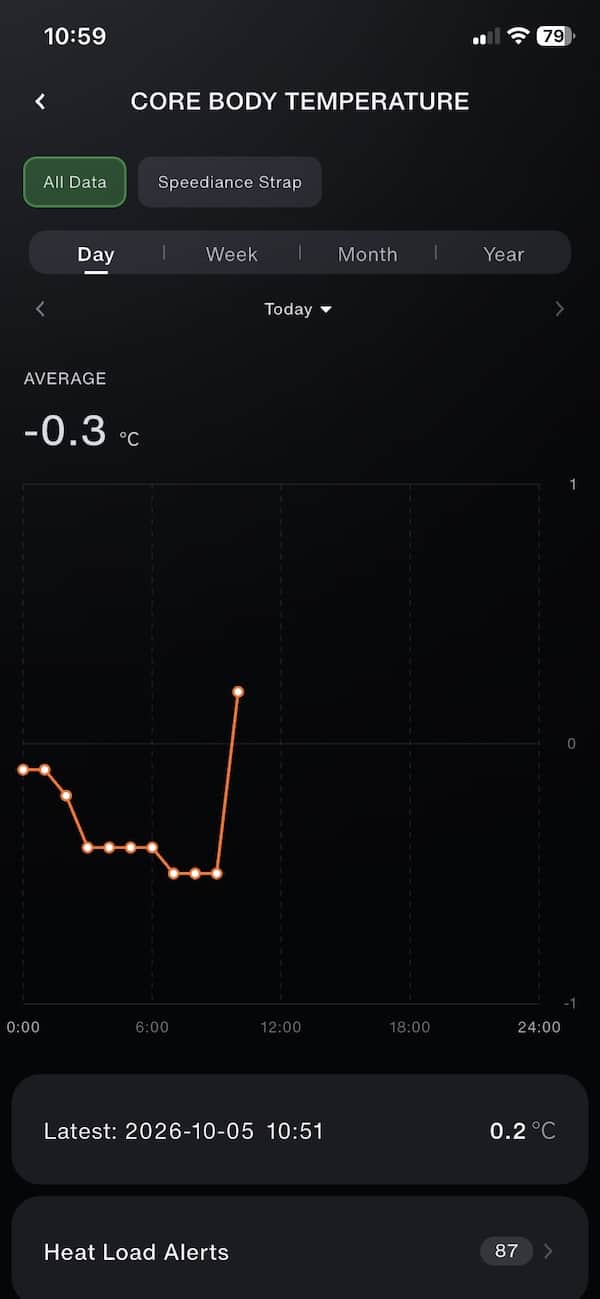
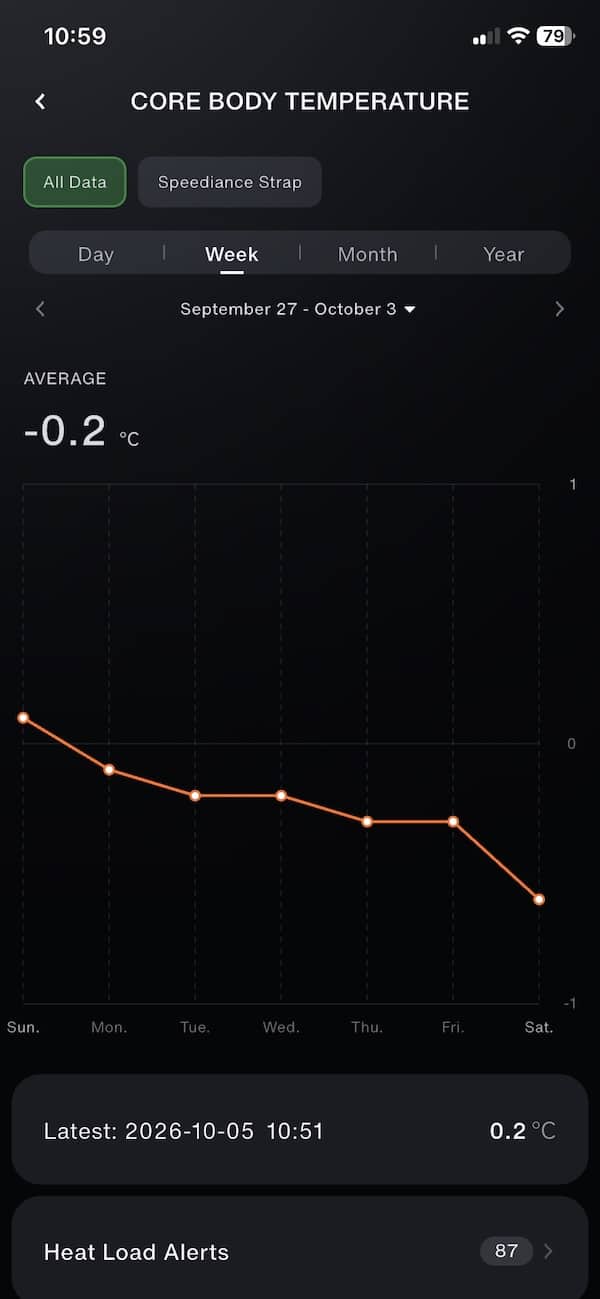
Then you get Peak Window, Warm-Up Readiness and Heat Load Monitoring.
Peak Window tries to identify the part of the day when your circadian rhythm and temperature trend may line up better with harder training. For me, it’s usually between 5 and 8pm.

Warm-Up Readiness is also very useful. Just before you start an exercise, it looks at your reading. If it is too low, it tells you that you need to warm up more. I am guilty of almost never warming up properly before running – so something like this is great.

And finally, once you start exercising you get Heat Load Monitoring. This watches how much thermal strain is building up during a session.

I have not personally come across another wearable that packages temperature data in quite this way. Plenty of devices track skin temperature overnight, but Speediance is trying to turn thermal data into something you can actually use around training and recovery. That makes it feel a bit fresher than the usual sleep score, recovery score and HRV combination.
You also see some of this spill over into sleep. The app plots your sleep timing alongside your lowest core temperature point and uses that to help build a suggested bedtime window. Again, I would not treat any of this as gospel, but I like the direction Speediance is taking here.
EDA and stress tracking
Both the Pro and non-Pro models track stress, using heart rate and HRV as part of the picture. The Pro goes a step further with a real-time Stress Score dashboard and minute-by-minute tracking, and it also has the extra EDA sensor. This sensor is still unusual in the screenless band market, and most of Speediance’s direct rivals do not currently offer it.
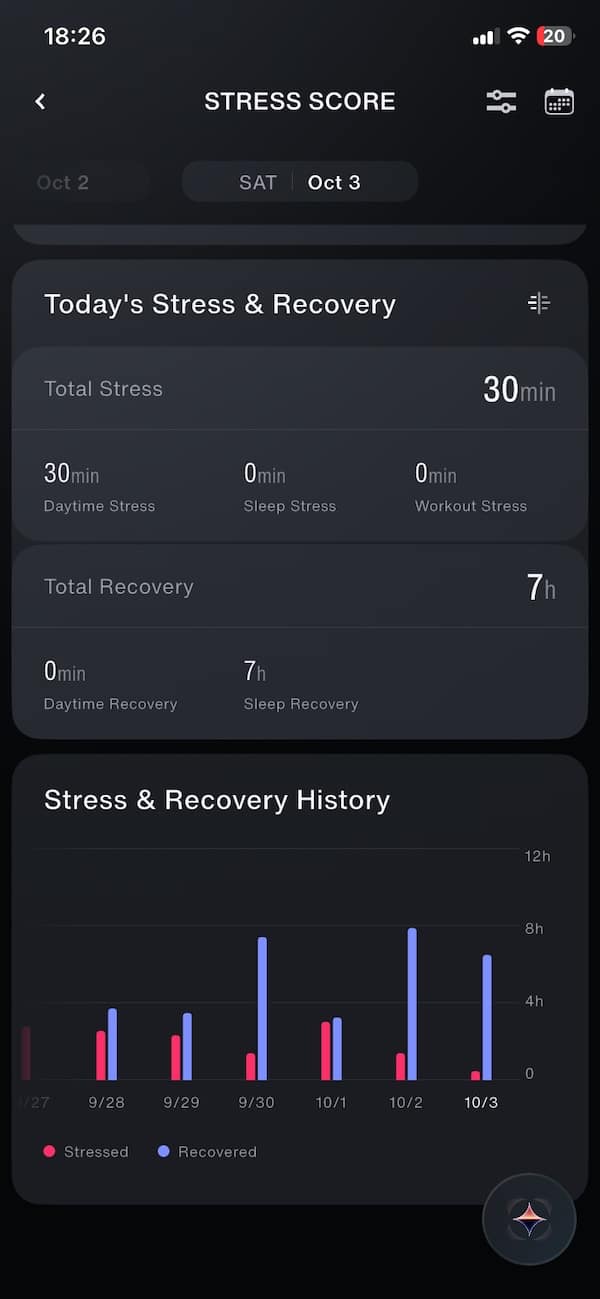
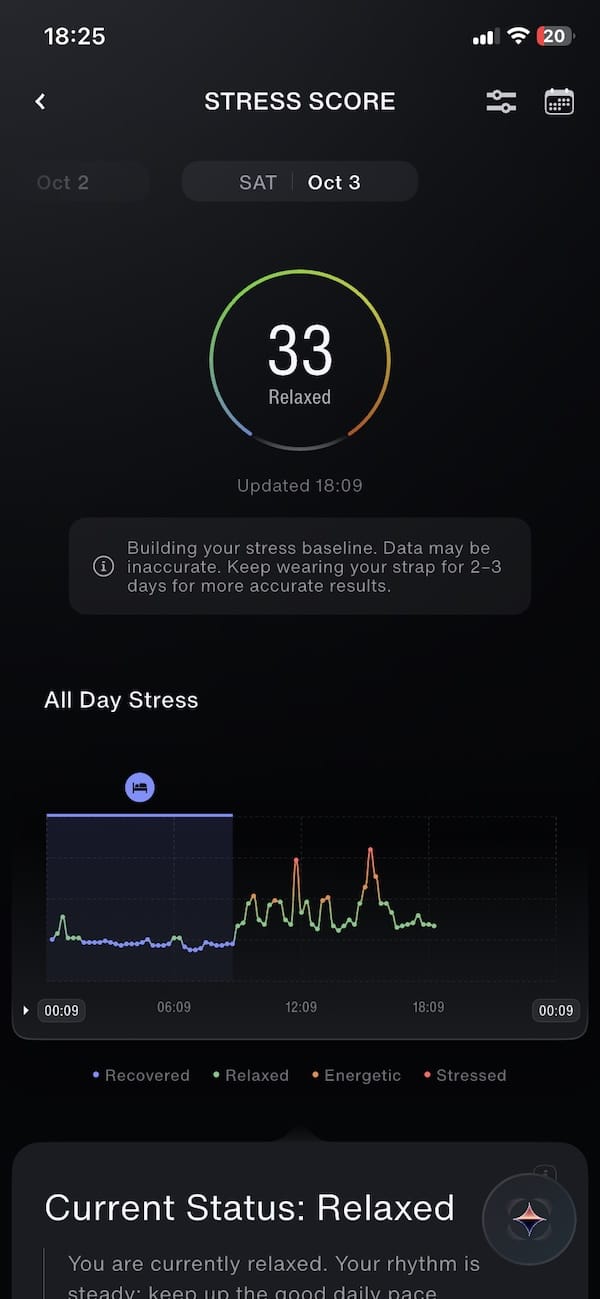
Speediance does not show you raw EDA data, though. It sits in the background rather than giving you another graph to obsess over. So far, the stress readings have looked sensible enough, but I see this more as a trend to follow than something to take too literally.
Exercise and heart-rate accuracy
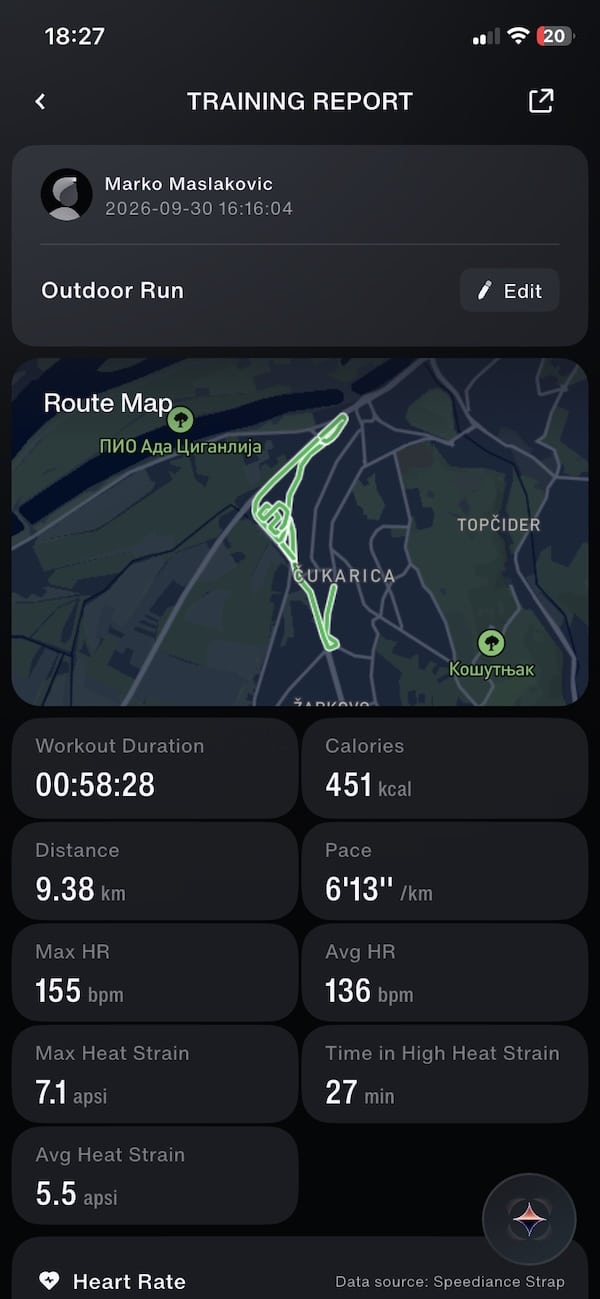
Exercise tracking has been a bit of a mixed bag, but the heart-rate side has impressed me. A good example is a 10K outdoor run where I wore the Speediance Strap Pro on my upper arm and used a Garmin paired with a Frontier X2 chest strap as the reference. The numbers were extremely close.
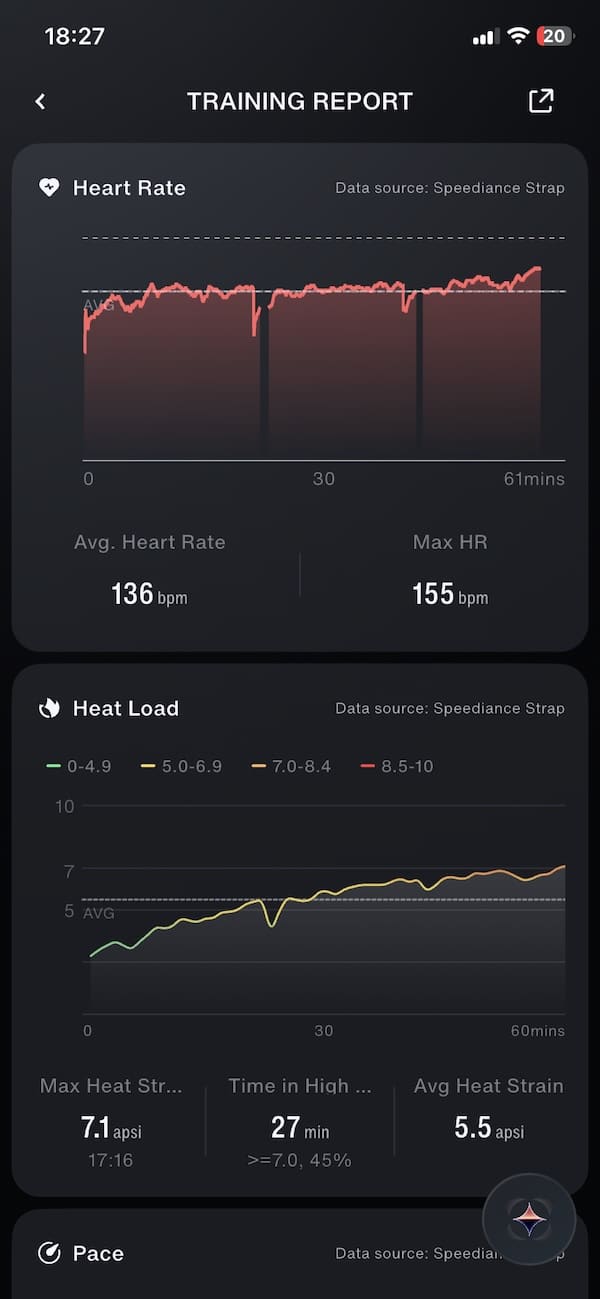
Speediance recorded an average heart rate of 136 bpm and a maximum of 155 bpm. The Frontier X2 came in at 138 bpm average and 156 bpm max. That is about as close as I could reasonably expect from an optical sensor, particularly over a run lasting close to an hour.
The heart-rate graph looks good too. Wearing it on the upper arm probably helps here, as that position tends to give optical sensors an easier time than the wrist.
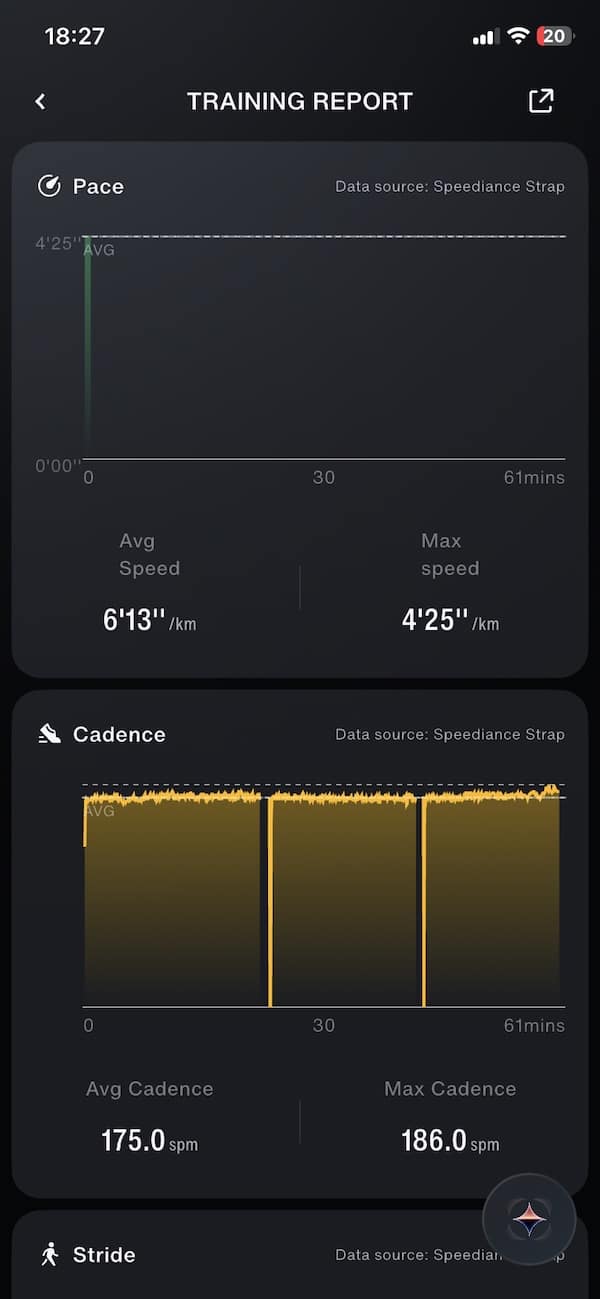
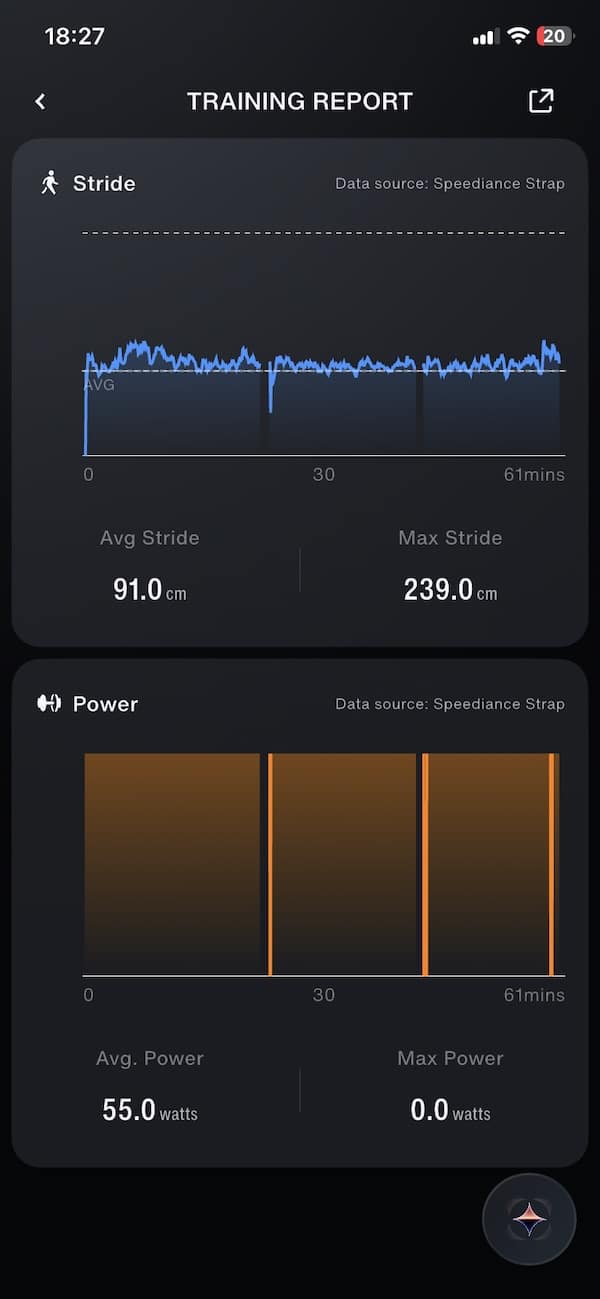
Some of the running dynamics lined up well too. Both systems recorded an average cadence of 175 spm and a maximum of 186 spm. Speediance estimated average stride length at 91cm, compared with 98cm from Garmin, so there was a bit more difference there.
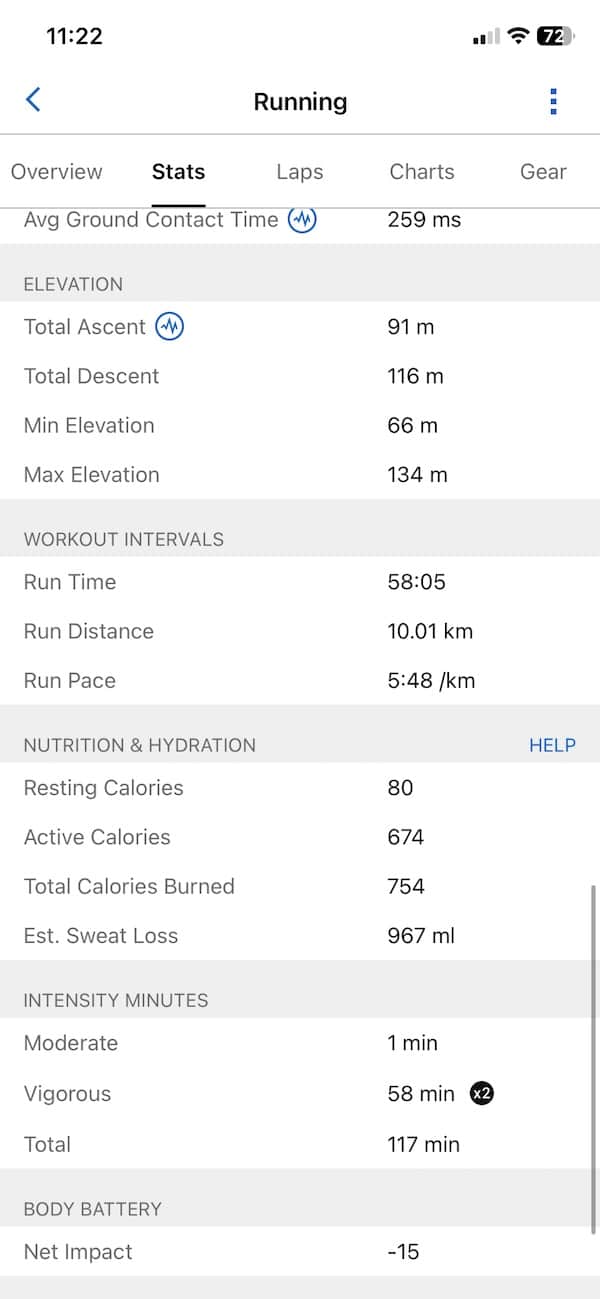
GPS is where things went off track. Garmin recorded 10.01km in 58:05 at an average pace of 5:48/km. Speediance recorded 9.38km in 58:28, giving me an average pace of 6:13/km. That is roughly a 6% difference in distance, which is too large to ignore.
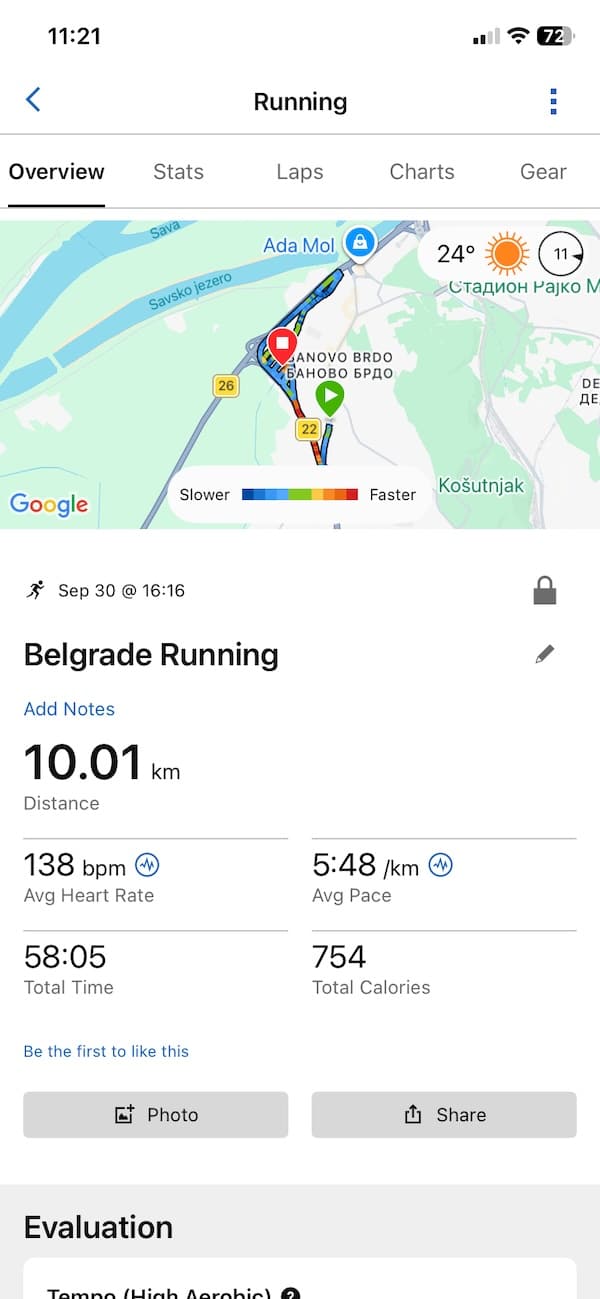
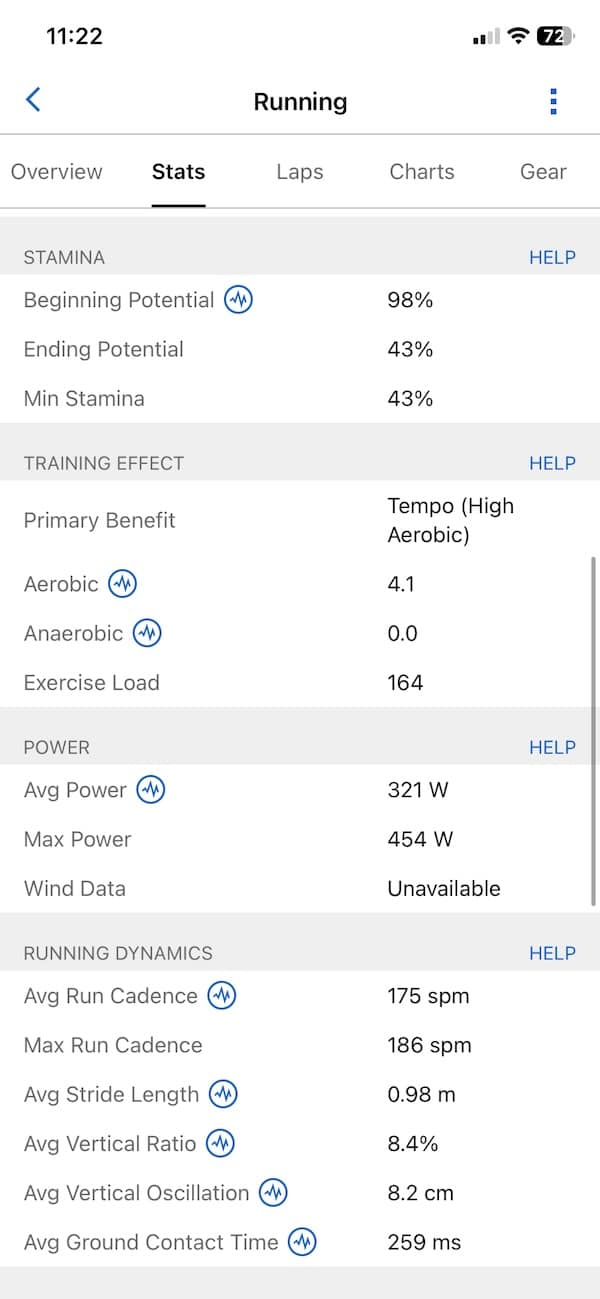
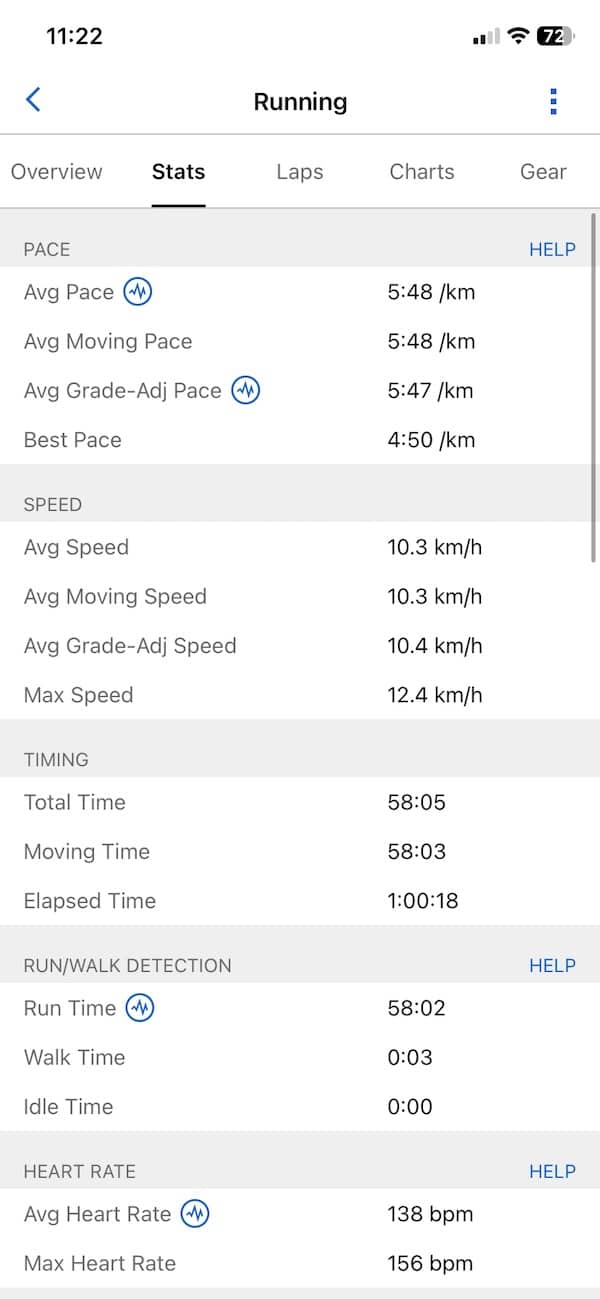
The explanation is likely the GPS setup. Speediance does not have GPS built into the band, so outdoor tracking relies on connected GPS from your phone. Garmin was using its own GPS hardware. And this result is consistent with other runs I tracked – for the most part the Speediance Strap underestimated the distance.
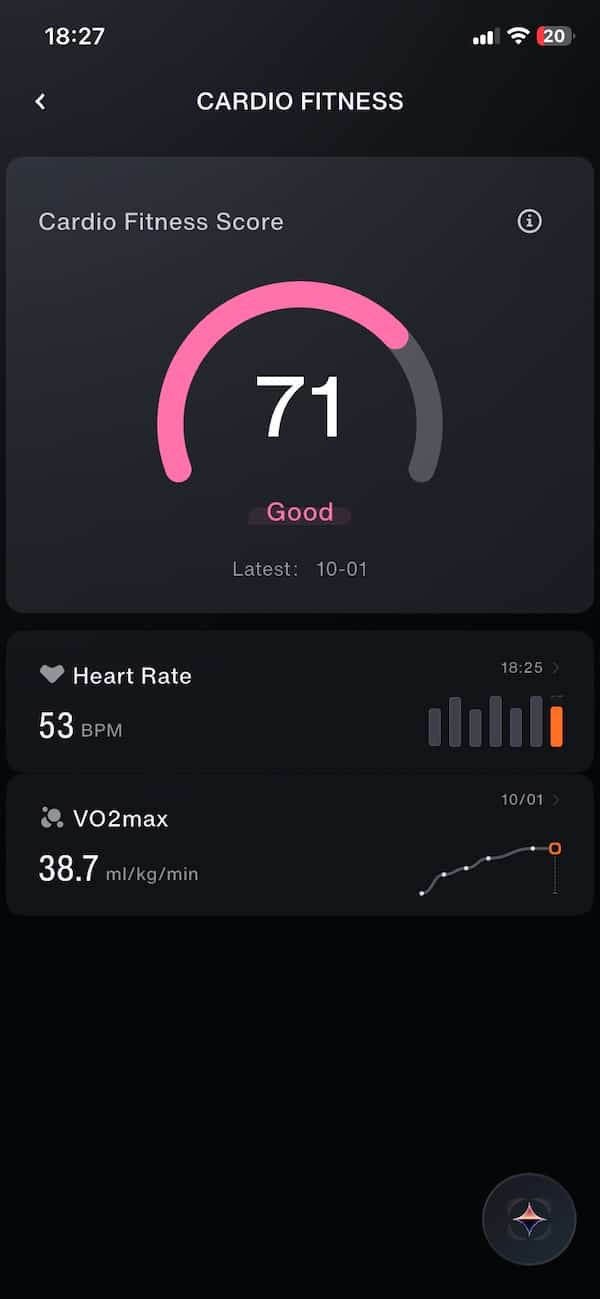
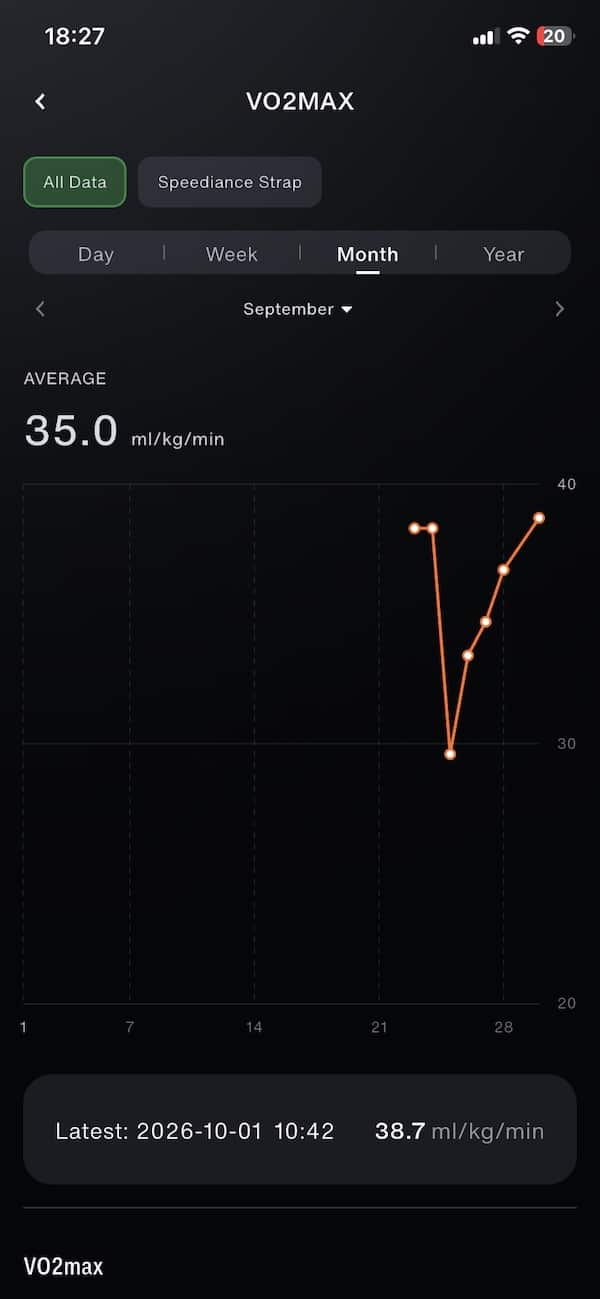
The workout reports gives you plenty to look through afterwards. Along with heart rate, pace and cadence, Speediance estimates VO2 max and provides cardio load and other training metrics. My latest VO2 max estimate was 38.7 ml/kg/min. However it did swing wildly in the space of one week. Most wearables give you the estimate after a few weeks of testing – Speediance does this much earlier which may be part of the problem.
So there are still some software rough edges around workouts as well. But purely on heart-rate accuracy, my testing was very encouraging.
Battery life
Battery life has been pretty much as advertised. You can easily get more than a week with everything switched on. I have been wearing the Strap Pro 24/7, including overnight and during workouts, and I have not had to think about charging at all.
In practice, I have just been topping it up every few days, usually whenever it is convenient. It has never been close to empty when I have done that, so I have not really had the chance to push it all the way to zero. Based on what I have seen so far, though, the quoted battery life looks realistic.
Charging is simple and pretty quick. The charger needs to be plugged in, then you just rest the Strap Pro on top and leave it there. I have not had any charging glitches, strange battery drops or percentage readings that looked obviously wrong.
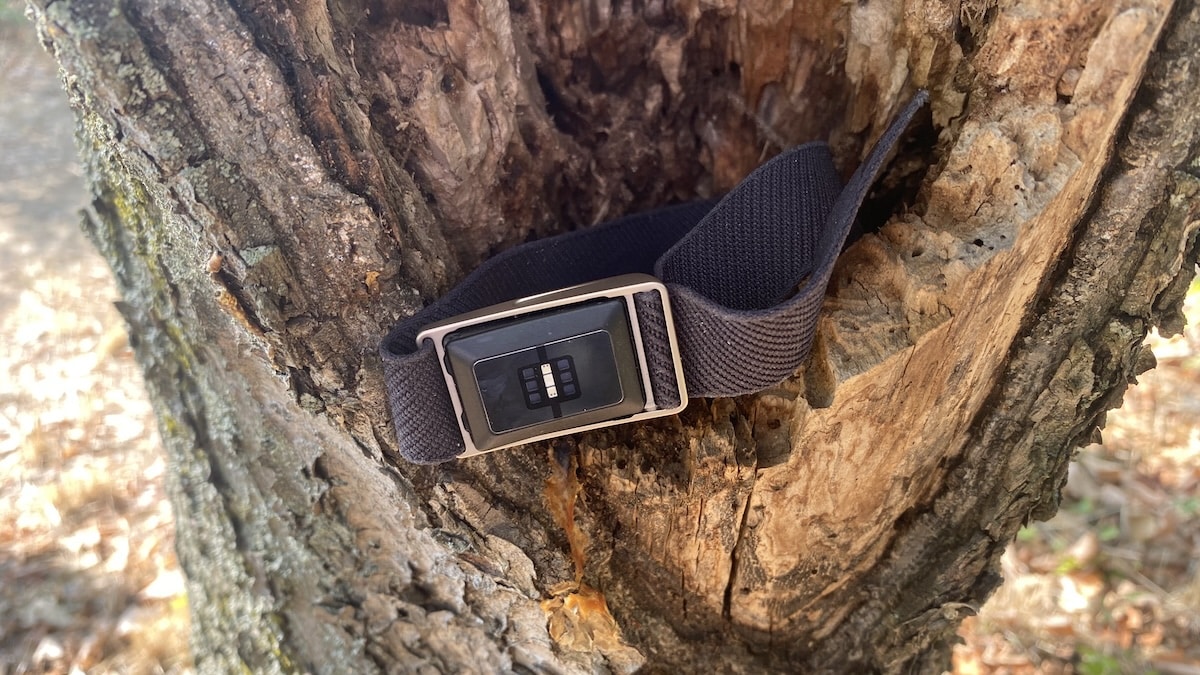
The biggest difference compared with WHOOP is the charging setup. WHOOP uses its portable battery pack, so you can charge the device while still wearing it. Speediance is more conventional. You have to take the Strap Pro off and put it on the charger.
That has not really bothered me. The battery lasts long enough that charging feels occasional rather than something you need to plan around. And in my use so far, battery life itself actually feels better than WHOOP.
Subscription and what you get for free
One of the best things about the Speediance Strap is that you can just buy it and use it. There is no mandatory subscription sitting in the background waiting for you.
The main stuff stays available without paying extra. That includes sleep tracking, recovery, heart rate, HRV, stress, workouts and the temperature features. So you are not buying the hardware and then finding out a few months later that half the useful data lives behind another paywall.
Speediance does include a year of Wellness Go, which adds more personalised guidance and coaching on top. But that is the extra layer, not the basic wearable experience. If you decide not to continue with it, the Strap still keeps doing the things you bought it for.
That is a pretty big difference compared with WHOOP. WHOOP is built around the membership, while Speediance feels much more like buying a normal wearable and getting on with it.
The only slightly confusing part is the naming around Wellness Go and Wellness+. Speediance has a few different services in the mix, and it could explain the whole thing more clearly. But the important bit is simple enough. You do not need an ongoing subscription to keep using the core Strap features.
Don’t miss the latest from Gadgets & Wearables
Subscribe to our monthly newsletter and check out our YouTube channel.
You can also follow Gadgets & Wearables on Google News and add us as a preferred source in Google Search.

