

Fitbit Air review: The tracker that disappears on your wrist

Fitbit Air is not the device to buy if you want a full fitness watch, live workout stats or deep training analysis. It is too passive for that, and Google Health still needs more control and clearer access to the underlying data.
But as a small screen-free health tracker, it works better than I expected. The comfort is excellent, sleep and health tracking suit the form factor, silent alarms are genuinely useful and the battery life is easy to live with.
The bigger question is the app. Fitbit Air depends on Google Health more than most wearables depend on their companion software. When the app works well, the device feels clean and low-friction. When it does not, the lack of a screen makes the limitations more obvious.
I would not recommend Fitbit Air to everyone. But I would recommend it to someone who wants a simple, lightweight tracker for passive health data, sleep, alarms and background monitoring without wearing another smartwatch.
Fitbit Air is at its best when you stop expecting it to do everything. It is not a complete wearable. It is a small health sensor that makes sense if you are comfortable letting the app do most of the work.
View on Amazon*
Jump to
Design, hardware and comfort
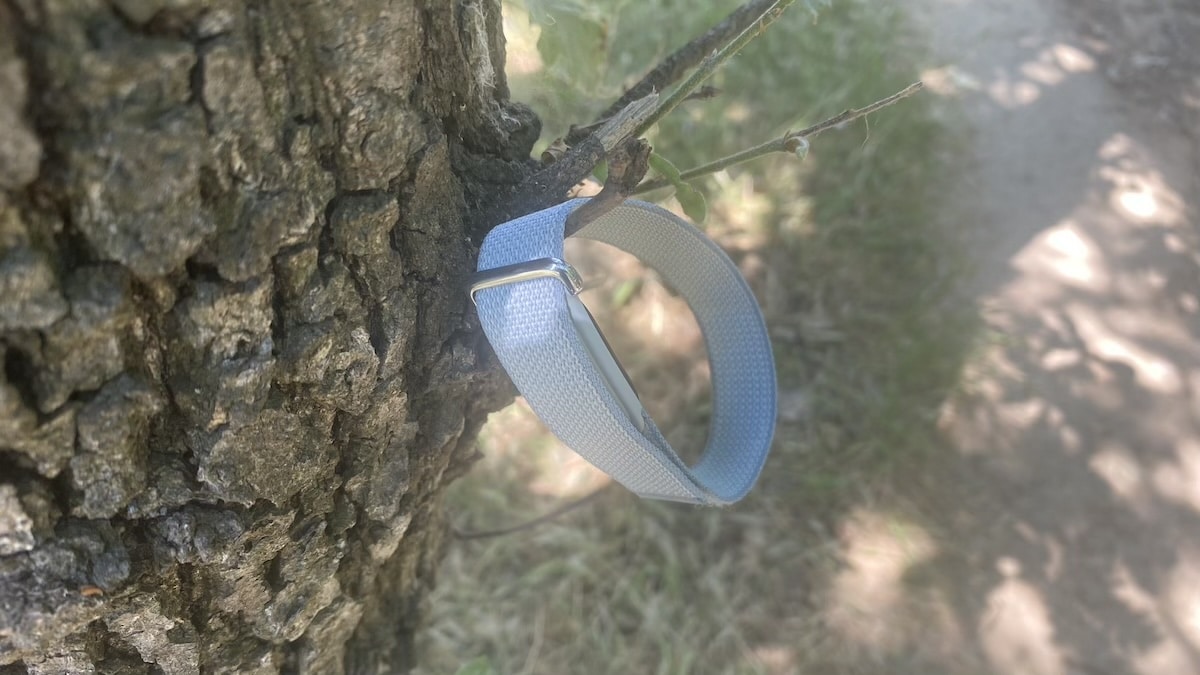
It might sound strange, but Fitbit Air makes more sense on the wrist than it does on paper. Bear with me. A screen-free Fitbit sounds limited at first, yet the design works because the device is small, light and easy to forget about.
Comfort is easily the best feature here. If a passive tracker irritates your skin or feels bulky, the whole concept falls apart. The Fitbit Air avoids this completely, and it is easy to wear for days at a time, including to bed, without feeling like another demanding gadget is strapped to your arm.
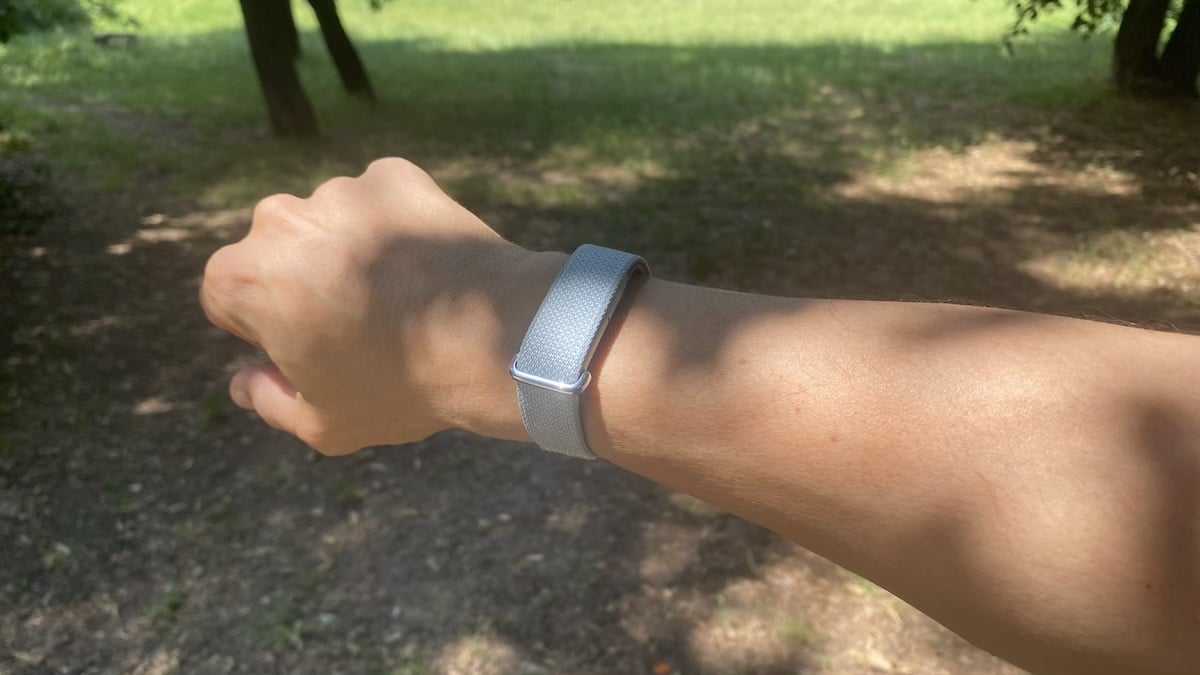
Ditching the display is a smart move. You do not have to deal with buzzing notifications, tiny menus, or awkward watch-style interactions. It feels more like a discreet health pod than a traditional fitness band, which is exactly the kind of low-profile approach I appreciate.
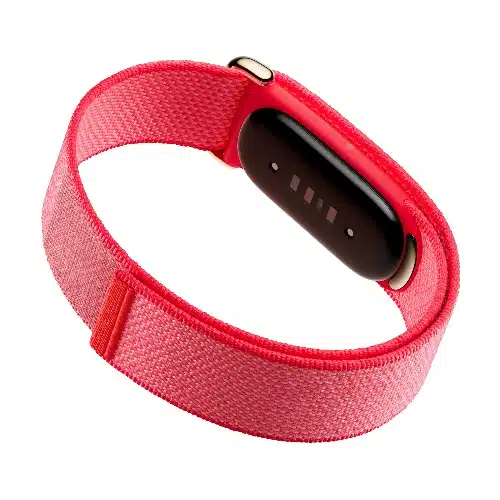
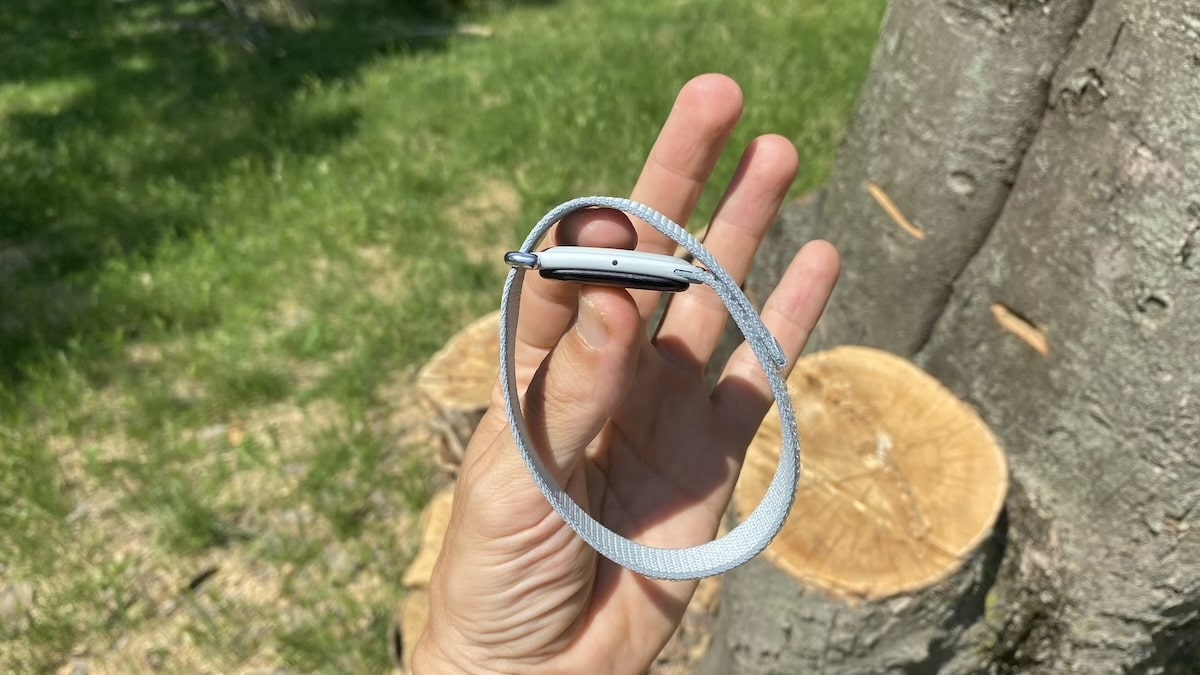
Of course, you have to accept some trade-offs with this design. Any basic feedback needs to come from the Google Health app, the vibration motor, or the tiny battery light. While this keeps the hardware clean, you lose the instant gratification of glancing at your wrist for stats.
Fitbit Air*
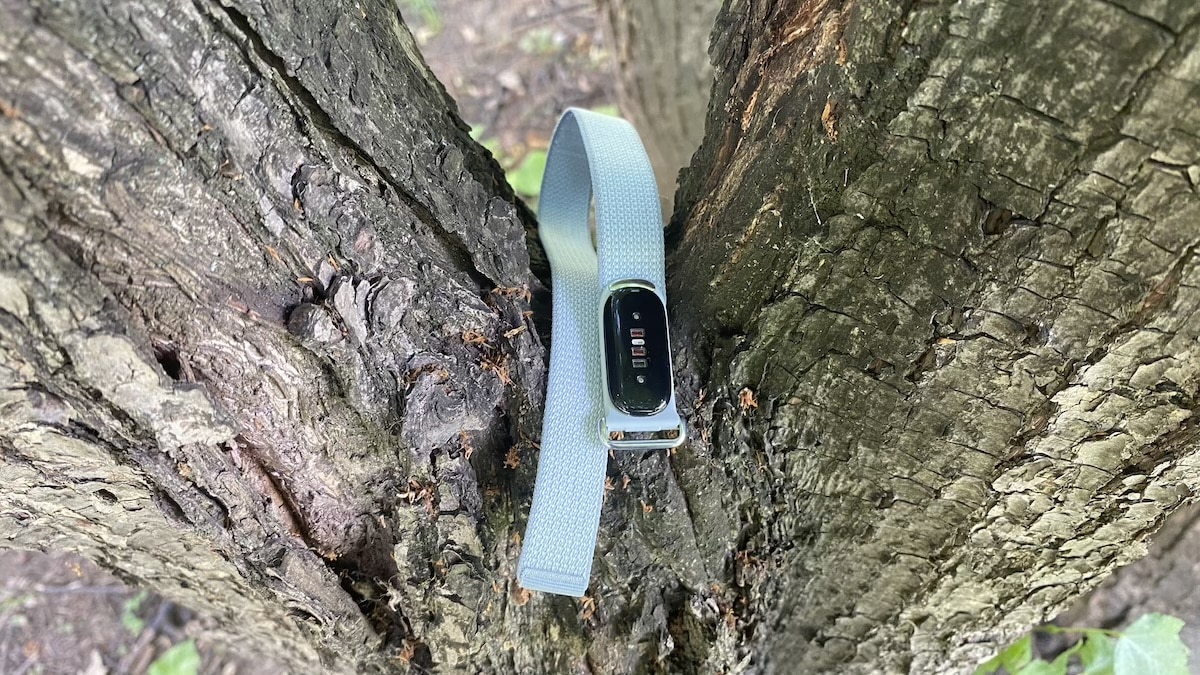
Order nowThe internal tech is simple but covers the essentials well. The device tracks heart rate, movement, blood oxygen, and skin temperature variations, while the vibration motor is ideal for silent morning alarms.
The physical design is a huge win. The hardware is light, comfortable, and out of the way, making it much easier to wear continuously than a Whoop or most other fitness trackers I have tested over the years. Google got the hardware right.
Setup and app experience
Setting up the Fitbit Air is a breeze. It pairs up through Google Health, asks for the usual permissions, and then just fades into the background. That is exactly how it should be for a screen-free tracker, since the last thing you want is a complicated setup before you even put it on.
Things get trickier once you open the app. Because the Fitbit Air does not have a display, Google Health has to do all the heavy lifting. It is your screen, your settings menu, and your dashboard all rolled into one, which puts a lot of pressure on the software.
The main screen looks clean enough when you first open it. The layout is easy to scan, and being able to view data from different sources side by side is a nice touch. It makes the device a lot more useful if you like comparing trends instead of just trusting one tracker blindly.
Still, Google Health definitely feels like a work in progress. Some parts are cleaner than the old Fitbit app, but others just feel clunky. It often takes too many taps to get to the raw numbers or see a clear trend line.
The AI Coach is a perfect example of this. It is fine if you want a casual explanation or a quick nudge based on your recent stats, but sometimes it just feels like it is getting in the way. There are plenty of days where you do not want to chat with an AI, you just want your data.
Luckily, Google is already pushing out updates to fix these software gaps. They are bringing back missing features and listening to early feedback, which is great news because a screen-free tracker like this completely relies on its companion app to be useful.
Living without a screen
Living with Fitbit Air means giving up quick glances. There is no watch face, no step count on the wrist, no workout screen and no easy way to check whether something is being tracked.
That bothered me less than expected. After a few days, I stopped treating Fitbit Air like a normal tracker. It works best as something that collects data quietly in the background.
There are benefits to that. It does not distract you, show notifications or pull your eyes to the wrist. Silent alarms also make sense on this kind of device. You set them in the app, the tracker vibrates and that is all it needs to do.
Fitbit Air*
Order nowThe downside is control. If you want to check battery, confirm a setting or look at an automatically detected activity, you need your phone. Workouts also feel limited because there is no live pace, distance or heart-rate zone on the wrist.
For daily health tracking, I can live with that. For serious exercise, I would not.
Health and sleep tracking
Health tracking is where the Fitbit Air feels most at home. As a tool that builds a health picture in the background.
The core metrics are all covered. The device tracks heart rate, sleep, daily activity, blood oxygen, and skin temperature trends. And it does this with reasonable accuracy. It also supports background AFib notifications, which adds a serious layer of health monitoring without turning the tracker into something you constantly need to check.
Sleep tracking stands out as one of the best use cases. The hardware is small enough to wear overnight without a second thought, which matters far more than a massive list of niche metrics. If a sleep tracker bothers you in bed, the data becomes useless anyway because you will just stop wearing it.


The results were useful during my testing, but I noticed placement matters. I experimented with wearing the device on my ankle and noticed that it recorded shorter sleep durations than when worn on the wrist. That does not mean one position is definitely right and the other is wrong, but it highlights why the companion app needs to explain these placement differences better.
For day-to-day health tracking, Google Health does a decent job. Sleep, resting heart rate and temperature trends are easy enough to follow, and the app turns passive data into something readable. Even if it sometimes feels like it is trying to do too much. A lot of the time, I just ignored the AI suggestions.
I liked to have the passive AFib notifications running in the background. But you have to remember this is not an on-demand ECG device. The hardware can watch for irregular rhythms while you rest, but it will not replace a dedicated device with a proper ECG app if that specific feature is what you need.
Ultimately, general health and sleep monitoring suits the Fitbit Air well. It takes the best of Fitbit tech and packages it into a small form factor. The device shines brightest when it collects passive data, shows long-term trends and stays out of the way.
Silent alarms and vibration
Silent alarms are one of Fitbit Air’s simplest features, but also one of the most useful. They fit the whole idea of the device well because there is no screen involved and very little interaction needed.
You set the alarms in Google Health, and Fitbit Air does the rest with a vibration on the wrist. You can create up to eight alarms, choose between low and high vibration and dismiss them with a double tap. It is basic, but it works.
I found this more useful than expected. A screen-free tracker does not need many active features, but a silent alarm is exactly the sort of thing it should do well. It gives the device a practical role beyond passive tracking without making it feel like a smartwatch.
The vibration is not aggressive, which is good for comfort but may not suit everyone. The high setting is the safer option if you are using it as a wake-up alarm, especially if you sleep deeply. The low setting feels better for reminders during the day.
Sports tracking
Sports tracking is where Fitbit Air feels most limited, but not useless. The hardware can collect decent workout data, but the lack of a screen changes what you can realistically expect from it.
For casual activity, it does the job. Steps, heart rate and automatically detected exercise all fit the idea of a passive tracker. You wear it, let it collect data and check the app later.
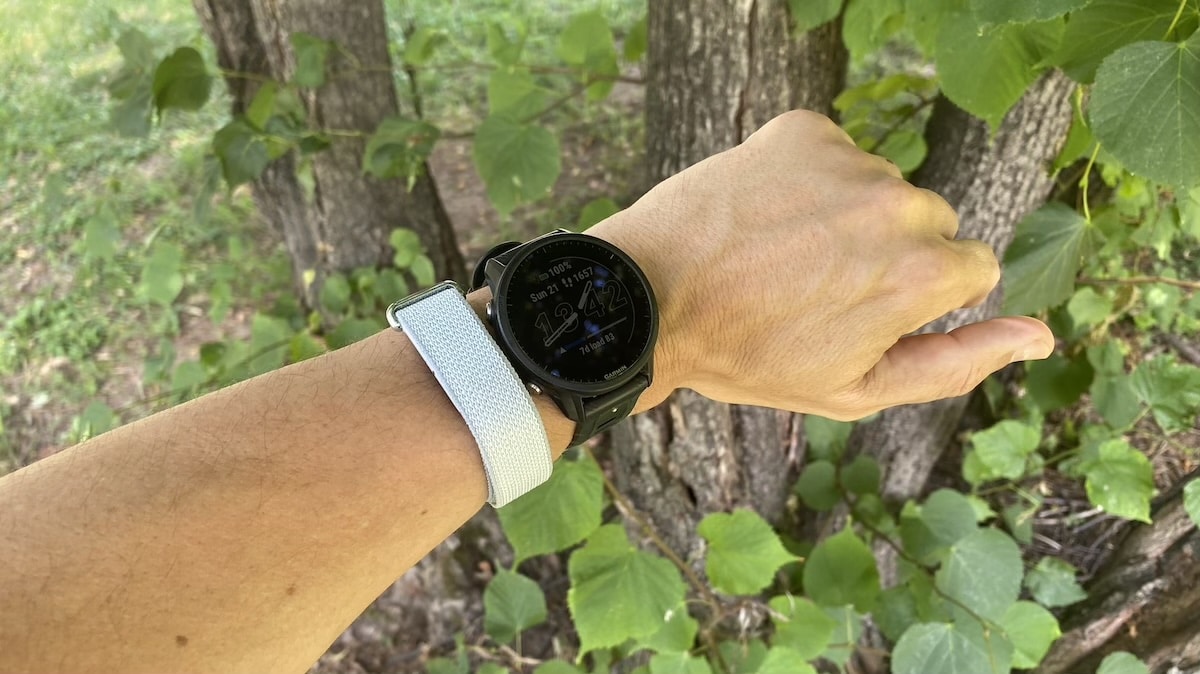
My wrist-based 5K result was better than I expected. Fitbit Air came very close on heart rate, with average heart rate matching my reference device, and distance coming in only around 40 metres short. That is a strong result for a small screen-free tracker.


But the overall exercise experience still feels basic. If you care about pacing or want feedback while training, Fitbit Air is not the device for that. It does not have a display.


Automatic detection is useful, but it also exposed a software gap. When I wore Fitbit Air on the ankle, it picked up the 5K run automatically, but started too early and finished too late. That pulled down the average heart rate because the session included time before and after the actual run.
The problem was not simply detection. That worked well enough. It was what happened afterwards. Google Health does not currently give you enough control to clean up that kind of mistake properly. For a screen-free tracker, the app should give you more flexibility..
So I would not treat Fitbit Air as a serious sports or running tracker. It is fine for logging movement and giving you a broad view of activity, and the wrist run result shows the sensors can perform well. But the training experience is too limited for anyone who wants live feedback, detailed workout tools or proper post-session control.
Battery life and charging
Battery life is one of the easier parts of Fitbit Air to live with. Google quotes up to seven days, and that feels like the right kind of target for this device. A screen-free tracker should not need daily charging.
In normal use, I found the battery low-maintenance. There is no display draining power, and the device is designed to sit quietly in the background, so it does not feel like something you constantly have to think about.
Charging is handled through a magnetic charger. A full charge takes around 90 minutes, while a quick five-minute top-up can give roughly a day of use. That makes it easy enough to charge while showering, working at a desk or getting ready in the morning.
Fitbit Air*
Order nowThe main annoyance is checking battery status. With no screen, you have to rely on the app or the small battery light. That is fine most of the time, but it does remove the quick glance you get from a normal tracker.
Subscription and value
The Fitbit Air is a whole lot easier to justify because you do not need a monthly subscription just to see your basic data. At $99, the price feels fair for a tiny, screen-free tracker that just focuses on passive health stats.
Don’t get me wrong, the subscription side is still there. Google Health Premium is basically the new version of Fitbit Premium, and it throws in the AI Coach, personalized fitness plans, daily workout guidance, and extra help making sense of your health data. It also lets you log things like meals and workouts using text, voice, or photos.
The good news is you do not actually need any of that for the essentials. The Fitbit Air still tracks your sleep, heart rate, daily steps, and core health metrics completely free. I would treat the subscription as a nice extra rather than something you need just to make the device work.
The value equation changes completely if you already pay for Google AI Pro or Google AI Ultra. Google bundles Google Health Premium into those plans, which works out well for me since I already have a Gemini subscription. It means I am not looking at the Fitbit Air as yet another gadget that adds an extra bill to my monthly budget.
Even so, I would still judge this tracker on the core experience first. The AI Coach and deeper guidance can be helpful, but they are not essential.
What works well
Comfort is definitely the biggest win here. It is tiny, incredibly lightweight, and so easy to wear for long stretches, including to bed. It never feels like you have another bulky smartwatch strapped to your arm, which is perfect if you want to track your health without adding more screen time to your day.
The passive tracking matches this physical design perfectly. Things like heart rate, sleep, daily steps, skin temperature trends, blood oxygen, and background AFib notifications all make total sense on a device you do not constantly need to check. The hardware is much better at quietly gathering data in the background than trying to act like a mini training watch.
Silent alarms are another simple but great feature. They are easy to set up, the vibration is discreet, and the whole thing works flawlessly without needing a display. It is exactly the kind of low-friction feature that suits this form factor.
I also really like the side-by-side data view inside the Google Health app. It makes the tracker a lot more useful if you already have health metrics from other devices, since you can easily compare broad trends instead of treating one specific tracker as the absolute truth.
The overall value also works well, as long as you do not need a full smartwatch. The price is reasonable, the battery life is low-maintenance, and you do not need a separate monthly subscription just to see your core data.
The Fitbit Air is at its absolute best when you keep your expectations realistic. It is not a sports watch, and it does not try to be one. As a small, passive tool for tracking sleep, health stats, silent alarms, and background data, it handles its job much better than I expected.
What needs work
The real issue here is not the hardware at all. It is the software built around it. The Fitbit Air relies completely on the Google Health app, and that interface still needs plenty of polish, better user control, and much faster access to the stats that actually matter.
The automatic workout detection definitely needs some work. When the app guesses the start or end time of a session wrong, there should be an easy way to trim or correct the workout afterwards. This becomes a much bigger deal on a screen-free tracker because you cannot just manually start, stop, or check things on your wrist.
Google Health also needs to do a better job of explaining the data without burying it under too many menus. The AI Coach might be fine for some, but it should never feel like a barrier between you and your own health metrics. There are plenty of times when the app just needs to show the raw numbers clearly and get out of the way.
Ditching the screen works fine for passive tracking, but it gets annoying when you just want a quick confirmation. Checking your remaining battery life, tweaking a setting, or confirming your workout status always forces you to reach for your phone.
Fitness tracking also stays pretty basic. The tracker can gather helpful daily activity data, but it is just not built for real-time workout feedback, pacing, heart-rate zones, or deep training analysis.
The physical device itself shows a lot of promise. Now, the Google Health app just needs to catch up to the hardware.
Don’t miss the latest from Gadgets & Wearables
Subscribe to our monthly newsletter and check out our YouTube channel.
You can also follow Gadgets & Wearables on Google News and add us as a preferred source in Google Search.

