

Amazfit gets an unofficial AI coaching upgrade with ZeppBridge 3.0
ZeppBridge 3.0.0 has just arrived, and the basic idea is pretty simple: pull your Zepp health data onto a computer, let ChatGPT or another AI have a look at it, then take the training plan it comes up with and send that back to your Amazfit watch.
The software is free, open source and has been around for a while, but version 3.0 makes it a lot more useful. It now works through the Zepp Open Platform as a partner app, which means it can use Zepp’s official APIs and login system instead of relying completely on private workarounds. It is still very much a third-party project, though.
The clever bit is the full loop
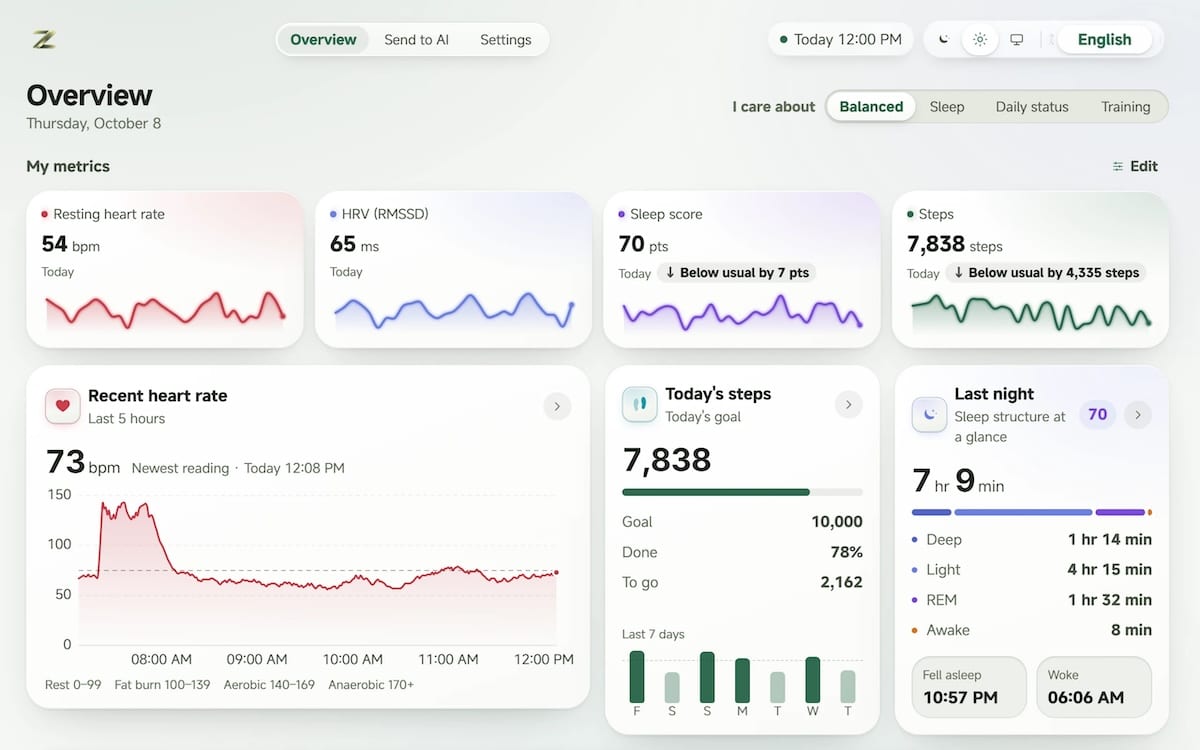
Once connected, ZeppBridge can pull health and training records from your Zepp account and store them locally on your computer. That includes things such as sleep, heart rate, HRV, training load, workouts, recovery, stress and SpO2, although exactly what appears depends on the Amazfit device you use and the data available in your account.
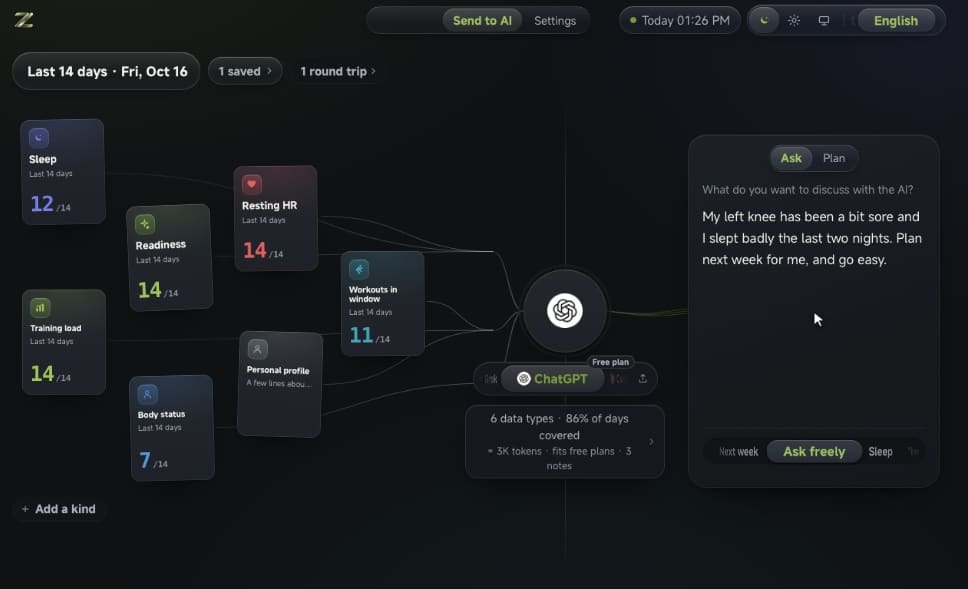
From there, you can select the dates and records you want an AI to look at. ZeppBridge currently supports ChatGPT, Claude, Gemini, DeepSeek, Kimi, Doubao and Grok, so you are not tied to a particular chatbot.
You can ask the AI to create a personalised training plan, copy that plan back into ZeppBridge, rearrange days, edit individual workout steps and then send it to a compatible Amazfit watch. That creates a fairly neat loop between your real training data, an AI coach and the device on your wrist.
ChatGPT can query the data directly too
ZeppBridge also supports MCP, which opens up a slightly different way of using the data. Instead of constantly exporting files and explaining your recent training history, a compatible AI can query the locally stored records directly when answering questions.
That could mean asking why your recovery has been poor this week, how running volume has changed over six months, or whether sleep has deteriorated alongside a heavier training block.
The MCP server is read-only and runs locally, while ZeppBridge says the health database itself stays on the computer. When records are packaged for cloud AI services, device identifiers, MAC addresses and precise GPS data are removed by default, with detailed routes only included if the user opts in.
There is still a cloud connection in the chain. Your Amazfit device continues syncing through the normal Zepp app and Zepp cloud before ZeppBridge retrieves the records, so this is not a replacement for the Zepp phone app.
It fills a gap in the Amazfit ecosystem
Zepp Health already uses AI inside its own software. We have previously tested its AI-powered food logging, while its watches increasingly combine readiness, sleep, training load and recovery information inside the Zepp app.
ZeppBridge takes a different approach. Instead of Zepp deciding what the AI should tell you, it gives users a way to take a much larger chunk of their own data and use the AI service they already prefer.
That will probably appeal most to people who already like digging into their training rather than someone who simply wants a morning readiness score. It also makes Amazfit data considerably easier to experiment with, particularly if you want to build your own coaching workflow instead of staying entirely inside Zepp’s interpretation of the numbers.
Source: GitHub
Don’t miss the latest from Gadgets & Wearables
Subscribe to our monthly newsletter and check out our YouTube channel.
You can also follow Gadgets & Wearables on Google News and add us as a preferred source in Google Search.

