

SereniBrain review: The rare EEG headband that does not hide the data
I have reviewed a few EEG and brain-training headbands over the years, and SereniBrain is one of the better ones I have used. It is light, comfortable and easy to get started with.
You can use it simply as a meditation and neurofeedback device, follow the relaxation score and not worry too much about what is happening underneath. There are guided sessions in the app, but you can also use your own meditation audio and let SereniBrain keep track of the session in the background.
If you are more curious about the EEG side, there is quite a bit more to look at. You can watch the individual brainwave readings change in real time, go back through previous sessions and dig into the data afterwards. You can even export it as a CSV file if you want to take things further.
The app is straightforward, there is no subscription and no advertising, and overall the whole setup is easy to live with. SereniBrain works well for meditation, but it also gives you enough access to the underlying data to make it interesting beyond that.
View on Amazon, SereniBrain websiteJump to
Design and comfort
SereniBrain is probably one of the easiest EEG headbands I have used when it comes to simply putting it on and getting comfortable. I have spent time with the Muse 2, Muse S, Muse S Athena and Mendi as well, so there is a decent amount of experience behind that comparison.
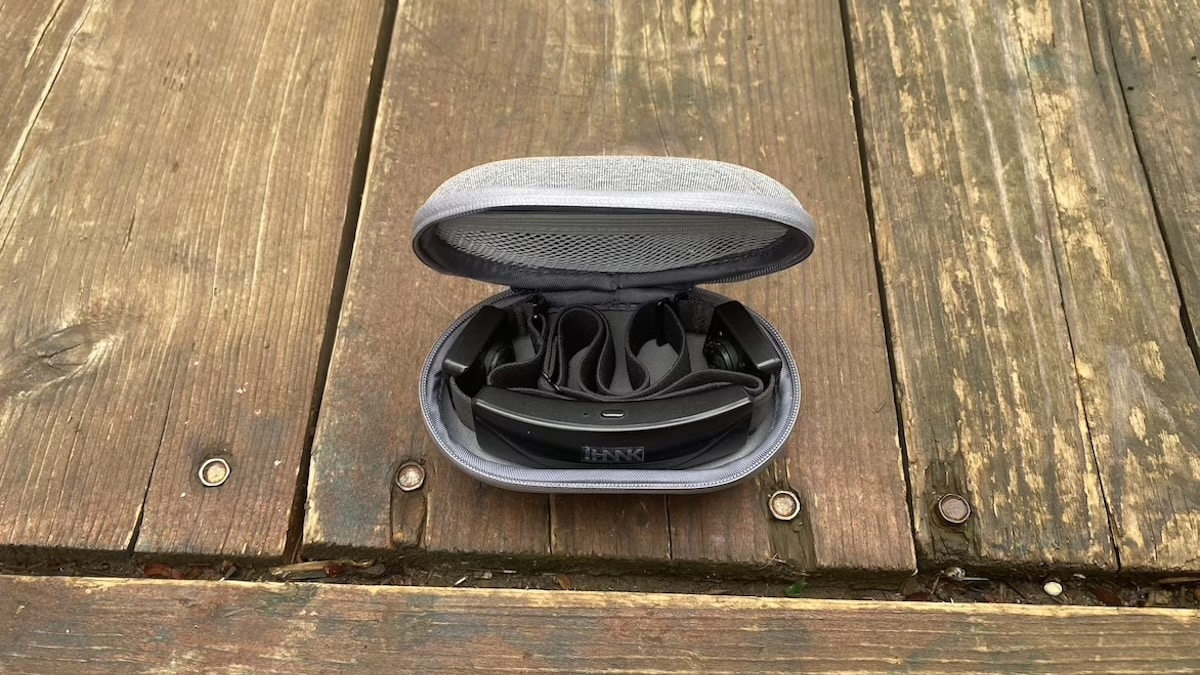
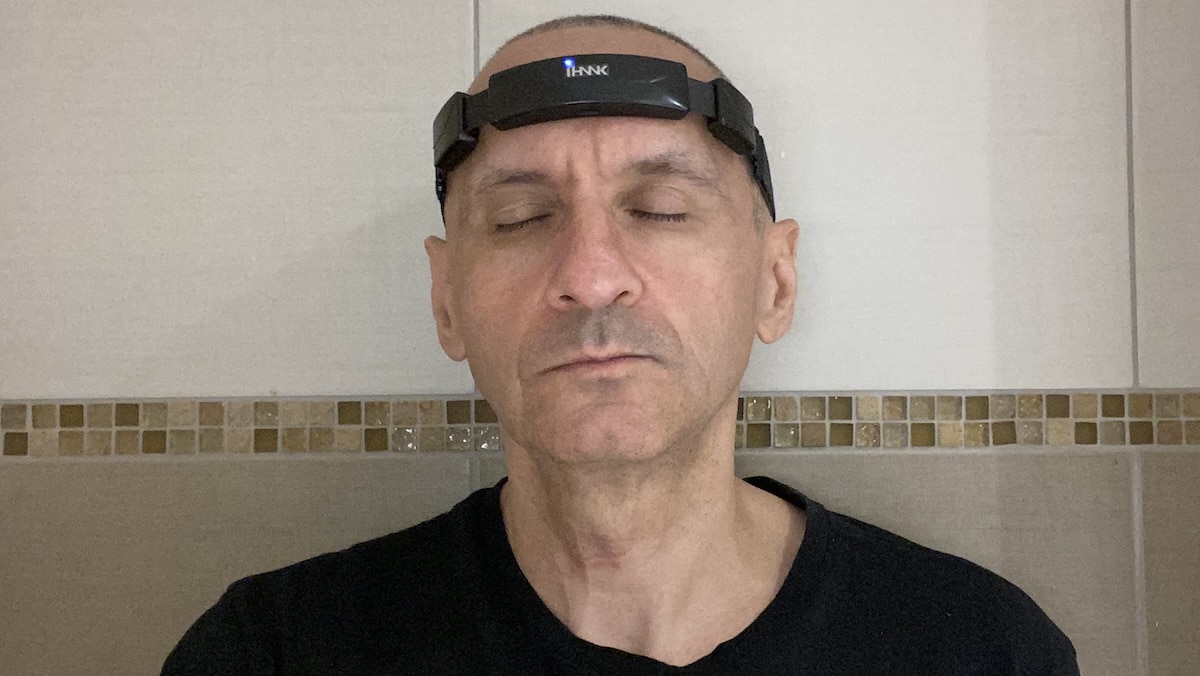
Most of the electronics sit at the front, while the rest is a soft adjustable band that wraps around the head. At around 50 grams, it is light enough that it does not feel particularly intrusive once you have it positioned properly.

Fit is pretty important here because the sensors need good contact with the skin. SereniBrain uses one main forehead sensor plus contacts around the temples, with hydrogel pads helping everything stay connected properly.
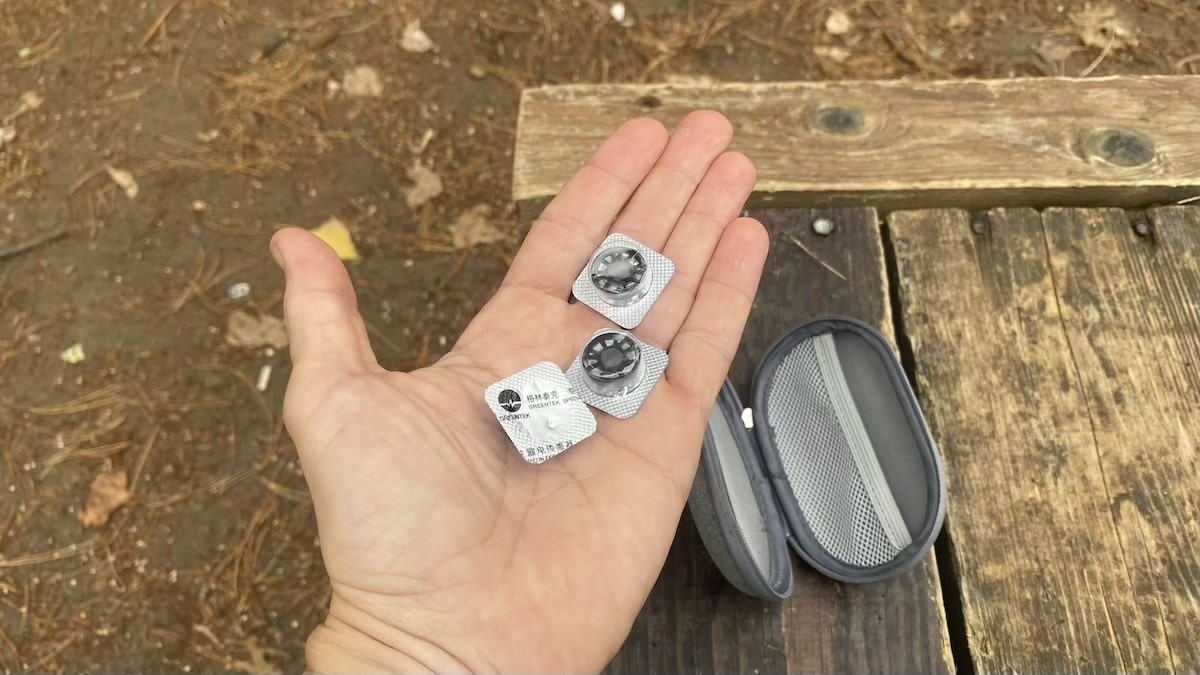
One thing I managed to get wrong straight away was leaving the protective film on the pads. I spent a while wondering why the headband would not establish a proper signal before finally realising what I had done. Once the stickers were off, it worked fine. The hydrogel contacts are also quite comfortable, certainly more so than some of the harder sensor setups I have used on older EEG headbands.
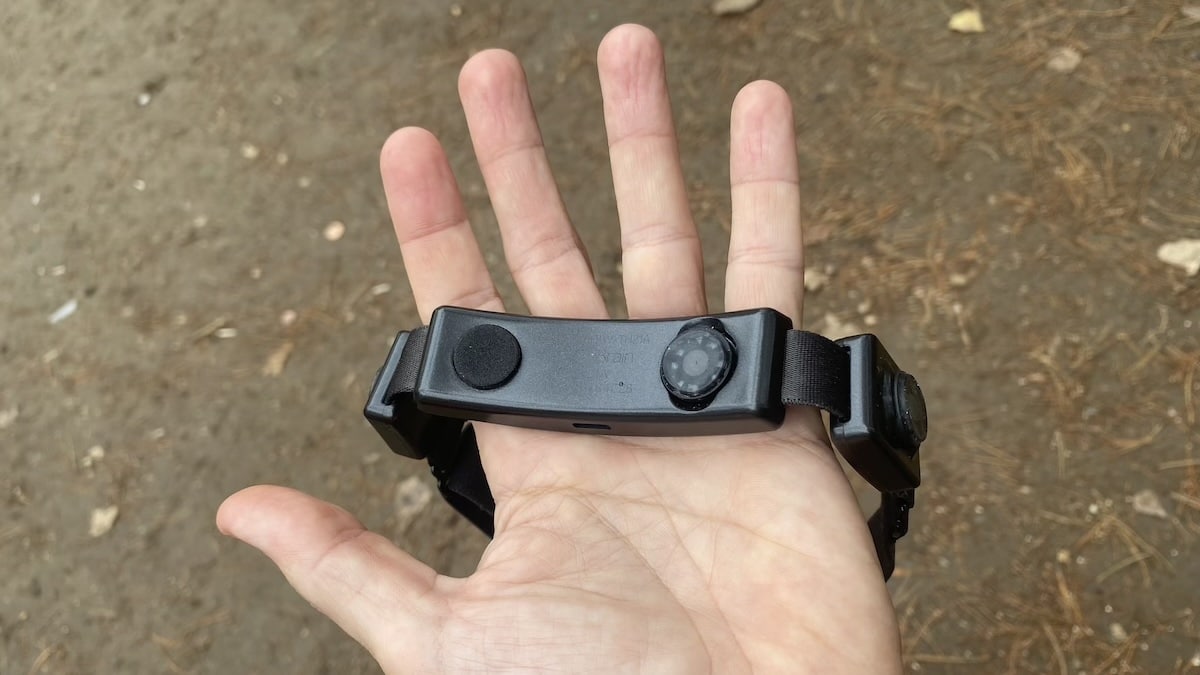
Getting the fit right is straightforward. The band tightens easily, and once positioned properly it stays in place without feeling excessively tight. That is important because a loose fit can affect signal quality, while too much pressure would make longer meditation or focus sessions unpleasant.
The hardware itself is refreshingly uncomplicated. There is no display and very little to distract you while using it. You switch it on, connect through the app and start a session.
The one thing to keep in mind is the hydrogel pads. They are replaceable rather than permanent, and SereniBrain says they typically last for a few months before adhesion or signal quality starts to deteriorate. That introduces a small ongoing cost, although the upside is better skin contact and a more comfortable fit.
Charging is via USB-C, and battery life is quite decent at over six hours. Given that most sessions are fairly short, that works out to quite a few uses between charges.
Compared with some of the other brain-training headbands I have tested, SereniBrain gets the basics right. It is light, easy to put on and does not feel overly technical, which is what you want from a device you are meant to sit with for 10, 20 or 30 minutes at a time.
Setup and the SereniBrain app
Getting started is also pretty painless. You charge the headband, install the SereniBrain app, create an account and pair it over Bluetooth. I had no problems with the connection during testing, and once the initial setup was done the headband reconnected with zero fuss.

Before each session, the app checks whether the sensors are making proper contact with your skin. If the contact is not good enough, the app shows you which point needs adjusting.

The app itself is not complicated. So it does not take long to work out where your sessions, historical data and different training options live. Dig into it more and you’ll find the more detailed data. But the app generally does a good job of keeping the basic experience simple. Which, again, is what I prefer from a wearable.
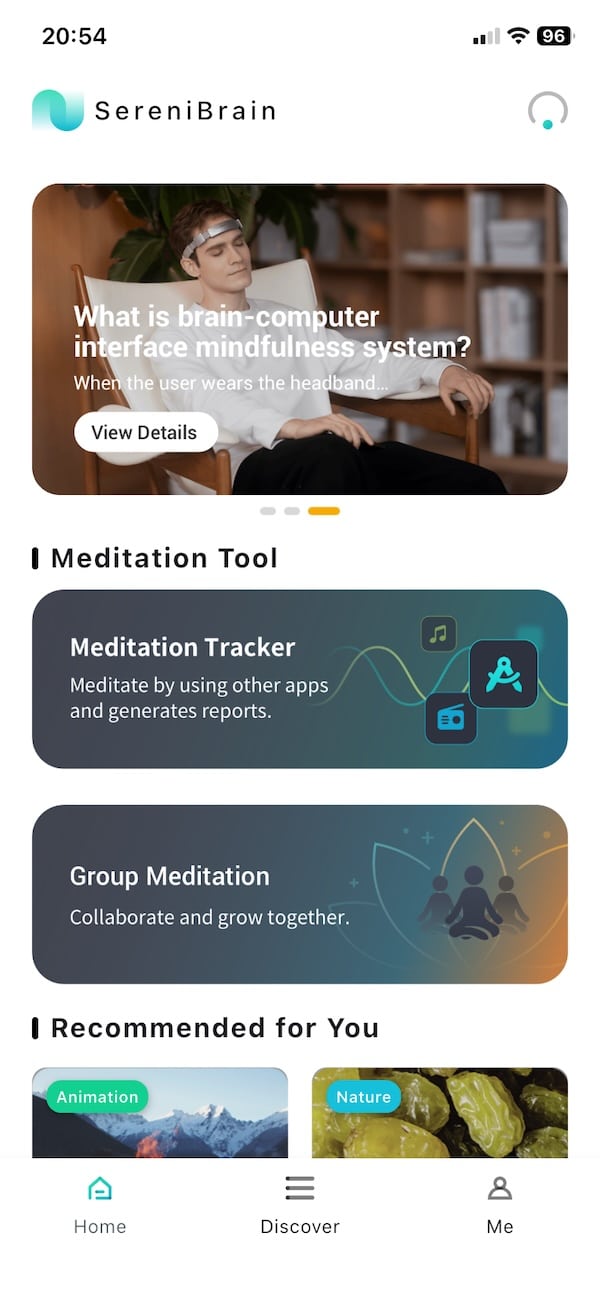
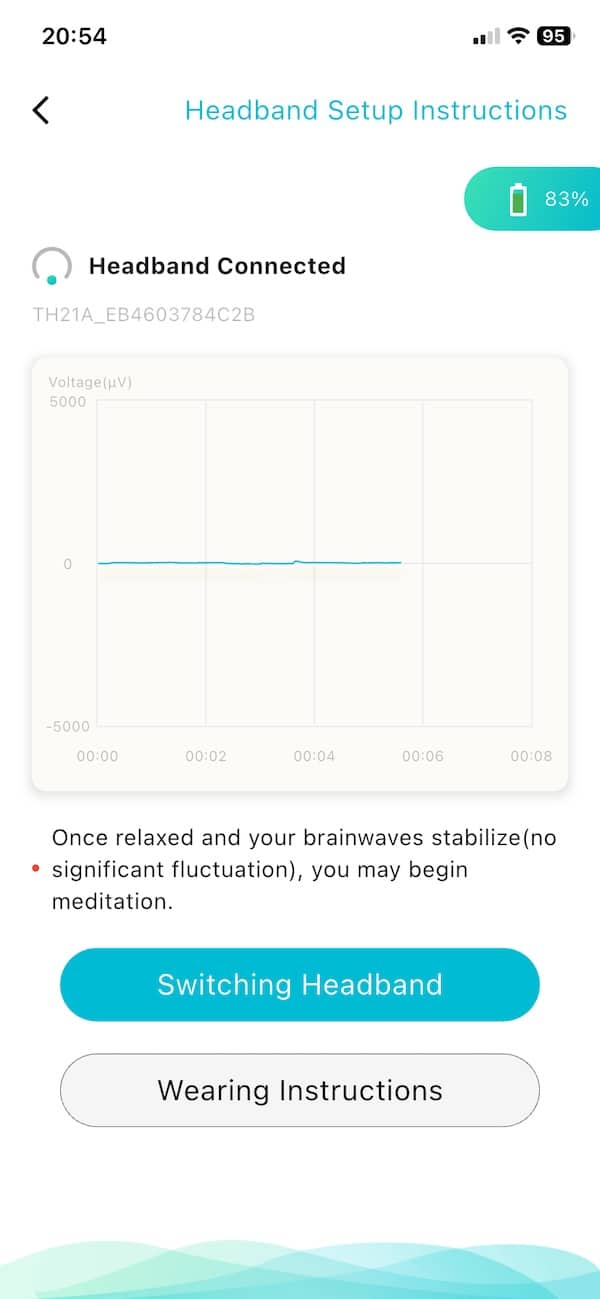
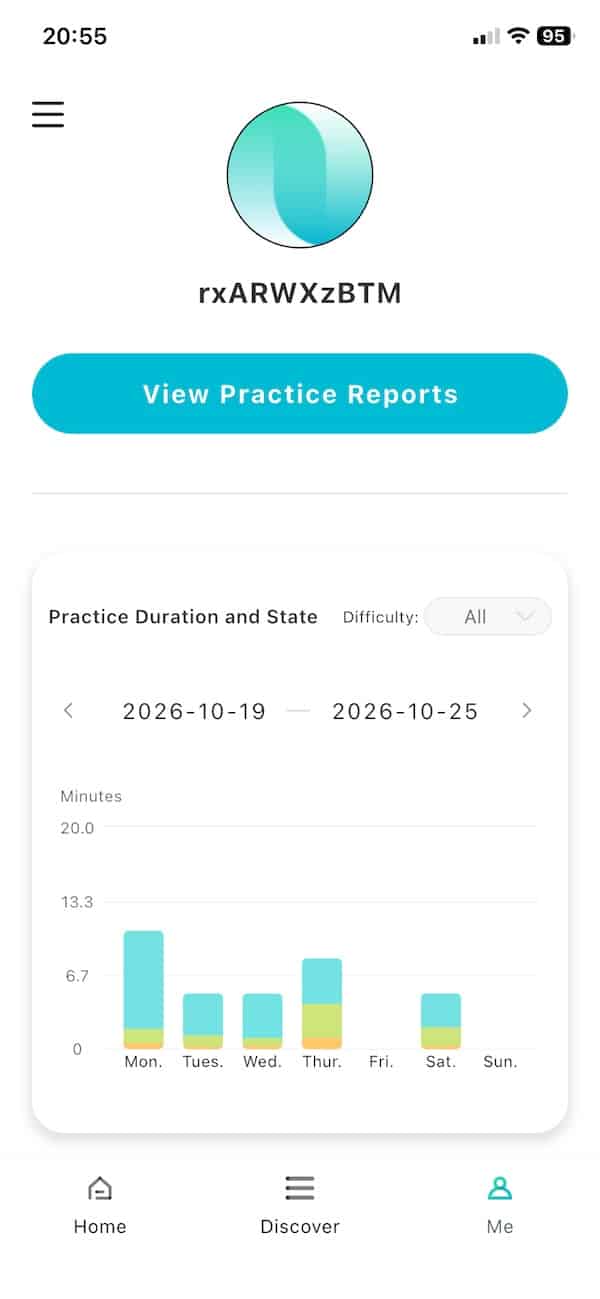
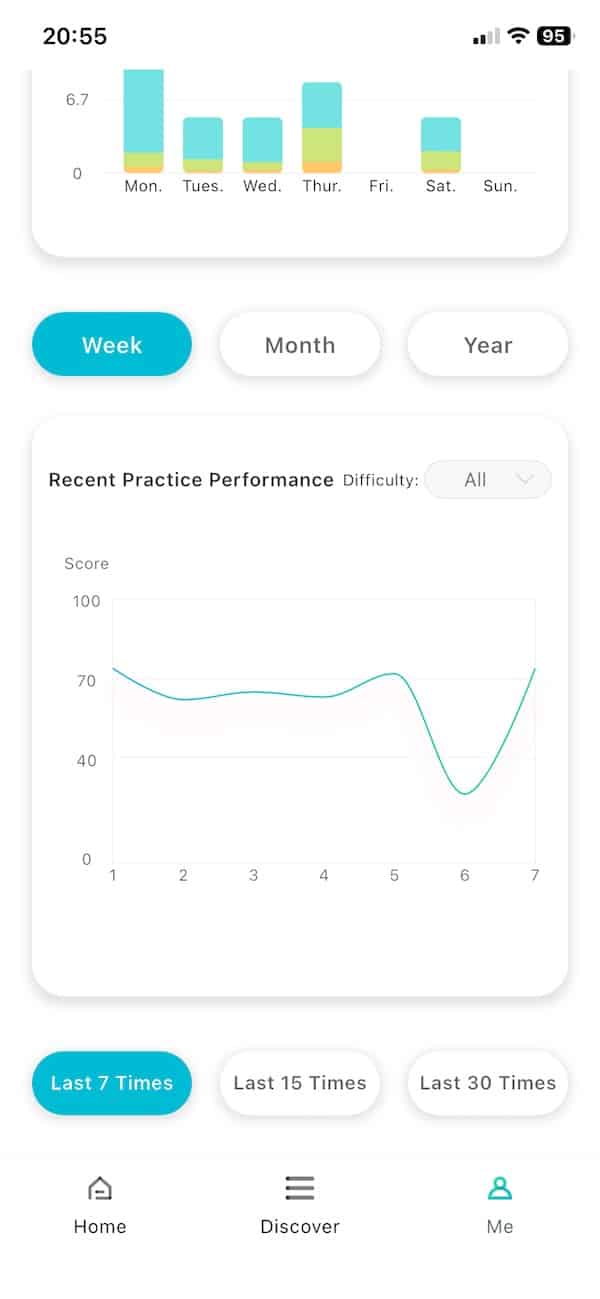
EEG can very quickly become technical. But SereniBrain manages to give you access to a lot of data without making the whole thing feel like research software. You can use it at a fairly basic level, or dig deeper once you become more familiar with what the different readings mean.
EEG tracking and real-time neurofeedback
EEG tracking is what SereniBrain is all about. During a session, you can either watch the individual brainwave readings change in real time or use a simplified 1 to 100 relaxation score based on that same activity. The higher the score, the more relaxed the app thinks you are. I generally prefer the second option.
As far as the tech goes, SereniBrain uses a single EEG channel, which keeps the setup simple. More expensive consumer headbands such as Muse use multiple channels to pick up activity from several areas of the head, but SereniBrain still gives you a useful look at activity from the frontal area of the brain.
The six different types of brainwave activity you can watch include Delta, Theta, Alpha, SMR, Beta and Gamma. You do not really need to get too hung up on the terminology, but they tend to become more or less active depending on what your brain is doing.
Alpha, for example, is usually stronger when you are relaxed, while Beta is more closely linked with active thinking. Theta tends to show up more during deeper relaxation and drowsiness, Delta during deep sleep, while Gamma sits at the faster end of the spectrum. SMR is a narrower range that is often used in neurofeedback training.
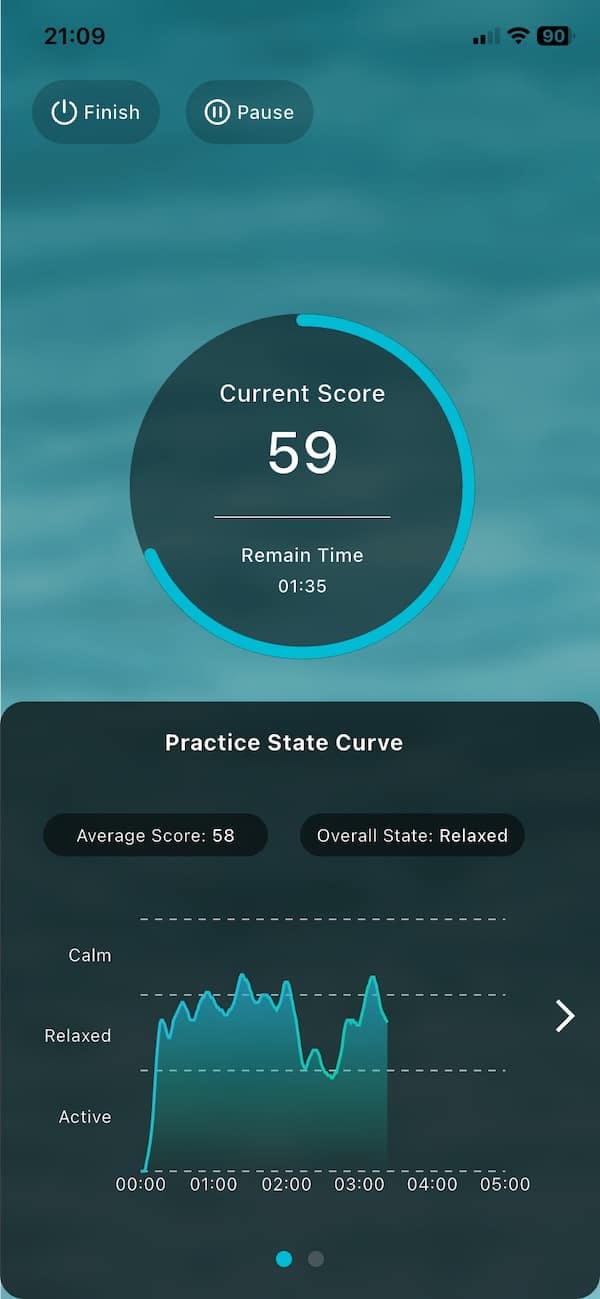
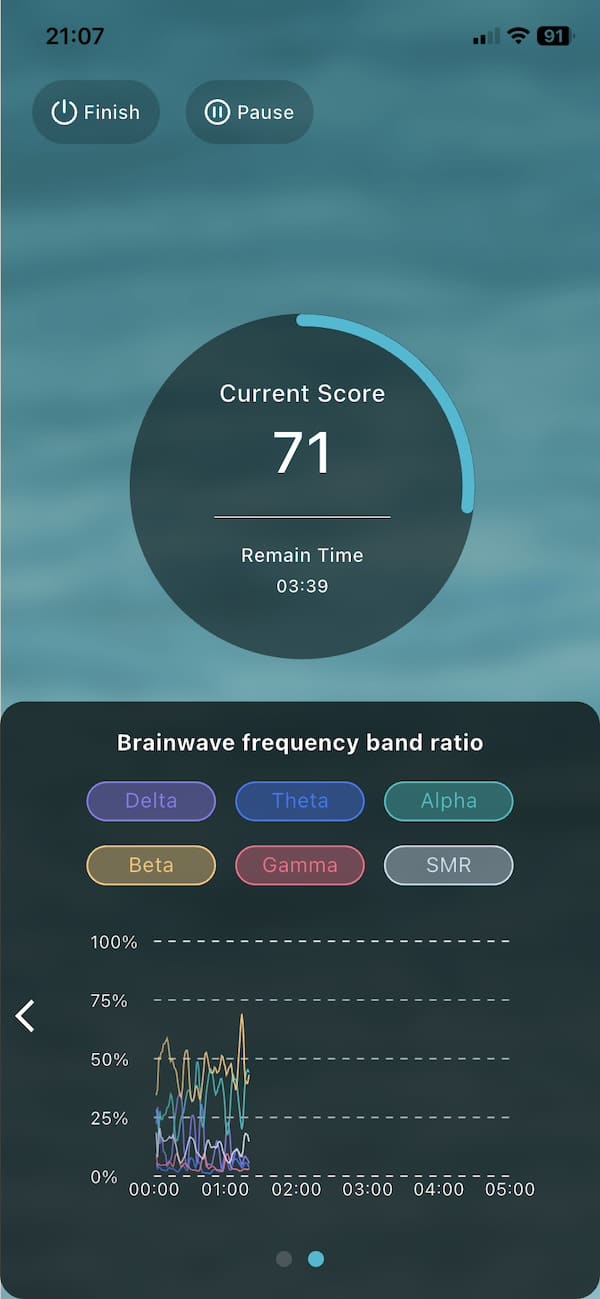
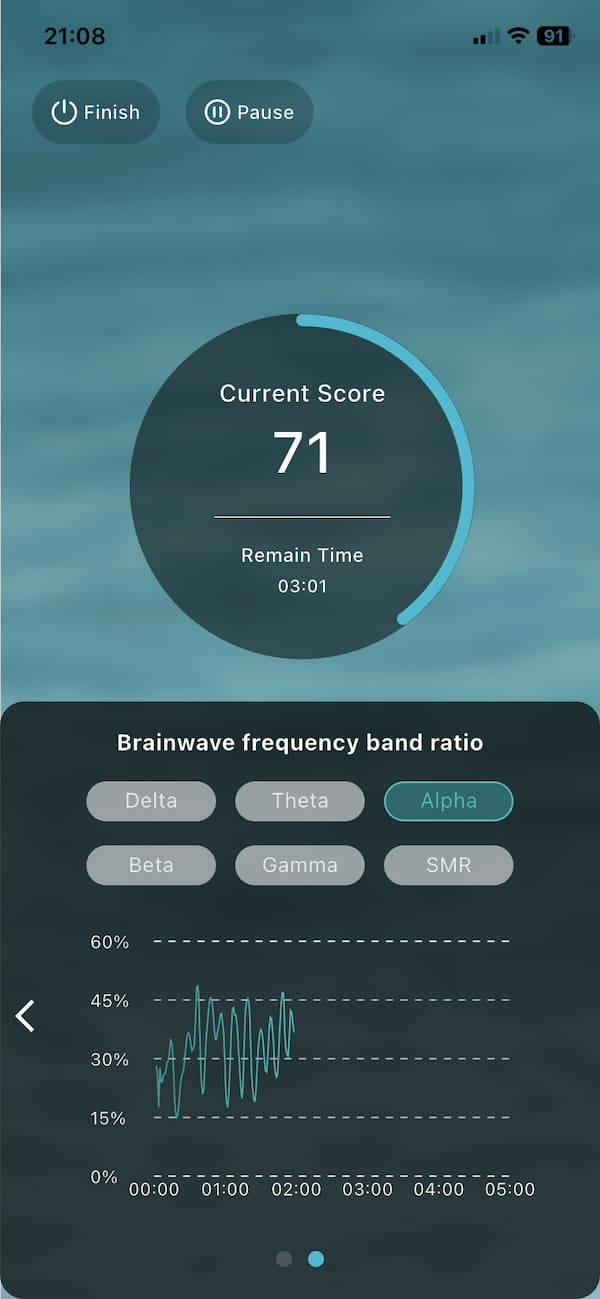
The interesting bit for me was watching the readings respond while I was actually using it. Closing my eyes, concentrating, doing some mental arithmetic or even focusing on different spots on the smartphone screen all produced visible changes in the brainwave activity. I even found myself noticing which part of the screen seemed to have the most calming effect on me.
I would not get too hung up on every little spike, though. Blinking, moving your face or having poor sensor contact can all affect forehead EEG, so some movement in the readings is just noise rather than a meaningful change in brain activity.
There is some proper research behind the hardware as well, although I would not call SereniBrain independently validated. I could not find a study comparing the retail headband directly with a clinical EEG system, but researchers have used iHNNK’s single-channel hardware in various studies. This includes a 2024 motion sickness study, a 2025 attention-training study and a larger 2026 neurofeedback study.
Meditation and training experience
Once you get past simply watching the EEG data, there are a few different ways to use the headband. There are guided meditation sessions, along with free practice – so you can either follow along with something structured or use SereniBrain more loosely.
I found the meditation side pretty straightforward. You choose a session, make sure the sensors have good contact and then let the app guide you through it. The headband keeps recording in the background, while the app gives you feedback based on how your brain activity changes during the session.
There is also a more open-ended mode if you already have your own meditation routine. That is useful because you are not locked into SereniBrain’s content. You can simply use the headband to track what is happening while you meditate in your usual way, which I actually find more interesting than being pushed through a fixed programme.


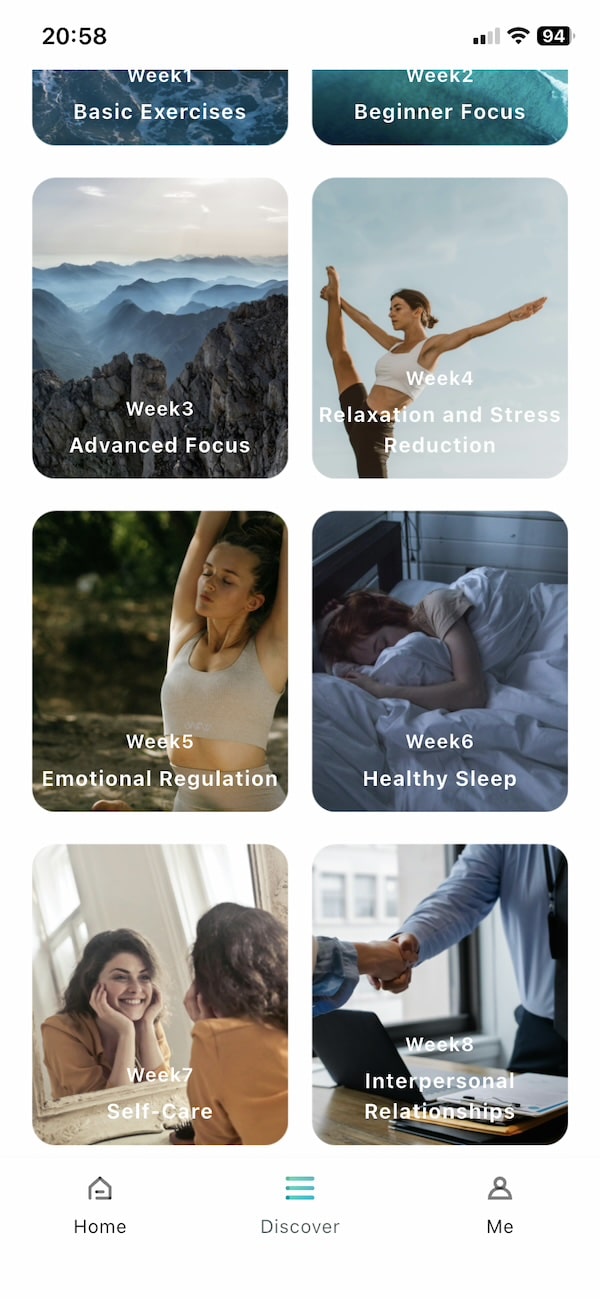
The neurofeedback adds another layer. Depending on the mode, SereniBrain uses sound or visual cues to reflect what your brain activity is doing. You do not need to keep looking at the screen either, which is obviously the last thing you want during a meditation session.
There are a few different options here, and I have pasted some screenshots below. One uses a campfire, with the flames burning brighter as you become more relaxed. Another shows the ocean and works the other way around. The calmer you are, the gentler the waves become as they hit the shore.

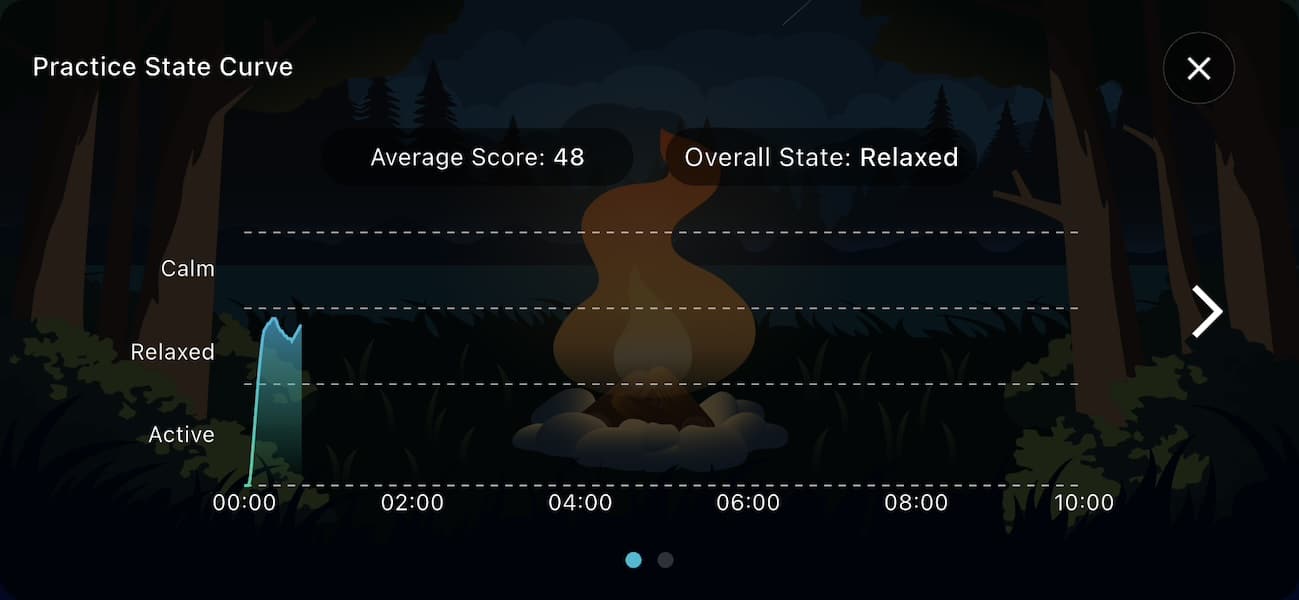

The built-in content is decent, although there is not a huge amount of it compared with some other options on the market. On the other hand, there is no subscription or advertising and constant stream of extra content designed mainly to push you towards a paid tier. What you see is what you get, and I actually quite like that.
You are not limited to SereniBrain’s own content either. Meditation Tracker can keep recording while you use your own meditation audio or simply go about another activity, so the relatively small built-in library never felt like a restriction to me.
Data, reports and CSV export
After each session you get a breakdown of your data. The basic report gives you a quick overview, but you can dig in deeper.
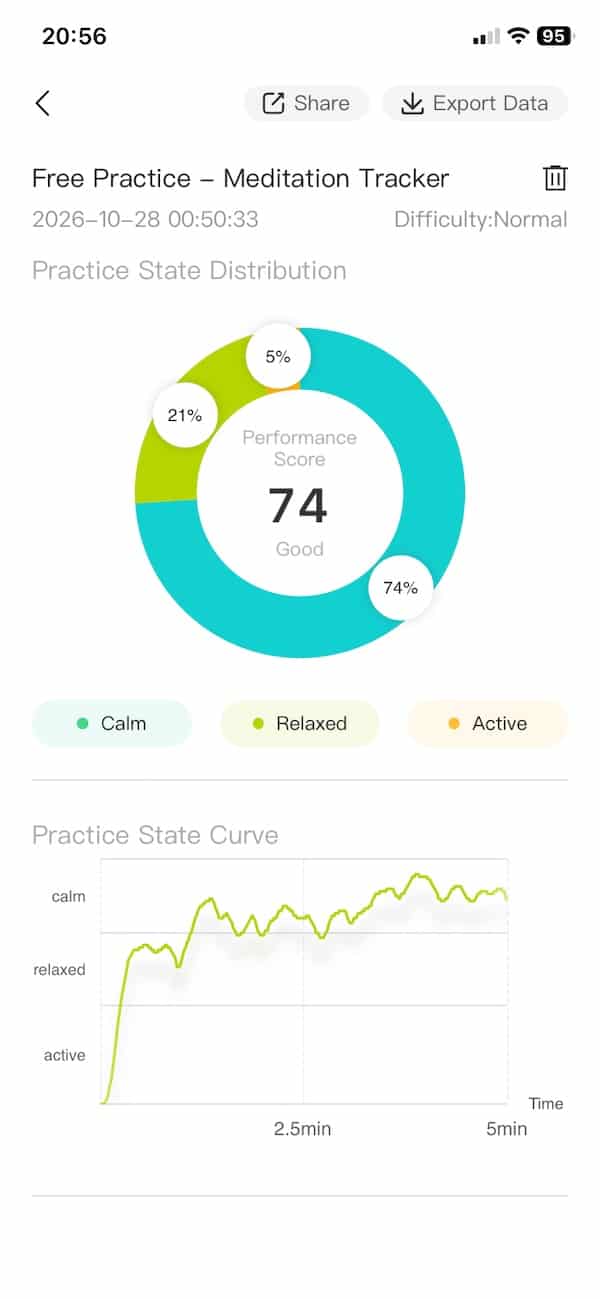
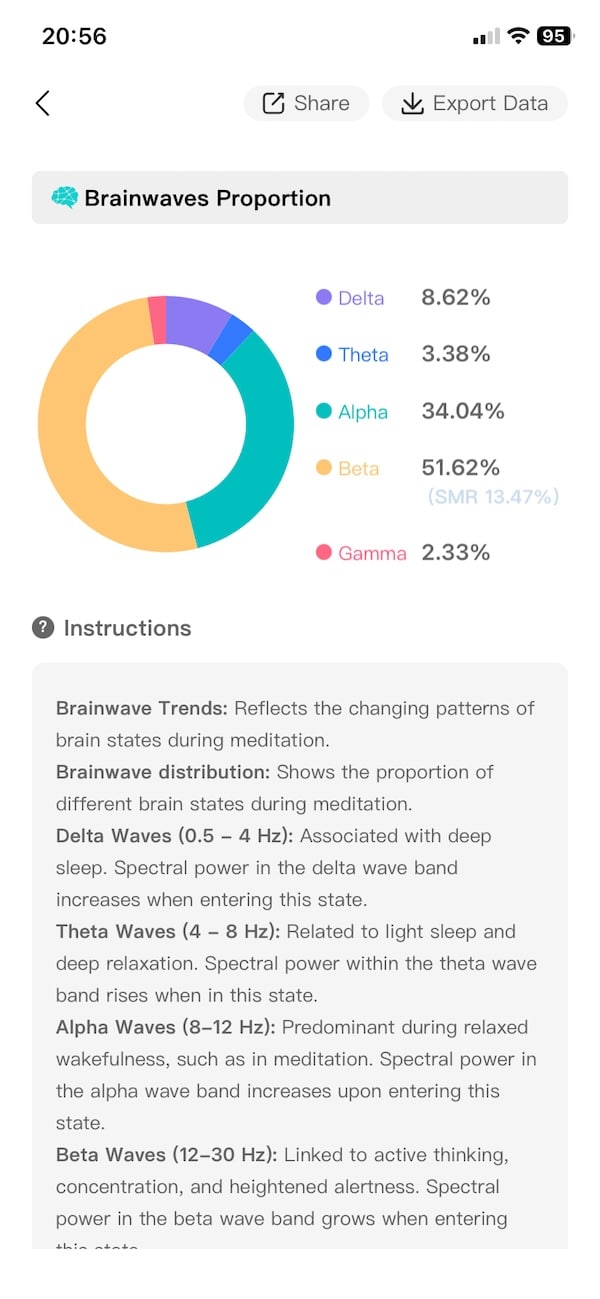
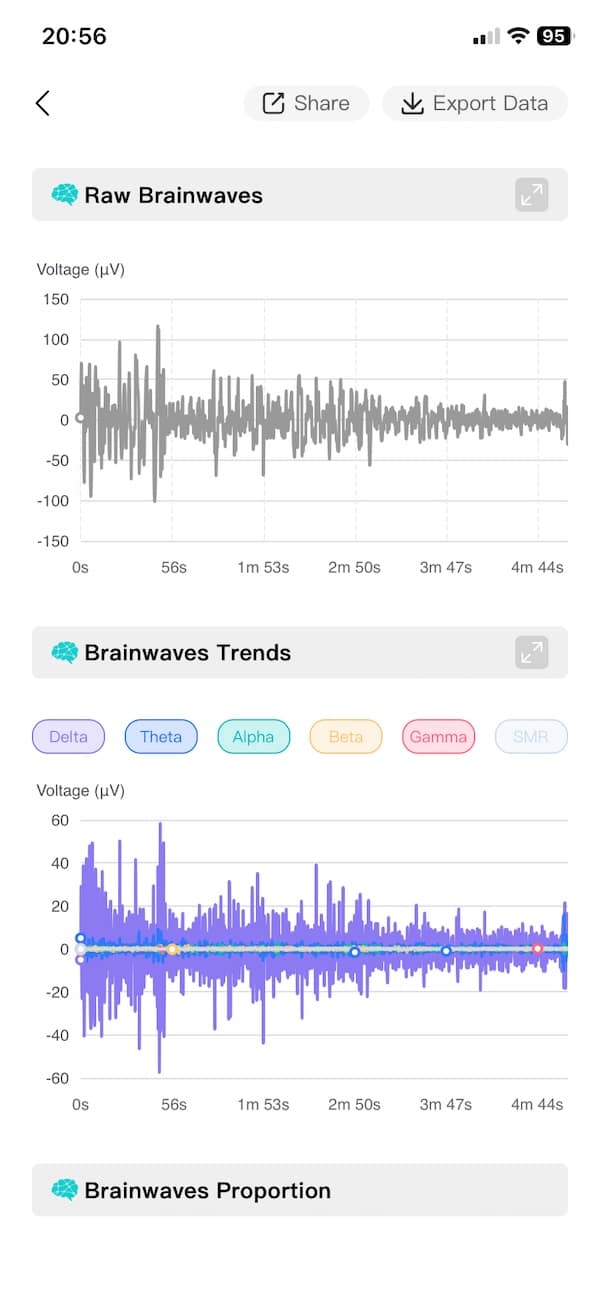
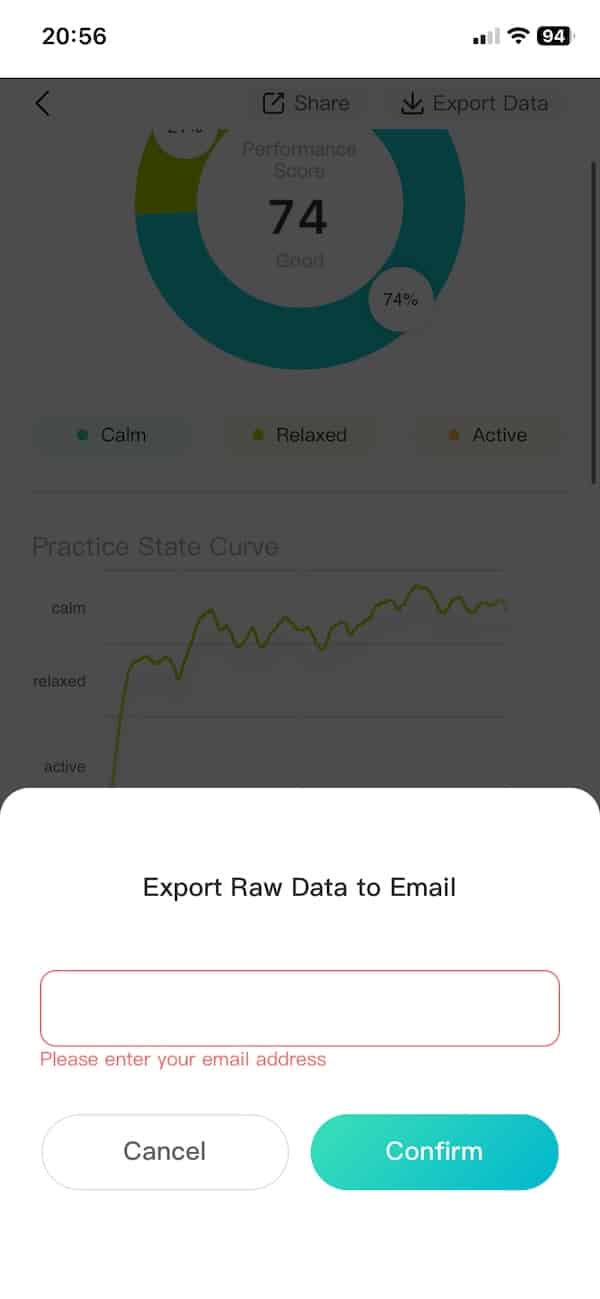
What I found more useful was comparing sessions over time. A single meditation does not tell you much on its own, but after you have built up a bit of history you can start seeing whether certain patterns keep coming back. And you can even turn it into a game by tracking your overall score over time.
I also like that SereniBrain lets you export your data rather than keeping everything locked inside the app. You request the export and it is emailed to you, so you can open it on a computer and do whatever you want with it.
And this is not just a basic session summary. The example I exported contains timestamped readings every 4 milliseconds, including the raw EEG voltage along with separate Delta, Theta, Alpha, Beta, Gamma and SMR values. Most people probably will not go anywhere near that level of detail, but if you like digging into your own data or building your own charts and comparisons, there is a lot here to play with.

Overall, the reporting is one of the parts of SereniBrain I liked most. There is enough detail here to keep things interesting after the novelty of watching your brainwaves live has worn off, and the ability to get the data out of the app is a nice bonus.
Don’t miss the latest from Gadgets & Wearables
Subscribe to our monthly newsletter and check out our YouTube channel.
You can also follow Gadgets & Wearables on Google News and add us as a preferred source in Google Search.

