

Garmin shares ways to make its training data less overwhelming
We’ve all been there. You wake up feeling fine, check your Garmin and suddenly a poor Sleep Score or negative Training Status starts shaping how you feel about the day ahead.
Garmin is now encouraging users to pause, disable or hide some training features when the constant stream of scores becomes mentally draining. Its advice covers Training Status, Sleep Score, Performance Condition, workout screens and everyday notifications.
You may already know some of these methods, but others could come as a surprise. Some simply remove information from view, while others stop features from running and can also affect related metrics.
Pausing Training Status
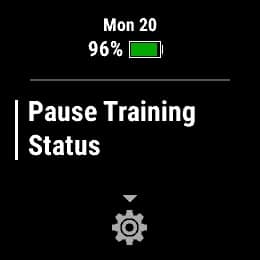
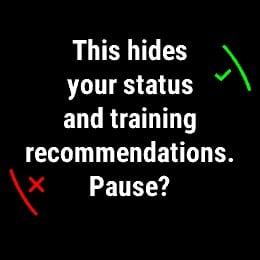
Garmin suggests pausing Training Status during injury recovery, holidays, time away from structured training or any period when performance analysis is not especially useful. On compatible watches, open the Training Status glance, hold the Menu or Up button, select Training Status Options and then Pause Training Status. It’s as simple as that.
Pausing the feature is not the same as hiding it. Garmin says this temporarily disables Daily Suggested Workouts, Training Load and VO2 max, so users will pause more than the status label itself.
Anyone who wants those features to keep working can take a less drastic approach. Training Status can instead be removed from the Morning Report, watch glances or focus areas inside Garmin Connect.
The watch continues calculating the data in that case. You just don’t see it as much.
Turning off Performance Condition
Performance Condition works differently again. The feature assesses how someone is performing compared with their usual fitness level during the early part of an activity.
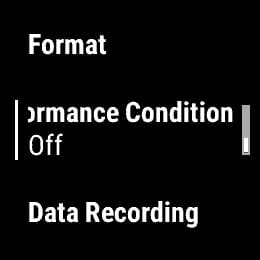
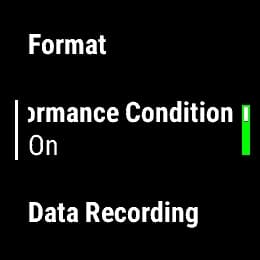
A negative number can influence how a run or ride feels before the session has properly developed. Garmin therefore suggests switching the feature off when it creates unnecessary pressure. On most watches, hold the Menu or Up button, open System or Physiological Metrics, then select Performance Condition and turn it off.
This does not mean Performance Condition lacks value. It can provide useful feedback during structured training, but it becomes less helpful when users start reacting emotionally to every early reading.
Less information during workouts
Garmin also recommends simplifying workout screens. A running screen showing only time and distance can make it easier to train by feel rather than constantly reacting to pace, heart rate or other live metrics.
That does not mean advanced data should disappear from every session. Pace, power and heart rate remain useful during intervals, races and controlled workouts, but an easy run does not need to feel like a test.
The same applies to Move Alerts and smart notifications. Turning them off reduces interruptions without affecting the watch’s ability to record health and fitness data.
Sleep Score can stay in the background
Another option is to do with Sleep Score. Garmin suggests hiding it when a low result begins affecting mood or motivation. Someone may wake up feeling reasonably rested, see a poor score and then start interpreting the entire day through that number.
Removing the score from view does not stop the watch from tracking sleep. The data remains available for reviewing longer-term patterns, but it no longer becomes the first judgement of the morning.
Our takeaway
These are all sensible suggestions. Another option is simply to stop checking your watch quite so often.
Garmin’s broader point is that metrics should provide context rather than act like a report card. An Unproductive Training Status or poor Sleep Score does not automatically mean someone trained badly or failed to recover.
This is also where CIRQA could offer a different approach. Its screenless design should still collect continuous health data, but without putting scores, alerts and status messages on the wrist all day.
Sometimes the better response is to rest, reduce intensity or ignore the number for a while. Garmin devices collect a huge amount of data, but users do not need to see all of it all the time.
Don’t miss the latest from Gadgets & Wearables
Subscribe to our monthly newsletter and check out our YouTube channel.
You can also follow Gadgets & Wearables on Google News and add us as a preferred source in Google Search.

