

Pongbot PACE S PRO review: tracks your footwork, feeds like a pro, drills without mercy
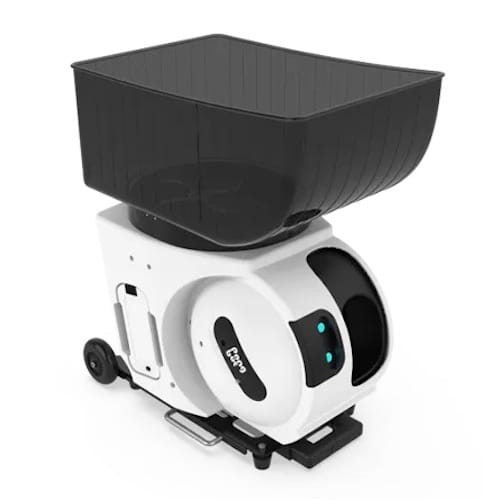
Pongbot PACE S PRO
Pros
- Tracks player position for smarter ball delivery
- Covers full court with fast spin & pace changes
- More than 500 built-in drills, custom options
- AI modes adapt to skill level & shot patterns
- App control is responsive & easy to use
Cons
- Pricey
- Hopper and wheels feel a bit fragile
Pongbot PACE S PRO: One minute review
The Pongbot PACE S PRO has genuinely changed how I approach solo practice. It’s a major step up from my old Slinger Bag.
The PACE S PRO is built for serious training. It goes well beyond basic ball feeding, combining mechanical speed with player tracking and smart drill logic. It’s ideal if you want structured, high-volume hitting with full control over difficulty. The pace, spin, and variation keep sessions productive.
This isn’t for someone looking to casually hit a few balls after work. It’s for players or coaches who want structure, repetition and challenge on demand.
The hardware holds up well. Spin changes are quick, movement is fluid, and ball delivery stays consistent even at higher speeds. Battery life supports long sessions without fuss, and the app makes switching drills or settings straightforward. The included sensors add extra functionality – as the machine knows in real time exactly where you are on the court.
Build quality has been good during the one month of testing, though parts like the hopper and wheels do feel a bit fragile. That said, I’ve had no problems so far.
This isn’t a device you learn once and forget. You’ll keep finding new ways to use it. The presets are solid, but the real value comes when you start building and experimenting with your own drills. If you already train with data or track your sessions in detail, this machine can slot into that routine and raise the intensity.
It’s not a small purchase, but if you’re serious about your tennis training, it justifies the cost. Especially if you can pick it up on a discount. For those that want something dead simple, there are cheaper options out there. But if you’re willing to dig in, the value really shows.
All of these features, especially with the AI modes and sensor integration, are unmatched in this price range. It won’t replace a coach, but it can sharpen your sessions in ways most machines can’t. I wouldn’t go back to a basic ball launcher after this.
View PACE S PRO on Pongbot’s website (For $75 off, at checkout add coupon code: gadgetsandwearables). Also, check out my Youtube review to see the machine in action.
Jump to
Design & hardware
Technical specifications
How to use
Is this right for you
Pongbot PACE S PRO review: Design and how it holds up
- Sturdy and quiet during use, with good on-court stability
- Easy to roll around, though less convenient on stairs or in tight spaces
- Minimal on-device controls, with functions handled through smartphone app or remote
The PACE S PRO feels like something built for people who actually train. It’s not trying to be stylish or compact. Visually, it’s low-profile but sturdy, giving off the impression of a system that’s meant to be forgotten once it’s working. Having said that, I’ve had players from nearby courts come over mid-session to ask what it is and watch it in action.

The hopper is fixed into the top half of the unit and loads easily, but removing it takes more effort than I expected. It fits tightly, which helps keep it in place, but I’ve caught myself worrying about breaking it.
The machine weighs around 19 kilos, so it’s not exactly something you’d call lightweight. That said, it’s lighter than a lot of the other ball machines on the market. Compared to the Slinger Bag, which I used for a few years, this one takes up noticeably less space. It’s about half the height, so it’s easier to store.

There are wheels and a telescopic handle, so moving the PACE S PRO across flat ground is pretty straightforward. Stairs are more of a hassle because of the slightly awkward weight distribution. Getting it in and out of a car on your own takes a bit of juggling. I haven’t had any issues with the wheels, even on a few 20-minute walks to the court. But I’ve seen some users mention that the rubber on the wheels might wear down faster on rough or uneven surfaces.
Once the machine is in place, it stays put. The wide base and locking mechanism hold it steady even when firing at high speeds or with heavy spin. That makes a big difference when running more intense drills. I never had to stop and reposition it mid-session.
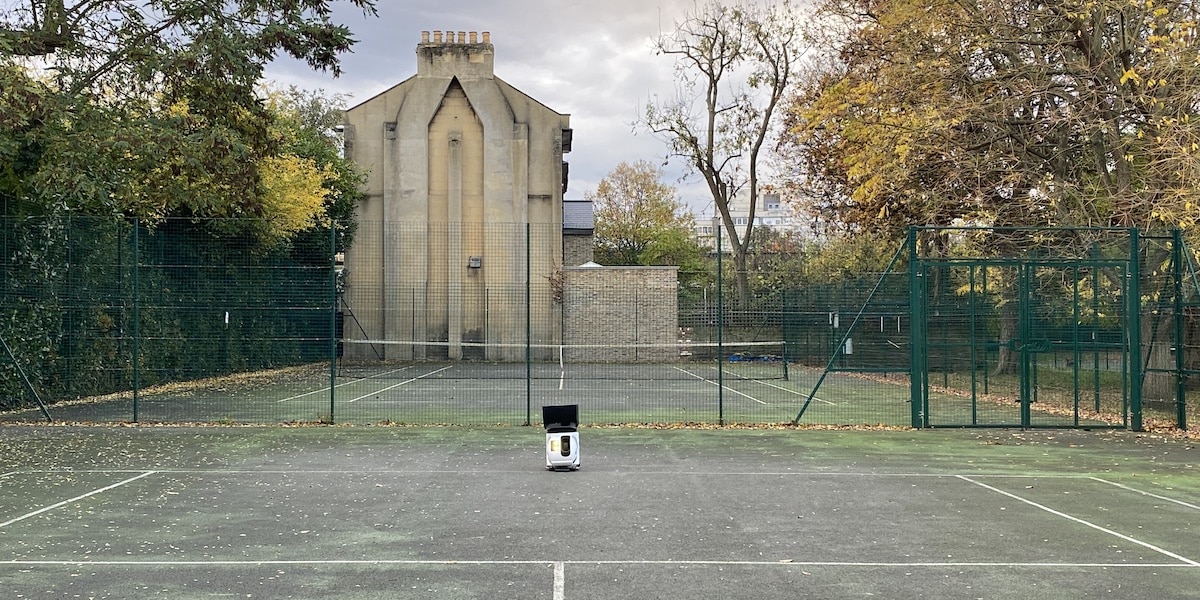
What I particularly like is how quiet it is during use. You can barely hear the motor running and that’s a good thing. I for one, do not want to disturb players on nearby courts with a loud piece of gear. This one is practically silent.
There’s a sound alert before each ball is launched, probably a safety feature, but that can be turned off in the app. I prefer it off. One thing I noticed is that the internal wheels keep spinning even when it’s in standby. You can stop that by switching it into Eco mode, which is easy enough to do in the settings.

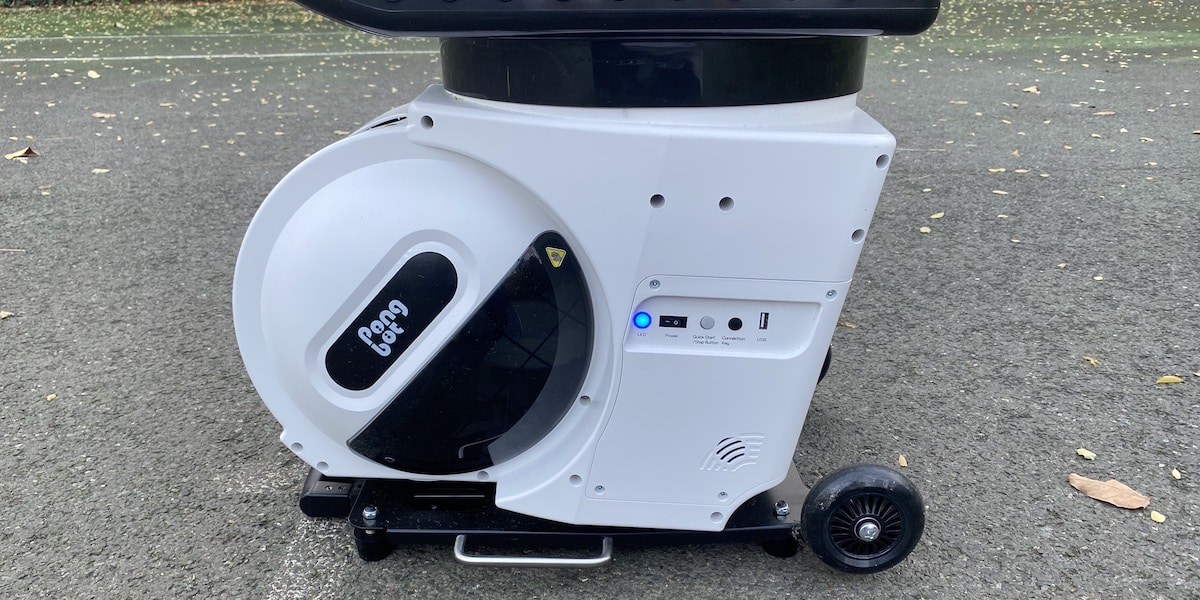
On the unit itself, you can find a small control interface. The LED indicators in front are clear and easy to read, and the whole system powers on without any weird delays or boot-up issues. I usually have it ready in a couple of minutes.
Nearly all interaction with the machine happens through the app or remote, which works well. The Bluetooth connection has been totally reliable, and I can adjust drills or settings straight from my phone without needing to touch the machine once it’s powered on. The only real job is loading on the balls to the hopper.
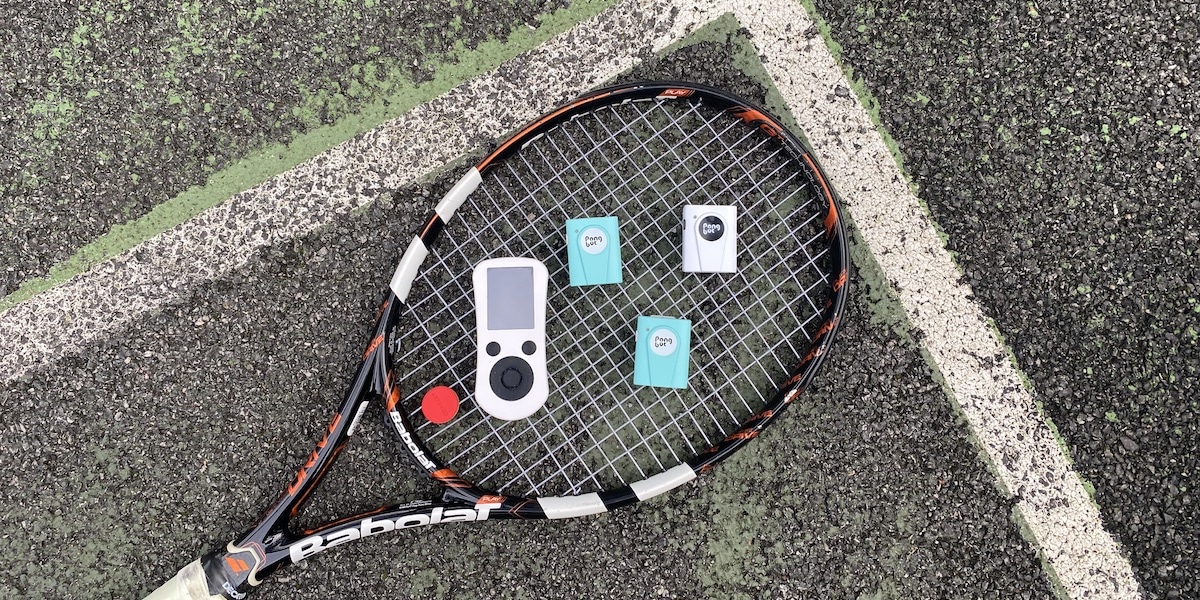
The system also comes with a player-tracking sensor you can wear, plus two net sensors for positional feedback. But you can train just fine without using any of them. They do allow, however, for some more advanced drills. More about that later.
The design doesn’t try to stand out, but once you’ve used it, it feels solid and well put together. Everything is laid out logically, and build quality has been good so far. Still, parts like the hopper and wheels may show wear over time, so that’s something I’ll be keeping an eye on. I’ve been using it for about a month – and so far I’ve had no issues.
Technical specs
- Fast, consistent feed with up to 80 mph speed and 60 RPS spin
- Smooth motorised angle and sweep adjustments
- 8 hours of battery life on a single charge
As far as the hardware, the PACE S PRO runs on a dual‑wheel drive system that feeds balls through direct contact with the wheels. It’s capable of delivering a wide range of shots, including topspin, backspin and flat balls.
Spin intensity can be adjusted across 21 levels, with a maximum of 60 revolutions per second, which covers everything from slow looping topspin to heavier drives. The response time when switching spin types is short, so drills can simulate real rally conditions without delay or mechanical lag.
Speed can be set anywhere up to around 75–80 miles per hour. That’s more than enough to replicate real match pace. Ball frequency is adjustable from 1.5 to 12 seconds, depending on the type of session you’re after. The ball feed has been consistent in my use, and the delivery feels smooth even when pushing the higher settings.
Elevation and horizontal movement are fully motorized. You can shift the launch angle from 10 to 50 degrees for anything from low skimming shots to high lobs. Side‑to‑side movement spans roughly 50 degrees across the court, which enough to simulate both singles and doubles coverage. Transitions are fluid, and the machine keeps its aim stable between sequences.
The outer shell is reinforced plastic with internal framing that supports the motor assemblies and protects the tracking hardware. Vents are cut into the side panels for cooling. There are no exposed belts, cables or high-friction parts prone to failure. In use I did not notice any overheating or noise from cooling fans, which suggests the PACE S PRO handles heat well.
I’ve also found the ball feed reliable. After a month of use, there was only one session where there was a ball jam. And this was easily rectified by opening the side door. Problem solved in a few seconds.
As mentioned, the machine supports player tracking. It does this through a 100 Hz motion‑sensing system, which can detect position. The feature is there if you want to add reactive drills or recovery‑based training.
Battery life
Everything runs off a removable battery stored beneath the motor housing. It’s got enough capacity for multiple sessions without needing a recharge. I’ve done a couple of long workouts back to back and never had to worry about it running out. The company says you get over eight hours on a full charge, and that seems accurate. After a two-hour session, I usually drop just one of the four battery bars, so the estimate checks out.
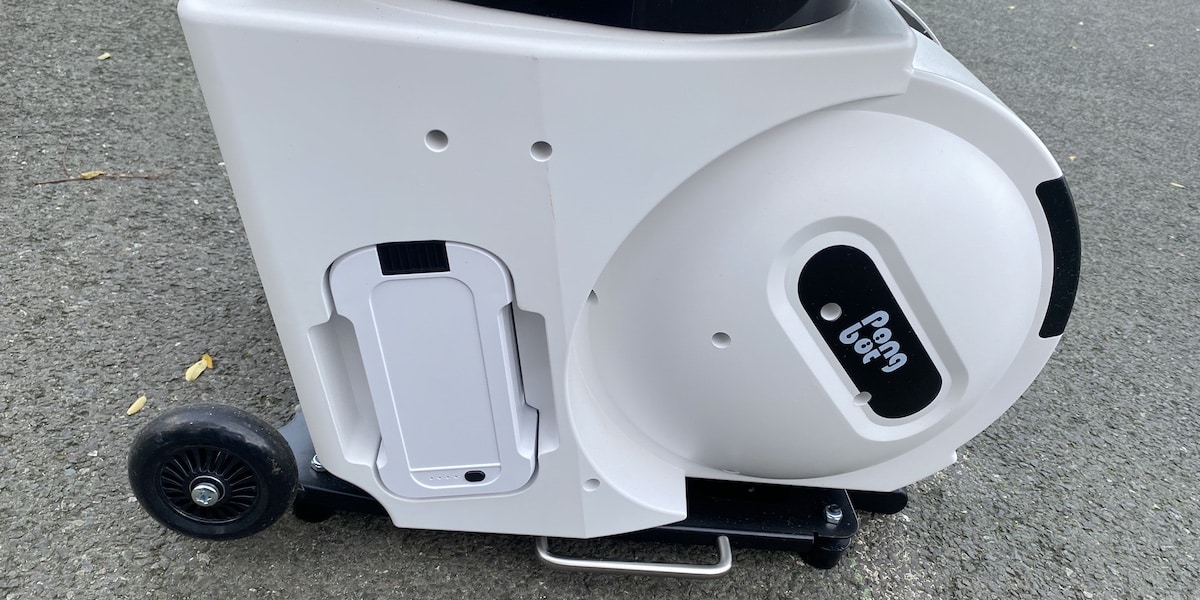
Charging is straightforward. You just plug it in and let it do its thing. Since the battery is removable, it’s easy to handle and doesn’t get in the way. I’ve never felt limited by battery life, even when running high-speed or heavy-spin drills.
One nice touch is that you can charge the sensors directly from the machine via USB. That is handy if you’ve forgotten to refuel them at home.
Specification | Value |
|---|---|
Serve mechanism | Dual-wheel drive |
Serve speed | 8–34 m/s (up to ~75–80 mph) |
Spin types | Topspin, Backspin, No Spin |
Spin speed | Up to 60 rounds per second |
Ball interval | 1.5–12 seconds (22 levels) |
Horizontal movement angle | -25° to +25° |
Elevation movement angle | 10° to 50° |
Net weight | 21 kg (with battery and hopper) |
Hopper capacity | 150+ balls |
Battery life | 8+ hours |
Motion tracking sampling rate | 100 Hz |
Pongbot PACE S PRO review: How to use
- App setup is quick with presets and deep custom options for advanced drills
- Smart features like AI Recovery add match-like realism
- Building long custom drills takes time, but the control over each shot is impressive
Initial setup is quick. The smartphone app pairs to the machine without fuss, and it walks you through the basics the first time you connect. Even if you’re not especially tech-savvy, you’ll be fine after a bit of poking around.
Once it’s charged, you wheel it onto the court, position the hopper and dump in the tennis balls, power it on, and control everything from your phone or the included remote. There an on-unit LED indicator lets you know when Bluetooth is active.
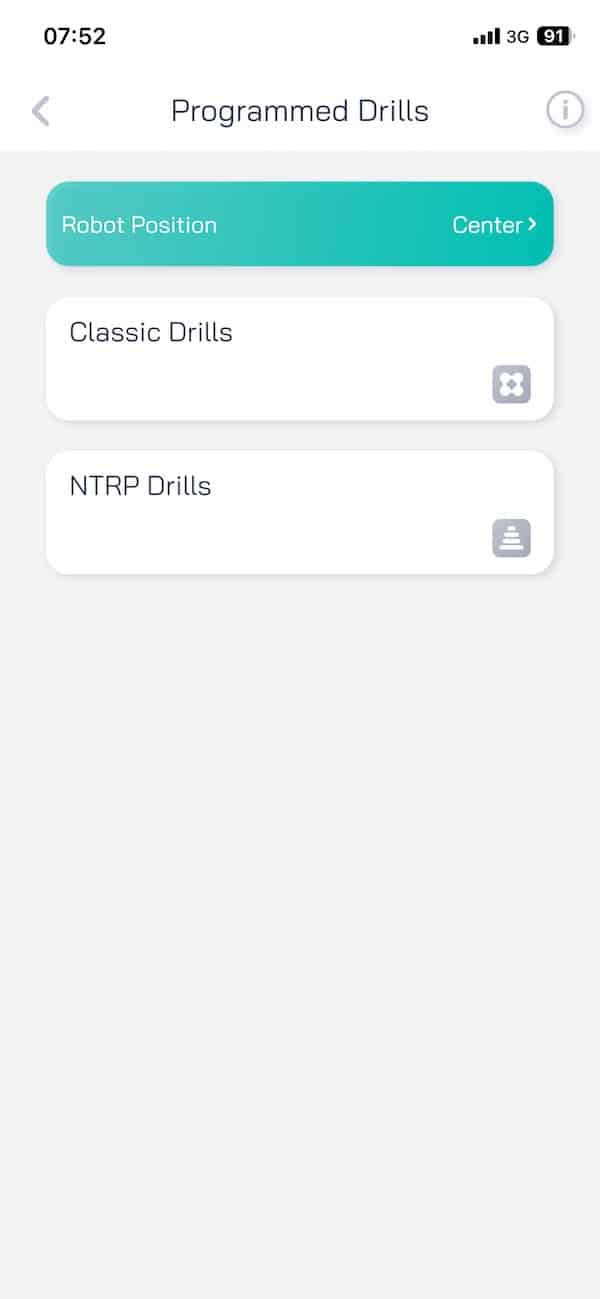
The app is the main control hub. You can pick from a large set of preloaded drills or start building your own. The preset drills are handy for quick sessions, and probably enough for the majority of average tennis players out there.
You can choose varying levels of difficulty, hand preference, combo interval, sequential/random sequence and more. That gives some room to tweak without going into full custom mode.
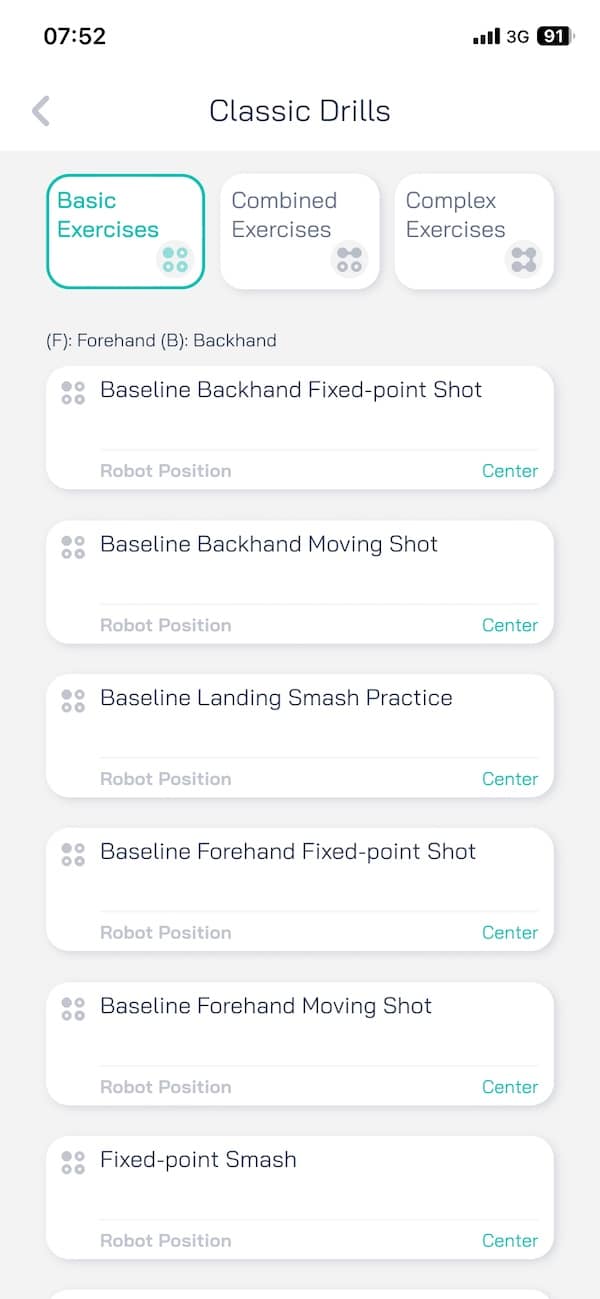



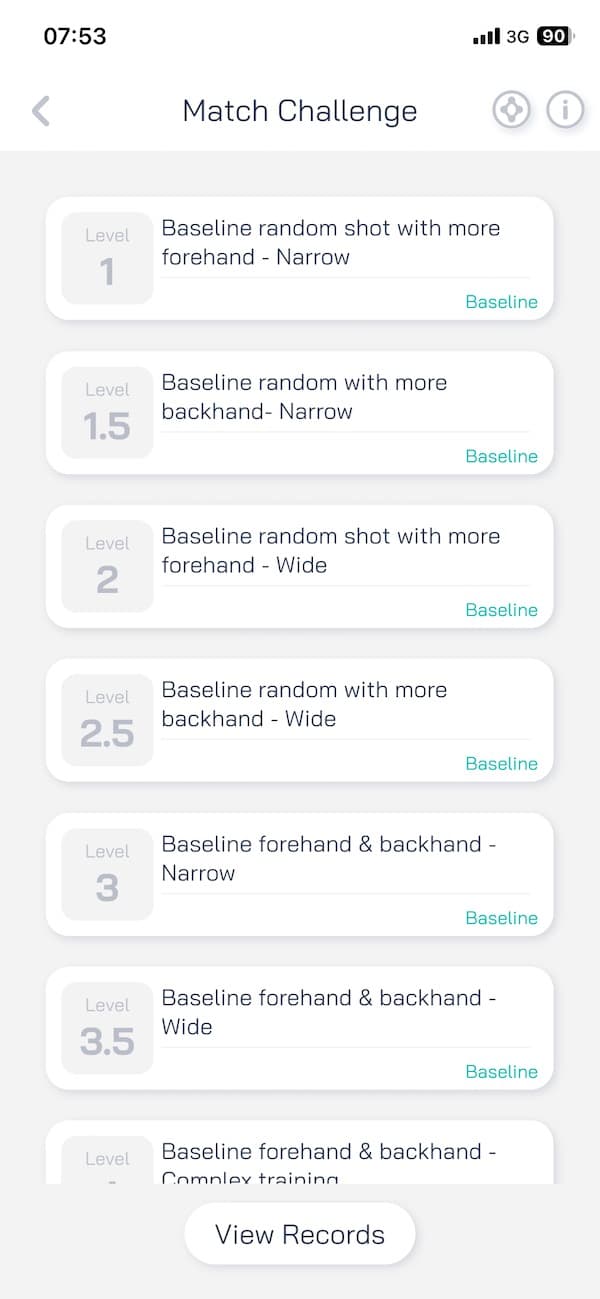

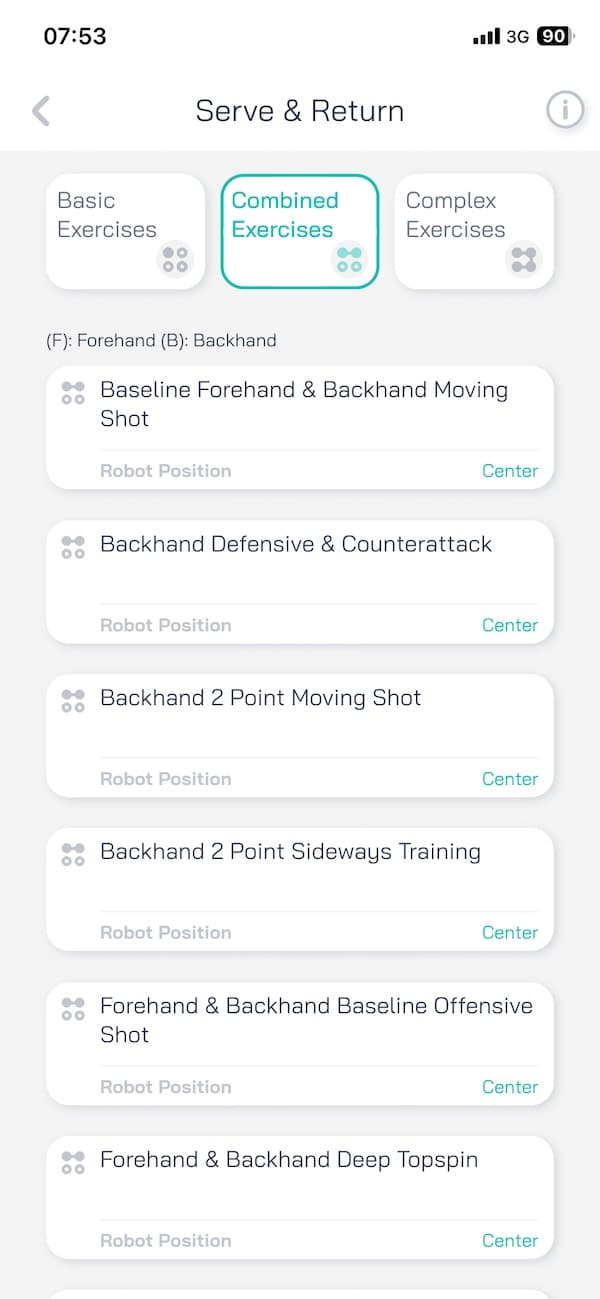
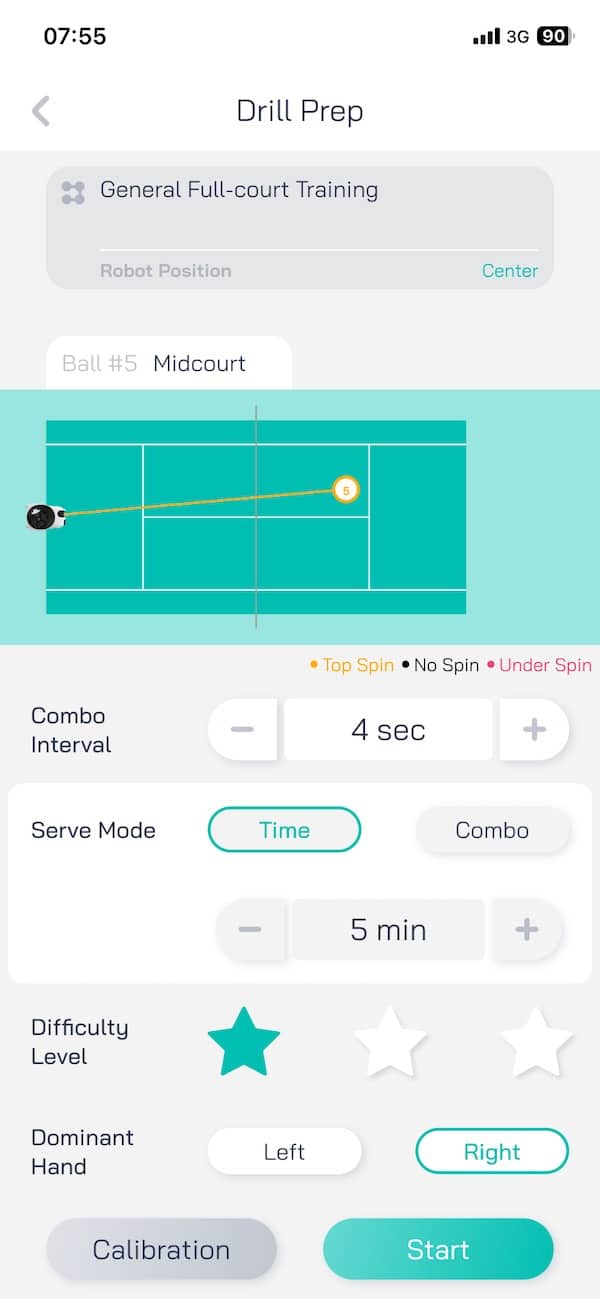
Custom drills are where this machine really stands out. You can tweak every single ball in the sequence -speed, spin, depth, placement.
It does take time to build a drill from scratch, especially if you’re setting up a 30 or 40-ball sequence. The app supports up to 45 shots per drill, and you can combine different shot types in any order. Once created, drills can be saved to your library and edited later.
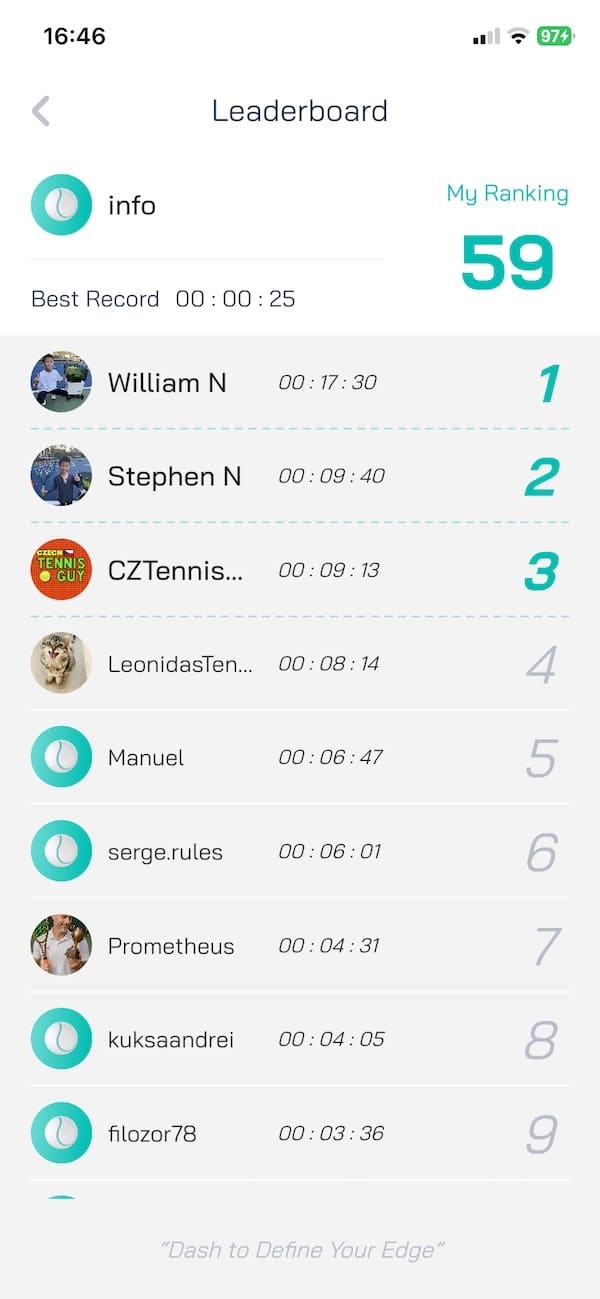
You can also download drills shared by other players, and some of them are actually great. It’s a simple way to keep things fresh. The drill-sharing feature is built into the app, and you can favorite or copy any public drill into your own library.


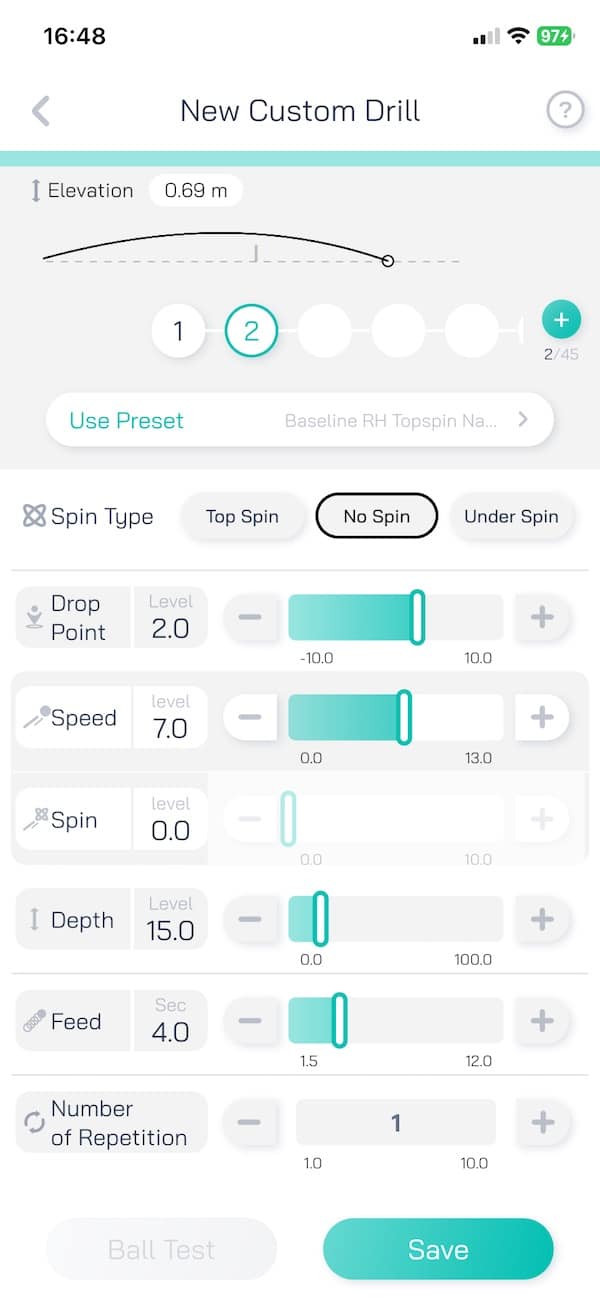
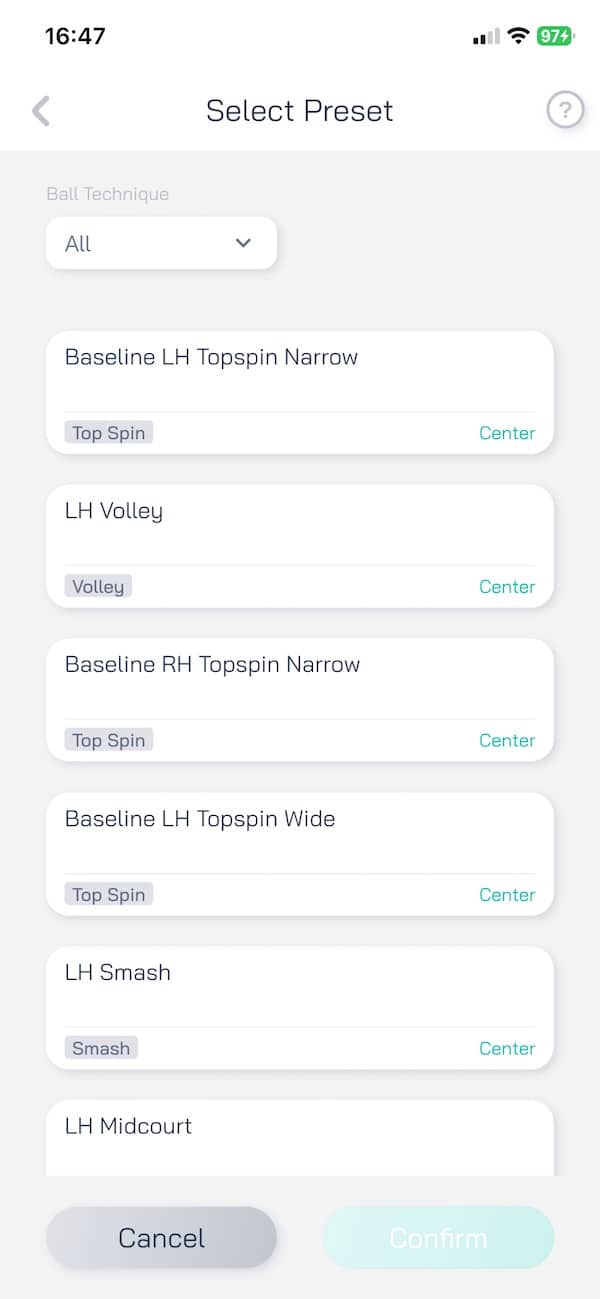
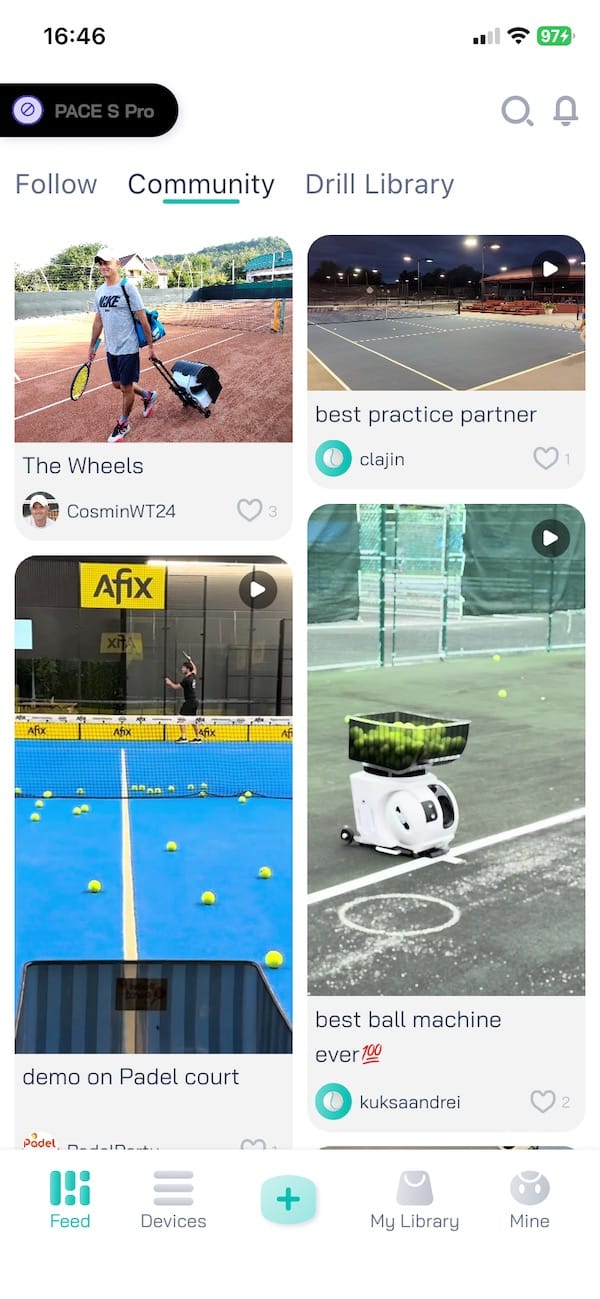


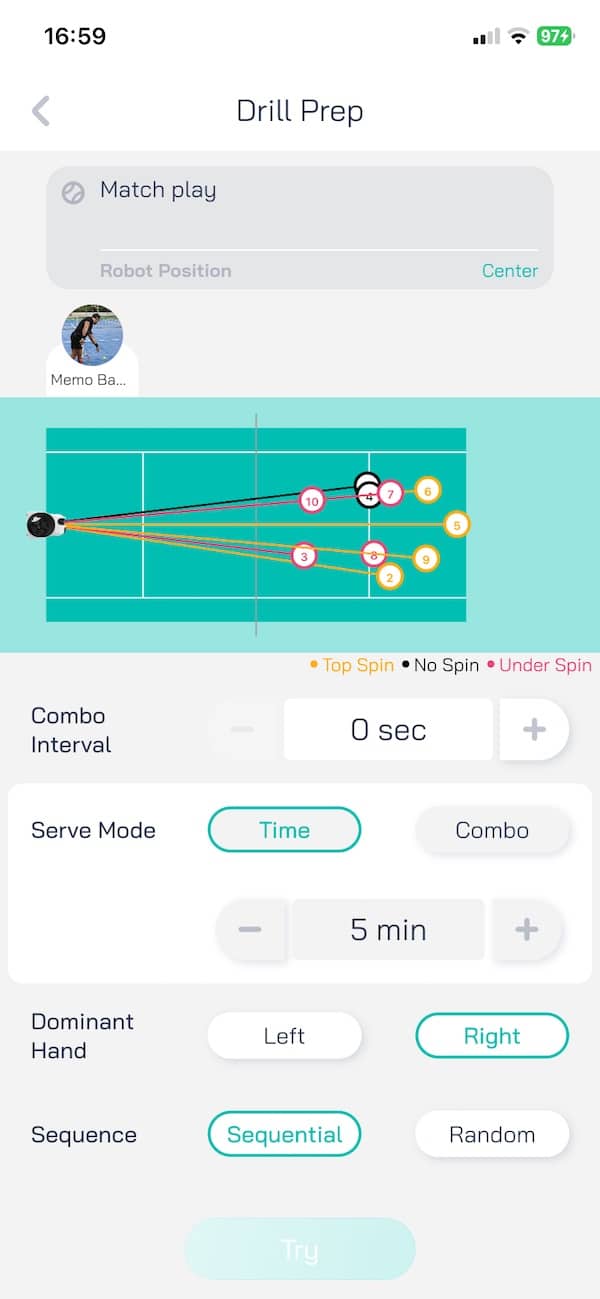
The thing to note is that there’s a bit of a learning curve. Not because it’s hard, but because there are so many options. Especially with drills.
It took me a few sessions to figure out which features and drills were actually useful and which ones I could ignore. But once you get used to it, the basics feel straightforward. You can also simplify things by adjusting court positioning and feed delay globally, which helps match the machine’s output to your timing.

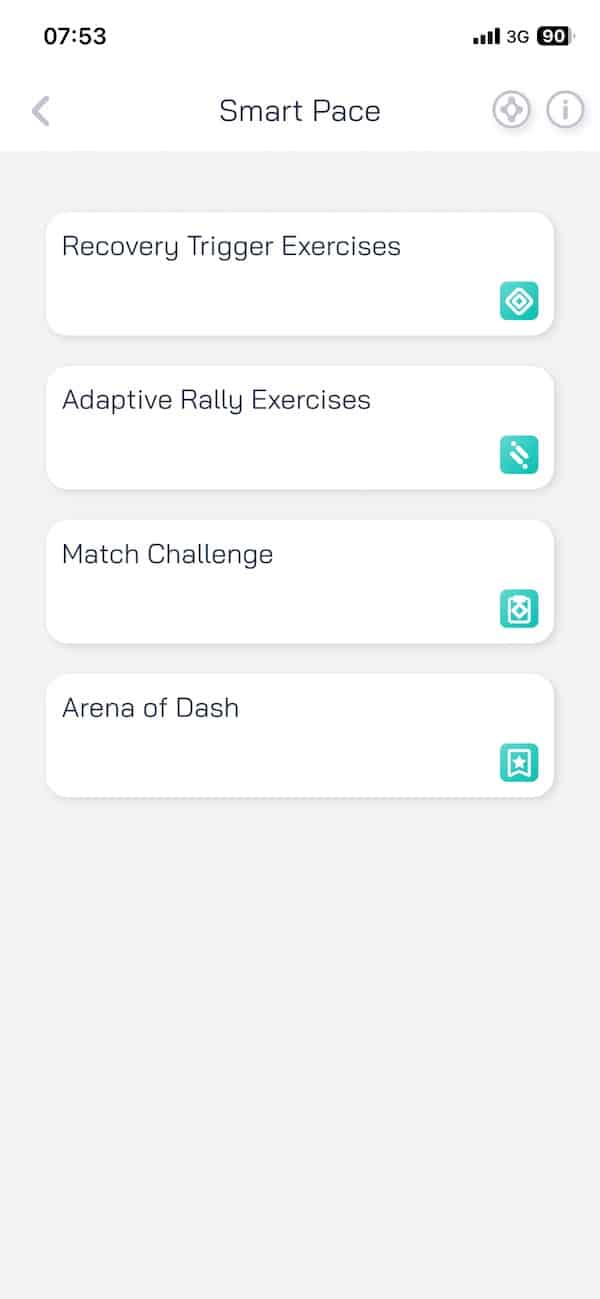
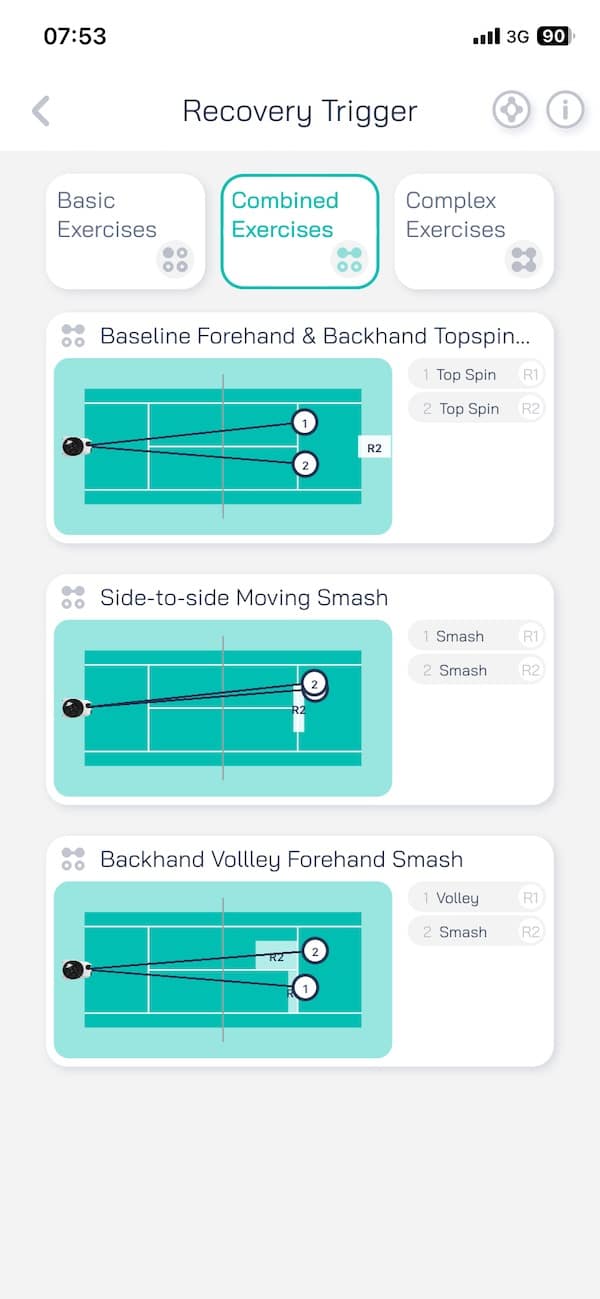
Some of the smarter modes (referred to as Smart Pace in the app), such as Recovery Trigger, are where the PACE S PRO really stands out. These are features that make the machine feel less like a ball launcher and more like a training partner.
Recovery Trigger, for example, is especially useful for footwork drills. It tracks when you’ve moved back to the centre back-end of the court and only then fires the next ball. That changes the rhythm entirely. Instead of feeding on a fixed timer, the machine reacts to your recovery, simulating real match flow. And if you’re not fully fit, you can slow the tempo down to keep the session under control.
To get this working properly, you’ll need to clip the third sensor onto yourself and set up the two net sensors that come with the system. Once everything is paired, which usually takes only a few seconds, the tracking is surprisingly accurate.
There can be a bit of a lag now and then, but overall the experience adds a strong element of realism to solo practice. It forces you to reset quickly, stay balanced and not cut corners between shots. That alone gives these drills more value than anything you’d get from a fixed feed interval.
Ramp up the difficulty level to challenge yourself even more. The thing about this is – instead of a predictable rhythm, you get a more varied pace that mimics what happens in an actual rally. It’s sometimes quicker, sometimes slower, depending on the previous ball. The whole thing keeps you alert and removes the tendency to fall into a drill pattern. It’s like training with a partner who never misses!
Together, these modes make the training feel alive. If you want sessions that prepare you for how points actually play out, these features are the ones to lean on.
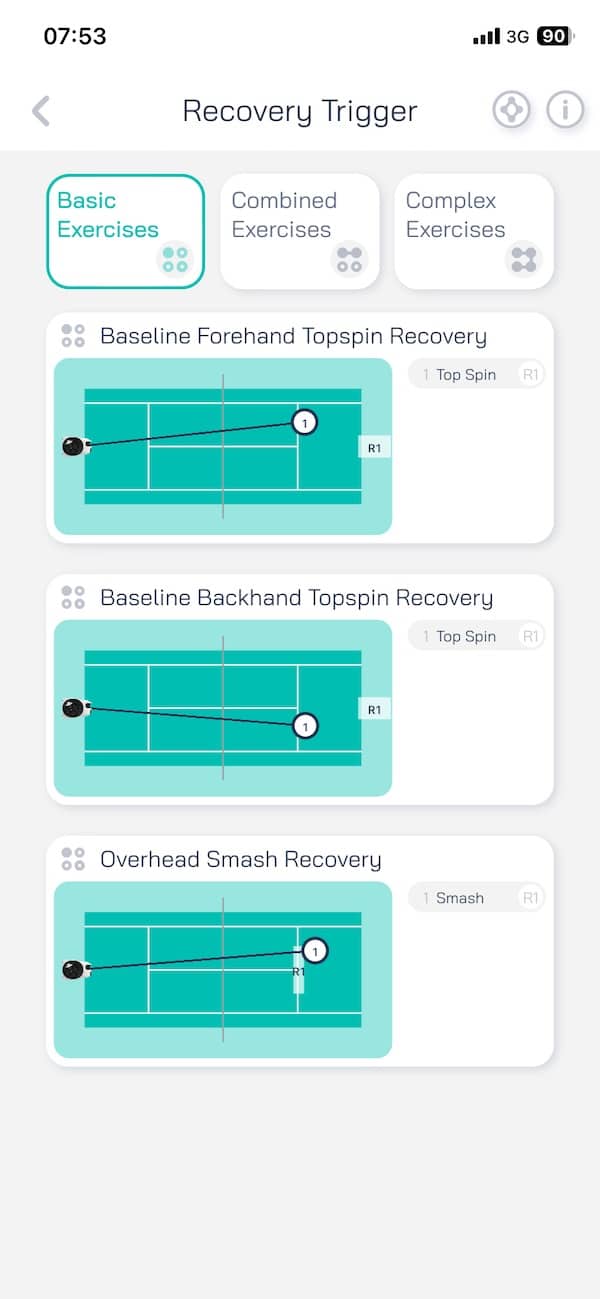

View PACE S PRO on Pongbot’s website (For $75 off, at checkout add coupon code: gadgetsandwearables).

Is this right for you?
Buy if
- You train solo and want full-court feeds with real spin and pace
- You want drills that adjust based on your movement, not just timers
- You need detailed control over shot type, speed and placement
- You value long battery life and app control for quick setup
- You can store or transport a 19 kg machine without hassle
Don’t buy if
- You only play casually and don’t need advanced drills
- You want something ultra-light to carry between locations
- You’re looking for a basic ball launcher
*We are a review site that receives a small commission from sales of certain items, but the price is the same for you. Purchasing items by clicking on links in this article allows us to run this website. We are independently owned and all opinions expressed here are our own. See our affiliate disclosure page for more details.
Like this article? Subscribe to our monthly newsletter and never miss out!
