

Why Fitbit Air users may want to link medical records in Google Health
Fitbit Air is basic on the wrist, but that is only half the point. Link your medical records to Google Health and the app has a better chance of understanding the health story behind the numbers it collects.
The feature is still limited. Google says medical records syncing currently works with supported healthcare providers in the United States, so not everyone will see the option yet. But if it appears in your app, it is worth knowing where to find it and what it actually does.
How to link your medical records
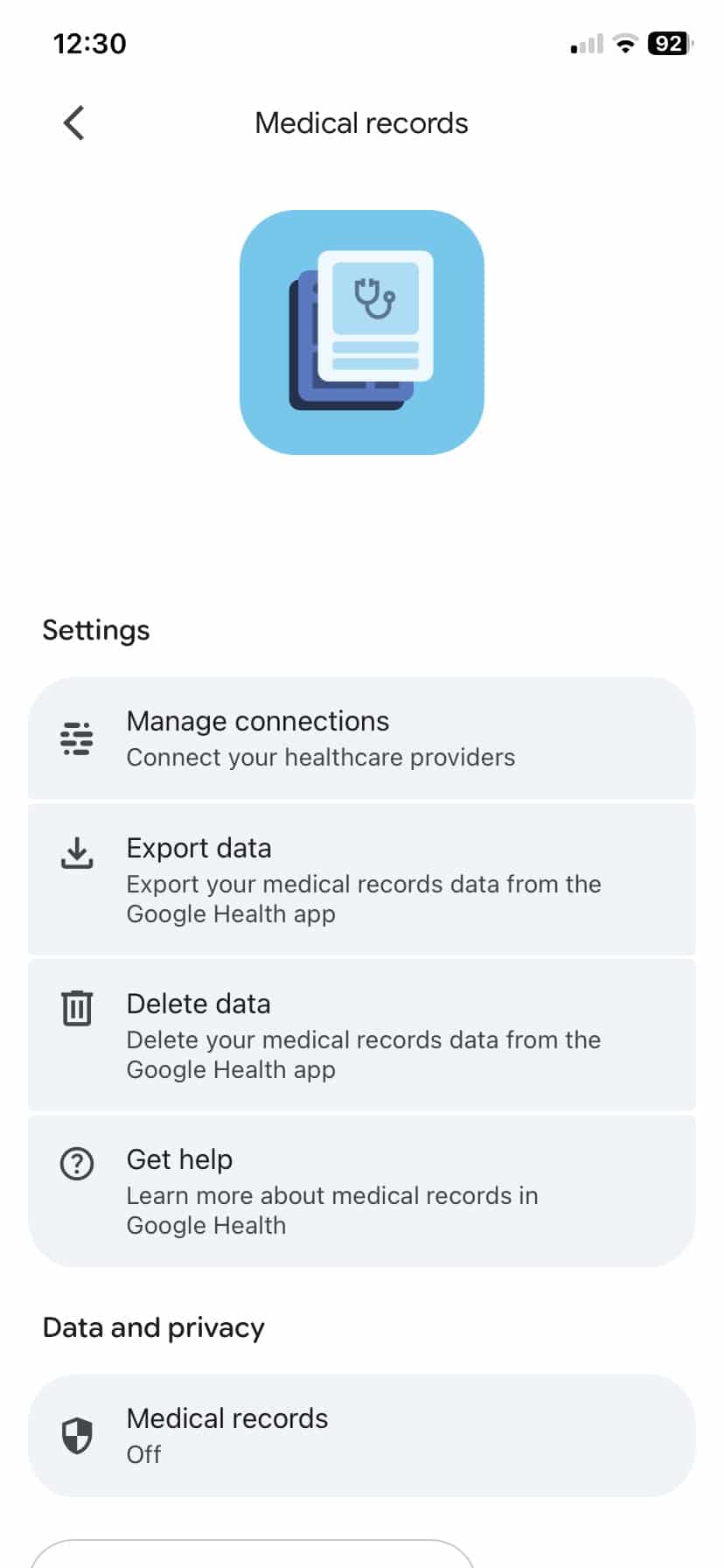
Open the Google Health app and tap your image in the top right hand corner. That should take you to the Manage your Google Account section. There you will see a Medical records tab.
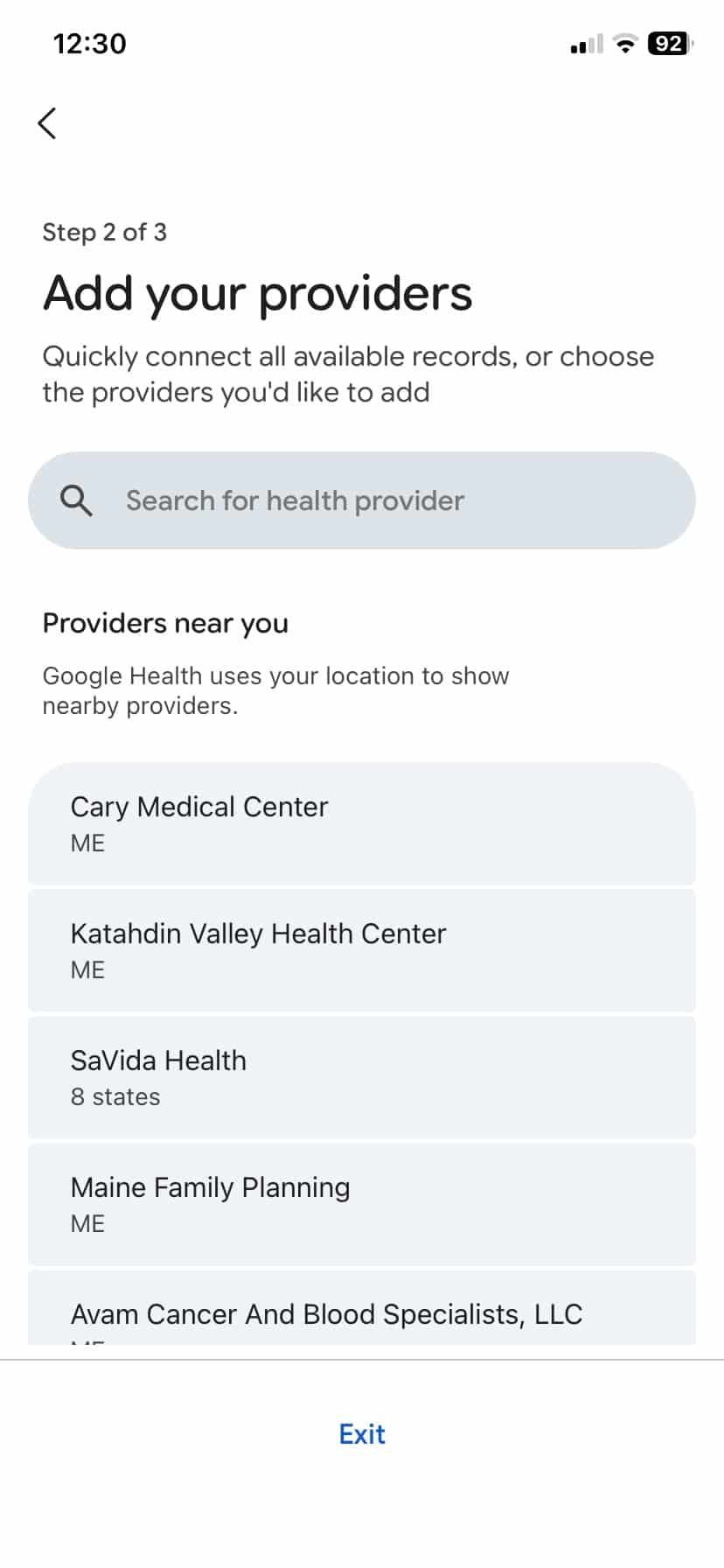
Tap it and then choose Manage connections. From there you can search for your healthcare provider. If your provider appears, sign in with that provider and follow the prompts. Depending on the provider, you may also be able to choose which types of data Google Health can access.
Google also offers another route through CLEAR identity verification. After your identity is verified, Google Health can search for matching records from past healthcare providers and try to bring them into the app. That could be useful if your medical history sits across more than one provider.
Android users also have an option through Health Connect. In that case, Google Health can pull available medical records from Health Connect after permissions are switched on. You will need to allow personal health records inside Health Connect and make sure the original medical records app has permission to share data there.
Once records are synced, they appear inside the Health tab under Medical. The categories include allergies, medications, vaccines, lab results, vitals, procedures, conditions and visits.
Why this may actually be useful
The clearest use case is not a healthy person linking a normal check-up and asking Google Health what it means. It is someone with a complicated medical history who wants their wearable data interpreted with that background in mind.
Think cancer treatment years earlier, multiple surgeries, long-term blood thinner use, blood clot history, circulation problems, leg swelling during impact-heavy exercise or a body that responds badly to sprinting and cutting movements. In that kind of situation, generic fitness advice can be worse than useless. A wearable might see low activity, poor recovery or a hard workout, but it does not know the medical reason behind the pattern.
That is where linked records could help. Google Health can see the daily signals from Fitbit Air, then place them next to medical history, medication records and previous procedures. That gives the Coach a better shot at suggesting lower-impact options such as walking, swimming, cycling, yoga, mobility work or shorter hikes instead of blindly pushing harder training.
The same logic applies to other long-term issues. AFib, bladder problems, glucose control, cholesterol, recovery after surgery, fatigue or medication changes all make wearable data harder to interpret in isolation. Medical records give the app a better starting point.
That still does not turn Google Health into a doctor. But it could make it less dumb than the average fitness app. And that is probably the best argument for linking records in the first place.
What to check before connecting anything
Medical records are not the same as step counts, so it is worth checking the settings before linking anything. Google says users can manage, export, remove access or delete medical records data at any time.
There is also a difference between syncing records for viewing and letting Coach use them for personalised answers. If you turn on Google Health Coach and give consent, the Coach can use your health data to answer questions in a more tailored way. If you do not want that, check the permissions carefully.
After setup, go into the Health tab and check what actually synced. Some records may appear differently from your patient portal and some data may not show up exactly as expected.
Linking medical records will not be for everyone. But if you already use Fitbit Air or plan to try it, the feature is worth a look. The band collects the daily signals. Your records add the missing background. Google Health only starts to get interesting when it has both.
Don’t forget to check out my full Fitbit Air review.
Don’t miss the latest from Gadgets & Wearables
Subscribe to our monthly newsletter and check out our YouTube channel.
You can also follow Gadgets & Wearables on Google News and add us as a preferred source in Google Search.

