

RingConn Gen 3 review: Subtle alerts and bigger health ambitions

RingConn Gen 3 feels like a nice step up from Gen 2, even if some of the newer ideas still need time to mature. The design is familiar, the comfort is excellent and the battery life remains one of the easiest things to like. Add in the no-subscription model and it starts to look like one of the stronger value plays in the smart ring space.
Vascular Trend gives Gen 3 its own angle, while vibration alerts make the ring feel more interactive than before. In use, the vibration feature works well when it triggers, and there is clear potential if RingConn adds silent alarms and custom timed reminders later on. The app side also feels like something RingConn can keep refining as these newer tools develop.
For everyday use, RingConn Gen 3 feels easy to live with. It handles sleep, recovery, daily trends and general activity in the background, while workout tracking is there when you need it. I would still like to see better heart rate performance at higher intensities, but that does not take away from what the ring does well. For people who want a smart ring that tracks quietly without adding another ongoing cost, it’s one of the best options around.
Read our other RingConn reviews (Gen 1, Gen 2, Gen 2 Air). See how this model compares with the other options in our guide to the best smart rings.

Jump to
Design and comfort
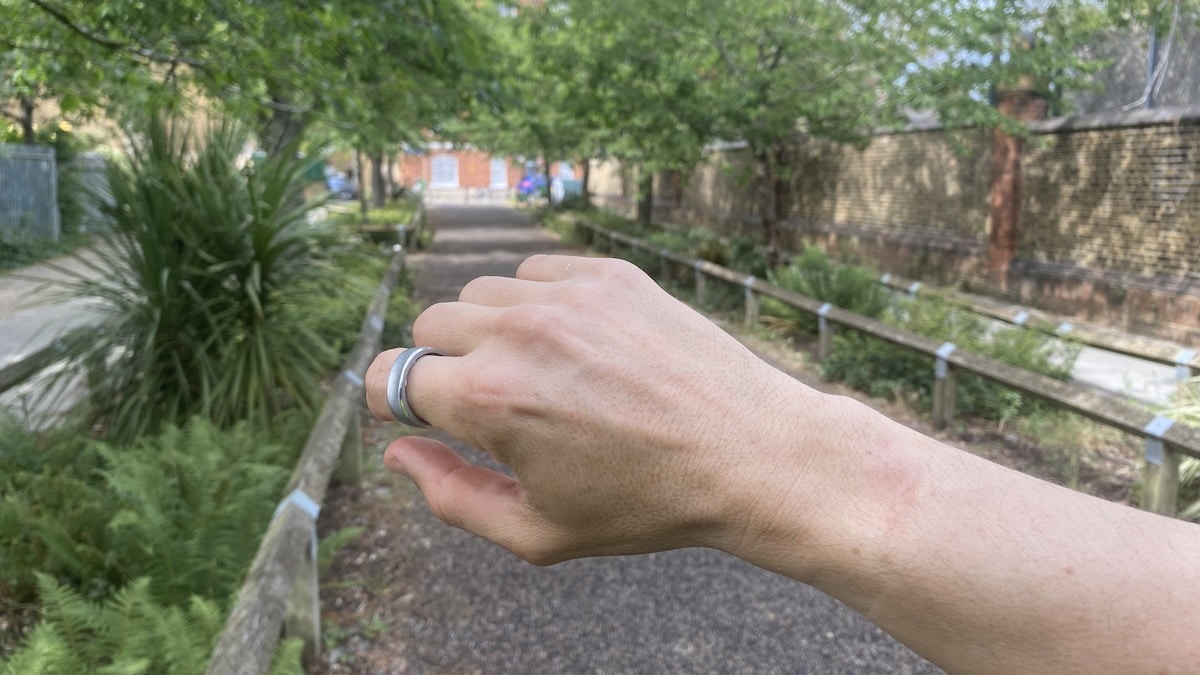
RingConn Gen 3 does not rewrite the company’s smart ring design, but it does move things on in a few ways. The overall shape is familiar, with the same squared-off outer profile and rounded inner surface that has become RingConn’s signature look. It is still very much a health-focused ring rather than a jewellery-first device, but this generation feels a little more polished in the hand.
The biggest design change is the new hand-brushed finish. RingConn Gen 2 had a cleaner glossy look, while Gen 3 adds more texture and a slightly more premium visual feel. It also helps reduce the appearance of fingerprints, which is useful on a ring that is constantly being touched, twisted and taken on or off.

There are five finishes this time around. Future Silver is the one I have. Beyond that, you can also get Royal Gold, Matte Black, Brushed Silver and Brushed Rose Gold.
What’s worth noting is that Gen 3 is slightly thicker than Gen 2, due to the addition of a vibration motor and larger battery. The new model measures 2.3mm thick and weighs between 2.5 and 3.5 grams, depending on size. By comparison, Gen 2 comes in at 2.0mm and weighs between 2 and 3 grams. On the finger, though, I did not find the difference noticeable.
Comfort is still very good. The inner surface is smooth, the edges do not dig into the skin and the ring is light enough to wear overnight without thinking about it. In fact, the edges feel a bit more rounded than on the previous generation, which makes the ring look more narrow.
As with any smart ring, fit is everything. Too loose and the sensors may shift around. Too tight and it becomes annoying during exercise, warmer weather or after a salty meal. Gen 3 uses a slightly different sizing system, so existing RingConn users should not assume their Gen 2 size will carry across. I chose the same size 11 for both Gen 2 and Gen 3. There is perhaps a fraction of a difference between them, with Gen 3 feeling a tad larger. But not so much that I cannot wear it on the same finger as Gen 2.

I prefer the index finger because it usually gives the most stable fit and tends to work well for sensor contact. If the fit feels slightly off during workouts, switching hands or fingers can help. That flexibility is useful, especially if your fingers change size during the day.
The orientation issue is still worth mentioning. RingConn relies on the shape and inner sensor placement to guide how the ring sits, but I would still like a clearer visual marker. In everyday use, I rarely found myself obsessing over it and it seemed to capture metrics perfectly well. But when exercising I did make sure the sensors were positioned correctly.
Water resistance remains strong. Gen 3 carries an IP68/ATM10 rating, so there is no need to remove it for hand washing, showers or swimming. That is important for a ring designed around continuous tracking. The less often you take it off, the fewer gaps you get in the data.
Overall, RingConn Gen 3 is still one of the more comfortable smart rings I have worn. It is not quite as thin as Gen 2, but the added features feel like a fair trade-off.
Hardware and battery life
RingConn Gen 3 adds a few useful hardware upgrades, but the basic idea stays the same. This is still a smart ring you put on and mostly forget about, rather than another gadget that needs constant attention.
The main hardware changes are a larger battery, a new vibration motor, new optical heart rate sensors, an upgraded temperature sensor and an upgraded 3-axis accelerometer. I’ll get into vibration, Vascular Trend and tracking performance later, but from a hardware point of view, RingConn has added more without making the ring feel overbuilt.
Offline data storage has also improved. Gen 3 can store up to 10 days of data, compared with 7 days on Gen 2. It is not the most exciting spec on the sheet, but it is useful if the ring does not sync with the phone every day.

Battery life is still one of the best things about RingConn. Gen 3 is rated for 11 to 14 days with vibration switched off, or 10.5 to 13 days with vibration switched on. That is exactly the kind of range you want from a device that is meant to stay on your finger day and night.
In practice, these figures do feel realistic. I charged the ring only once in these two weeks, so you won’t be constantly thinking about when to refuel it. That is the whole point of a smart ring. It works best when it fades into the background.
The charging case helps too. Gen 3 now uses a universal wireless charging case, so you no longer have the slightly awkward size-specific setup from Gen 2. Charge it, throw it in a bag and you are good for days.
Technical specs: RingConn Gen 3 vs Gen 2
Gen 3 is the most complete RingConn model. It adds vibration alerts, newer sensors, longer battery life and a universal wireless charging case. Gen 2 remains the slimmer titanium option, while Gen 2 Air is the cheaper entry point with stainless steel, shorter battery life and no sleep apnea pattern feature.

The trade-off is simple. Gen 3 gives you the most features, Gen 2 keeps things slimmer and Gen 2 Air keeps the price lower.
Category | RingConn Gen 3 | RingConn Gen 2 | RingConn Gen 2 Air |
|---|---|---|---|
Size and weight | 2.3mm, 2.5 to 3.5g | 2.0mm, 2 to 3g | 2.0mm, 2.5 to 4g |
Materials | Titanium and epoxy resin | Titanium and epoxy resin | Stainless steel and epoxy resin |
Battery and storage | Up to 14 days, 10 days offline storage | Up to 12 days, 7 days offline storage | Up to 10 days, 7 days offline storage |
Vibration alerts | Yes | No | No |
Sensors | New optical heart rate sensors, upgraded temperature sensor and upgraded 3-axis accelerometer | Previous sensor setup | Previous sensor setup |
Vascular trend | Yes | No | No |
Sleep apnea pattern | Yes | Yes | No |
Charging | Universal wireless charging case | Wireless charging case | Universal wired charging dock |
Health, alerts and tracking
RingConn is built around passive tracking, so most of the useful stuff happens quietly in the background while you sleep, work and go about your day. That is exactly what you want from a smart ring.
The core tracking mix includes sleep, heart rate, HRV, SpO2, skin temperature, respiratory rate, stress, activity, cycle tracking and sleep apnea pattern insights. That gives you a broad daily picture without needing to start and stop things constantly. It is not trying to be a sports watch, but as an always-on wellness tracker it covers everything you’d want – and more.
The app has had a recent redesign, and it feels cleaner now. There is still a lot tucked away inside, so you do need to poke around a bit. Some people might find the amount of data a little much at first, but the layout has a sensible top-down feel to it. You get the big-picture insights first, then you can dig as deep as you want.
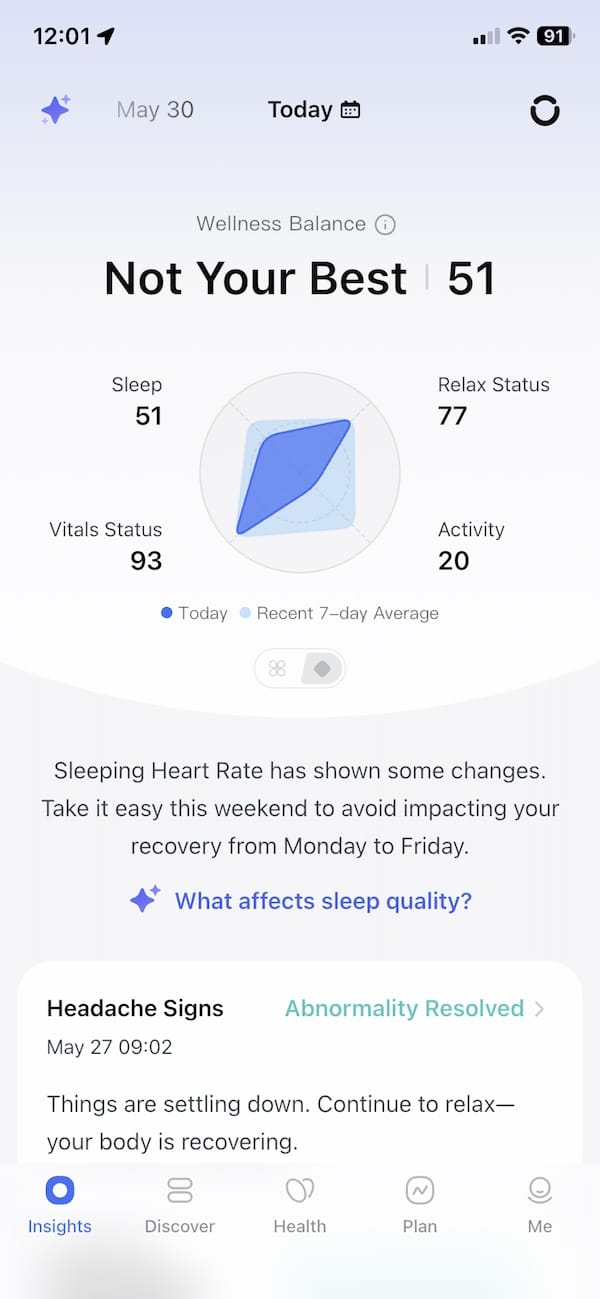
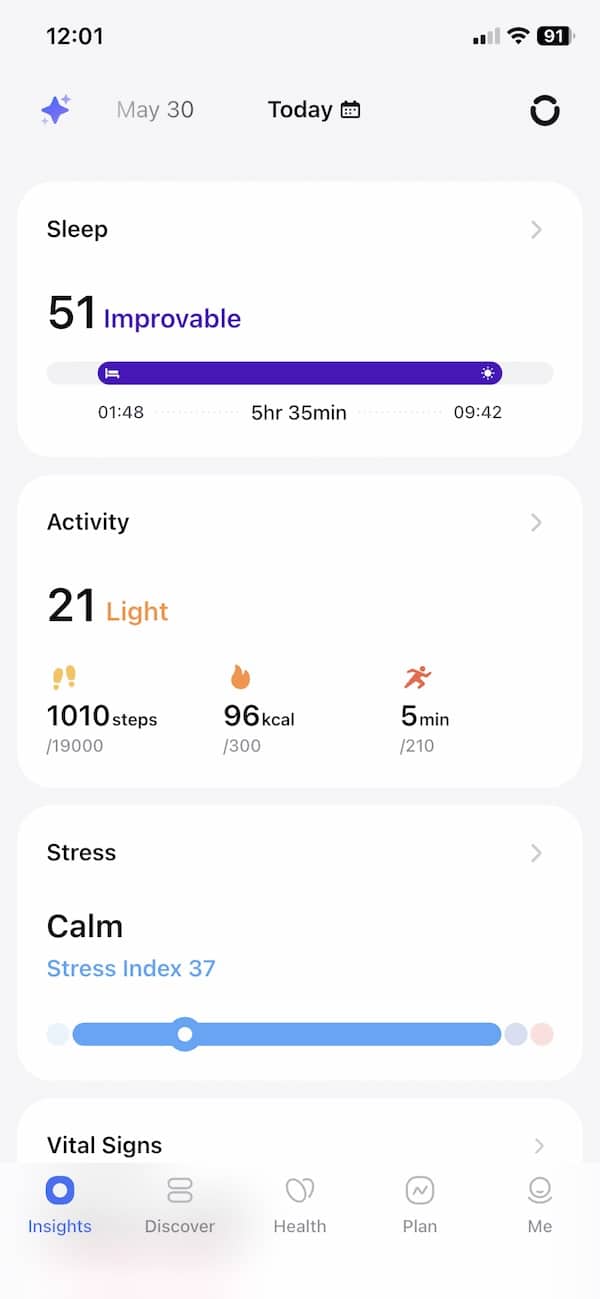
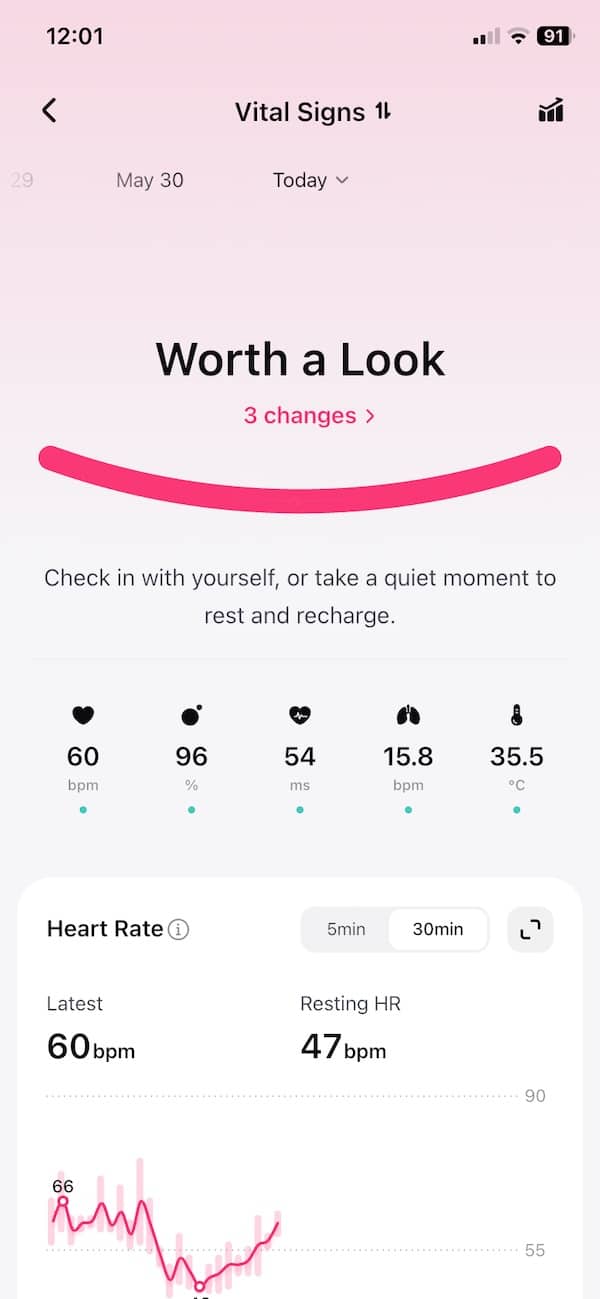
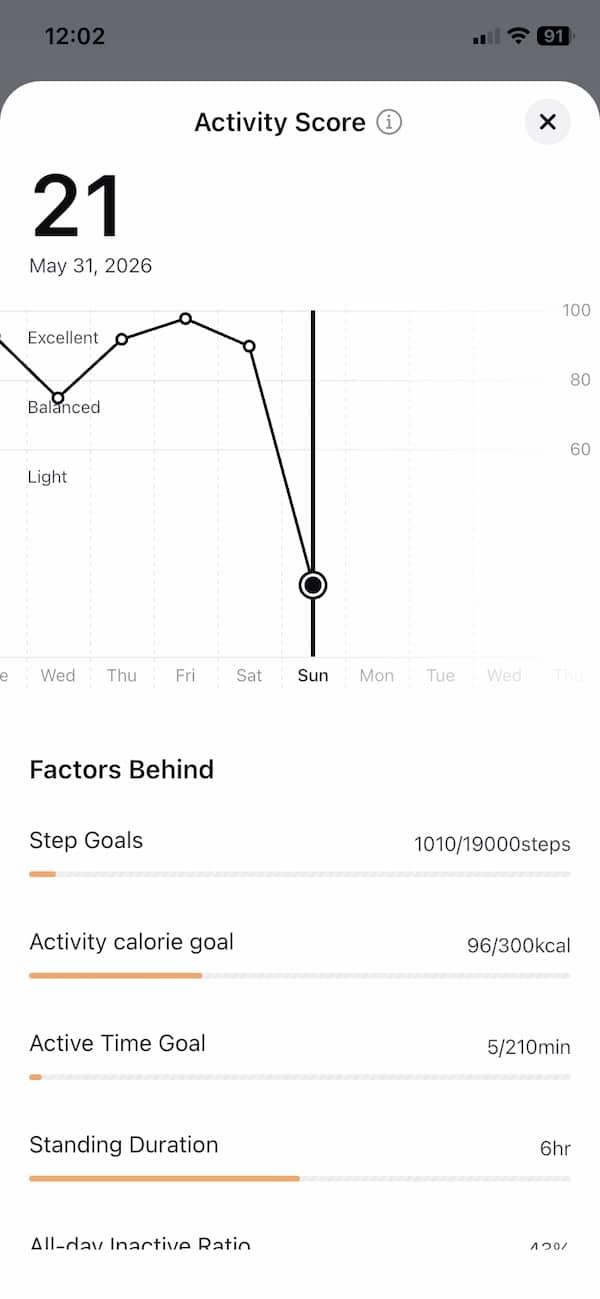
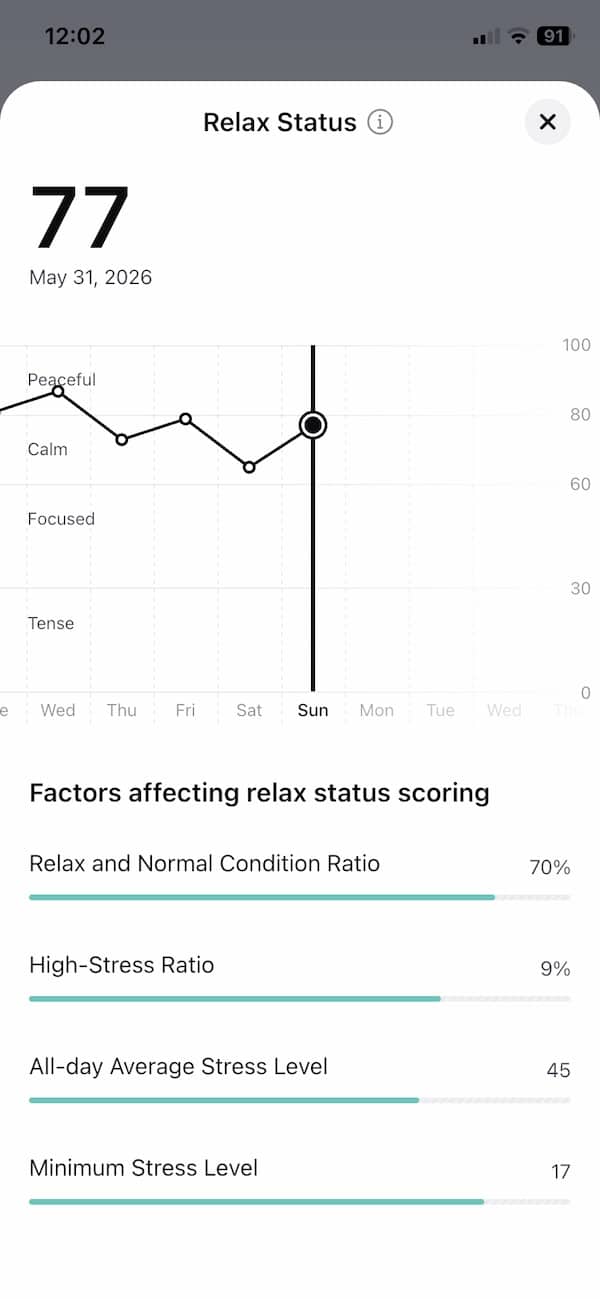
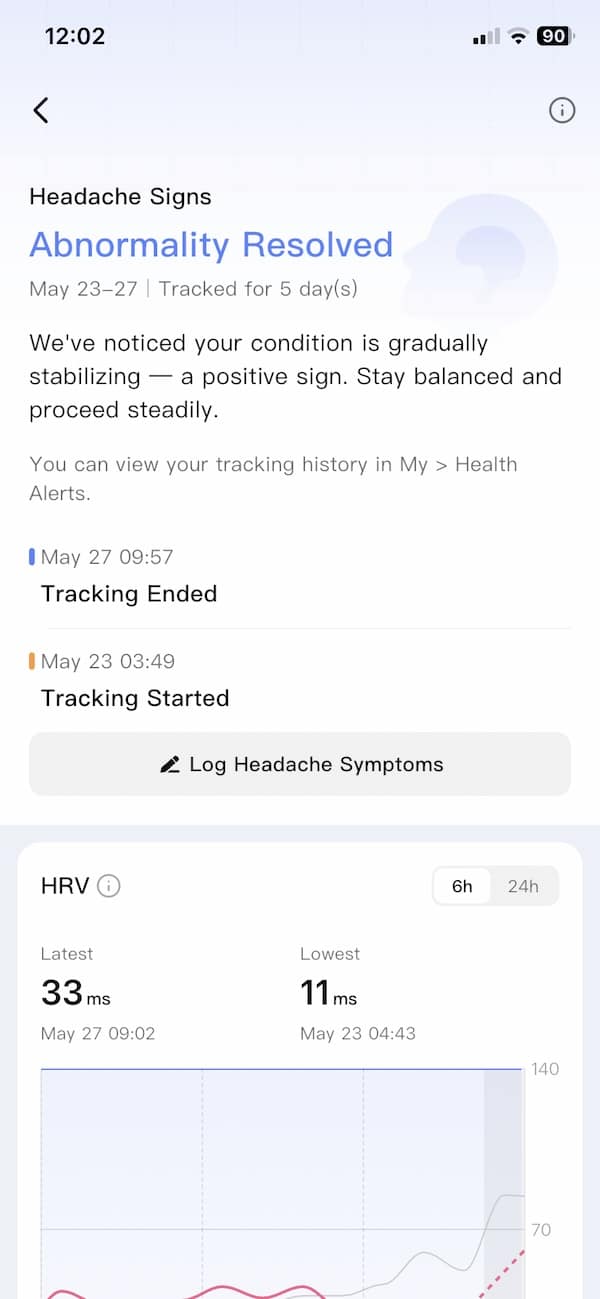
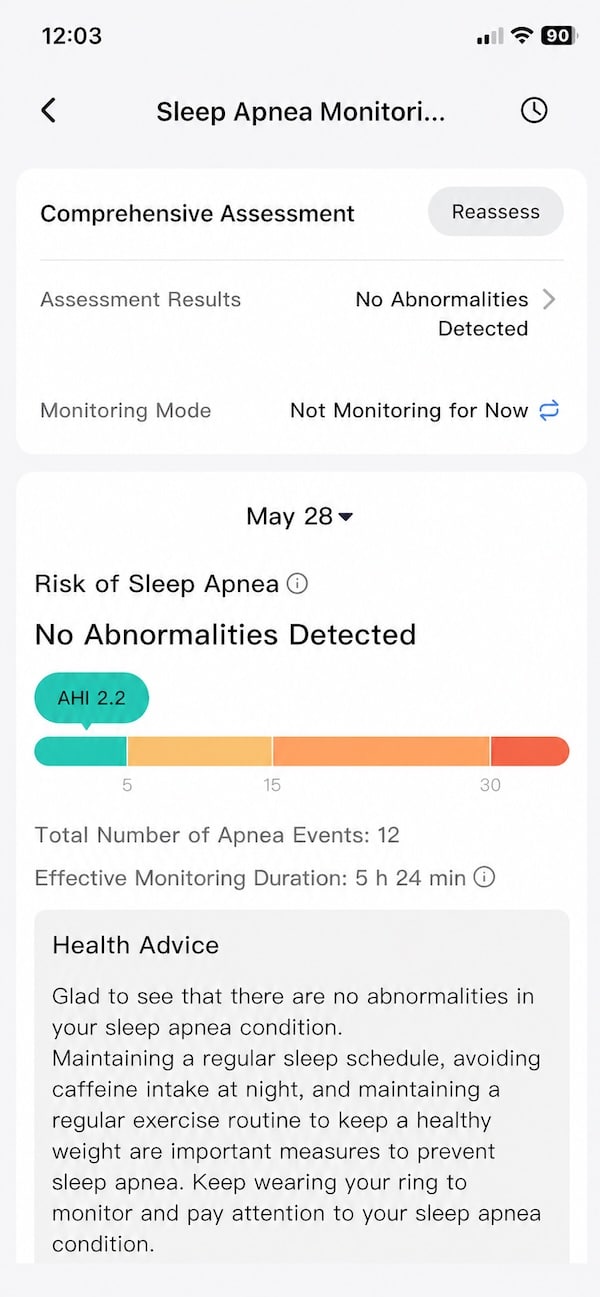
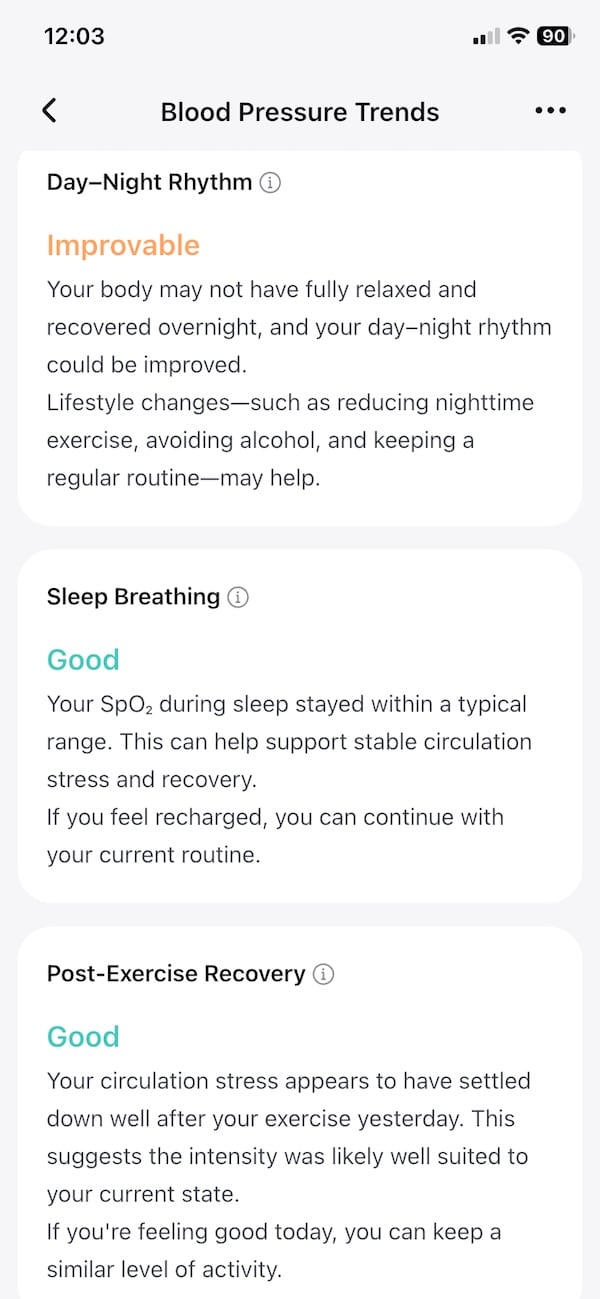
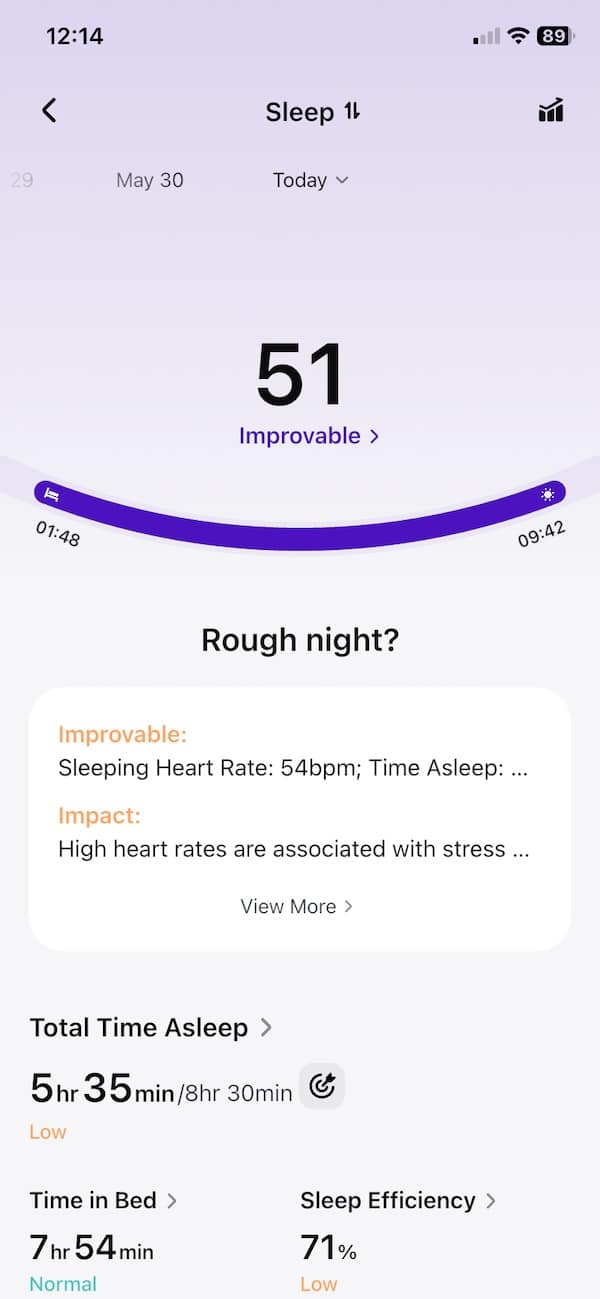
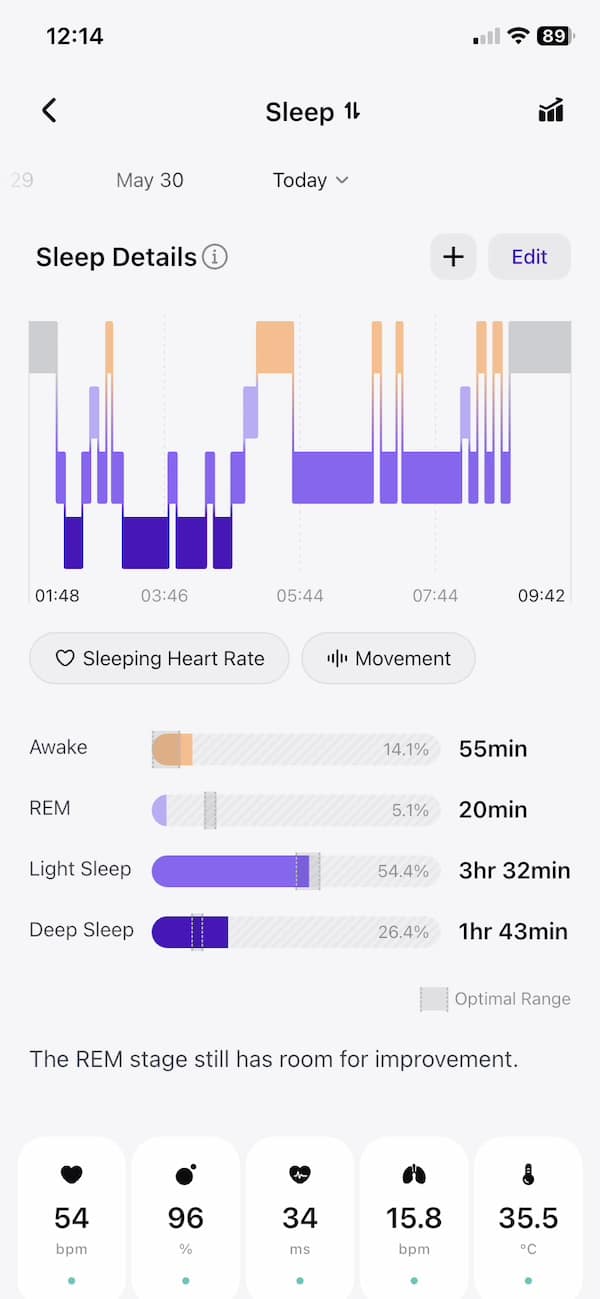
Sleep remains one of the stronger parts of the experience. The app gives you the usual breakdown of sleep duration, stages, resting heart rate, HRV, SpO2 and breathing data, then rolls that into broader recovery-style insights. As before, the real value is not one night of data. It is seeing how your sleep and recovery shift over time.
In the morning, you could literally spend a half an hour just digging through all the different sleep data. Light exposure, circadian rhythm alignment and lots of other really interesting stuff.
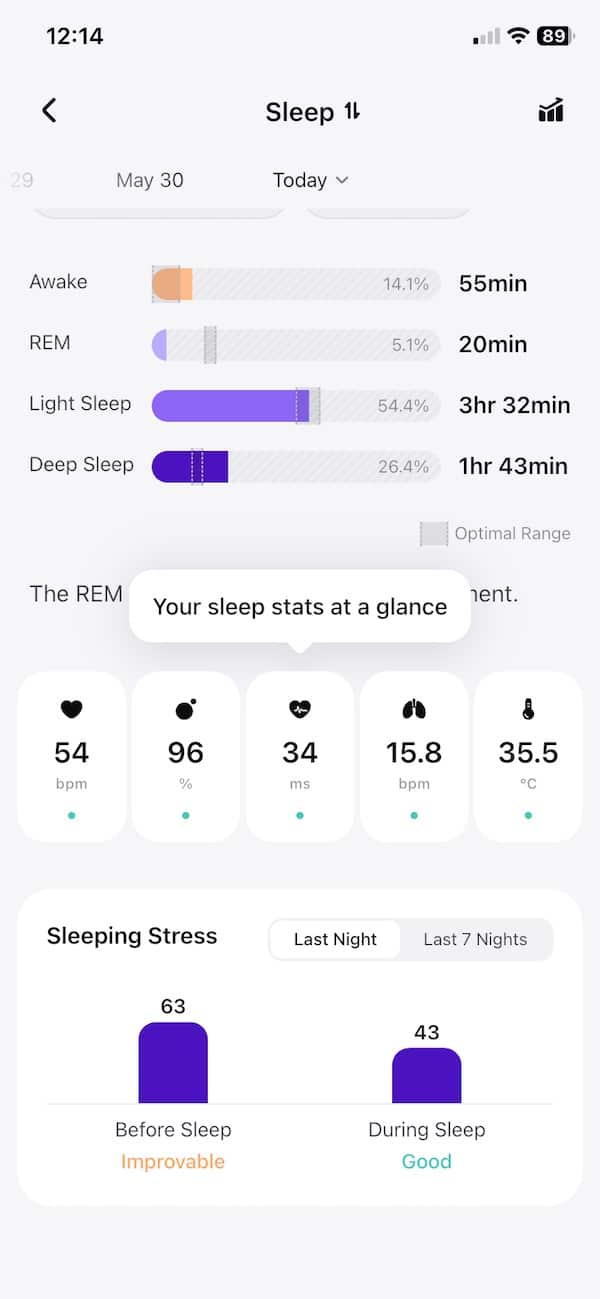
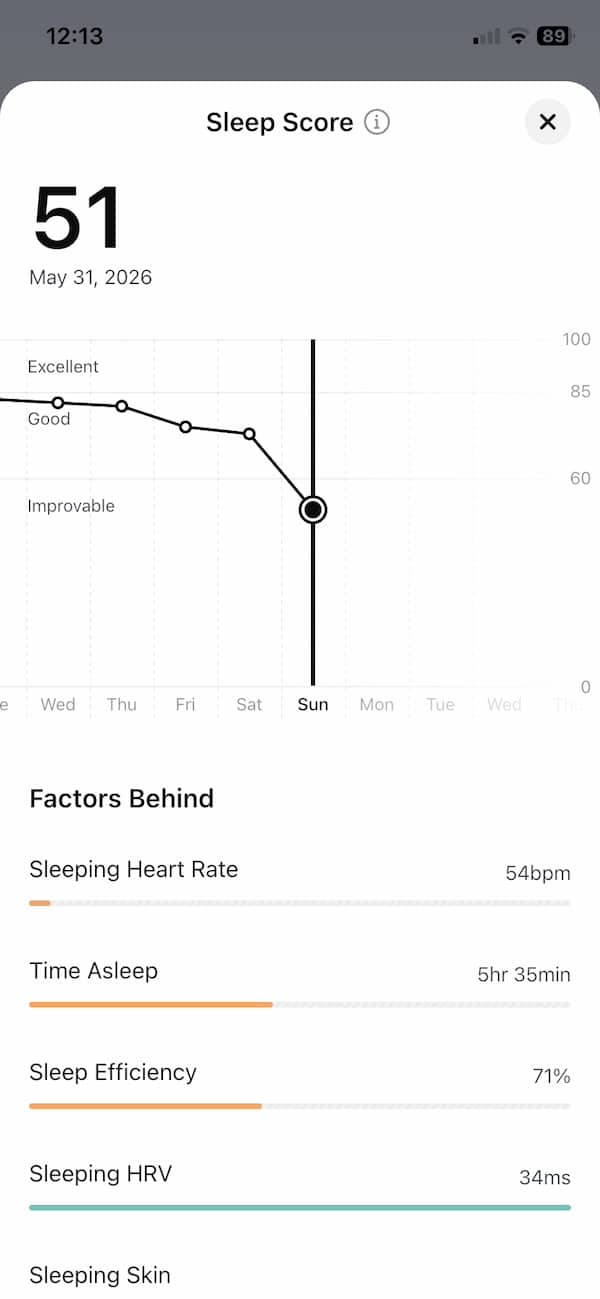
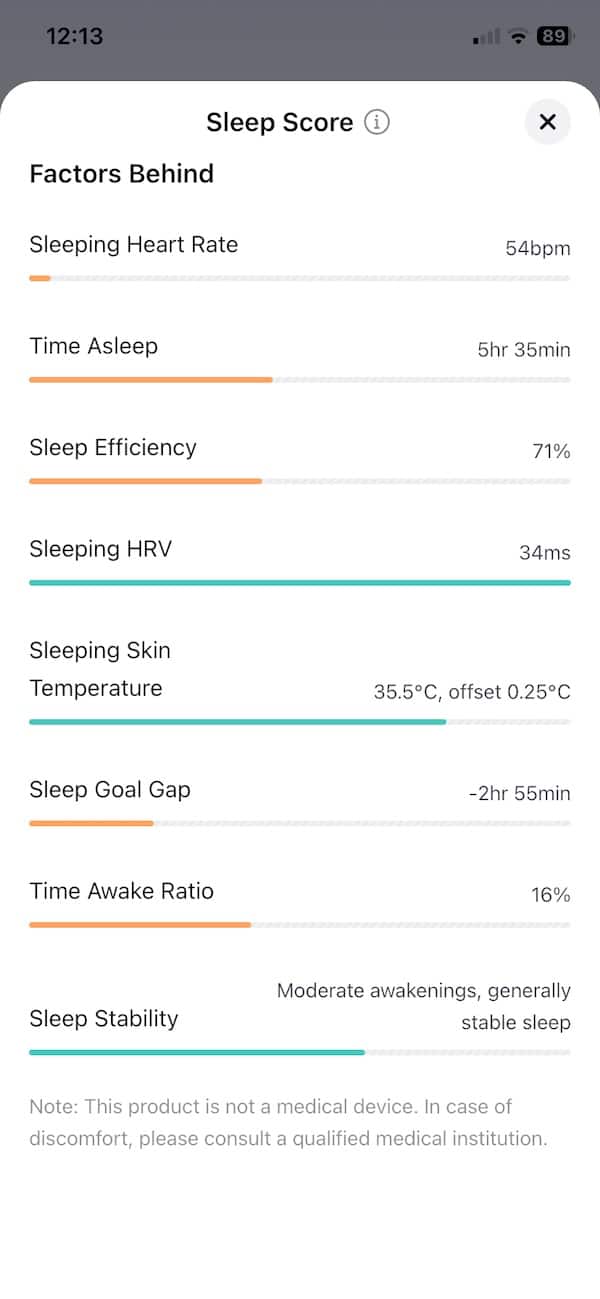
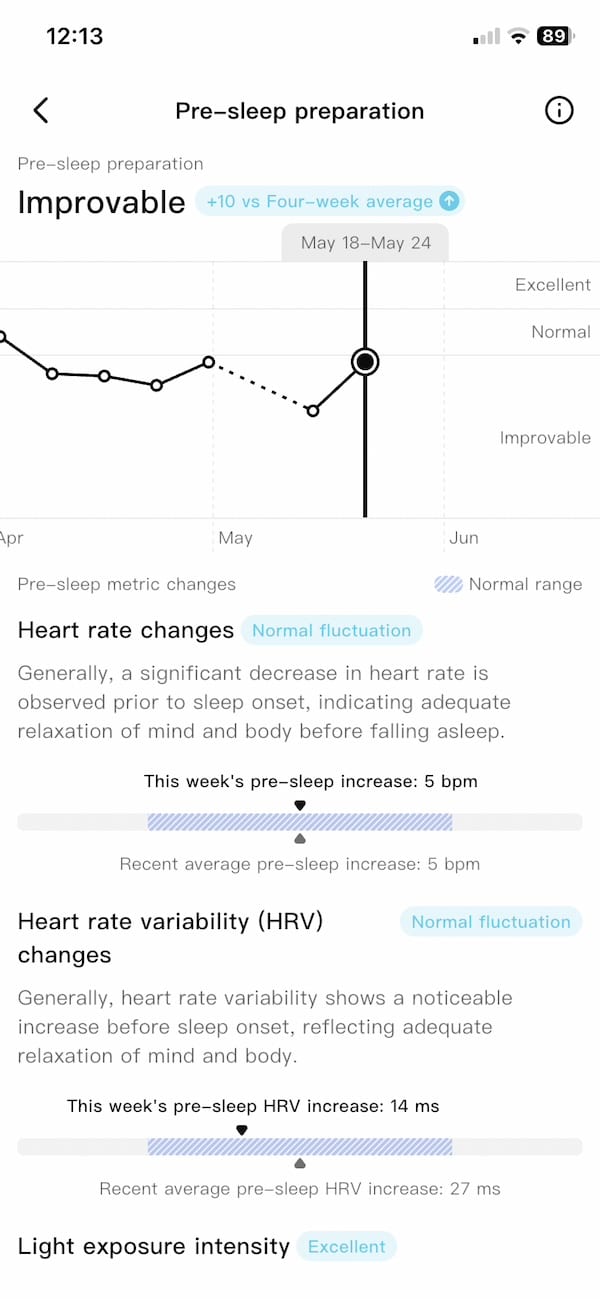
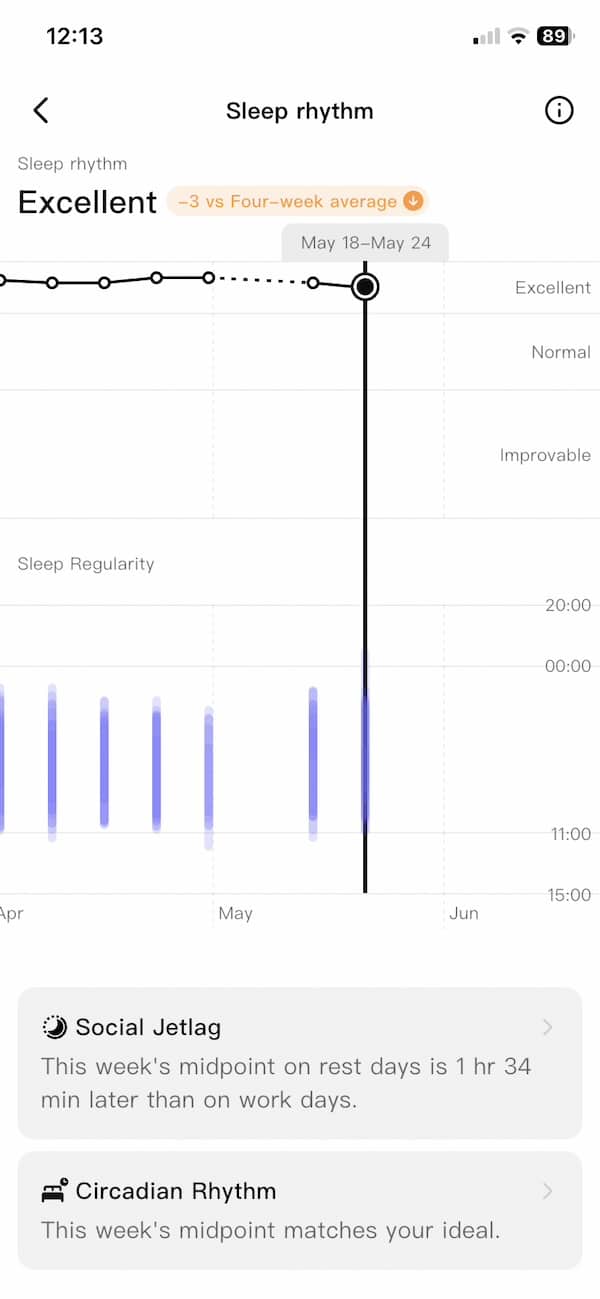
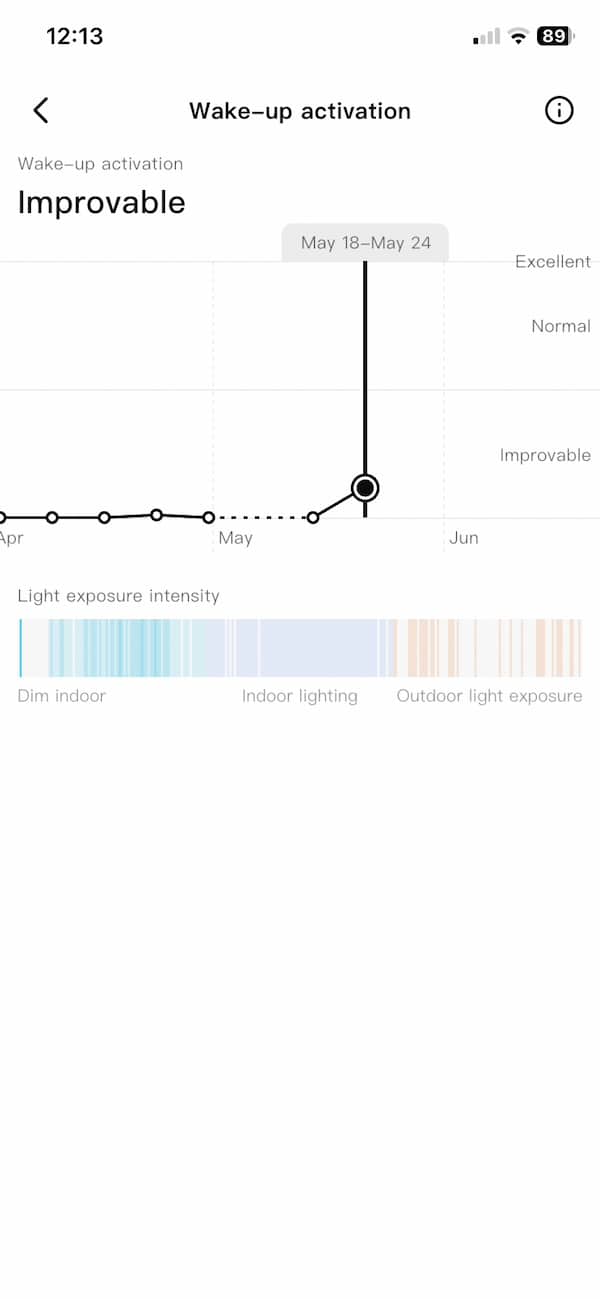
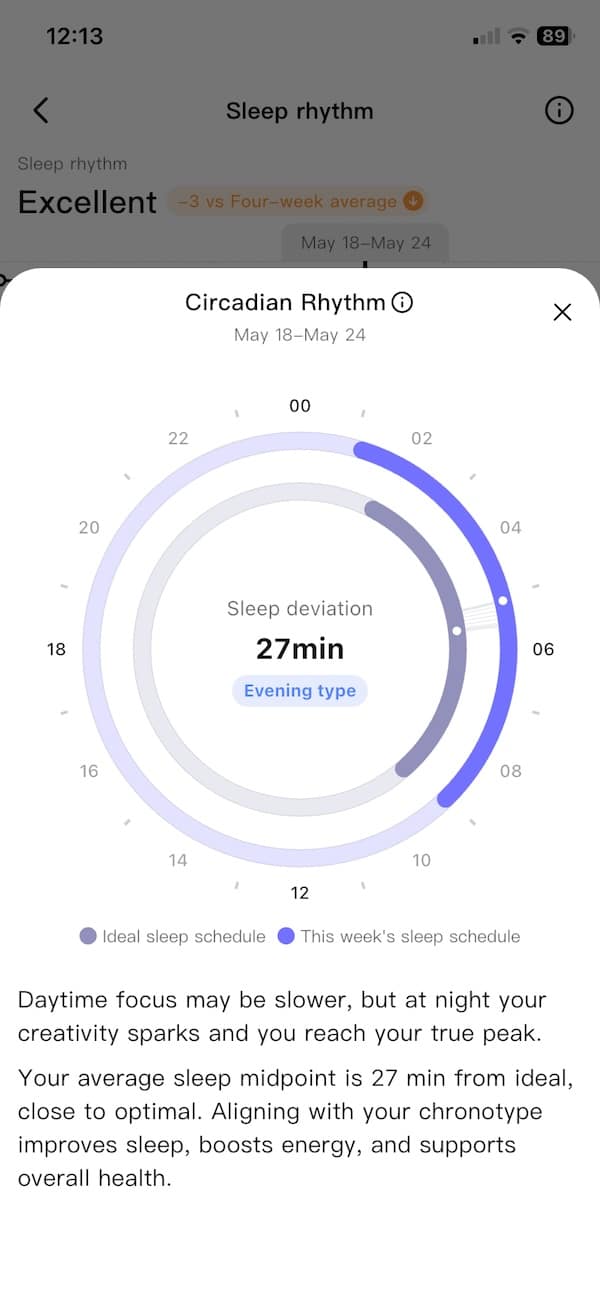
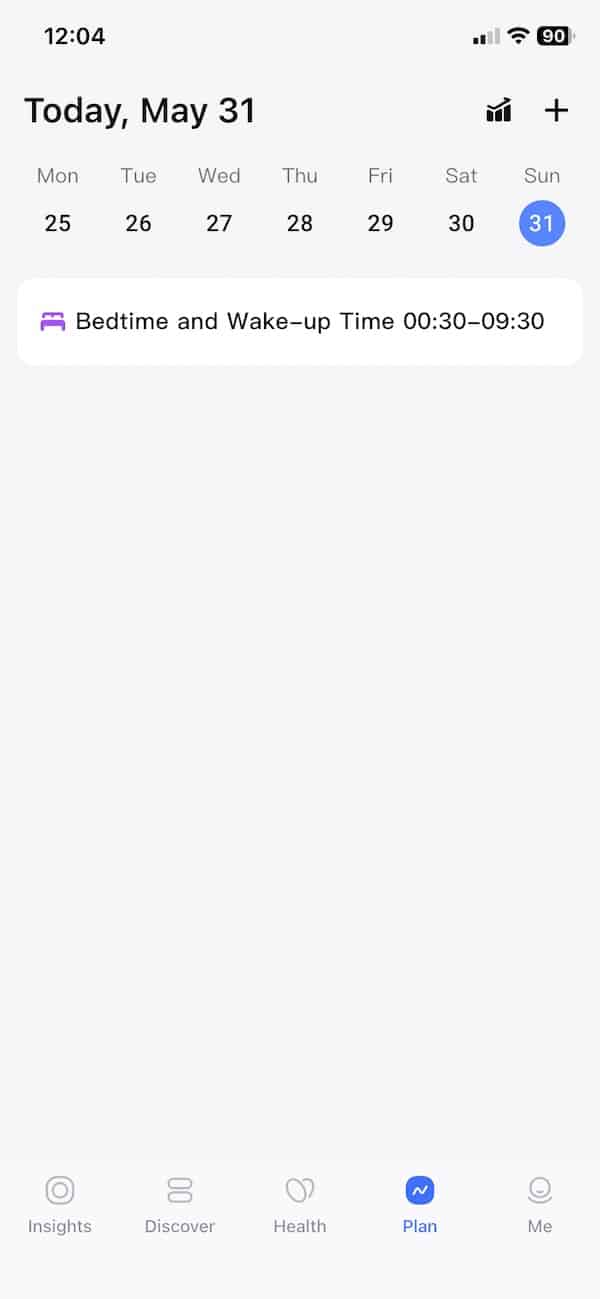
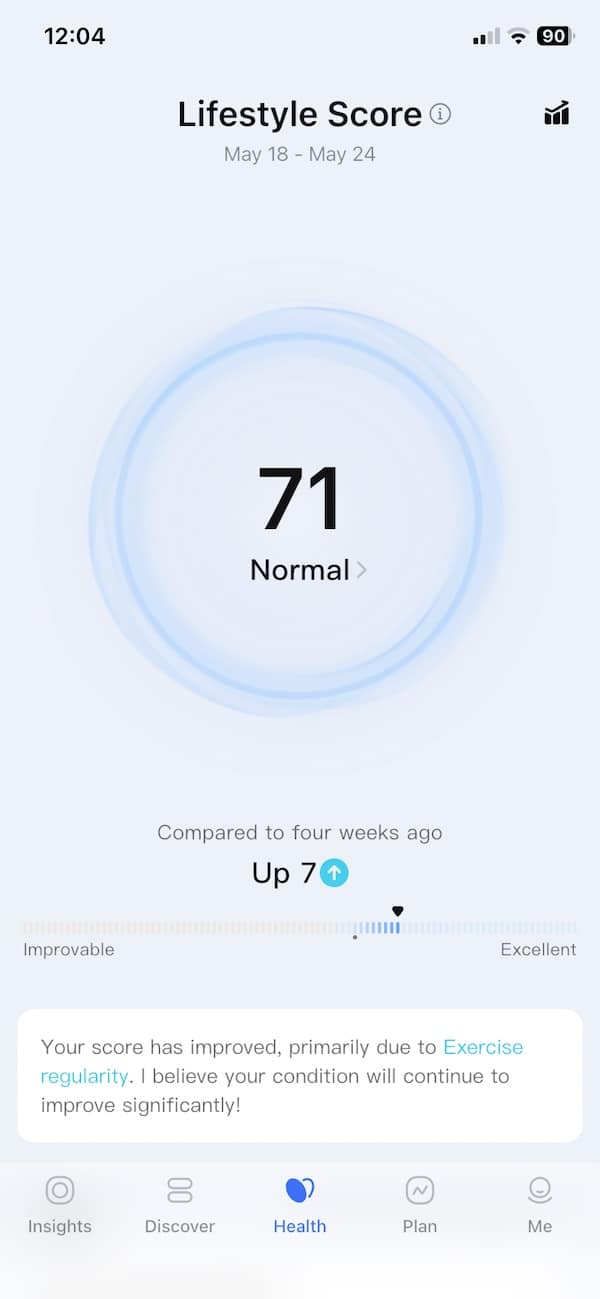
Then there are the daily stress and readiness-style metrics. RingConn is best when you treat it as a trend device. If your sleep drops, resting heart rate rises or stress stays elevated, the app gives you a way to spot that pattern. It is simple enough to understand without making everything feel too crowded. I even got a headache alert which coincided with a late night out.
I like that RingConn keeps a lot of this passive. You are not constantly being asked to log how you feel or manually start every little thing. The ring collects data in the background, and the app turns it into something readable.
Of course, there is still room for polish. Some of the app language can feel a little busy, and not every insight feels equally useful.
Vascular Trend
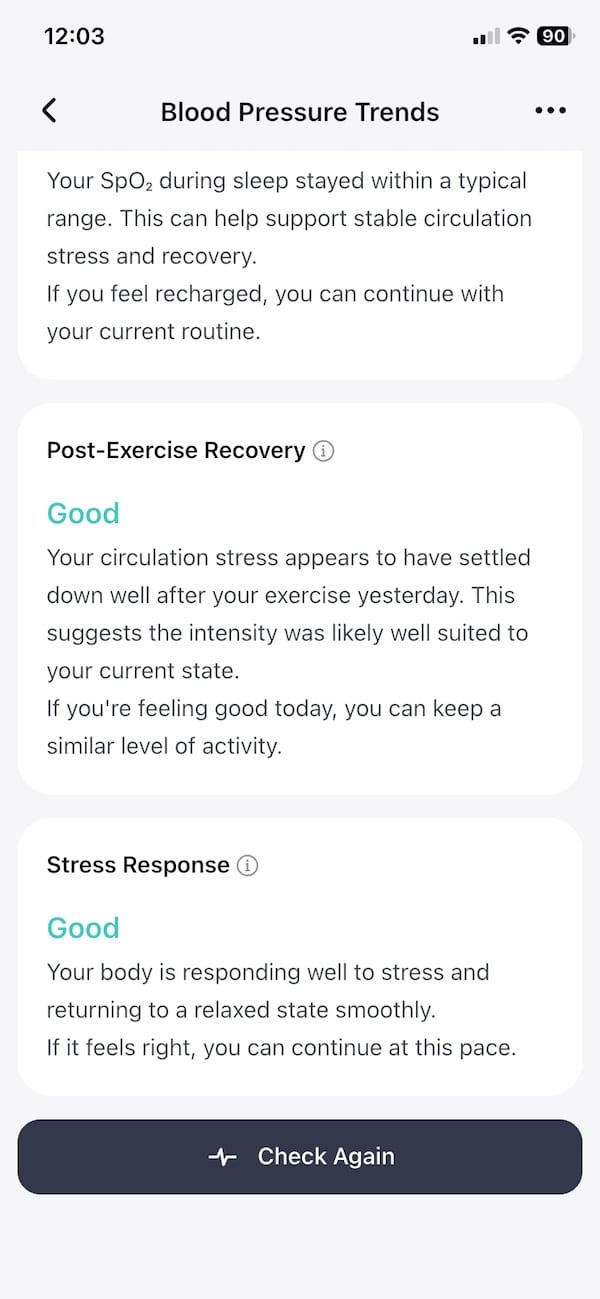
Vascular Trend is a new feature on RingConn Gen 3, and it is the one that gives the ring a different angle from Gen 2. What’s worth noting – it is not trying to replace a cuff or act like a medical device. Think of it more as a long-term wellness feature that looks at patterns over time. The value is in seeing whether the trend changes over days, weeks and months.
Setup takes a little effort at the start. Before it starts working properly, you need to complete a short survey and enter a few cuff-based baseline values during the first 24 hours. It is not difficult, but it is not completely automatic from the first minute either.
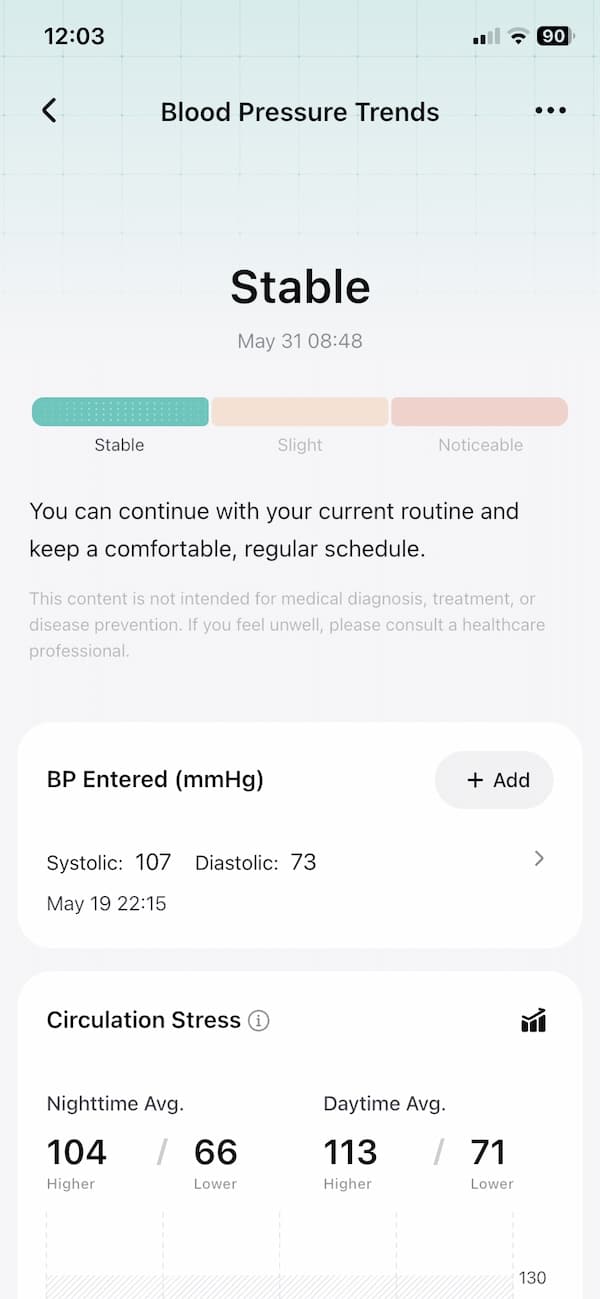

Once set up, Gen 3 can collect automatic vascular trend samples when you are in a relaxed state, with sampling happening roughly every 15 to 20 minutes during day and night use. The app keeps historical records so you can look back at overnight and daytime trends.
The overnight side is probably where this gets most interesting. A ring is easier to sleep with than most watches, and RingConn’s long battery life means you are less likely to take it off and miss data. The app also separates daytime and night-time averages, which makes the data easier to understand at a glance.
In my testing, I was always in the stable green section. That is also where I expected to be, and the few comparisons I made with a traditional cuff gave me no reason to question the trend shown in the app. So in my case, Vascular Trend did not reveal anything surprising, but it did behave in a way that matched what I was seeing elsewhere.
You can also start an on-demand insight from the app. When you do that, it asks you to sit still and then takes about 30 seconds to complete. The app is quite sensitive during this process, so you need to stay still and keep the hand relaxed. If your finger is cold, you may need to warm it up first before trying again.
I also like that RingConn has not put this behind a subscription. Like everything else, Vascular Trend is part of the Gen 3 package, which helps the ring stand apart in a category where ongoing fees are becoming harder to avoid.
Vibration alerts
As mentioned, vibration feedback is the other new headline feature. Smart rings do not have screens, so a short buzz on the finger actually makes a lot of sense. It gives the ring a way to get your attention without turning it into a tiny smartwatch.
In the app, vibration can be switched on or off for Battery Reminder, Sedentary Reminder and Wellness Notifications. As long as you don’t close the app – and keep it minimised, it will work. The buzz itself is subtle and short. You feel it, but it does not nag you in the way a watch can.
In my testing, this still feels like a work in progress. I did get vibration alerts, but they were not always consistent across the supported reminder types I had enabled. Still, the alerts that did come through worked really well. The buzz is discreet, clear and useful, giving you a small nudge without sending you back to a screen.
The main missing piece is alarms. Gen 3 does not currently support a vibration alarm for waking up in the morning, or custom vibration reminders at specific times of day. So you cannot yet use it for a silent wake-up alarm, a breathing reminder or a timed nudge to pause during work.
That is where I can see the most potential. If RingConn lets Gen 3 buzz as a wake-up alarm, the vibration motor becomes far more useful. A silent alarm on a ring makes more sense than the same feature on a watch, especially for people who do not want to wake someone else or sleep with a screen on their wrist.
RingConn has indicated that vibration alarm features are planned through OTA updates in Q3 to Q4 2026. The exact timing still depends on the official rollout. For now, vibration is promising rather than fully finished, but it already gives Gen 3 a more interactive feel than previous RingConn models.
Accuracy of activity metrics
Accuracy has always been a strong point of RingConn devices. And Gen 3 is no different. As with the previous model, I found the step count to be consistently within a 3-4% margin of error when compared against manual counting and other reliable devices.
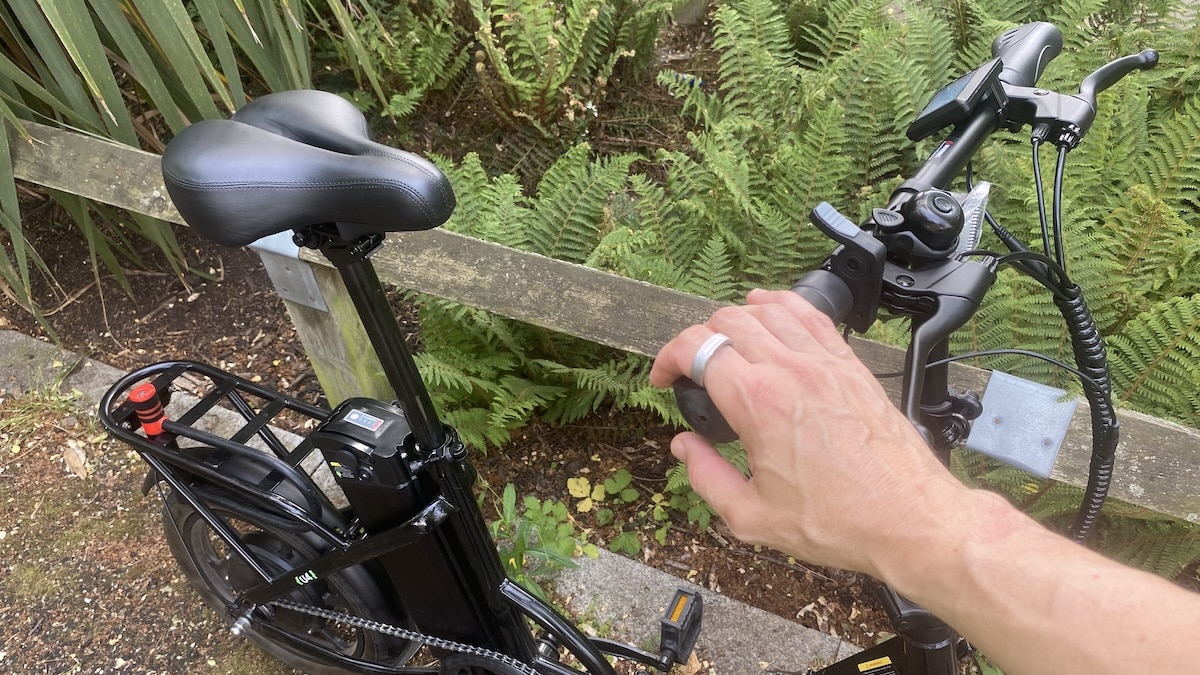
Exercise tracking also looks better than it did on Gen 2, although there are still limits. I compared RingConn Gen 3 against a high-end Garmin Forerunner on two outdoor runs in central London, using Garmin as the reference point.
Run | Garmin distance | RingConn distance | Difference | Garmin avg HR | RingConn avg HR | Garmin max HR | RingConn max HR |
|---|---|---|---|---|---|---|---|
May 28 | 4.96 km | 4.88 km | -1.6% | 135 bpm | 136 bpm | 147 bpm | 156 bpm |
May 25 | 4.03 km | 4.07 km | +1.0% | 134 bpm | 141 bpm | 156 bpm | 167 bpm |
The distance numbers were very close. RingConn came in 1.6% lower than Garmin on one run and 1.0% higher on the other, which is a good result for a smart ring. This is not a running watch, so I would not expect it to replace a Garmin, but the basic distance tracking held up well in these tests.
Heart rate tracking was more mixed. On the May 28 run, RingConn averaged 136 bpm compared to 135 bpm on Garmin, which is excellent. On the May 25 run, RingConn averaged 141 bpm compared to 134 bpm on Garmin, so it was clearly higher.
Maximum heart rate still seems to run hot. RingConn reported 156 bpm and 167 bpm across the two runs, compared to Garmin’s 147 bpm and 156 bpm. That points to the same broad limitation most smart rings face during exercise, especially when movement, grip, temperature and blood flow can interfere with finger-based optical readings.
Still, this feels like progress compared to Gen 2. RingConn Gen 3 looks dependable for daily activity and it can also give usable workout data for casual runs. But I would still reach for a dedicated sports watch or chest strap if heart rate accuracy during harder sessions is the priority.
Accuracy of recovery stats
To assess recovery accuracy, I compared 14 days of nightly resting heart rate, heart rate variability and sleep duration with data from Whoop and a Garmin Forerunner.
The results are interesting because they do not simply repeat what I found with RingConn Gen 2. In that earlier review, RingConn tracked much closer to Whoop than Garmin for resting heart rate and HRV. With Gen 3, the picture is more mixed.
Here’s the recovery data correlation.
Correlation | RingConn/Whoop | RingConn/Garmin | Whoop/Garmin |
|---|---|---|---|
Resting heart rate | 38% | 67% | 73% |
Heart rate variability | 59% | 55% | 63% |
Sleep length | 94% | 91% | 89% |
For resting heart rate, RingConn Gen 3 correlated more strongly with Garmin than Whoop. Heart rate variability was much closer between the two comparisons, with RingConn sitting slightly nearer to Whoop by correlation, but not by enough to make a big claim.
Sleep duration was the most consistent metric. RingConn and Whoop showed the strongest correlation at 94%, while RingConn and Garmin were also close at 91%. In real use, all three landed in broadly the same place for total sleep time.
The averages back this up. RingConn measured resting heart rate at 48 bpm, sitting very close to Garmin’s 47 bpm and lower than Whoop’s 51 bpm. For HRV, RingConn averaged 36 ms, placing it between Whoop at 33 ms and Garmin at 38 ms.
Average | RingConn | Whoop | Garmin |
|---|---|---|---|
Resting heart rate | 48 bpm | 51 bpm | 47 bpm |
Heart rate variability | 36 ms | 33 ms | 38 ms |
Sleep length | 7 h 10 min | 7 h 18 min | 7 h 16 min |
So the takeaway is that RingConn Gen 3 lines up more closely with Garmin for resting heart rate, sits between Garmin and Whoop for HRV and remains very close to both for sleep duration. As always with recovery metrics, the trends are more useful than comparing absolute numbers too literally across different ecosystems.

Q&A
Is RingConn Gen 3 better than RingConn Gen 2?
Yes, but it depends on what you want from it. Gen 3 adds Vascular Trend, vibration alerts, newer sensors, longer battery life and a universal wireless charging case. Gen 2 is still thinner and remains a solid smart ring, but Gen 3 feels like the more complete device.
Does RingConn Gen 3 need a subscription?
No. RingConn Gen 3 does not need a subscription, which remains one of its biggest advantages. You buy the ring and get access to the main features without adding a monthly fee on top.
How long does the RingConn Gen 3 battery last?
RingConn Gen 3 is rated for up to 14 days with vibration switched off, or around 10.5 to 13 days with vibration switched on. That makes it one of the easier smart rings to live with, because charging is not something you need to think about every few days.
Can RingConn Gen 3 be used as a silent alarm?
Not yet. Gen 3 has a vibration motor, but it does not currently support wake-up alarms or custom timed vibration reminders. RingConn has indicated that vibration alarm features are planned through OTA updates in Q3 to Q4 2026, so this may change later.
What is Vascular Trend on RingConn Gen 3?
Vascular Trend is RingConn’s new long-term wellness feature for Gen 3. It looks at vascular patterns over time rather than acting as a one-off reading or a replacement for a cuff. The idea is to give you another layer of context about how your body is trending across days, weeks and months.
Is RingConn Gen 3 accurate?
For passive tracking, RingConn Gen 3 performed well in my testing. Sleep, resting heart rate and longer-term wellness trends are where the ring makes the most sense. As with all smart rings, I would not treat it as a replacement for a sports watch during workouts or for dedicated medical equipment.
Who is RingConn Gen 3 for?
This smart ring is best suited to people who want long battery life, passive health tracking and full app access without a subscription, rather than those looking for a workout-first wearable.
Should Oura users switch to RingConn Gen 3?
RingConn Gen 3 makes a strong case for Oura users. You get long battery life, vibration alerts, Vascular Trend and full access to the main features without a monthly fee. Oura still has a polished app and a mature ecosystem, but RingConn is now the more tempting option if you want a capable smart ring without ongoing costs.
Don’t miss the latest from Gadgets & Wearables
Subscribe to our monthly newsletter and check out our YouTube channel.
You can also follow Gadgets & Wearables on Google News and add us as a preferred source in Google Search.

