

Suunto finally brings route building to the desktop and it works well
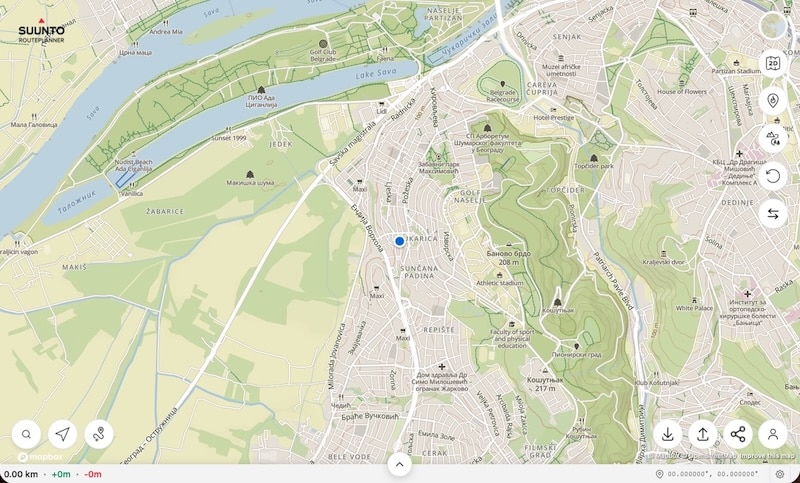
A new web-based route planning tool from Suunto has just gone live, giving users a larger screen to plan their outdoor sessions with greater control. Suunto Routeplanner builds on the app’s features but brings heatmaps, waypoints and customisation into a full desktop interface.
Suunto brings route planning to your desktop
The new tool is now available at routeplanner.suunto.com, and the rollout positions it as the web companion to the Suunto app. It’s not a replacement, but more of an enhancement, designed for those who want to map out their next run, ride or hike with a clearer view of the terrain.
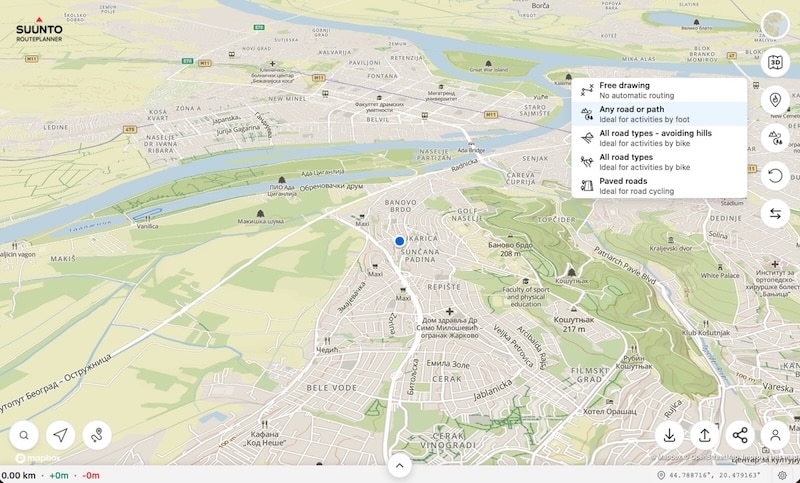
The core feature is route creation. You can draw freehand or snap to trails and roads, depending on your activity. It also accepts standard GPX, FIT and KML files for upload. Once a route is built, it syncs back to your Suunto app and watch, including turn-by-turn navigation support where applicable.
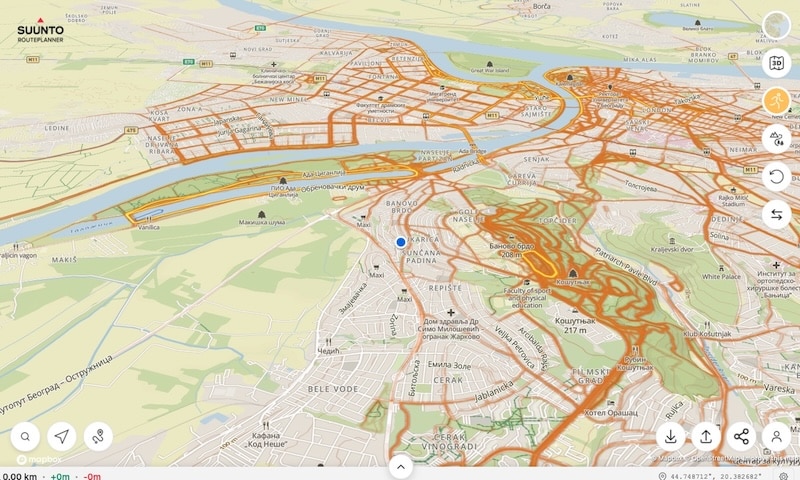
Heatmaps are fully integrated too. You can toggle across 17 different sports including trail running, cycling, swimming and more, each offering visibility into where the community is most active. The intensity of routes reveals local favourites, making it easier to avoid less popular paths or discover new ones without trial and error.




Features that favour flexibility
The Routeplanner isn’t locked into a single navigation mode. You can select different routing logics depending on whether you’re walking, biking or want to avoid steep gradients. Freehand drawing is also supported if you want full control. The inclusion of custom waypoints means you can plan for water stops, viewpoints or segments that matter to your training.
Sharing is straightforward. You can generate a link for your route that works whether the recipient is using Suunto or not. This is helpful for team events, group outings, or just coordinating plans with friends who use a different platform.
The map styles can be adjusted, too. From terrain-focused outdoor maps to satellite imagery, users can toggle between views to suit the activity they’re planning. Whether you’re looking at avalanche risk zones, ski routes or summer trails, there’s a layout that fits the purpose.
A long overdue addition
While Suunto’s app has long allowed mobile route building, it was never ideal for more complex sessions. The Routeplanner on desktop gives the experience some breathing room, and the visual clarity helps when designing longer workouts or adventures in unfamiliar areas.
The tool isn’t trying to be a full ecosystem hub like Garmin Connect, but that’s not really the goal. It’s a focused, clean solution for what Suunto users have been doing manually for years – drawing routes on third-party apps, then importing them to the Suunto app. Now, it’s all native.
Subscribe to our monthly newsletter! Check out our YouTube channel.
And of course, you can follow Gadgets & Wearables on Google News and add us as your preferred source to get our expert news, reviews, and opinion in your feeds.
Title suggestions
Suunto Routeplanner brings desktop map tools to outdoor athletes
New Suunto web tool helps you map routes with heatmaps and waypoints
Suunto adds Routeplanner to let users design adventures on a bigger screen
Plan your next outdoor session with Suunto’s new web-based Routeplanner
