

RingConn update offers insights into your body clock and social jet lag
RingConn has added new sleep-focused features to its app that offer insights into how closely your routine matches your internal clock. But the update might not appear automatically for all users.
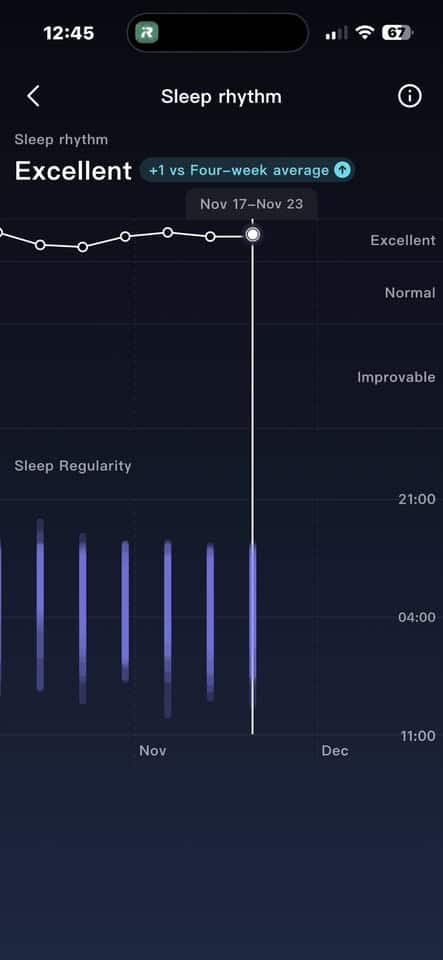
I initially didn’t see the new “Sleep Rhythm” section in my app. The fix going around on social media is to delete and reinstall the app. This actually worked for me. Just make sure you know your username and password before trying it. Once you reinstall, your previous data repopulates and the new section becomes visible. Or bypass all of this by simply waiting for the company to issue a fix.
Understanding your social jet lag
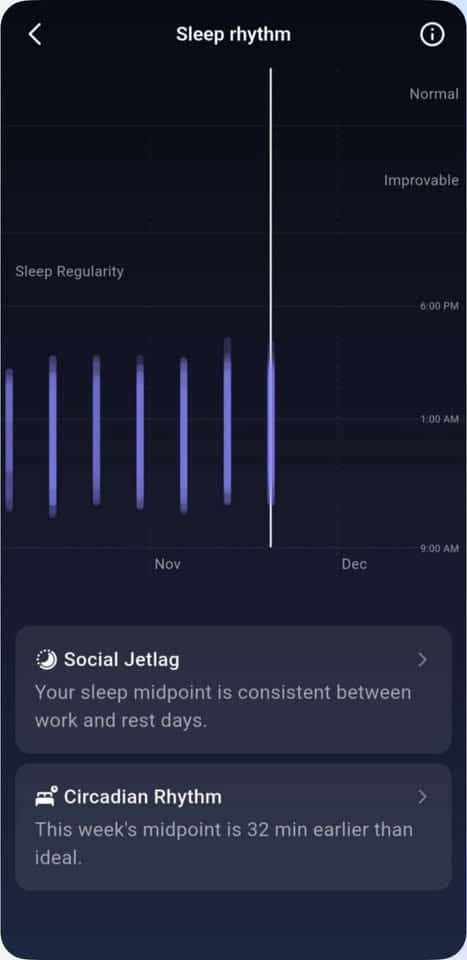
RingConn has been slowly expanding its health insights beyond just overnight metrics. Tap on the Sleep Rhythm card in the Health tab to access this new data.
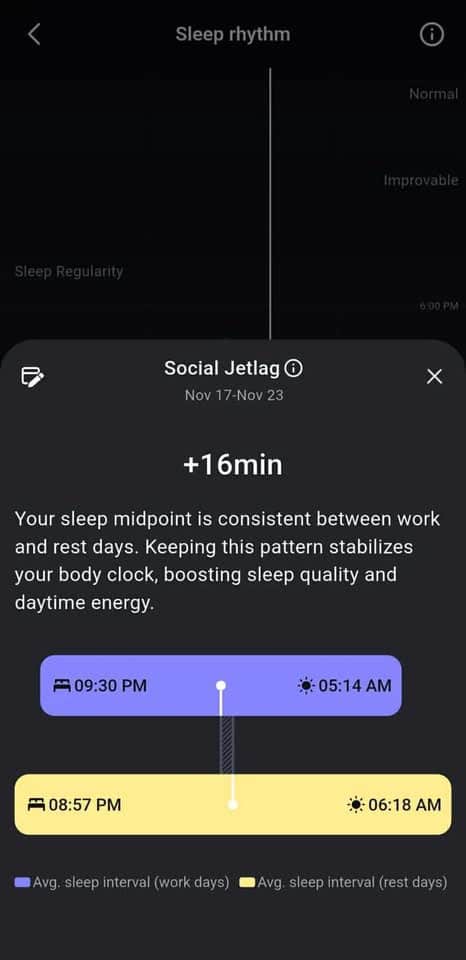
First up is the Social Jet Lag score. The concept refers to how far your weekend routine drifts from your weekday schedule. The app calculates your midpoint of sleep, halfway between falling asleep and waking up, on both work and rest days.
The example in the attached screenshots show a difference of just 16 minutes, which is pretty good. But if you go to bed at 11 PM on weekdays and then stay up past 2 AM on weekends, you’ll see a bigger number, and the app will flag that inconsistency. The goal here is to reduce the “jetlag” effect many people experience on Monday mornings, which has less to do with total sleep time and more with confusing your body clock.
The way RingConn visualizes this is helpful. It uses side-by-side bars to compare the midpoint on both schedules, color-coded for clarity. There’s no guesswork involved. It’s immediately clear whether your habits are aligned or drifting apart. Nice!
Your natural rhythm finally gets a spotlight
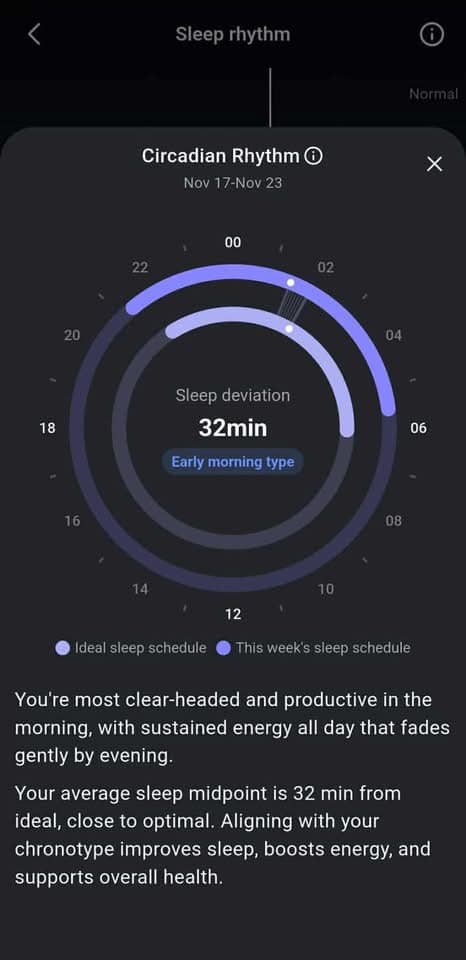
Beyond social jetlag, the update adds another layer: Circadian Rhythm tracking. This section attempts to categorize your chronotype by looking at your natural tendencies. Whether you’re an early riser, night owl, or somewhere in between, the app now labels it and tracks how far your current schedule deviates from that ideal.
It presents the information using a circular 24-hour clock, showing when you actually went to bed and woke up versus when your internal clock thinks you should. A deviation score shows how far off you are, like a 32-minute drift in the example provided. While the number itself is useful, the real value comes from the interpretation.
The app provides feedback like “most productive in the morning” or “energy fades by evening,” giving the data some context. That makes it easier to adjust your schedule or manage expectations about when you’ll feel most alert. It’s one of the more direct, personalized recommendations RingConn has rolled out so far.
This feature set doesn’t work instantly. The app needs a few nights of data across different types of days to build its baseline. If you’ve just started using the ring, or you’re inconsistent with your schedule, it might take longer to populate.
View on Amazon.
Subscribe to our monthly newsletter! Check out our YouTube channel.
And of course, you can follow Gadgets & Wearables on Google News and add us as a preferred source to get our expert news, reviews, and opinion in your feeds.
