

Hands on with the Amazfit Active 3 Premium lactate threshold tool
I’ve been hitting the pavement in London to see how the brand new Amazfit Active 3 Premium actually handles its lactate threshold feature. Right now, this is the only watch in the Zepp Health family that gives you this specific data.
The lowdown on lactate threshold
Lactate threshold is really just a fancy way of talking about your wall. It is that specific point during a hard run where your body starts producing lactate faster than it can get rid of it. We always have some lactate in our system, but once you cross that line, things get messy.
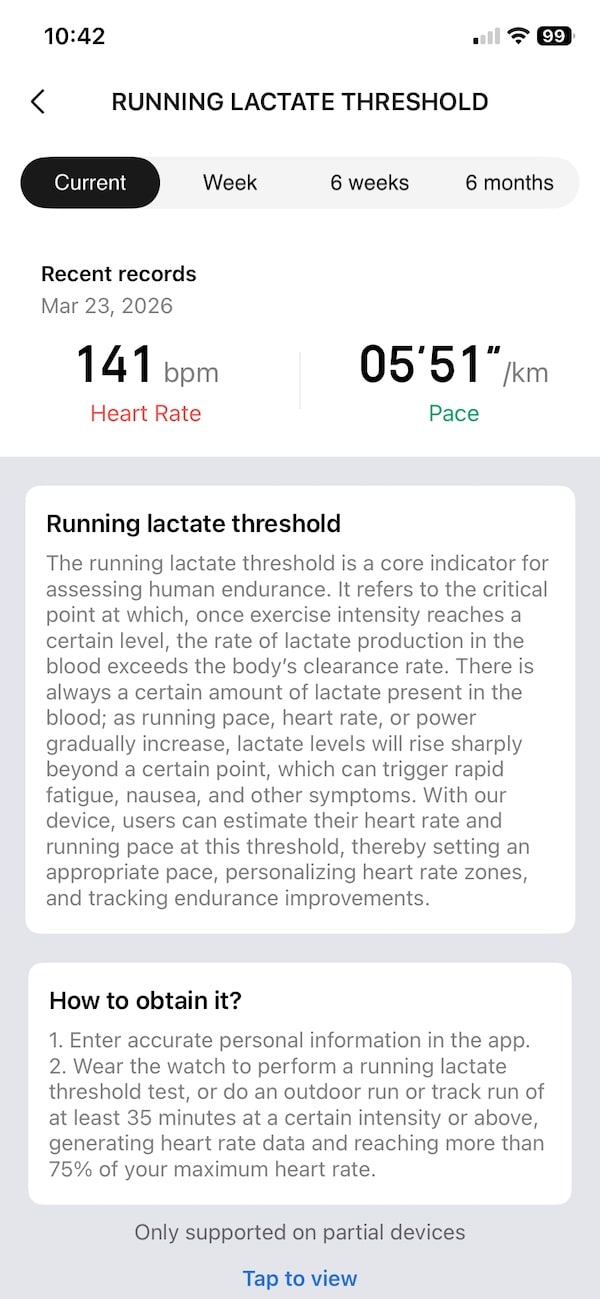
When you start cranking up your pace or your heart rate, those levels eventually spike. That is when the heavy legs, nausea, and total exhaustion kick in. On my recent runs with the Active 3 Premium, the watch clocked my threshold at a heart rate of 141 bpm and a pace of five minutes and fifty one seconds per kilometer.
Getting these numbers onto your wrist helps you figure out exactly how fast you can go without burning out too early. It lets you pick a pace for your long runs that stays just under that red line. Plus, it helps the Zepp Health app dial in your personal heart rate zones so your training stays on track.
How to get your first reading
Ok, so you want to see your first reading. First, you need to make sure your personal profile in the Zepp Health app is totally accurate. The watch uses your age and weight for its math, so if that info is wrong, your threshold numbers will be way off too.
Once your profile is set, you have two ways to get the data. You can jump into the workout menu and start the actual lactate threshold test. This is a guided session where the watch tells you exactly how fast to run to find your limit.
If you don’t want to do a formal test, you can just go for a normal run outside. Zepp Health says it needs to be at least thirty five minutes long and fairly intense. You have to keep your heart rate above seventy five percent of your max for the watch to have enough data to work with.
But I found out that even if your run is shorter and less intense, you might get a reading. Granted the lactate threshold estimate is lower than what I get on my Garmin watch but it is there. Presumably, going for more intense and longer runs would increase my lactate threshold estimate to match what I am getting on my Garmin watch.
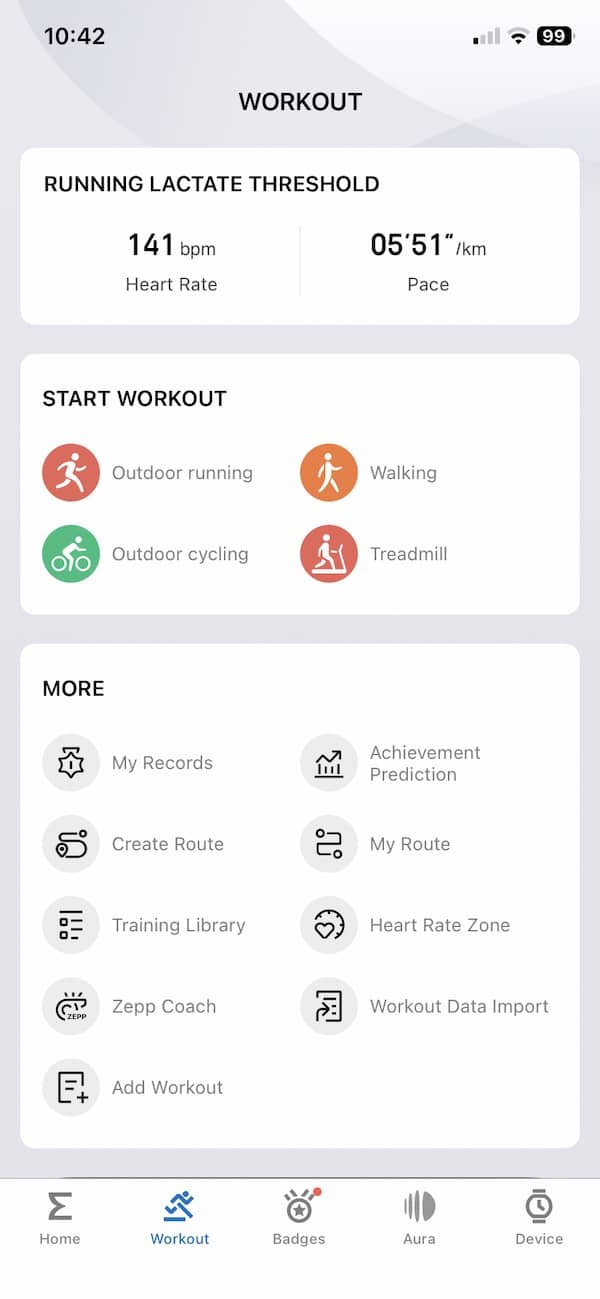
The Zepp Health app keeps all this info tucked away in the workout tab. When you open it up, you’ll see the usual icons for running, cycling, and hitting the treadmill. Just above those, there is a dedicated card that shows your latest lactate heart rate and pace at a glance.
Watching your fitness improve
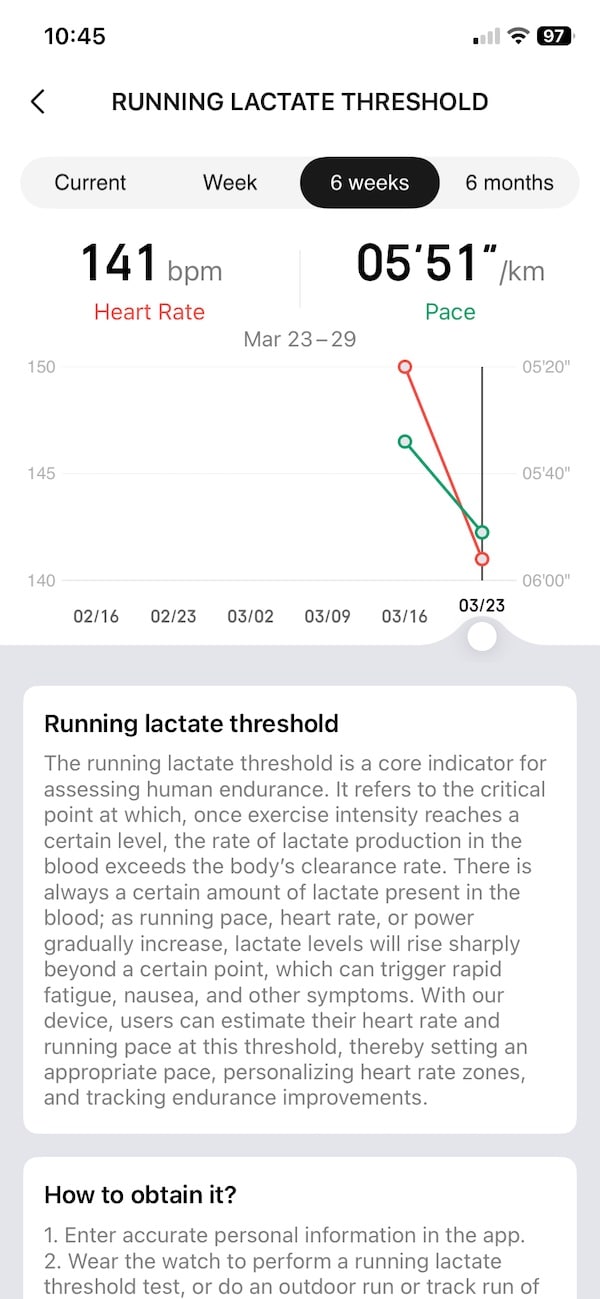
The best part about the lactate threshold metric is seeing your progress over a few months. The Zepp Health app has a specific screen that lets you track your threshold over six weeks or even half a year. It is a huge confidence booster to see your threshold pace get faster while your heart rate stays the same.
I’d suggest doing a fresh test every few weeks, especially if you are training for a specific race. As you get fitter, your threshold will move, and you want your heart rate zones to stay updated.
At the moment, the Amazfit Active 3 is the only Zepp Health watch with this metric. But I can’t see a reason why it wouldn’t roll out to other Amazfit watches via future firmware updates.
Subscribe to our monthly newsletter! Check out our YouTube channel.
And of course, you can follow Gadgets & Wearables on Google News and add us as a preferred source to get our expert news, reviews, and opinion in your feeds.
