

Atmotube Pro 2 review: Sniffs out bad air wherever you go
Atmotube Pro 2

PROS
- Portable and easy to clip onto a bag
- Tracks PM1, PM2.5, PM10, VOCs, CO2 and more
- Built-in GPS for mapping exposure
- Long battery life with low-frequency sampling
- Fast Bluetooth syncing
CONS
- Could be more rugged and water-resistant
- Expensive for casual users
Atmotube Pro 2: One minute review
Atmotube Pro 2 is built for people who actually want to know what they’re breathing. It’s not flashy, it doesn’t fit in your pocket, and it’s not trying to be anything other than what it is. What you get is solid sensor hardware in a portable format that works just as well indoors as it does outside.
The added sensors give it more range than the original Pro. You can clip it to your bag during a commute, then leave it on a desk at home and keep tracking. It doesn’t need constant attention. Once you sort out the balance between battery life and how often it logs data, it just gets on with the job.
It’s not cheap, but it also does something that most smart home gear and wearables don’t. It gives you real-time environmental data that actually means something. Whether you’re tracking exposure on a run, spotting ventilation problems indoors, or just trying to understand the air in your neighbourhood, this device helps you make sense of it.
For day-to-day use, there’s not much of a learning curve. The app is decent and the hardware does what it’s supposed to. You could buy a home monitor that gives you some of the same insights, but the difference here is portability. This one moves with you. When readings change as you enter more polluted areas, it gives you a chance to reduce exposure or change your route.
You’re paying for a tool that gives you localised, real-time data. And for that kind of flexibility, there aren’t many portable alternatives.
View Atmotube Pro 2 on Amazon.
Atmotube Pro 2 review: Design, hardware
Look & feel
Nearly a decade ago, I reviewed the original Atmotube. It was a compact, cylindrical device that clipped to your bag and gave you basic readings for VOCs and carbon monoxide. Since then, there have been a few iterations, each one adding more sensors and refining the design. Atmotube Pro 2 keeps pushing that forward. It sticks with the rectangular shape that started with the earlier Pro model, keeping things portable but now geared more toward serious use.
The matte black casing looks practical with a strong, blocky presence. It feels solid and deliberate, more like a field tool than a gadget – though I wouldn’t exactly trust it to survive a fall. You can clip it to a backpack or shoulder strap, and it fits naturally into a commuter setup. This is not something you stuff in your pocket. It’s meant to be worn or placed in view while it does its job.
The built-in carabiner loop makes it easy to attach without extra accessories. Indoors, it stands upright on a flat surface without wobble. It doesn’t dominate a desk or shelf, but it won’t go unnoticed either. The design makes it clear this device is here to monitor, not decorate.

The device has one button and a single LED on the front. There’s no display. You get everything through the app. That might frustrate people looking for quick glances, but it keeps the hardware simple and clean. The LED gives a quick air quality status cue, but nothing detailed. The vents on the sides and front are large, which makes sense for airflow, but also means you don’t want to use this in the rain or dusty environments.
When testing indoors, it sat quietly on a kitchen counter and picked up changes while cooking or airing out the room. Outdoors, it handled a few hours clipped to a backpack with no issue. The weight was noticeable when clipped to clothing but fine on a bag or rucksack.

The design doesn’t try to be wearable in the traditional sense. It’s portable, yes, but it’s not trying to pass as jewellery or a lifestyle accessory. It’s a sensor with a job to do. The build reflects that. It feels more like lab equipment that just happens to be mobile.
Under the hood
Atmotube Pro 2 is built around a compact set of precision sensors arranged to sample ambient air through a dedicated intake system. A silent internal fan pulls air through the vents, pushing it across a laser-based particle sensor that measures PM1, PM2.5 and PM10. This active airflow helps deliver more consistent readings compared to purely passive designs.
Next to the particulate sensor sits a dedicated CO2 module, separate from the gas sensor used for VOCs. That VOC sensor uses a Sensirion SGP41, which also detects NOx (nitrogen oxides from vehicle exhausts, gas stoves, heaters, etc), and outputs an air quality index based on its readings. The sensors are placed near the intake to keep the airflow steady and reflective of actual environmental conditions.

Temperature, humidity and pressure are tracked using separate onboard sensors. These are located away from the main board heat zones to avoid skewing results. Their position inside the case ensures they track room or outdoor conditions with reasonable accuracy.
The device also includes a GPS chip and a three-axis accelerometer. These are integrated to support location-aware tracking and detect motion. Both components are placed on the PCB without affecting the airflow path, and they sit alongside 16 megabytes of onboard memory for local logging.
Bluetooth 5.0 handles wireless communication, while a USB-C port at the base is used for both power and data. Internally, the layout feels efficient. Each module is board-mounted and positioned to allow good ventilation without sacrificing structural integrity.
Battery life
Battery life on the Atmotube Pro 2 depends entirely on how often it samples the air and whether GPS is turned on. At the most conservative settings, with particulate matter readings taken every 15 minutes and GPS switched off, the device can last close to 12 days on a full charge. That’s with background Bluetooth syncing and occasional app checks.

Start increasing the sampling rate and things change quickly. At one-minute intervals with GPS on, the runtime drops to a couple of days. Go with real-time tracking every second and you’re looking at a battery that lasts closer to one day. The good news is that Atmotube gives you a runtime estimate as soon as you choose a setting, so it’s not guesswork. You can plan around how much detail you want and how long you need the device to stay live.
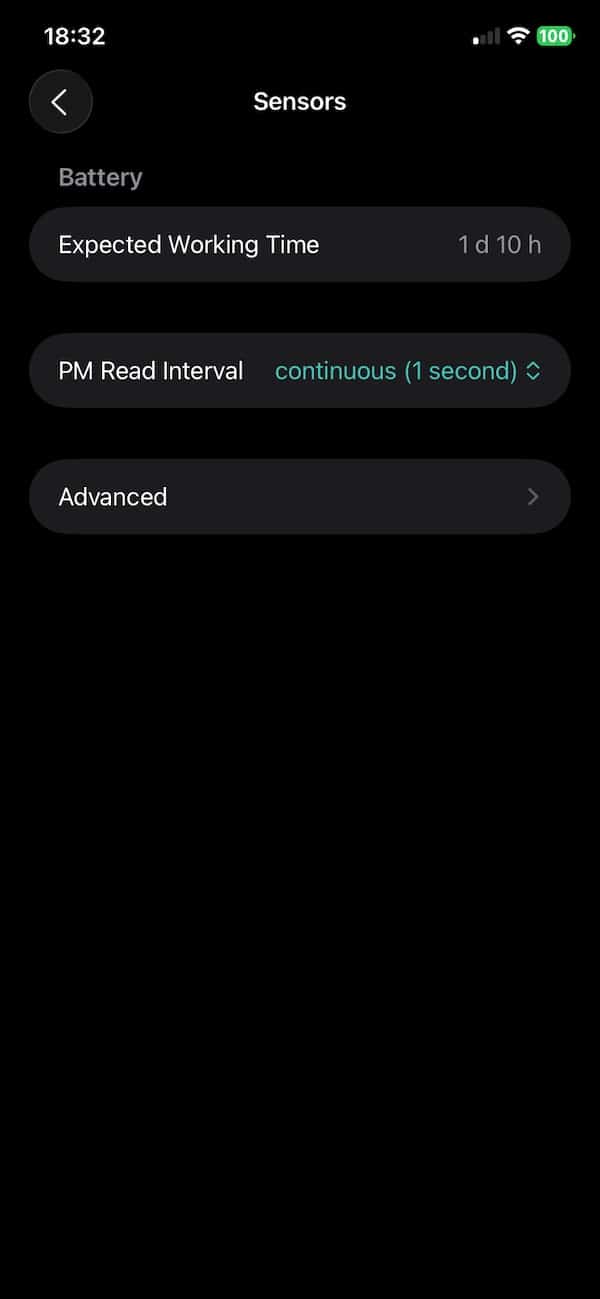

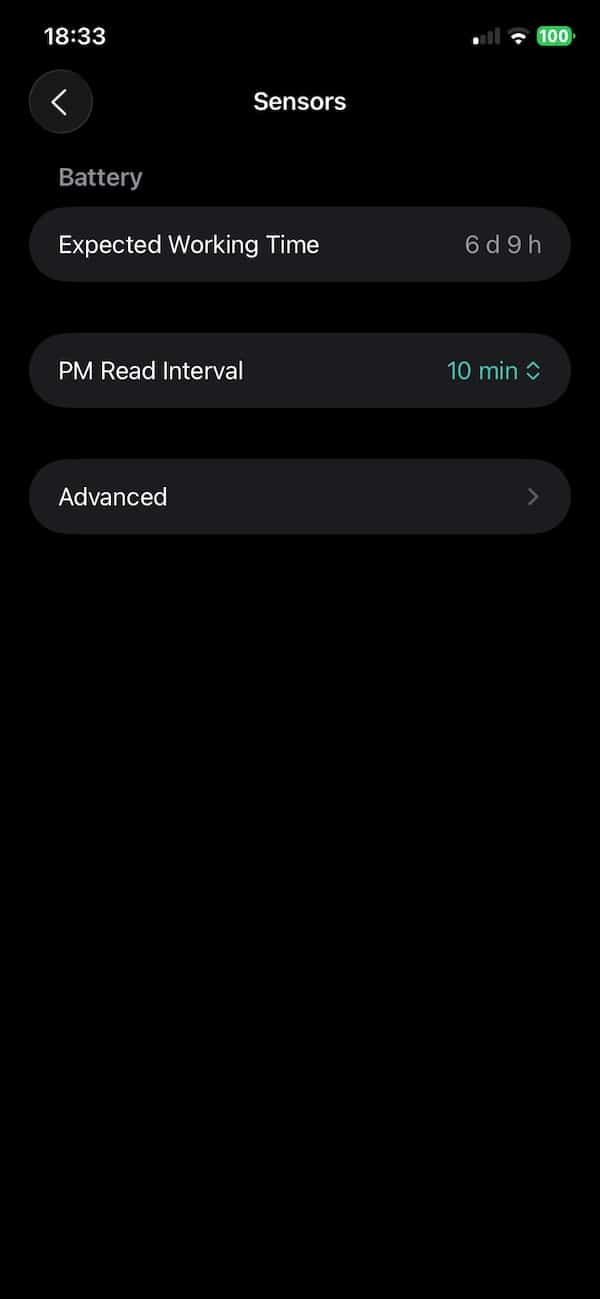

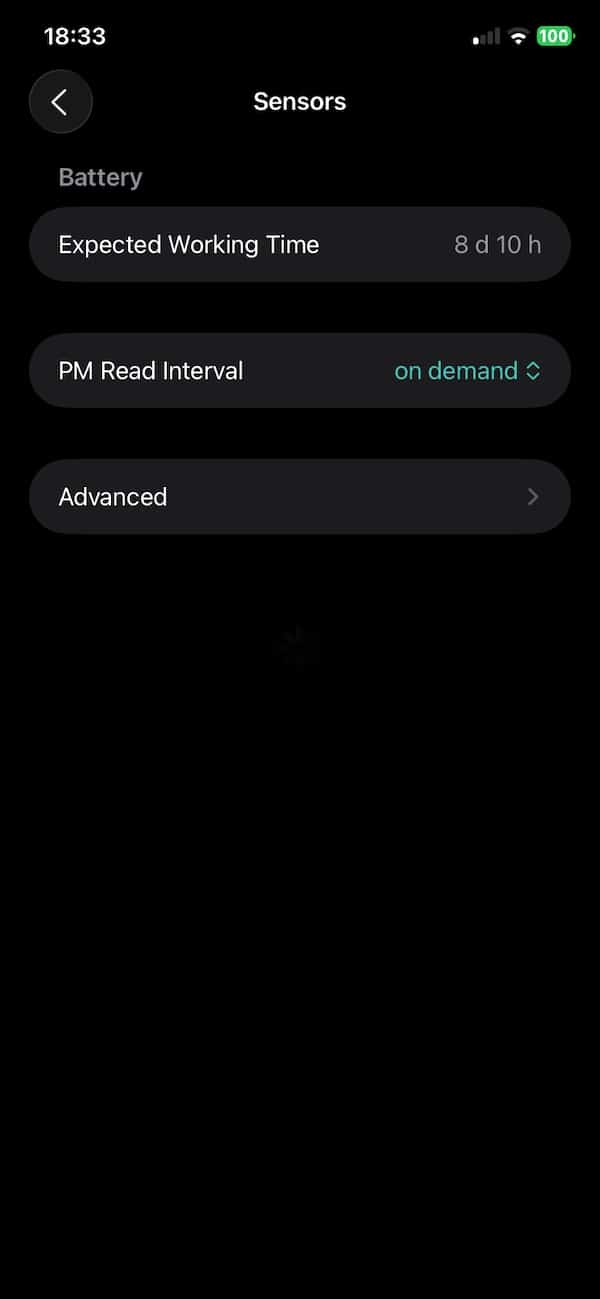
In testing, a mix of 5-minute intervals with GPS off was enough for daily use while still stretching the battery over a few days. It charges via USB-C and tops up fully in around two and a half hours. There’s no fast charging, but that’s not a major issue given how infrequently it needs a top-up at lower sampling rates.
The flexibility is useful. You can run the device conservatively when you’re just monitoring a room, then ramp it up for short sessions outdoors or in high-risk areas. The trade-off between battery life and resolution is always present, but it’s manageable once you get a feel for the settings.
Atmotube Pro 2 vs 1: Tech specs comparison
The leap from the original Atmotube Pro to the Atmotube Pro 2 centres on enriched sensor and logging capabilities. The Pro 2 adds a dedicated CO₂ sensor module, meaning it can directly measure CO₂ concentrations rather than infer them through other gases. That addition, along with a TVOC sensor upgrade and a NOx index, gives the Pro 2 more complete real‑world air‑quality context, indoors and outside.
Beyond sensors, the workflow sees an upgrade in the Pro 2 with built‑in GPS for geotagging, and significantly expanded onboard memory (from 256 KB to 16 MB). These changes allow the Pro 2 to log longer sessions, map exposure routes, and offer more granular data without relying solely on a phone. And the device now offers direct USB access for data downloads and integration with other systems.
The original Pro remains a capable monitor for basic indoor/outdoor tracking. But if you need greater data accuracy and easier route‑aware context, the Pro 2 is clearly the more advanced option.
Specification | Atmotube Pro 2 | Atmotube Pro |
|---|---|---|
PM sensor (PM1/2.5/10) | Yes, expanded range up to 65,500 µg/m³ | Yes, standard range |
TVOC sensor | Yes, upgraded SGP41 with NOx index | Yes, earlier-generation sensor |
CO₂ sensor | Yes, built-in | Not included |
NOx index | Yes, included via VOC module | Not included |
Temperature, humidity, pressure sensors | Yes | Yes |
Built-in GPS, accelerometer | Yes | No (GPS, relies on phone) |
Memory | 16 MB onboard, up to 45 days logging, sync history data with multiple devices, turn on/off without data loss | 256 KB, up to 10 days logging |
Bluetooth and ports | Bluetooth 5.0, USB-C for data and charging | Bluetooth 5.0, USB-C for charging |
Dimensions and weight | 86 × 50 × 22 mm, 106 g | 86 × 50 × 22 mm, 104 g |
Battery capacity | 2300 mAh | 2000 mAh |
Quoted max runtime | Up to 12 days (15-min PM, GPS off) | Up to 10 days (15-min PM) |
USB data access | Yes | No |
Price | $249 | $199 |
Atmotube Pro 2 review: How to use
Getting started with Atmotube Pro 2 is pretty straightforward. Power it on using the single button, then open the companion app on your phone. Pairing happens over Bluetooth and only takes a few seconds. Once it’s connected, you’ll see live air quality data start to stream in.
Each sensor comes pre-calibrated, so there’s nothing for you to do there. Over time they will also perform automatic calibration to ensure accuracy.
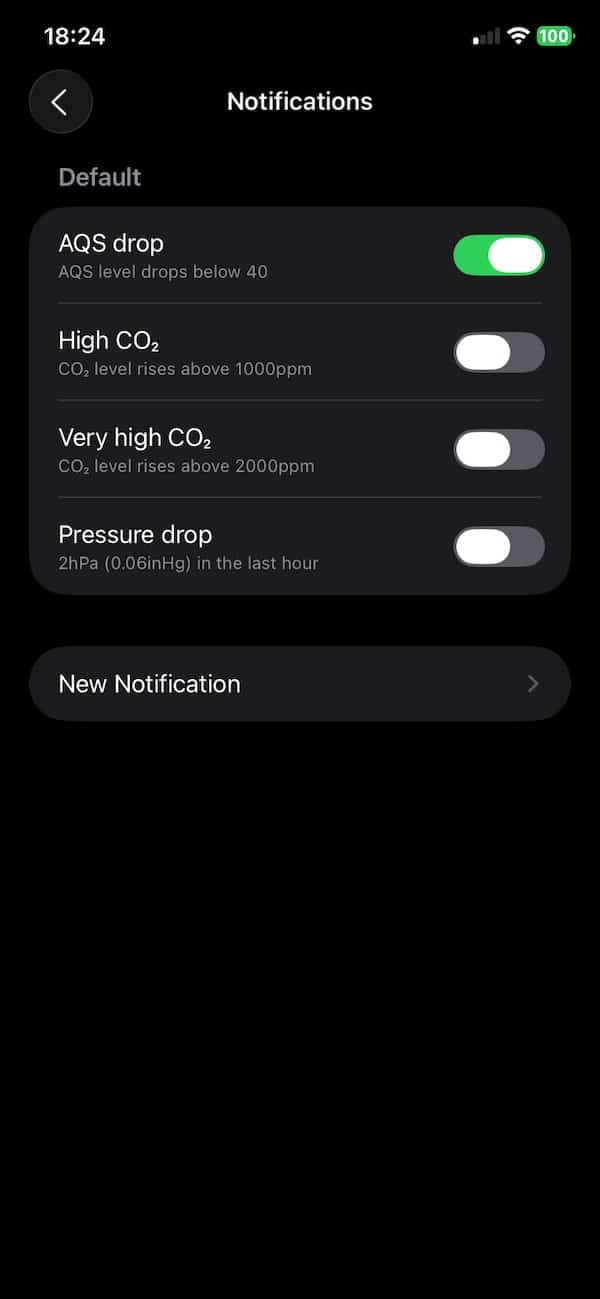
What’s worth noting is that there are plenty of settings you can tweak. These include unit preferences, GPS mode (whether to use the built-in chip or your phone), notification triggers and privacy controls. I found the notifications especially useful. You can, for example, choose to get alerted when the AQS drops below a set threshold, when CO₂ levels rise too high, or when there’s a sudden pressure drop. Things like that can alert you to bad air quality without you having to lift a finger.
Inside the app, you can also choose how often the device logs particulate matter. As mentioned earlier – the higher the sampling rate, the more detailed the data. But it also eats through the battery faster.

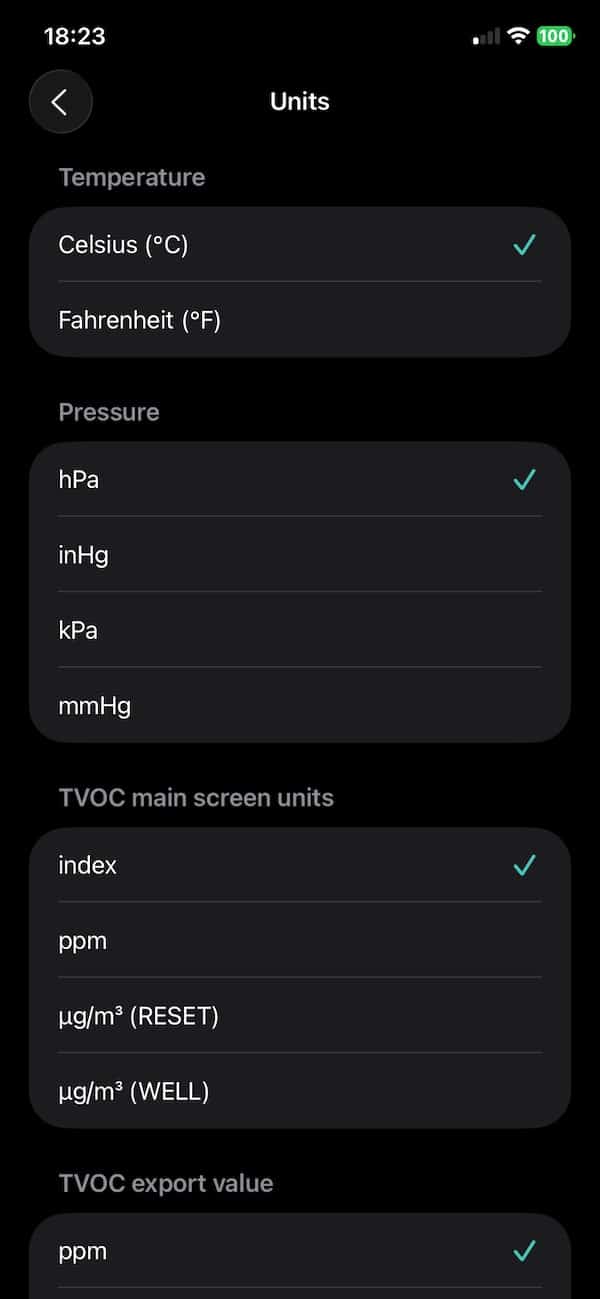
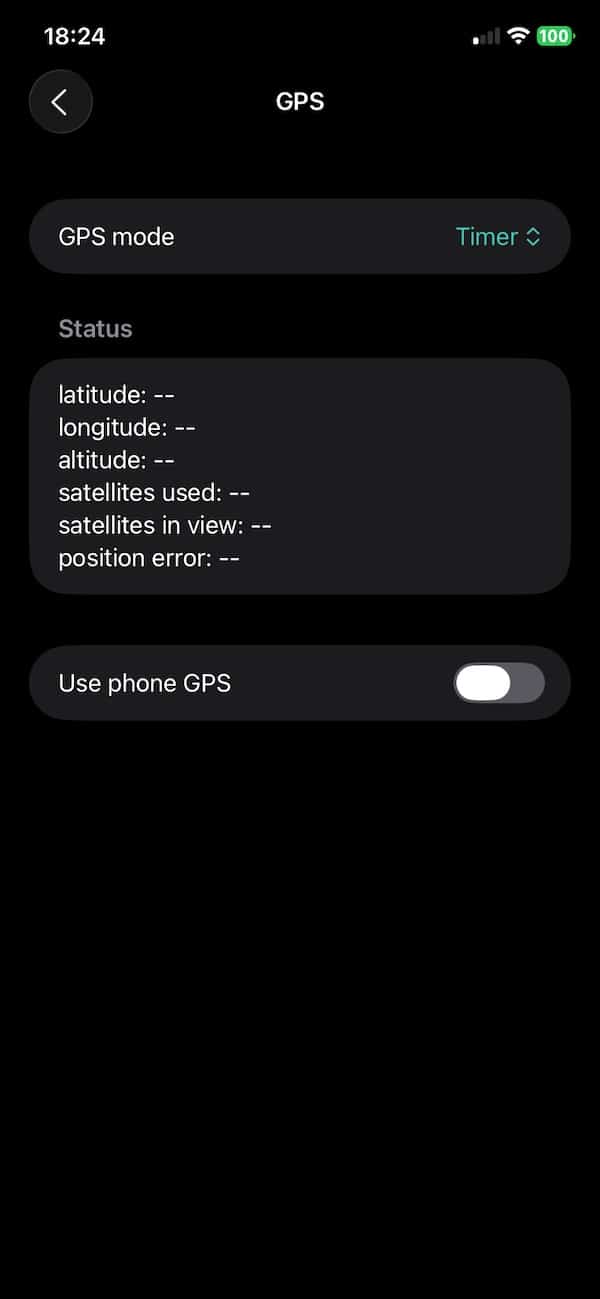
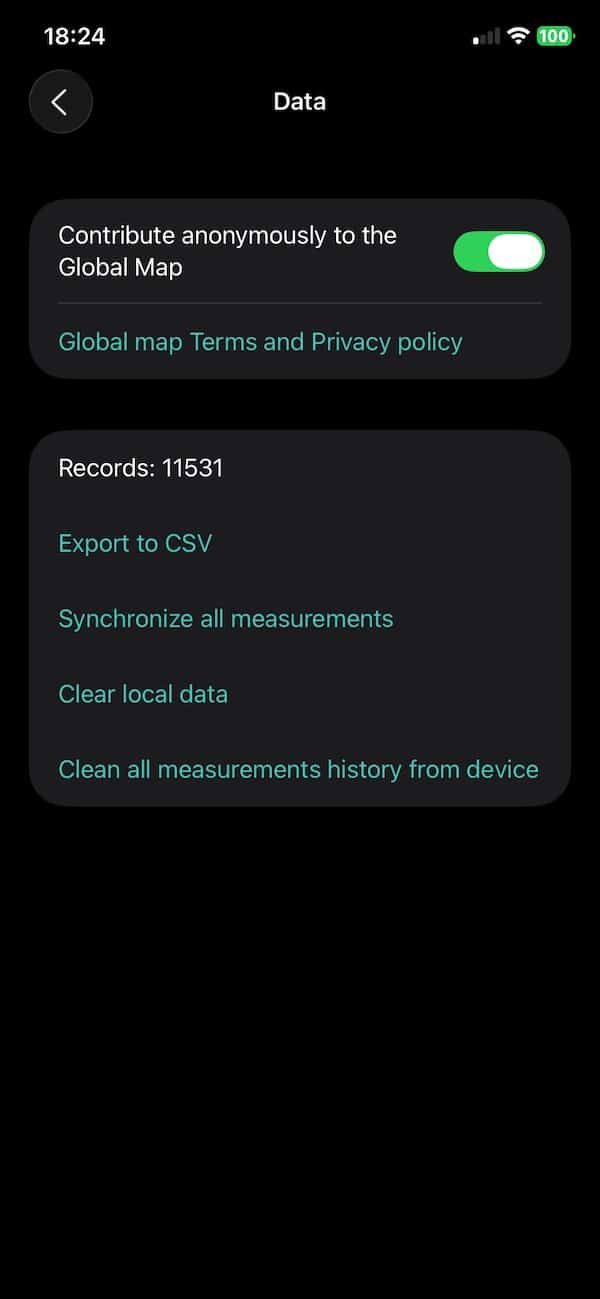
From there, it’s mostly about choosing how you want to use the device. Hang it on a backpack, clip it to a bag or leave it standing upright on a desk or shelf. Indoors, it works best when placed somewhere with stable airflow, not jammed up against a wall or in a corner. Outdoors, the carabiner loop makes it easy to carry during a walk or ride without needing to interact with it constantly.

It’s not a fire-and-forget gadget. You’ll get the most out of it if you experiment with sampling intervals and get familiar with what affects the readings. But setup is fast and the learning curve isn’t steep.
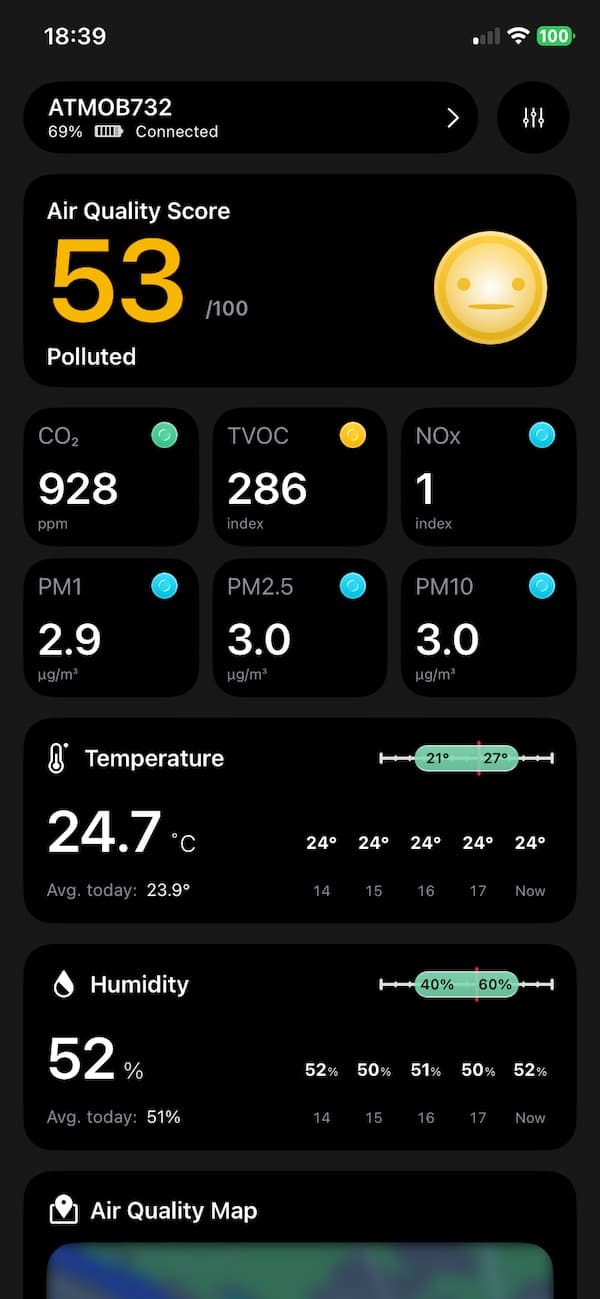
The app itself is clean. You get air quality scores, historical charts, and breakdowns by pollutant type. The figure to keep an eye on is the Air Quality Score. This aggregates readings from all the sensors to provide a at-a-glance metric. The closer it is to 100, the better the air quality around you.
Beyond that you also get info on
- Particulate Matter (PM1.0, PM2.5, PM10)
- Volatile Organic Compounds (VOCs)
- CO₂
- NOx
- Humidity
- Temperature
- Air pressure
Pretty much everything you need to know is covered. I like the colour coding as it makes it easy to spot what it out of the healthy range for each metric.
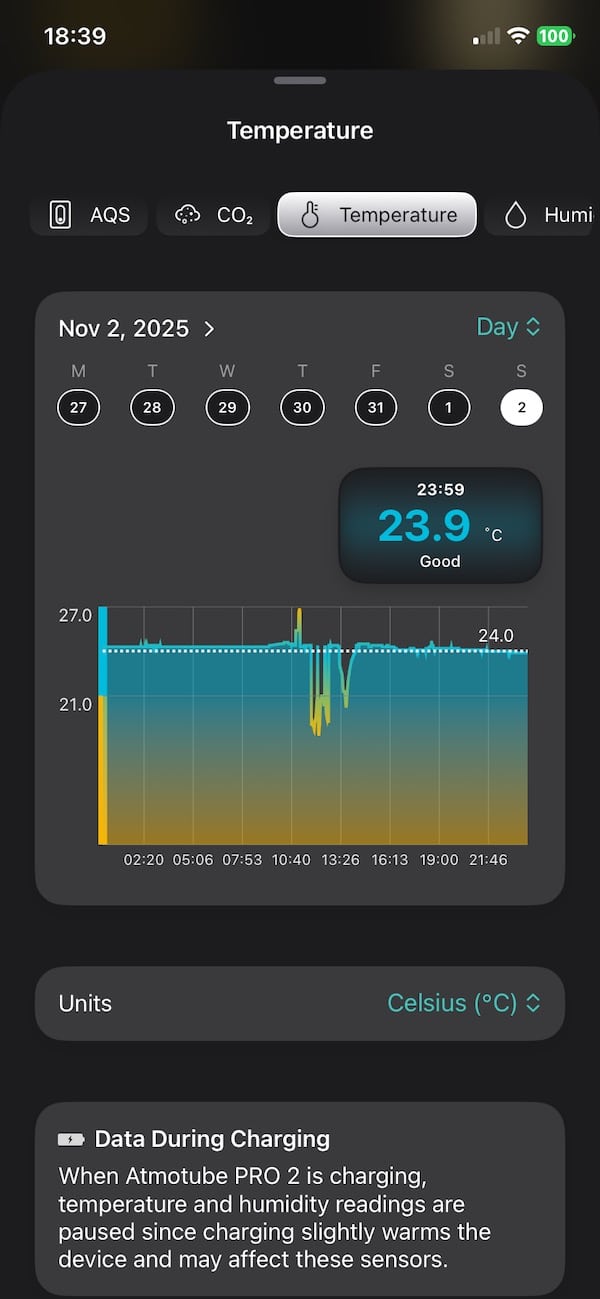
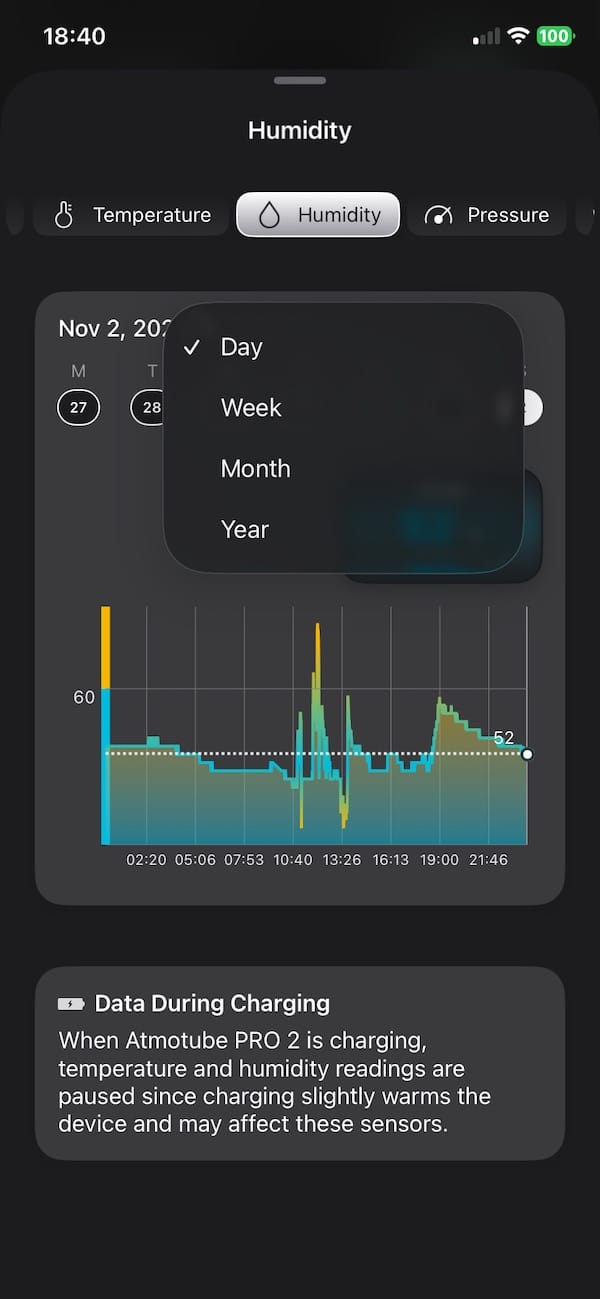
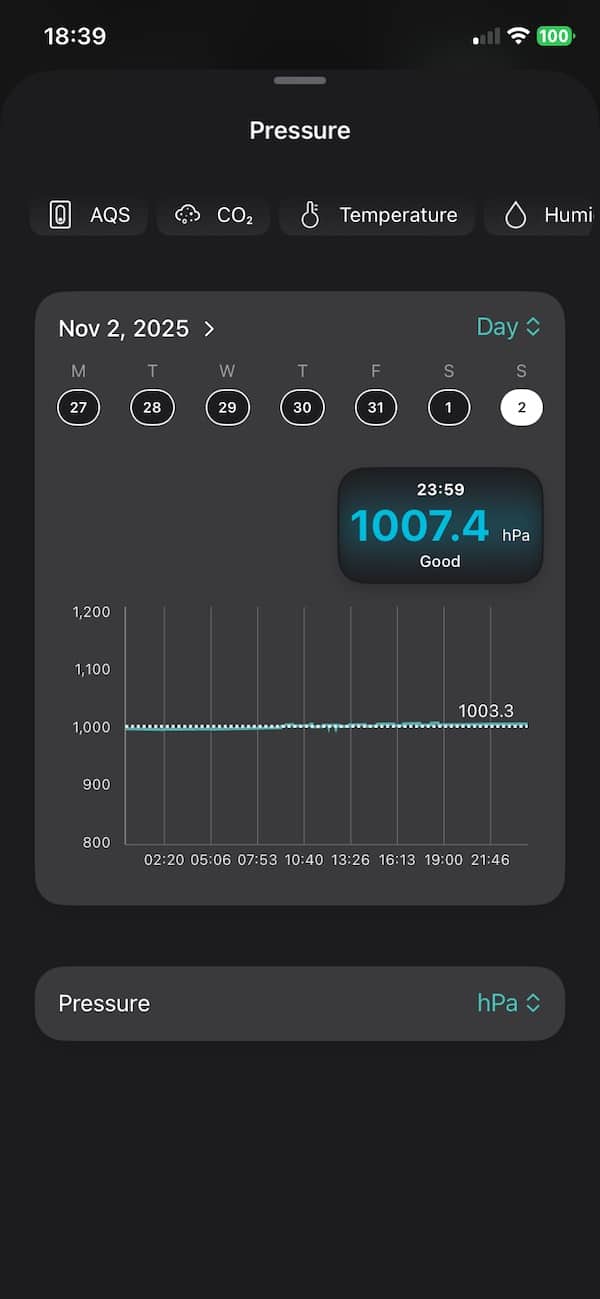
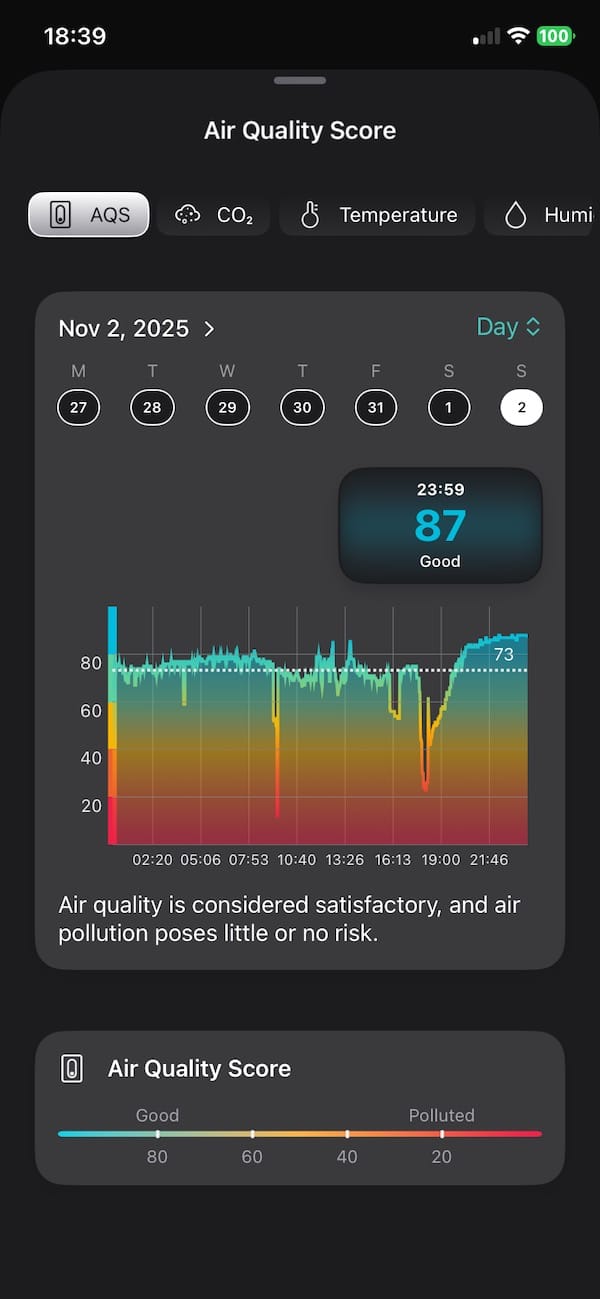
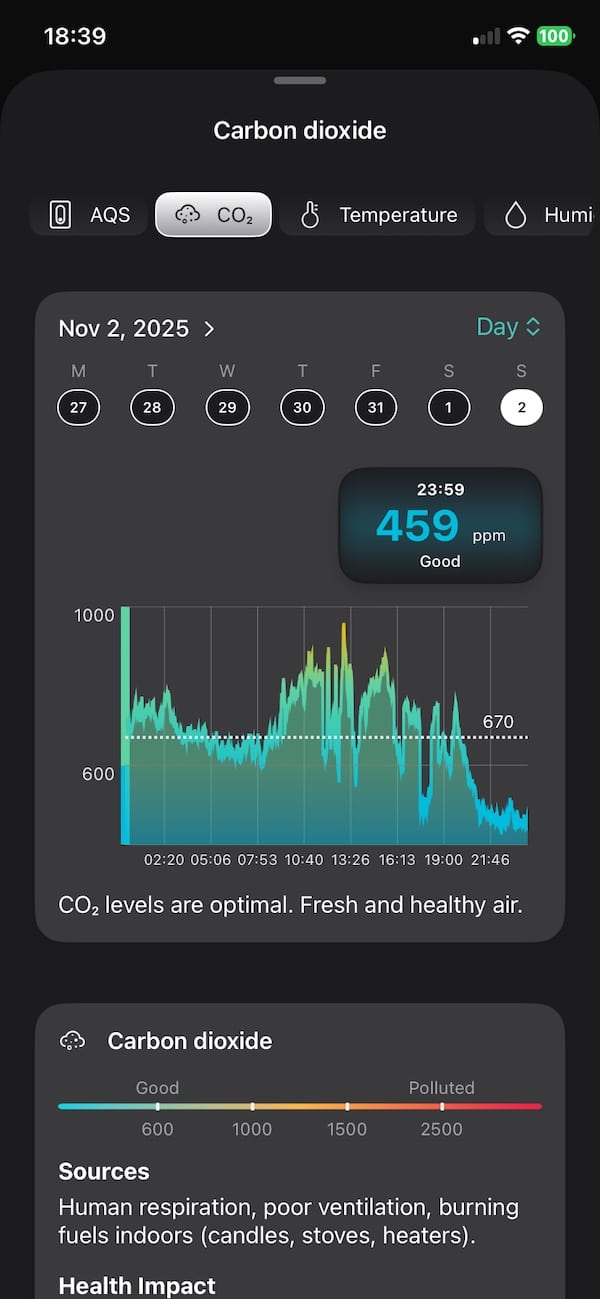
You can also check out map views to see where you’ve been and what the air was like along the way. Just pick a date and your route shows up with air quality readings at different points. Take the device with you on a run or a long walk, then look back later to see how clean or polluted the air was. That stuff matters. Exercise is great, but doing it in bad air can do more harm than good. Atmotube helps you catch things like that and gives you a better sense of the air in places you go often.
One thing missing is a proper iPad app. Right now, it’s just the stretched phone version, which isn’t ideal. A real tablet layout would be a lot more useful for going through map data or looking at charts on a bigger screen.
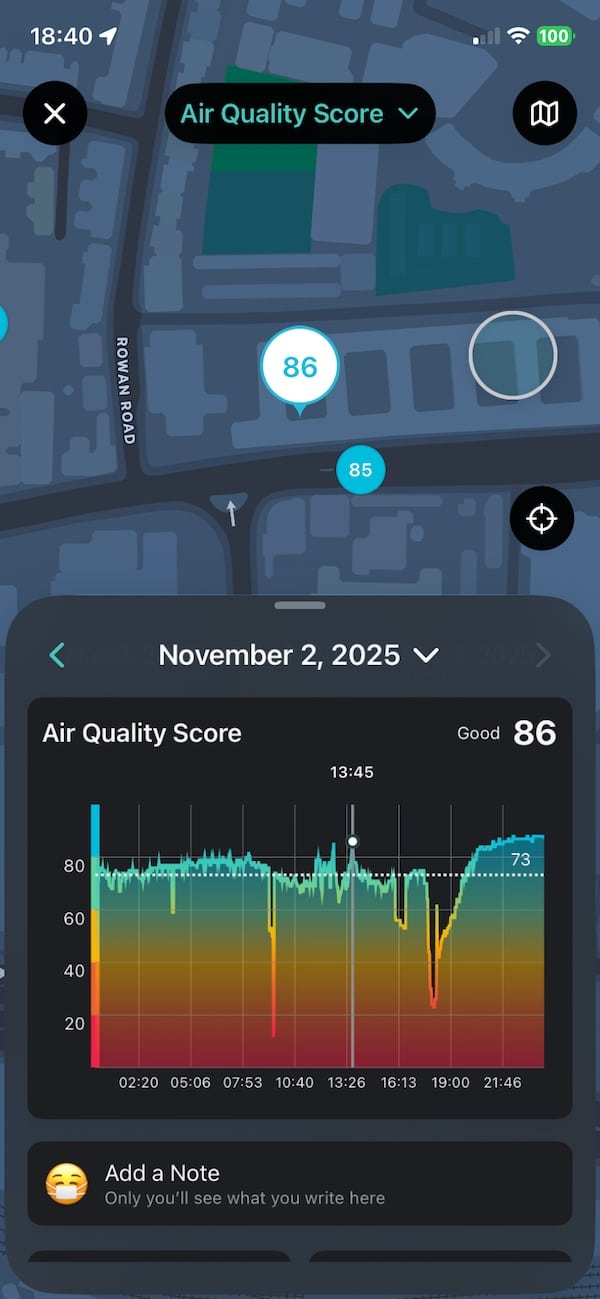
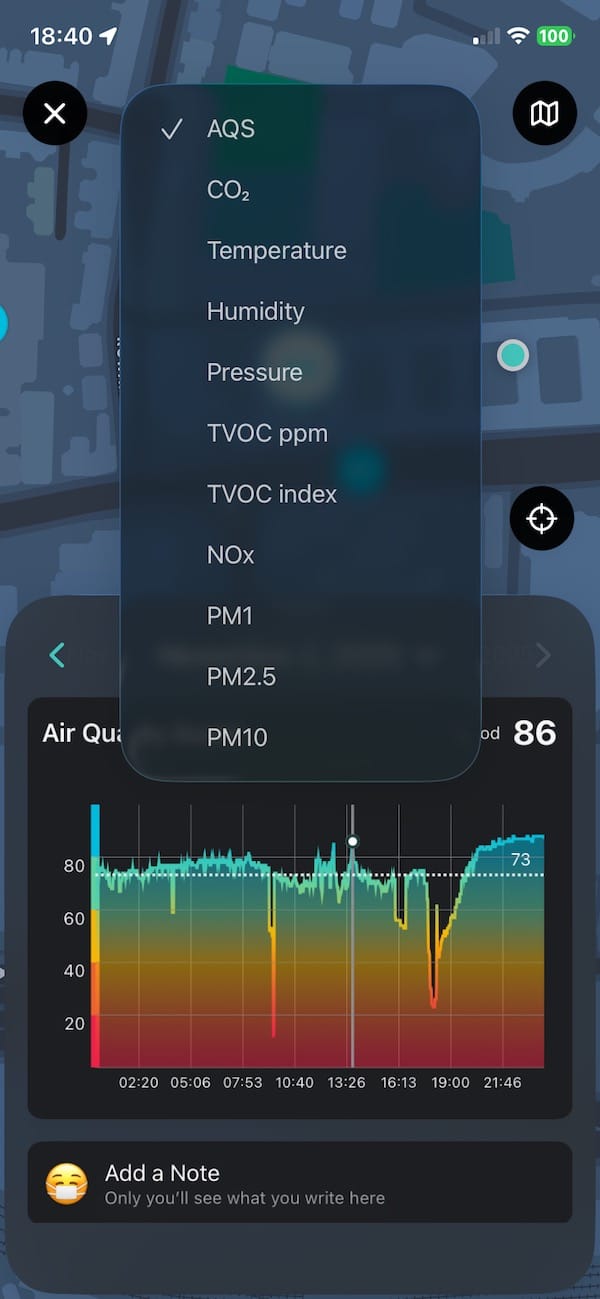
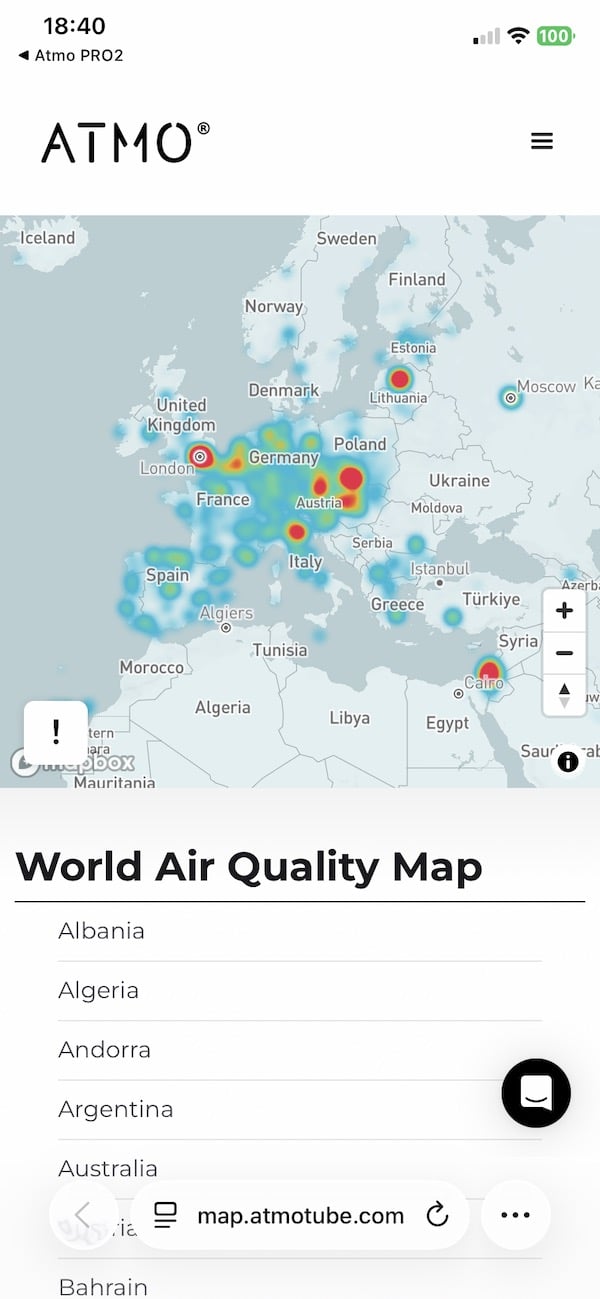
You can export all the data as a CSV file if you want to dig deeper or run your own analysis. You can also sync everything to your Atmotube cloud account, which makes it easy to log data across more than one device or switch phones without losing anything.
Once it’s set up, there’s not much to think about. It just runs quietly in the background while you go about your day. If you want to run a more focused test, like during a commute or while cooking, you can open the app, switch to high-frequency logging, and let it record everything.
That said, not everything’s perfect. I do wish the device was a bit smaller and tougher. A tiny screen or always-on LED showing real-time air quality would also make it easier to check on air quality.
Atmotube Pro 2 review: Accuracy
Finally, a few words on accuracy. The sensors in Atmotube Pro 2 aren’t just random parts thrown together. The particulate matter sensor it uses (for PM1, PM2.5 and PM10) is part of a module that’s MCERTS certified. That means it’s passed a recognised lab standard for air pollution sensors under controlled conditions. It also meets RESET Grade B accuracy levels for PM2.5, TVOC and CO2, which is a performance standard used in smart buildings and indoor health monitoring.
On top of that, the company points to third-party lab and field tests, including validation by South Coast AQMD’s AQ-SPEC program. These kinds of independent tests show the device can track closely with more expensive reference equipment, at least under the right conditions. So while it’s not a lab instrument, this isn’t just a consumer gadget giving you ballpark guesses either. It’s gone through some serious benchmarking.
You can read more about Atmotube’s testing and certifications, including MCERTS and RESET standards, on their official support page.

Buy if
- You move between indoor and outdoor environments and want to track air quality continuously.
- You like to dig into data, export CSVs or map your exposure route.
- You’re concerned about CO₂, NOx or complex air‑quality factors, not just dust or PM2.5.
- You commute, cycle, or spend time in high‑traffic or poorly ventilated spaces.
- You’re okay with a device that needs thought on settings (sampling intervals, GPS on/off) to get the most out of it.
Don’t buy if
- You need rugged, weather‑proof gear for heavy outdoor use in rain or dust quite often.
- You only want a simple indicator for indoor air quality and don’t care about outdoor tracking.
- You’re after a budget device and the extra sensors/features aren’t necessary for you.
*We are a review site that receives a small commission from sales of certain items, but the price is the same for you. Purchasing items by clicking on links in this article allows us to run this website. We are independently owned and all opinions expressed here are our own. See our affiliate disclosure page for more details.
Subscribe to our monthly newsletter! Check out our YouTube channel.
And of course, you can follow Gadgets & Wearables on Google News and add us as a preferred source to get our expert news, reviews, and opinion in your feeds.

Hi, all very ,nice, i do have the PRO and the PRO 2 version and I can tell you that i am disappointed in the pro 2 version, especially for the CO2 measurements which is not measured by NDIR , and there is the flaw. the readings are absolutely incorrect, you need constantly adjustments, I even don’t understand why they produced such a device with no NDIR, I was happy with the Pro version and I thought it would be worth to buy the version PRO 2, but don’t, as It has no NDIR measurement capability. by the way on the forum several users don’t have any PM readings just as myself and the device is not ready due software/hardware issues