

Pongbot S Nova, Omni and Halo show where solo table tennis training is going
Pongbot is best known to me through the Pace S Pro tennis robot, which I recently reviewed and found to be a serious solo training tool rather than a simple ball launcher. After spending time with that machine, it felt worth looking at the company’s table tennis gear too.
The table tennis range is not built around one device. Pongbot currently has three main table tennis robots in the lineup: Nova S Pro, Omni S Pro and Halo S Pro. They all do the same basic job, firing balls with adjustable speed, spin and placement, but they sit at very different levels.
My review of the Pongbot Pace S Pro was about tennis, but the bigger point was the same. A good training robot only works if it gets out of the way and lets you build repeatable sessions without turning practice into a settings menu.
That is where Pongbot’s table tennis machines make sense on paper. These are not humanoid opponents or robots that play rallies back at you. They are smart serving robots built for repetition, placement, spin work and drill structure.
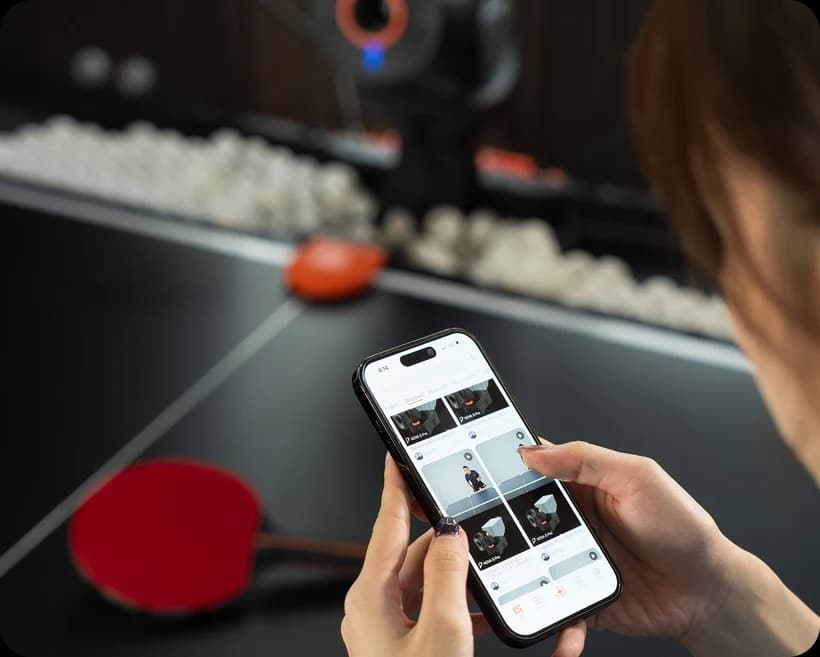
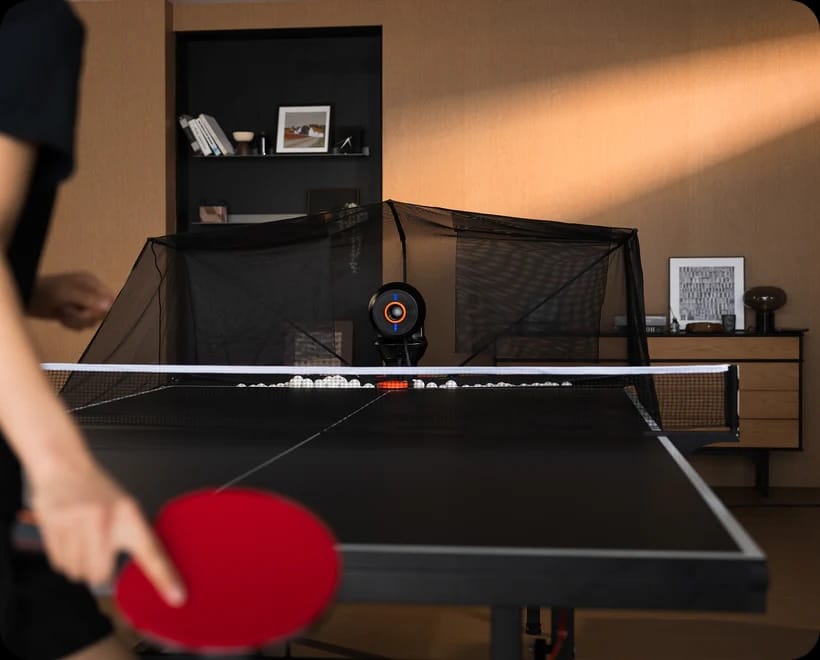
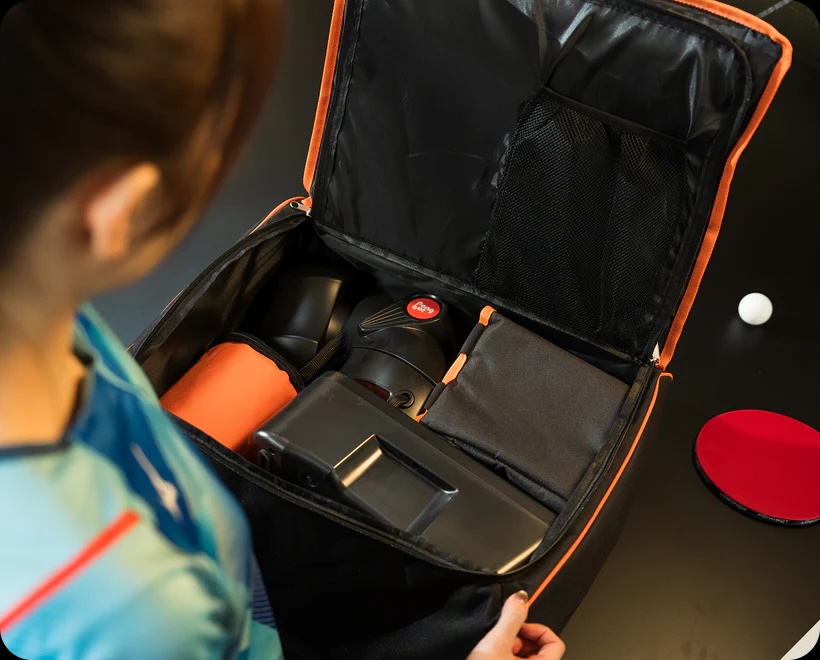
Nova S Pro is the entry point
Nova S Pro is the smallest and cheapest model in the range. It sits on the table, weighs 4kg and holds around 150 balls, so it is clearly the one designed for home users or players who want something they can move around easily.
The headline specs are still strong for the price. It can fire balls from 2 to 15 metres per second, with a frequency of 30 to 90 balls per minute. Spin goes up to 60 revolutions per second and Pongbot says it supports 9 spin variations. There are also more than 264 built-in drills, plus app and remote control.
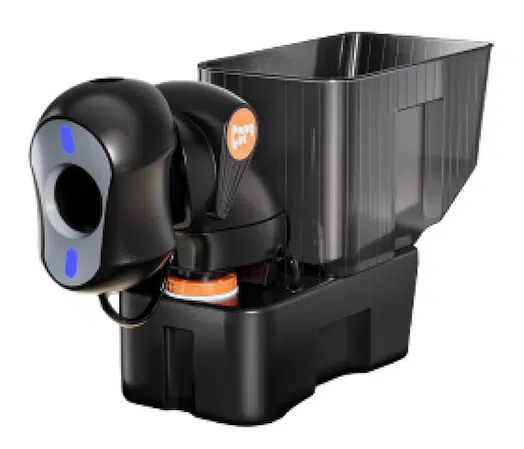
Nova S Pro*
Order nowThe compromise is adjustment. Nova S Pro has manual side and vertical adjustment, so it does not give you the same automated placement flexibility as the more expensive models. That probably will not bother a casual or intermediate player. It may bother someone trying to build more complex footwork routines.
This is the model that looks easiest to recommend for someone who wants structured solo practice without going deep into club-level equipment. It is still a proper training robot, just stripped back in some places.
Omni S Pro steps things up
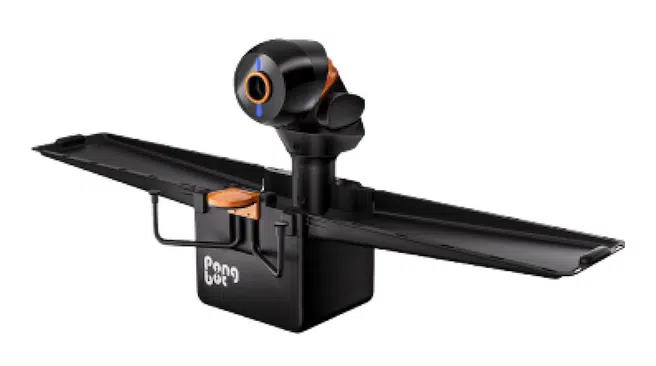
Omni S Pro is the clamp-on model and it moves the range into more serious territory. It weighs 9kg, clips onto the table and holds around 250 balls. The ball speed remains 2 to 15 metres per second, while the firing frequency stays at 30 to 90 balls per minute.
The big jump is spin and control. Omni S Pro supports up to 100 revolutions per second and 360-degree spin adjustment. It also adds automatic continuous left and right oscillation, plus automatic vertical and side adjustment. Control comes through the app or Pongbot’s E-Pad touchscreen.
Omni S Pro*
Order nowThat changes the use case. With Nova S Pro, you are getting a compact robot that can handle useful drills. With Omni S Pro, you are getting something that can build more realistic patterns across the table. Forehand, backhand, middle ball, short ball, deep ball, spin change. That is where table tennis training starts to become more serious.
It also includes more built-in drills than Nova S Pro. Pongbot’s own listing shows over 522 drills, which gives players a large preset library before they start creating their own routines. For clubs, coaches or players who train often, that extra control is probably where the money goes.
Halo S Pro is the full setup
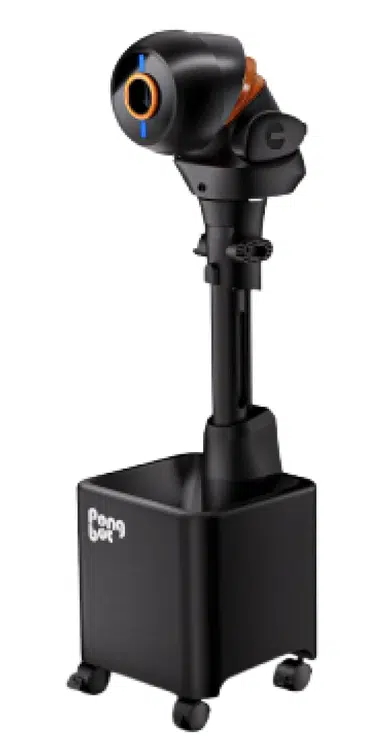
Halo S Pro is the floor-standing model. It weighs 11kg, holds around 250 balls and uses the same broad performance range as Omni S Pro, with 2 to 15 metres per second speed, 30 to 90 balls per minute and up to 100 revolutions per second of spin.
The difference is the format. Because Halo S Pro stands on the floor, it can be positioned in different locations around the table. That gives it more flexibility than a fixed clip-on robot, especially for players who want to simulate different angles or feed patterns from more natural positions.
Halo S Pro*
Order nowIt also gets the largest drill library, with more than 702 built-in drills according to the current Pongbot listing. That makes it the most complete option in the range, but also the one that makes the least sense for someone who just wants a casual hit in the garage.
Halo S Pro looks more like club kit. It is the one for players who already know they will use a robot regularly and want the widest spread of training patterns. For everyone else, Omni S Pro may already cover the useful middle ground.
Pongbot table tennis robot comparison
The table makes the range fairly easy to understand. Nova S Pro is about portability and price. Omni S Pro is about better automation and more serious drill building. Halo S Pro is the most flexible setup, mostly because of its standing design and larger drill library.
You can also see the typical pricing. But it’s worth pointing out, the company frequently runs sales so its worth checking their site from time to time.
Feature | Nova S Pro | Omni S Pro | Halo S Pro |
|---|---|---|---|
Type | Table-top portable | Clamp-on | Floor-standing |
RRP | $299.99 | $1,099.99 | $1,499.99 |
Weight | 4kg | 9kg | 11kg |
Ball capacity | 150 balls | 250 balls | 250 balls |
Speed | 2 to 15 m/s | 2 to 15 m/s | 2 to 15 m/s |
Spin | Up to 60 r/s, 9 spin variations | Up to 100 r/s, 360-degree spin | Up to 100 r/s, 360-degree spin |
Built-in drills | 264+ | 522+ | 702+ |
Adjustment | Manual | Automatic | Automatic |
The AI label needs some perspective
Pongbot uses a lot of smart training language around these products. That makes sense, especially after using the Pace S Pro, but it is worth separating the useful training features from the marketing gloss.
With the Pace S Pro, the smarter side of the product is more obvious. It can track the player, adjust drills and use positioning data to make tennis practice feel less static than a traditional ball machine. That is a very different setup from the table tennis robots, which are not watching your stroke or reading your movement in the same way.
The table tennis range is better understood as a set of app-controlled serving robots with structured drills, spin variation and programmable placement. That still lines up with the same Pongbot idea I saw in the tennis machine: solo practice should feel more deliberate, less random and easier to repeat.
That does not make the table tennis models less interesting. It just makes the buying decision cleaner. With Pace S Pro, part of the appeal is the way the machine reacts to the player. With Nova S Pro, Omni S Pro and Halo S Pro, the appeal is different. You are paying for repeatable ball delivery, quick drill changes and the ability to build awkward patterns without needing a practice partner.
For table tennis, that is already a lot. You do not need every device to pretend it is a coach. Sometimes the better product is the one that feeds the exact same awkward backspin ball 80 times until your brain finally gives in.
Which one makes the most sense
Nova S Pro is the obvious starting point for most home users. It is portable, much cheaper and still gives you speed, spin and drill programming. For players who want to improve footwork, returns and consistency without spending over $1,000, it is the easiest one to understand.
Omni S Pro is probably the sweet spot for serious players. It adds automatic adjustment, higher spin capability, more drills and a larger ball capacity, while keeping the unit mounted neatly on the table. It looks like the one to consider if the robot will become part of a regular weekly training setup.
Halo S Pro is the big one. It makes sense if placement flexibility is important, or if the robot will sit in a dedicated training space rather than being packed away after each session. It is overkill for casual use, but that is not really the point of it.
What I like about Pongbot’s table tennis range is that the differences are not hard to explain. The company has not buried the buyer in tiny model changes. It has a portable model, a clamp-on model and a floor-standing model. Pick the setup first, then decide how much automation and drill depth you actually need.
After reviewing the Pace S Pro, this range feels like a natural extension of the same idea. Pongbot is clearly interested in solo training that feels more structured than old-school ball machines. The table tennis robots are less ambitious than the tennis machine in terms of tracking and AI, but they may be easier to justify for everyday practice.
*We are a review site that receives a small commission from sales of certain items, but the price is the same for you. Purchasing items by clicking on links in this article allows us to run this website. We are independently owned and all opinions expressed here are our own. See our affiliate disclosure page for more details.
Don’t miss the latest from Gadgets & Wearables
Subscribe to our monthly newsletter and check out our YouTube channel.
You can also follow Gadgets & Wearables on Google News and add us as a preferred source in Google Search.

