

I let Fitbit Air and Whoop automatically track the same 8km run
Fitbit Air and Whoop are supposed to work in the background, so I decided not to help either of them. I wore one on each ankle for a run and let both figure it out for themselves, while a Garmin Forerunner on my wrist logged 8.10km in 47 minutes.
I left both trackers alone
Fitbit Air and Whoop are designed to blend into the background. You wear them, get on with your day and check the results later.
That convenience formed a big part of my earlier Fitbit Air versus Whoop comparison. This time, I wanted to see what happens when neither tracker receives any help. Will they properly track my run?
I wore Fitbit Air on one ankle and Whoop on the other because I wanted to use both as secondary background trackers while keeping my Garmin Forerunner on my wrist. I did not start a workout from either phone app, so both devices had to recognise the run automatically.
Garmin measured 8.10km in 47 minutes and 17 seconds, with an average heart rate of 139 bpm and a maximum of 161 bpm. An easy run. The total elapsed time was 49 minutes and 15 seconds because I stopped briefly mid-session.
Whoop recorded far too much
Whoop recognised the activity as walking (which I then changed to running in the app). But it placed the start time at 3:06pm and the finish at 5:53pm. That gave me a running workout lasting 2 hours, 47 minutes and 59 seconds.
Now, I was actually walking before and after the run. So Whoop appears to have pulled much of that surrounding movement into a single activity. The result was 11,938 steps, 1,169 calories and an activity strain of 15.8.
Its average heart rate came in at only 114 bpm, well below Garmin’s 139 bpm. Whoop also recorded a maximum of 180 bpm, compared with 161 bpm on the Garmin.
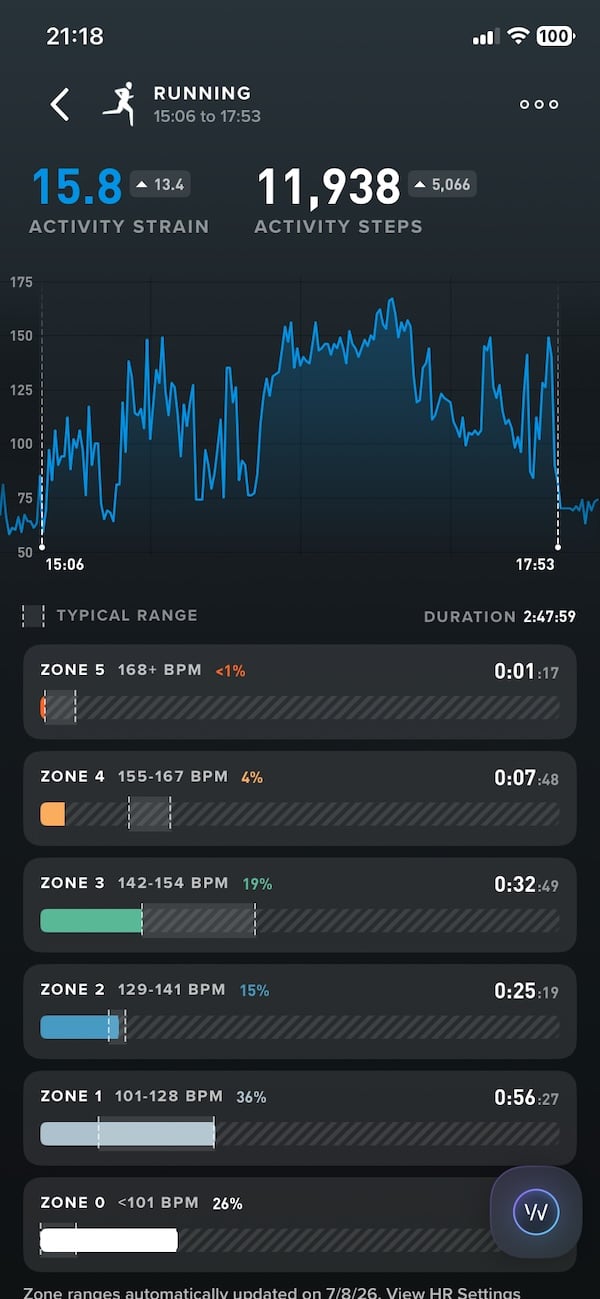
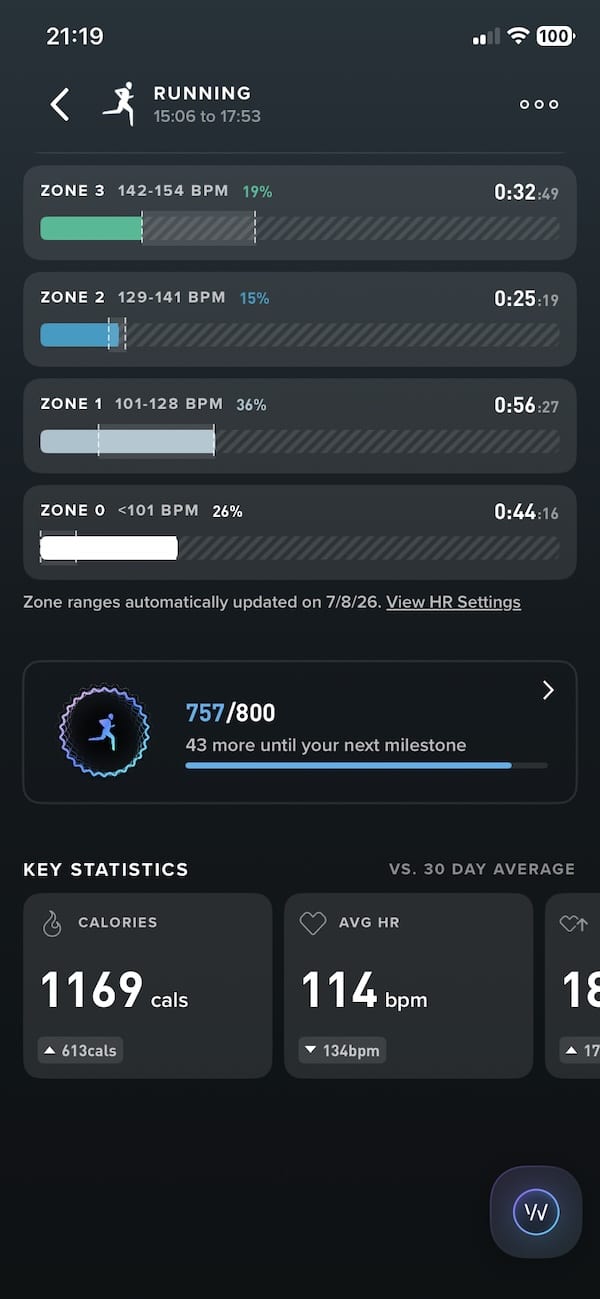
The heart-rate graph makes the problem obvious. It includes long low-intensity sections, repeated drops and several sharp changes that do not resemble one continuous 8km run.
Whoop detected that something was happening, but it failed to understand when the run actually started and ended. That undermined almost every number attached to the activity.
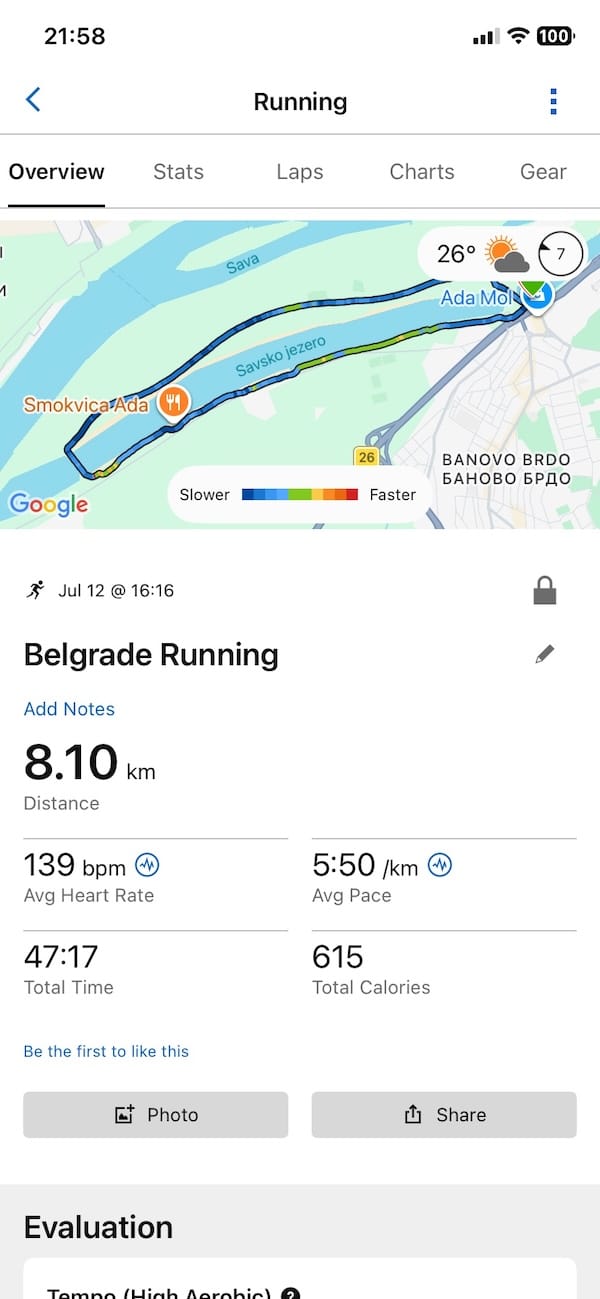
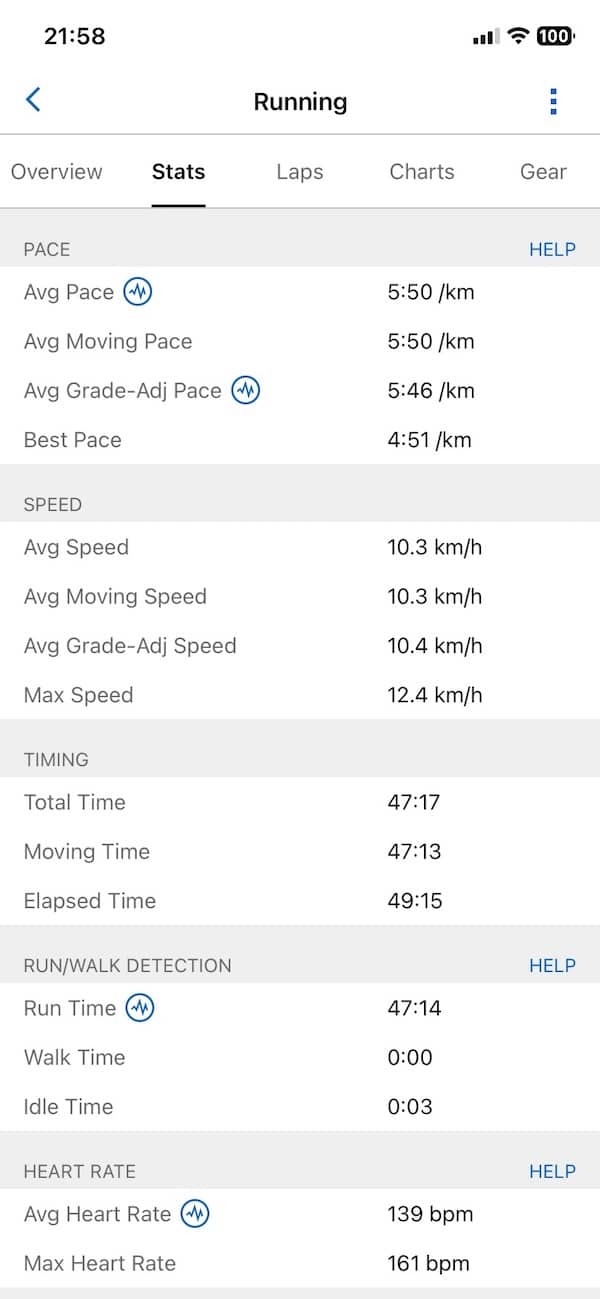
Whoop lets you edit the start and end times of an activity. When I trimmed it to match the Garmin recording, its average heart rate increased from 114 bpm to 141 bpm, close to Garmin’s 139 bpm. The step count fell from 11,938 to 6,874.
However, the maximum heart rate remained at 180 bpm, which was clearly too high for this run. Whoop also provided no distance estimate, so I could not compare it with Garmin’s 8.10km.
Fitbit Air missed the opening section
Fitbit Air produced a much cleaner activity, but Google Health initially placed its start at 4:26pm, around ten minutes after I began the Garmin activity. That gave me a distance of 6.11km and a duration of 39 minutes and 34 seconds.
Its average heart rate came in at 142 bpm, only 3 bpm above Garmin. The maximum was 159 bpm, compared with 161 bpm on the Garmin. Fitbit also counted 6,580 steps and estimated 513 calories during the initially detected section.
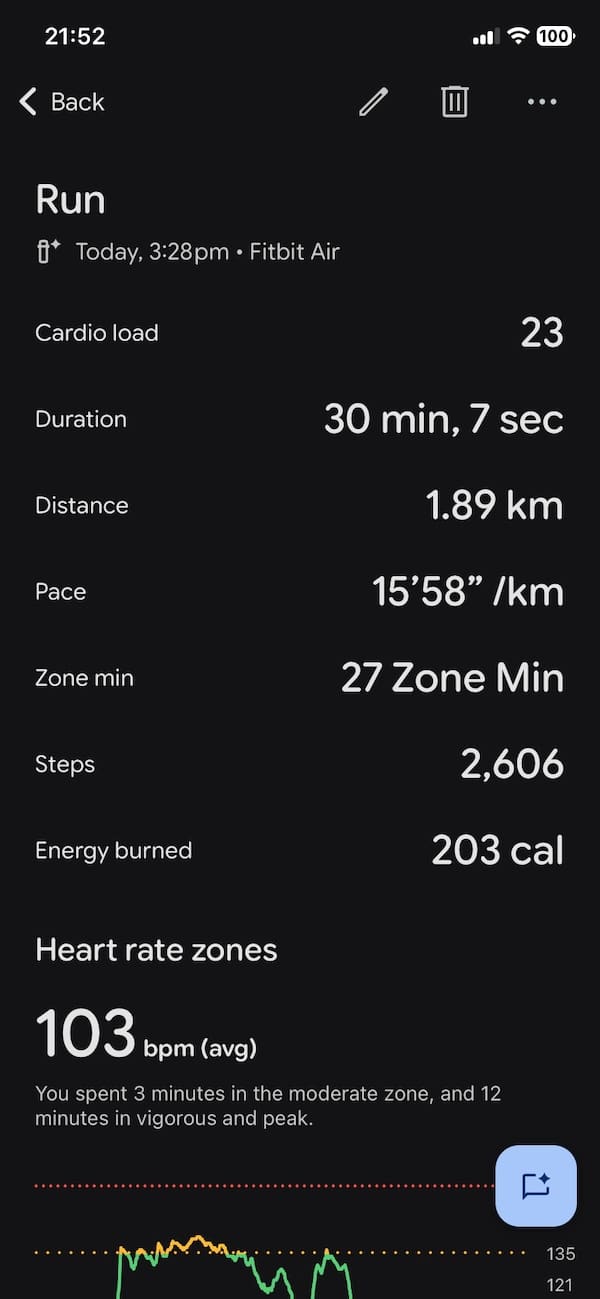
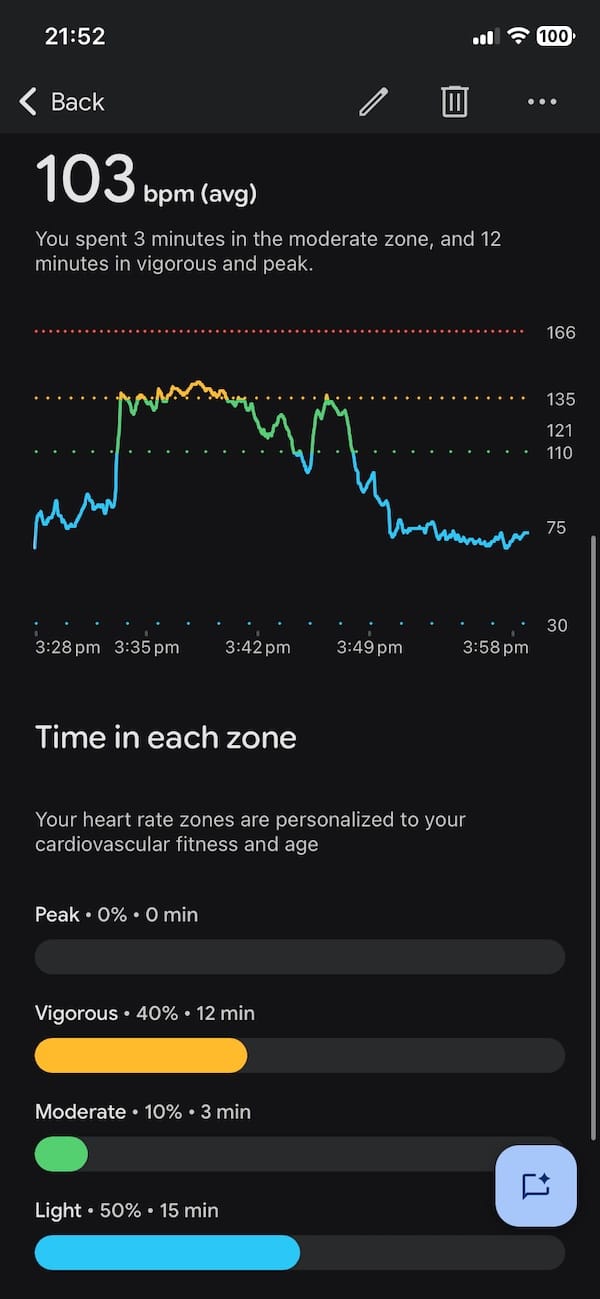
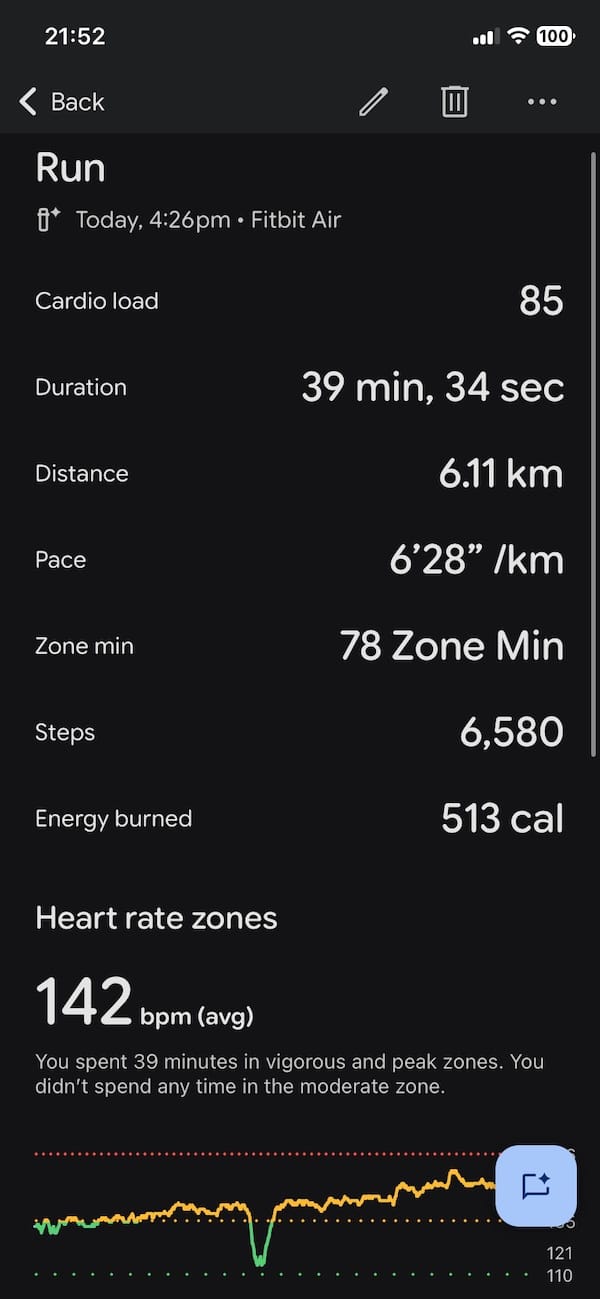
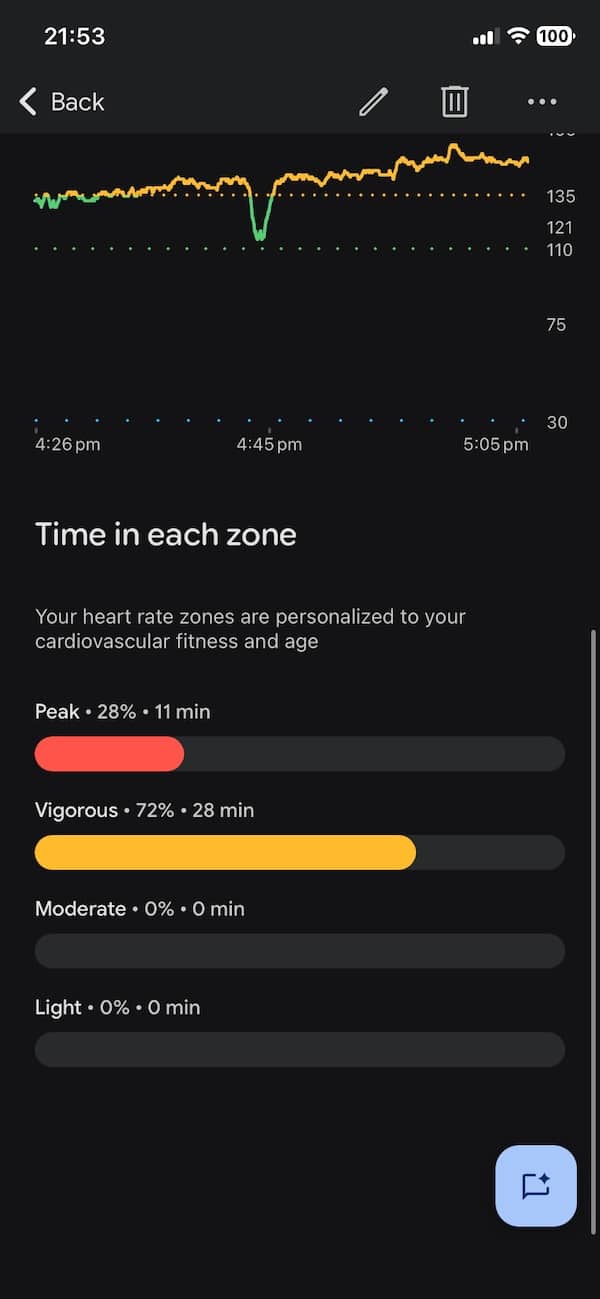
Google Health also lets you edit the start and end times of an automatically detected activity from the Fitness tab. When I moved the start time back by ten minutes, the recorded distance increased from 6.11km to 7.77km. That left it 330 metres short of Garmin’s 8.10km result.
This changes the interpretation considerably. Fitbit Air had not completely lost the opening section. Google Health had retained enough underlying data to recalculate most of the missing distance once I corrected the start time.
However, it also means automatic detection needs checking after the activity. A hands-off tracker should ideally identify the correct boundaries without requiring the user to adjust them manually.
There was no route map in the app, so I cannot confirm whether the distance came from the phone’s GPS, movement estimates or a combination of the two. But the final 7.77km result was much closer to Garmin than the initially detected activity suggested.
Background tracking still needs checking
So what’s the takeaway?
After editing both activities to match the Garmin start and finish times, Fitbit Air delivered the more complete result. Its 7.77km distance came reasonably close to Garmin’s 8.10km, while its average and maximum heart-rate readings were also close.
Editing Whoop improved its average heart rate considerably, bringing it from 114 bpm to 141 bpm. But its maximum remained at an implausible 180 bpm, and it provided no distance estimate. The edits made both records more useful, but they did not change the original automatic detection result. Fitbit started too late, while Whoop captured far too much surrounding activity.
This was an ankle test, so it should not be treated as a verdict on normal wrist performance. But for devices built around passive tracking, the basic lesson is hard to ignore. Wearing them and forgetting about them still means checking their work afterwards.
For a deeper look at each device, read my full Fitbit Air review and Whoop review.
Don’t miss the latest from Gadgets & Wearables
Subscribe to our monthly newsletter and check out our YouTube channel.
You can also follow Gadgets & Wearables on Google News and add us as a preferred source in Google Search.


You can absolutely edit your activity in Google health. Go to fitness tab at the bottom of the ap. Go to your activity and edit. I do it quite often because it doesn’t track the beginning of my run/walk on my treadmill if I forget to start it. Which is annoying, but you definitely can edit.
You are right, thanks. Have updated the article to reflect this – when I moved the start time of the Fitbit Air activity by 10 minutes earlier – it was almost the same as Garmin as far as distance tracked.
Beat me to it, you can definitely edit workouts or log additional information that Google did not capture.
Yep, found it now. More importantly, moving the start time back changed the Fitbit distance from 6.11km to 7.77km, so I’ve updated the article.
Of course, you’re assuming here that the Garmin data is 100% accurate. Were you wearing a HR band? My experience with only relying on a Garmin watch is that HR numbers can be massively inaccurate.
Algos of whoop and Fitbit air not optimized for ankle wear.